
Seedance 2.5 Upscaled vs Native 1080p: Side by Side
Seedance 2.5 Upscaled vs native 1080p, tested: $1.30 vs $3.02 per 5s clip, 57% less. Zoomed crops of text and small faces show where the upscale holds up.

Seedance 2.5 Upscaled gives you a 5 second 1080p clip for $1.30. The same clip rendered natively at 1080p on Seedance 2.5 billed me $3.02. That is 57% less for a file with the same pixel count, the same frame rate and the same native audio track.
I wanted to know what the other 43% buys, so I ran 13 renders on both models and zoomed into the parts of a frame where upscaling is supposed to fail: signage text, a chalkboard menu, small faces in a crowd, and fine grass. I also gave both models the same first frame, so one test compares like for like with no luck of the draw.
Short version: large text and medium shots hold up fine upscaled. Small text is where native earns its price, and even native has limits. The full crops are below.
What Seedance 2.5 Upscaled actually does
The model does not render at the resolution you ask for. It renders one step lower with the regular Seedance 2.5 engine, then runs an AI video upscaler on the result:
| You ask for | Seedance 2.5 renders at | Then upscales by |
|---|---|---|
| 720p | 480p | 1.5x per side |
| 1080p (default) | 720p | 1.5x per side |
| 4K | 1080p | 2x per side |
Everything else is the Seedance 2.5 you already know: text to video, image to video, first and last frame, up to 30 reference images, 10 reference videos and 10 reference audios, multi-shot prompts, 4 to 30 second clips, and audio generated in the same pass. It drops 480p output, draft mode and regional routing.
What I actually paid
Every number here is the billed cost from the API's x-cost header, 5 seconds, 16:9, one render each:
| Model and resolution | Renders at | Billed | Published table | Render time |
|---|---|---|---|---|
| Seedance 2.5, native 720p | 720p | $1.2266 | $1.19 | 143 to 149s |
| Seedance 2.5 Upscaled, 1080p | 720p | $1.2954 | $1.26 | 209 to 269s |
| Seedance 2.5, native 1080p | 1080p | $3.0177 | $2.94 | 165 to 475s |
| Seedance 2.5 Upscaled, 4K | 1080p | $3.2931 | $3.21 | 269s |
Three things fall out of that table.
- The 57% holds exactly. $1.2954 against $3.0177 is 57.1% less. Both models billed about 3% above their published tables, so the ratio survives even though the dollar figures on the pricing page are a little low.
- The upscale itself costs almost nothing. Upscaled 1080p billed $0.069 more than native 720p, which is the render it is built on. That is 5.6% for 2.25 times the pixels. The 4K upscale cost $0.275 over a native 1080p render.
- It is not slower in practice. Native 1080p swung from 165 to 475 seconds across five renders. The upscaled model stayed between 209 and 269 seconds across six. Set a long client timeout either way.
So the real question is not "is upscaled as good as native 1080p". It is "does the upscaler add anything a viewer can see, and is the detail it cannot add detail my shot needs".
Why the same seed is not a fair test
My first plan was simple: same prompt, same seed, both models, compare. It does not work. I also rendered native 720p with the same seed, expecting it to match the upscaled clip frame for frame, since that is what the upscaled model renders before upscaling. It did not. Frame correlation between the two was 0.00 to 0.23 on the signage prompt, which means a different take: different framing, different camera path, different shop. The 4K upscale against native 1080p, which should also share a render, scored 0.29 to 0.62. Different takes again.
Two consequences. You cannot preview an upscaled clip by rendering native 720p with the same seed. And a text-to-video comparison between the two models is always two different shots, so I compare things that appear in both (the same sign, the same kind of face at the same size) and I added one image-to-video test where both models start from the identical frame.
Test 1: small signage text
Parameters duration: 5 | aspect_ratio: 16:9 | seed: 7 | generate_audio: true | resolution: 1080p on both models (plus native 720p and upscaled 4K)
Native 1080p, $3.02
Upscaled 1080p, $1.30
Seedance 2.5 native vs Seedance 2.5 Upscaled, same prompt and seed. Two different takes of the same brief.
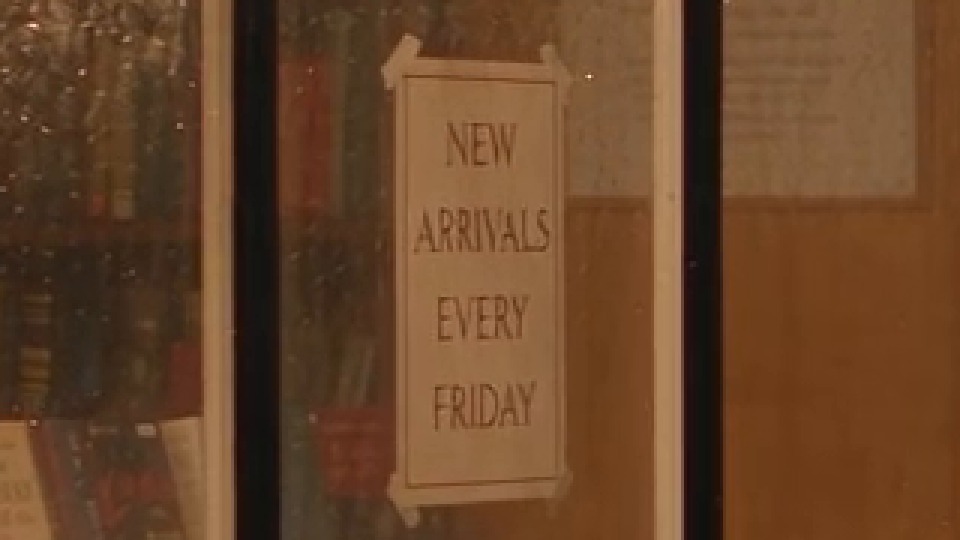
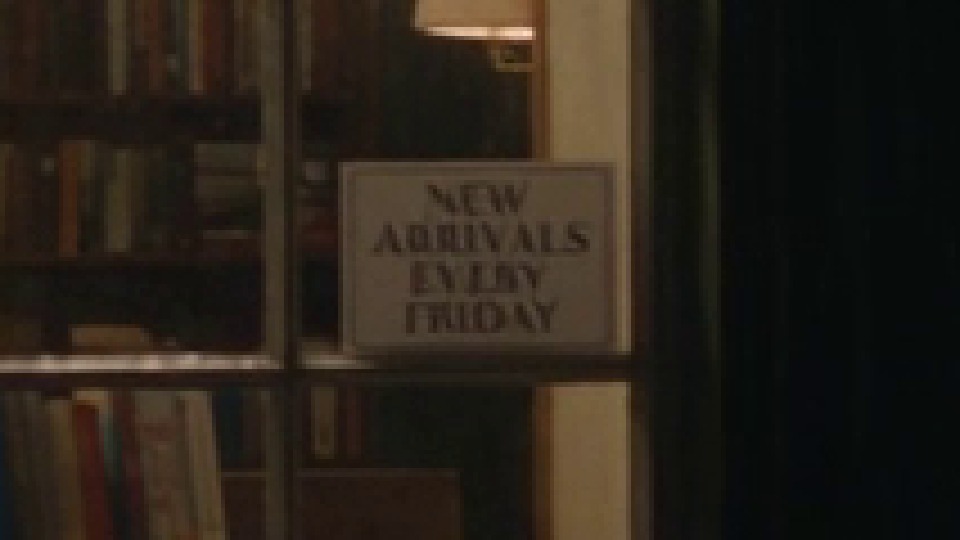
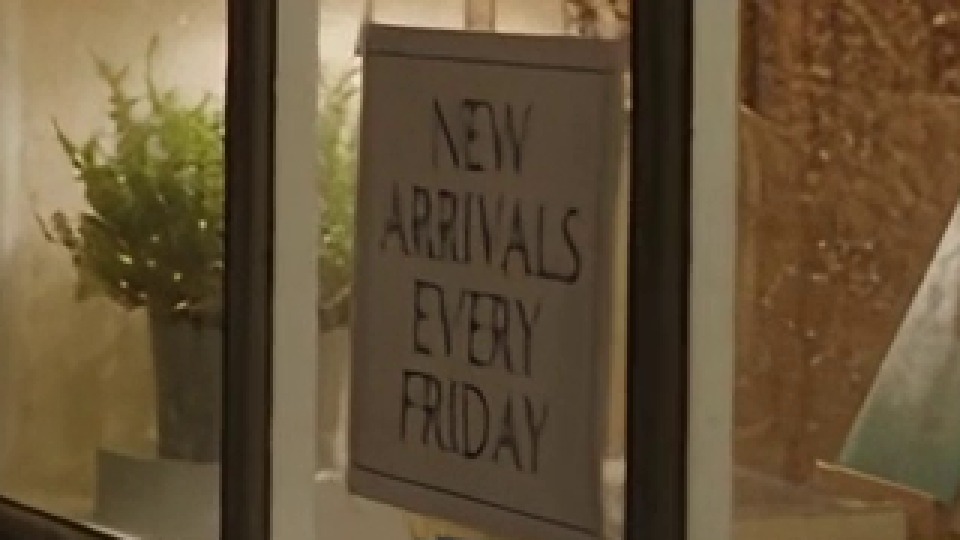
Now the zoom. Each crop below is the same fraction of the frame (one sixth of the width) taken at 2.5 seconds, enlarged with nearest-neighbour scaling so every pixel you see is a real pixel of the delivered file. The 4K crop covers the same fraction of a 3840 wide frame.
Native 1080p
Native 720p
Upscaled 1080p
Upscaled 4K
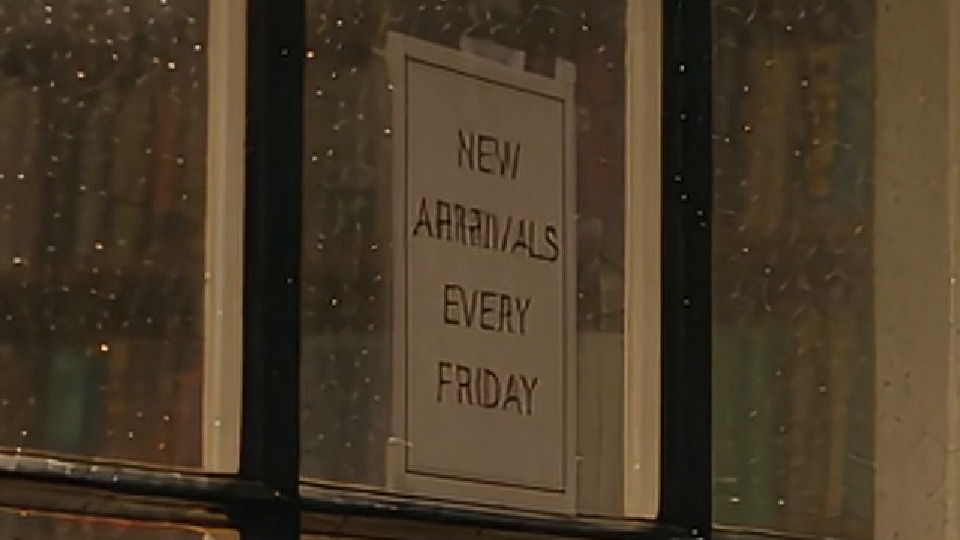
The "NEW ARRIVALS EVERY FRIDAY" card in each render, frame at 2.5s.
This is the clearest result in the whole test.
- Native 1080p draws the card cleanly: even stroke weight, proper letter spacing, correct spelling.
- Upscaled 1080p is readable and spelled right, but the strokes are ragged. Look at the R and V in ARRIVALS: the weight wobbles inside a single letter. That is the upscaler sharpening edges that were only a few pixels wide in the 720p render.
- Native 720p, the render the upscaled model starts from, shows why. The card is smaller in this take, and at that size EVERY is already smearing into neighbouring letters.
- Upscaled 4K spells it ARRRIVALS, crisply, and it stays that way from the middle of the clip to the last frame. The 1080p render under it got the spelling wrong, and the upscaler made the mistake sharper. A 4K upscale cannot fix a letter the generator never drew.
Test 2: the same first frame, so luck is out of it
To compare like for like, I generated one still with Nano Banana 2 and gave it to both models as first_frame_url. The still has text at two sizes: a large painted sign and window lettering, and a small opening-hours card on the door. Nano Banana 2 already garbled the small card, which is fine for this test: the question is whether each model keeps what is in the first frame as the camera moves.
First frame
first_frame_url, same image for both models
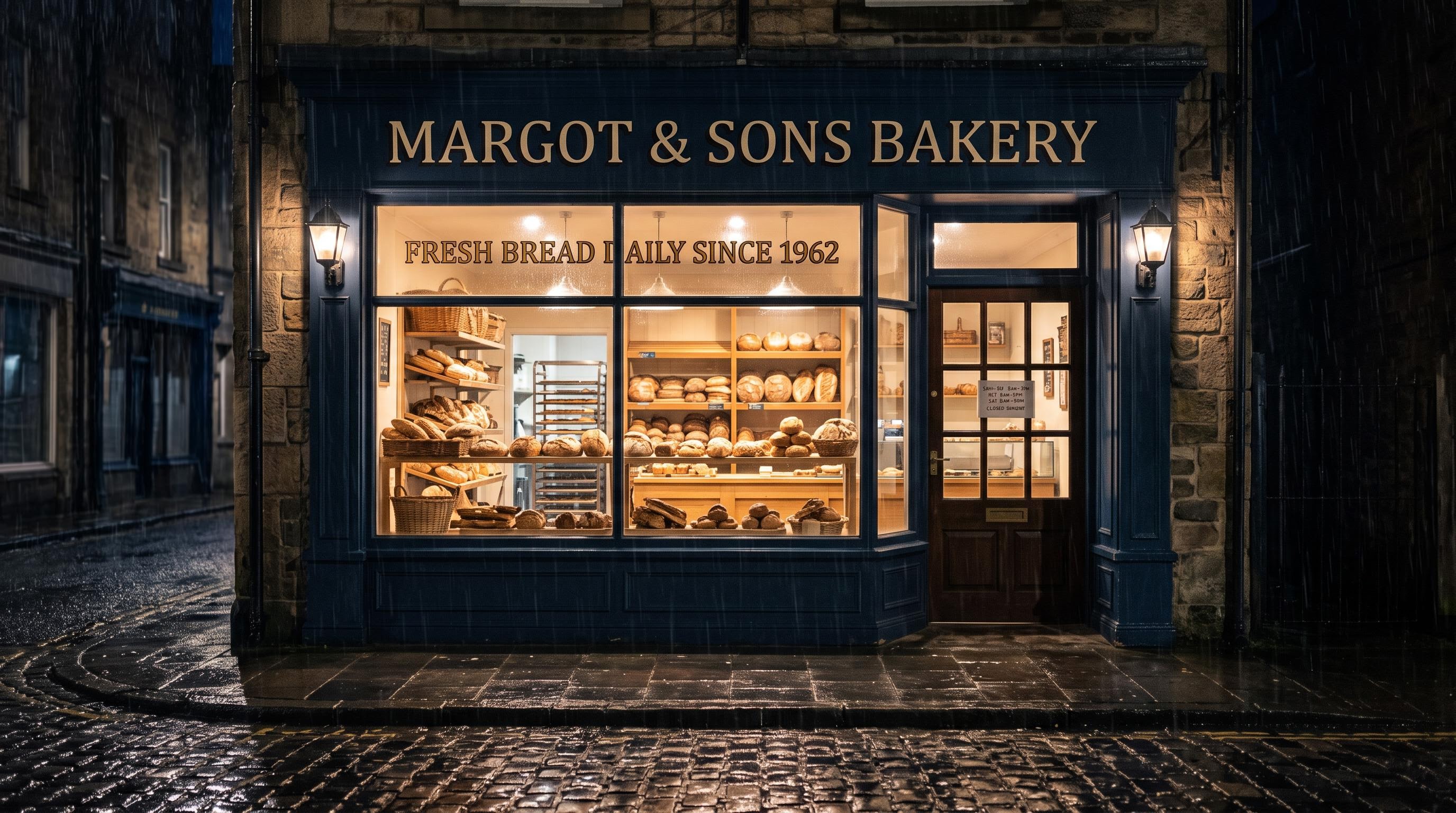
Parameters first_frame_url: the still above | resolution: 1080p | aspect_ratio: adaptive | duration: 5 | seed: 7
Native 1080p, $3.02
Upscaled 1080p, $1.29
Same first frame, same prompt. Native pushes in a little further.
Crops from the last frame (4.9 seconds), with the matching region of the source still on top:
Source still
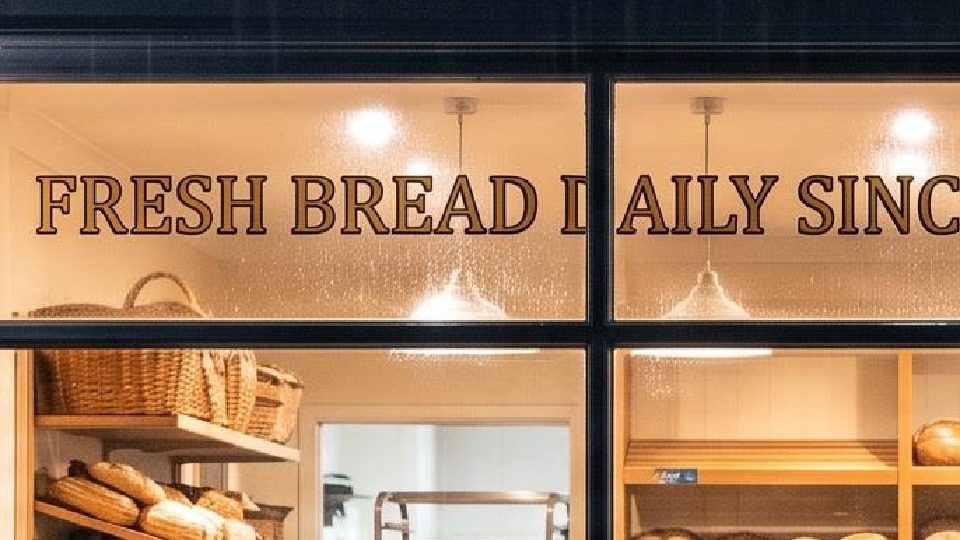
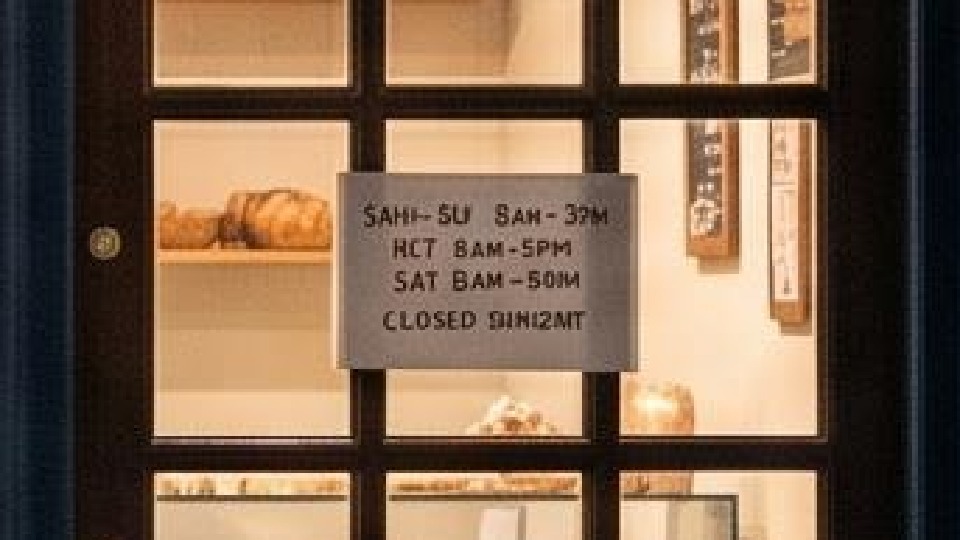
Native 1080p
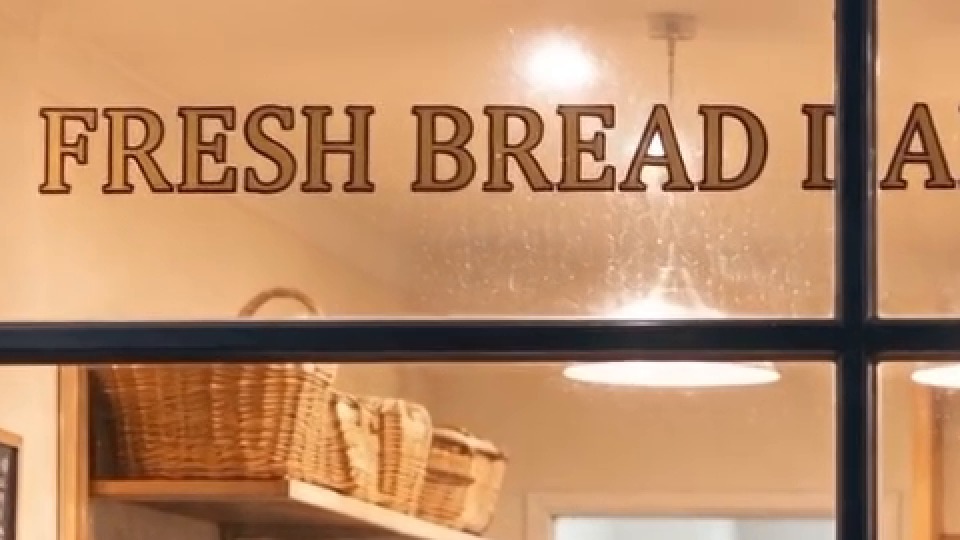
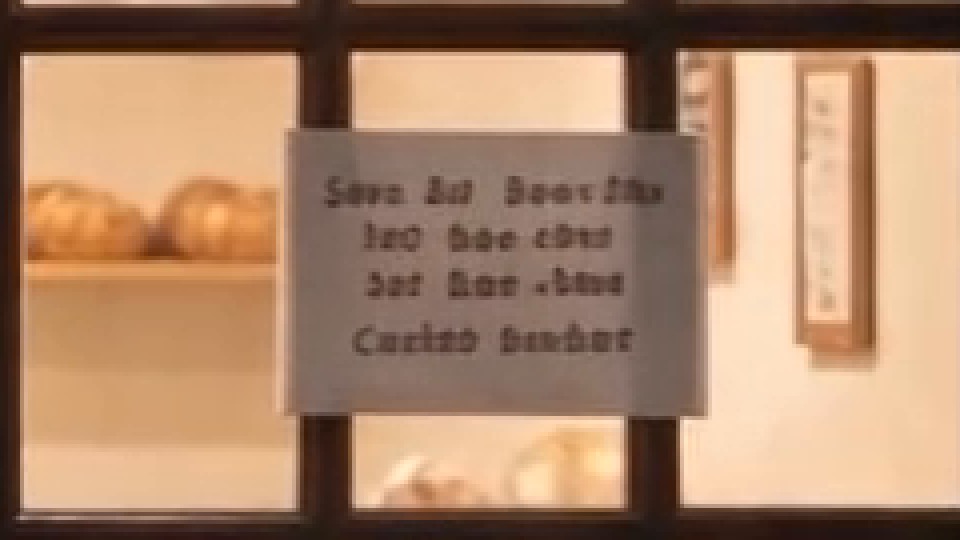
Upscaled 1080p
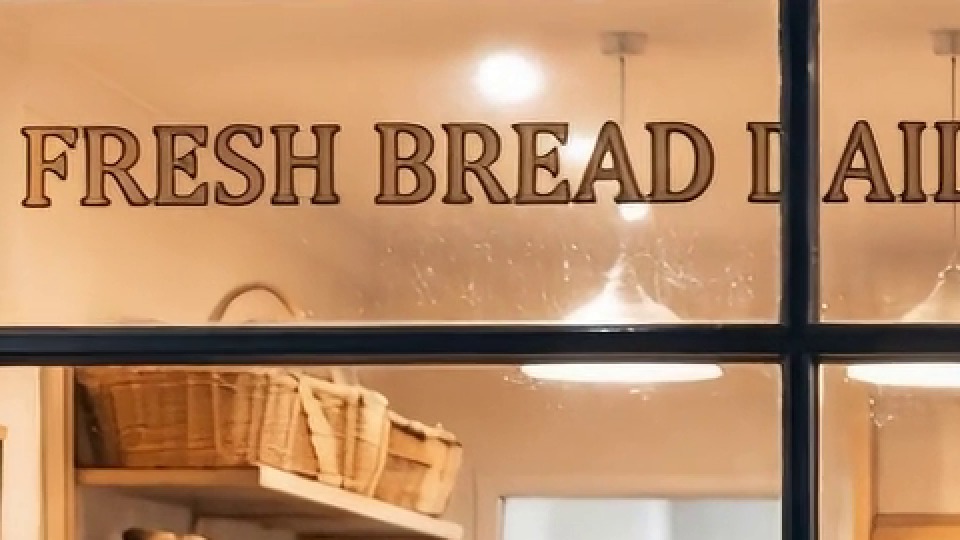
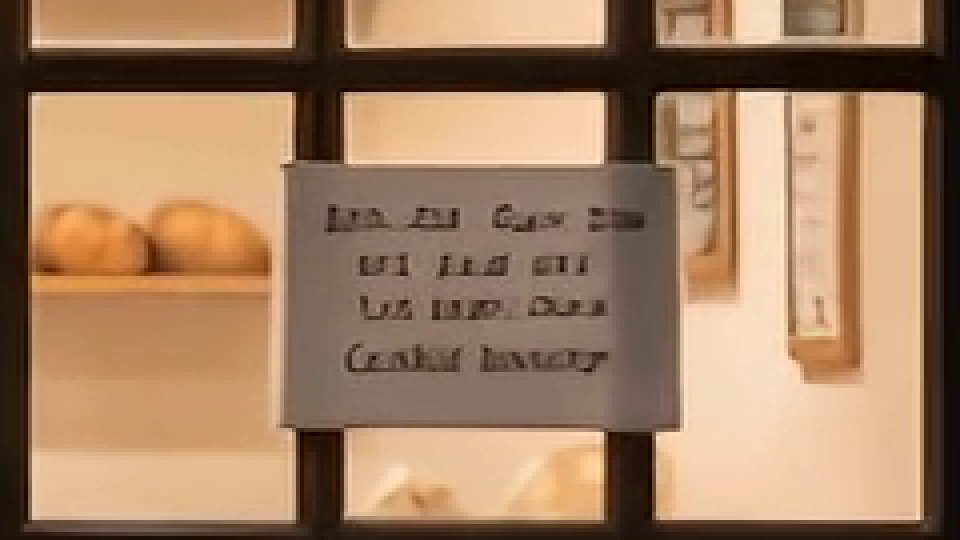
Top row: window lettering, about 45px tall in the clip. Bottom row: door card, about 10px tall.
- Large text is a tie. FRESH BREAD, roughly 45 pixels tall, comes through both models identical to the still, serifs and outline included. At this size the upscaled model costs 57% less for nothing I can see.
- Small text dies in both. The door card, roughly 10 pixels tall per line, does not survive five seconds on either model. Native turns it into soft blobs that look like letters from a distance. Upscaled turns it into sharp, confident scribbles. Neither is readable.
That second point matters for the decision. Paying for native 1080p does not buy you readable 10 pixel text. It buys you somewhat better text in the range in between, which is where Test 1's card sat (about 15 to 25 pixels per letter).
Test 3: a chalkboard menu
Parameters resolution: 1080p | aspect_ratio: 16:9 | duration: 5 | seed: 7 | generate_audio: true on native, false on upscaled (see below)
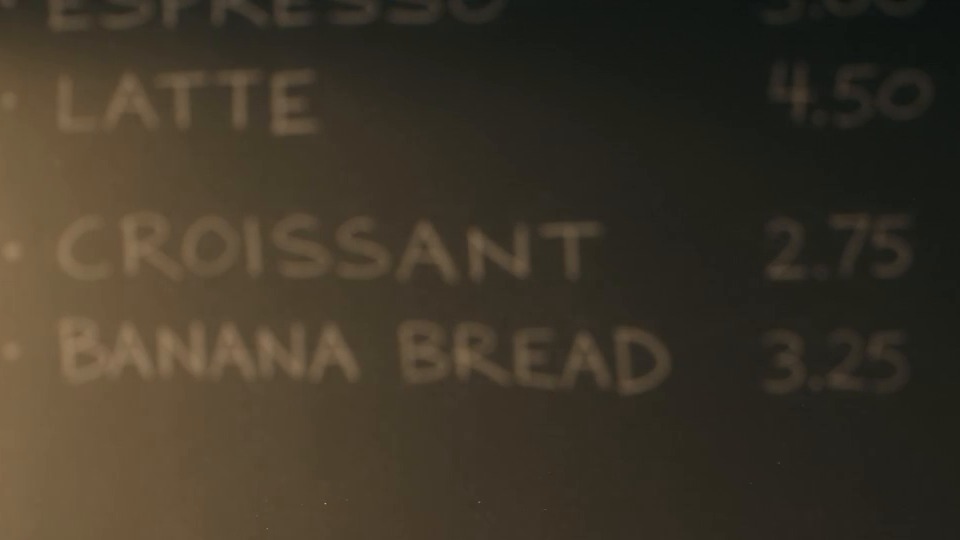
Native 1080p: the board
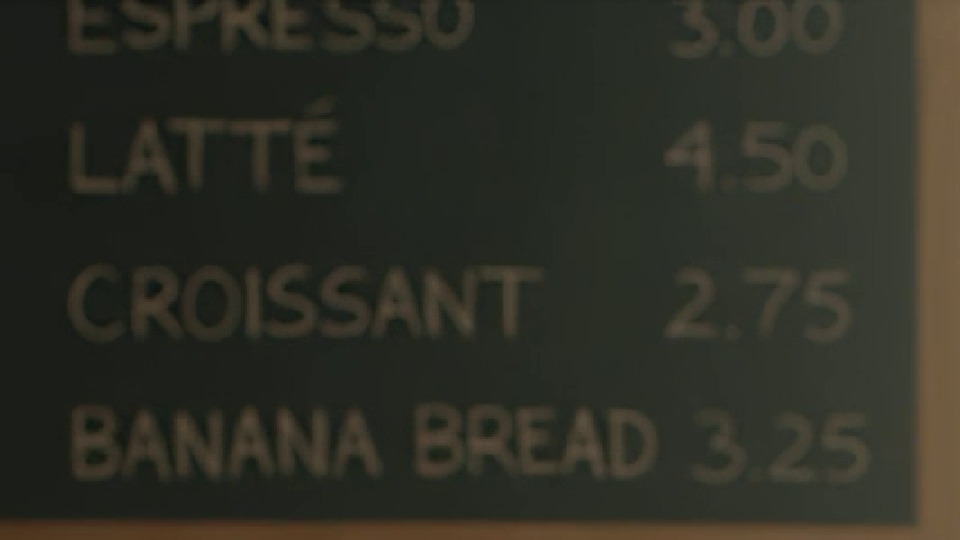
Upscaled 1080p: the board
Upscaled 1080p: a board I did not ask for
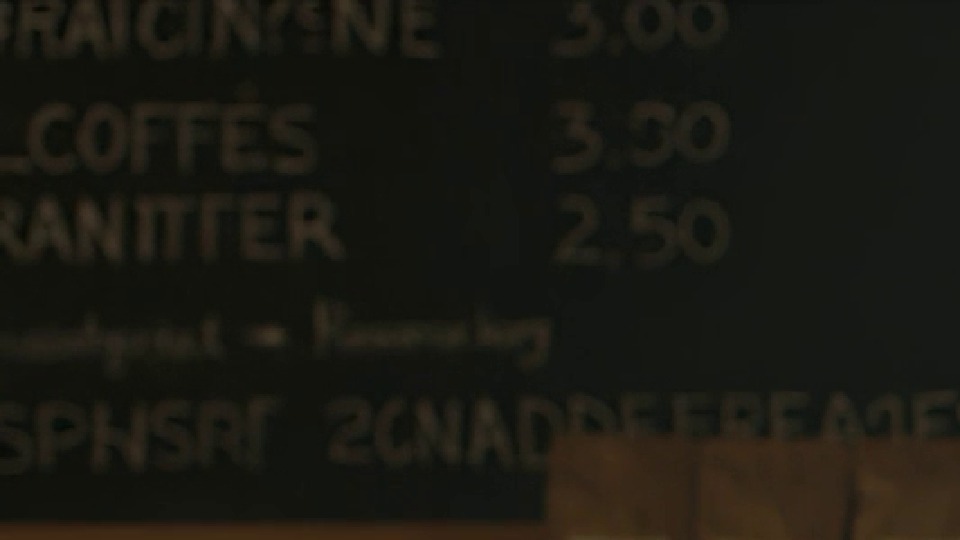
Frame at 2.5s.
Both models spelled all four requested items and prices correctly. Native set the board behind a shallow depth of field, so it is soft but right. The upscaled take framed it in focus, added an accent to LATTÉ, and then invented a second board to the left full of words that do not exist. That is a generator habit, not an upscaler one: text you quote in the prompt comes out right, and text the model invents to fill space comes out as gibberish. Keep every word you need on screen in quotes, and fill the rest of the frame with something other than writing.
One more thing from this test: the first upscaled render was refused by the audio copyright filter (the cafe ambience was flagged) after rendering for 138 seconds. It was not billed. I re-ran it with generate_audio: false, which is why the parameters differ.
Test 4: small faces in a wide shot
Parameters resolution: 1080p on both (plus native 720p) | aspect_ratio: 16:9 | duration: 5 | seed: 7
Native 1080p, $3.02
Upscaled 1080p, $1.30
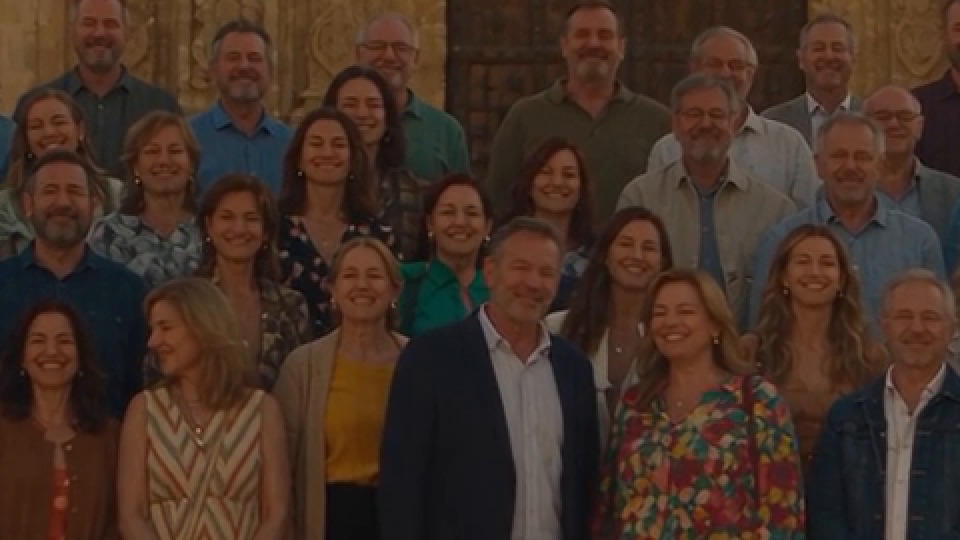
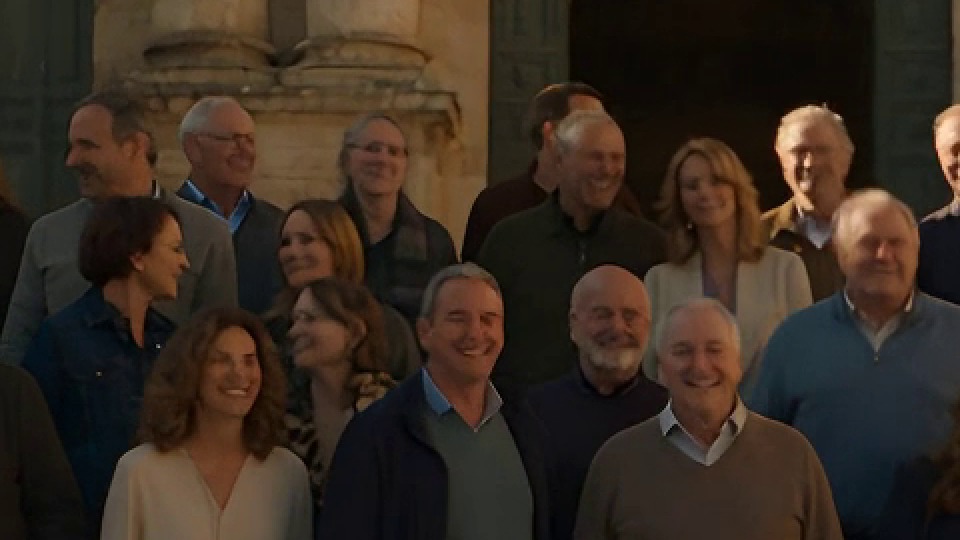
Both takes framed the group at a similar size, faces roughly 30 to 40 pixels wide.
At 200%, everything looks fine:
Native 1080p
Upscaled 1080p
Native 720p
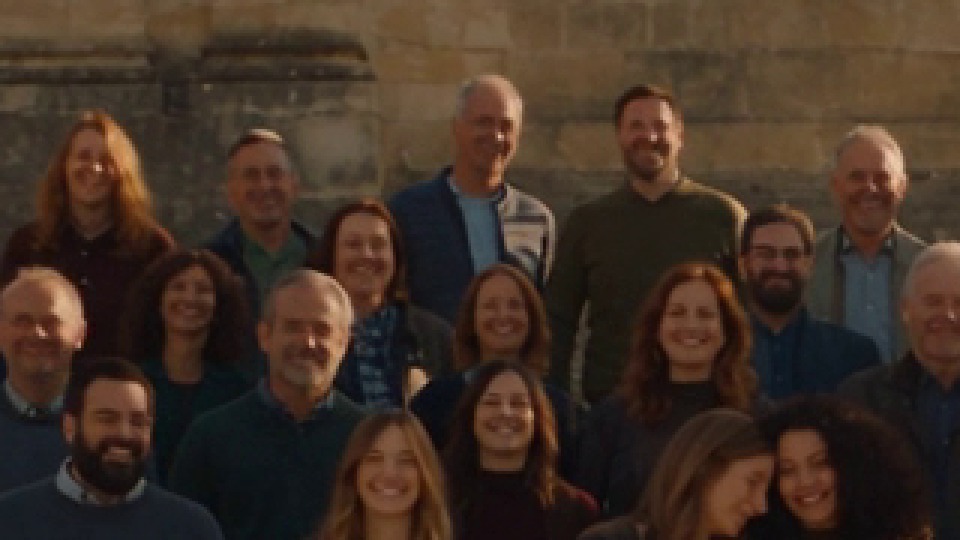
Back rows of each crowd, frame at 2.5s. Same fraction of the frame in each crop.
Push to 600% and the three separate:
Native 1080p

Upscaled 1080p

Native 720p
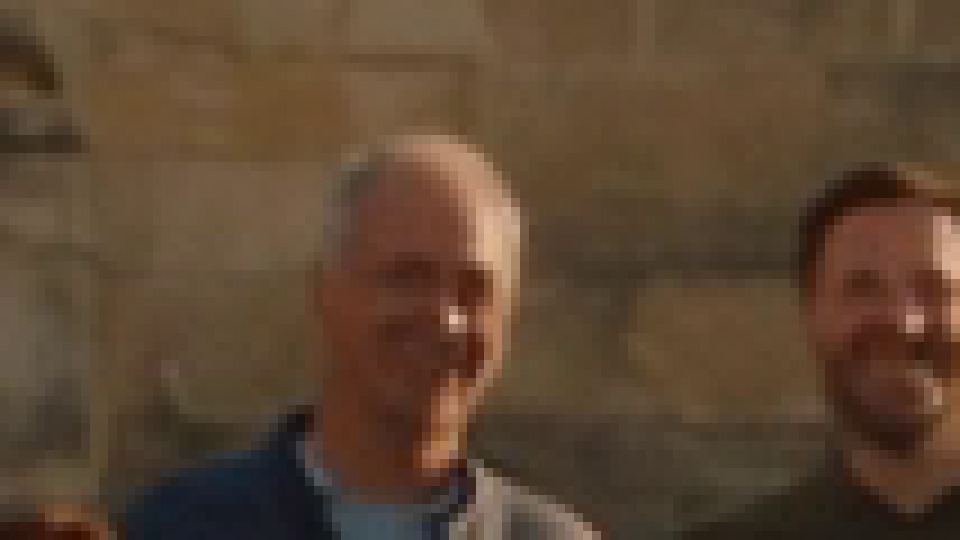
Individual back-row faces, nearest-neighbour enlargement.
Native 1080p keeps beard texture, separate glasses frames and individual teeth. The upscaled faces read correctly (eyes, glasses and smiles are where they should be) but the skin is smoothed into a slightly waxy finish. Native 720p, the starting point, is a field of blocks. So the upscaler genuinely helps here: it lands much closer to native 1080p than to the 720p render it came from. At normal viewing size I could not pick the upscaled crowd out as upscaled.
Test 5: grass and fur
Parameters resolution: 1080p | aspect_ratio: 16:9 | duration: 5 | seed: 7
Native 1080p
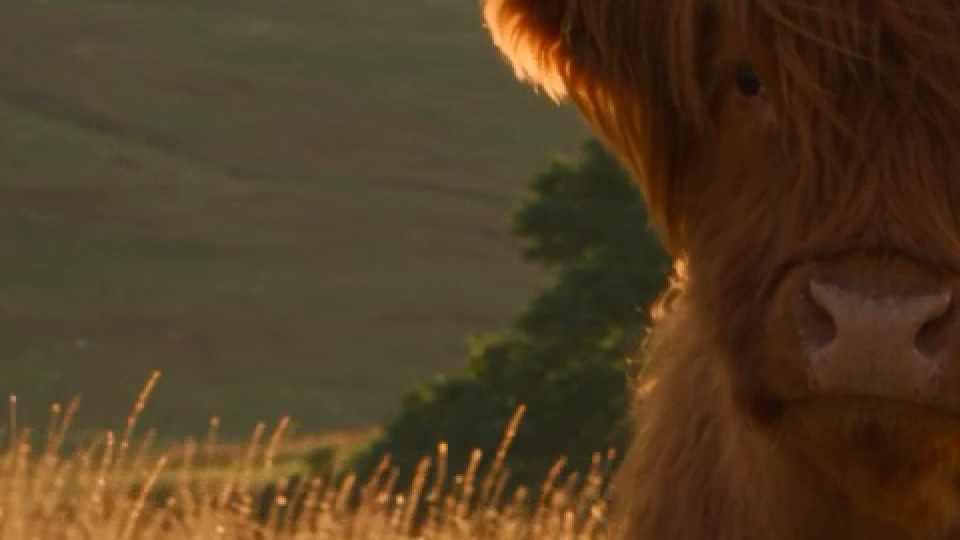
Upscaled 1080p
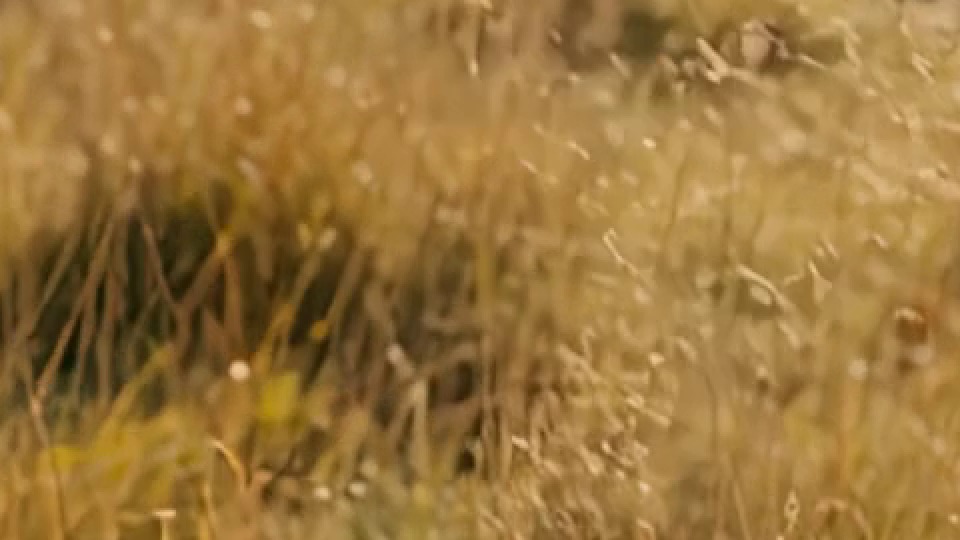
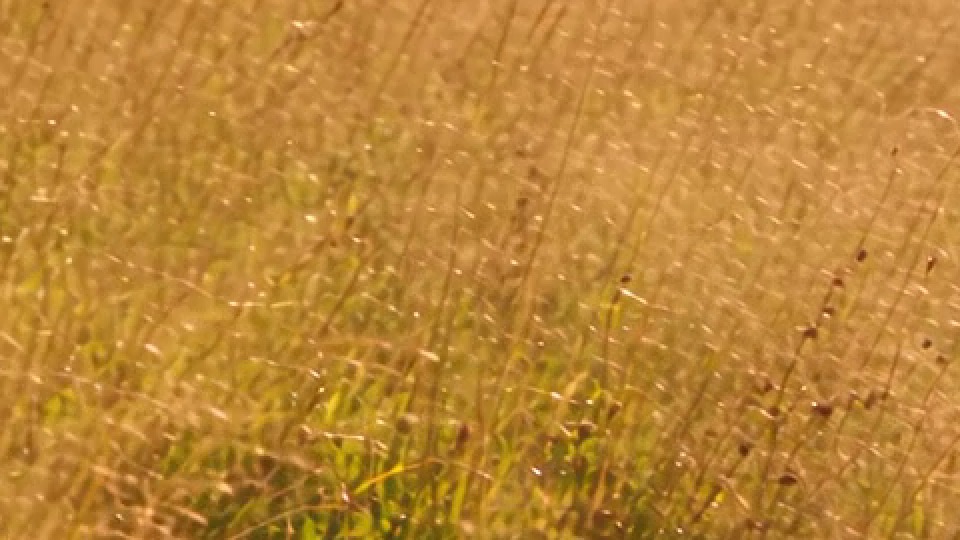
200% crops at 2.5s. The two takes framed the cow very differently.
This one is less conclusive, and I would rather say so than oversell it. Native chose a wide shot with the whole field in focus, and its grass is a dense mesh of single-pixel blades and seed heads. The upscaled take orbited in close with a shallow depth of field, so most of its grass is meant to be soft. Where it is in focus, it has a slightly brush-stroked look that native does not. The fur, which is large-scale texture, looks excellent upscaled. My read: fine, high-frequency texture across a whole frame is the third place native earns its price, after small text and tight faces.
The file you get back
- Codec. Native Seedance 2.5 at 1080p returns 10-bit HEVC by default, which Chrome and Firefox on Windows play as audio over a blank frame. I passed
output_codec: "h264"on every native render. The upscaled model always returns H.264 8-bit, so there is nothing to remember. - Audio. Native clips came back with 32 kHz AAC audio, upscaled clips with 44.1 kHz. That is a resample during the upscale step, not new sound.
- Image-to-video dimensions. With
aspect_ratio: adaptiveand the same first frame, native returned 1926x1076 and upscaled 1938x1080. Not quite 1920x1080 on either, which matters if your edit timeline is strict about it.
How I choose now
- Product shots, people in medium or close framing, large on-screen text: upscaled 1080p. In my tests it was indistinguishable at normal size and costs 57% less.
- Mid-size text the viewer must read (a sign or a card at 15 to 25 pixels per letter): native 1080p. That is the one place the crops showed a clear, visible difference.
- Tiny text (10 pixels or less): neither. Add it in the edit.
- Crowds and wide group shots: upscaled is fine for social. Native if anyone will pause the video and look at faces.
- 4K delivery: upscaled is the only option, $0.28 above a native 1080p render. Check any text in it frame by frame, because it sharpens mistakes too.
- Previews: do not expect a native render with the same seed to preview an upscaled clip. Iterate on wording cheaply, then treat the first upscaled render as the first time you see the shot.
Calling it from the API
The two models take the same request body, so switching is a one-word change in the URL. The upscaled model ignores output_codec, so you can leave it in.
import requests

API_KEY = "YOUR_API_KEY"
body = {
    "prompt": "A narrow rainy street at night, a bookshop window with a sign reading \"OPEN LATE\", slow dolly forward, soft rain, no music",
    "duration": 5,
    "resolution": "1080p",
    "aspect_ratio": "16:9",
    "seed": 7,
    "generate_audio": True,
    "output_codec": "h264",  # only matters on native seedance-2.5
}

for slug in ("seedance-2.5-upscaled", "seedance-2.5"):
    r = requests.post(
        f"https://api.segmind.com/v1/{slug}",
        headers={"x-api-key": API_KEY},
        json=body,
        timeout=900,
    )
    r.raise_for_status()
    with open(f"{slug}.mp4", "wb") as f:
        f.write(r.content)
    print(slug, r.headers.get("x-cost"))
Keep the timeout long: my slowest native render took 475 seconds. Log x-cost from every response, since it is the exact amount billed and ran about 3% above the published table in my tests.
FAQ
Is Seedance 2.5 Upscaled a different model from Seedance 2.5?
No. It is the same Seedance 2.5 engine rendering one resolution step lower, followed by an AI upscaler. Prompts, references and audio work the same way.
How much cheaper is Seedance 2.5 Upscaled at 1080p?
57% in my tests: $1.2954 against $3.0177 billed for a 5 second 16:9 clip.
Can Seedance 2.5 Upscaled render readable text?
Large text, yes, as well as native. Mid-size text comes out readable but ragged. Text around 10 pixels tall was unreadable on both models.
Does the same seed give the same video on both models?
No. Same prompt and seed produced different takes across native 720p, native 1080p, upscaled 1080p and upscaled 4K.
Can I get 4K from native Seedance 2.5?
No. On Segmind, Seedance 2.5 4K output is only available through the upscaled model.
Try both on the same prompt: Seedance 2.5 Upscaled and Seedance 2.5.