
GPT Image 2.5 API: The Ultimate Guide to Flare and Sunburst
I fired 14 calls through the GPT Image 2.5 API on Segmind. Exact costs for Flare and Sunburst, the 4x token drop vs GPT Image 2, and which to use.

OpenAI's ChatGPT Images 2.5 family landed on Segmind today as two separate endpoints, GPT Image 2.5 Flare and GPT Image 2.5 Sunburst. I pulled both spec sheets expecting to find the trade-off written down somewhere, and instead found two files that are almost character for character identical: same nine parameters, same size enums, same quality tiers, same published token rates. The only differences in the documentation are the default size and a one-line description.
So I did the only thing that resolves that: I fired 14 real calls across both models, same prompt, same lattice of sizes and quality tiers, and recorded the exact billed amount from the x-cost response header on every one. Total spend, $0.836.
The headline result is not the one I expected. Flare and Sunburst bill exactly the same amount, to the eighth decimal place, on every single config I tested. Price is not the axis you choose on. What actually separates them is wall clock and how much of your image survives an edit, and I have numbers for both.
Why there are two of them, and where they sit in the family
Segmind's model pages put it plainly enough: Flare is described as OpenAI's default ChatGPT Images 2.5 model, tuned for fast, high-volume everyday work, and Sunburst as the precision tier aimed at demanding creative briefs and tighter edit control. That framing is Segmind's, not mine, and the rest of this post is me checking it.
The useful context is what they replace. This is the ninth and tenth GPT Image endpoint on the platform, and the generational spread is wide:
| Model | Added | Published avg latency | Published avg cost |
|---|---|---|---|
| GPT Image 1 | Apr 2025 | 39.7 s | $0.2101 |
| GPT Image 1 Mini | Oct 2025 | 23.9 s | $0.0176 |
| GPT Image 1.5 | Dec 2025 | 37.3 s | $0.1806 |
| GPT Image 1.5 Edit | Dec 2025 | 26.6 s | $0.0782 |
| GPT Image 2 | Apr 2026 | 54.1 s | $0.0964 |
| GPT Image 2.5 Flare | Sep 2026 | 13.6 s | $0.0280 |
| GPT Image 2.5 Sunburst | Sep 2026 | 21.7 s | $0.0368 |
Treat those average-cost figures carefully. They are averages over whatever mix of configs people have run, not rates, and on a model launched hours ago that mix is thin. The rate card is the same three lines on both 2.5 endpoints: $6.25 per million text input tokens, $10.00 per million image input tokens, $37.50 per million output image tokens. Nowhere does it say how many output tokens a given size and quality actually produces, and that number is your entire bill.
One more thing the 2.5 pair does that the older family does not: both endpoints do generation and editing. There is no separate -edit slug. Pass anything in image_urls and the same endpoint switches into edit mode.
How I measured this
One prompt, deliberately a real commercial brief rather than a benchmark: a product shot carrying four separate blocks of brand copy at three different type sizes. In-image typography is the whole pitch for this family, so the prompt had to actually test it.
Parameters output_format: png | output_compression: 100 | size and quality varied per row | everything else left at its default
For every call I logged the billed amount from x-cost, the wall-clock time, and then opened the returned file and measured its real pixel dimensions. Then I divided each bill by the published rates to recover the exact output-token count.
What every config actually cost
Here is the full lattice. Every cost is measured, and every output-token count came back as a clean integer, which is how you know the arithmetic is right rather than approximately right.
| Model | Size | Quality | Billed | Output tokens | Time | Cost / MP |
|---|---|---|---|---|---|---|
| Flare | 1024x1024 | low | $0.00810625 | 200 | 15.4 s | $0.0077 |
| Sunburst | 1024x1024 | low | $0.00810625 | 200 | 16.0 s | $0.0077 |
| Flare | 1024x1024 | medium | $0.01721875 | 443 | 14.0 s | $0.0164 |
| Sunburst | 1024x1024 | medium | $0.01721875 | 443 | 18.4 s | $0.0164 |
| Flare | 1024x1024 | high | $0.06660625 | 1760 | 21.9 s | $0.0634 |
| Sunburst | 1024x1024 | high | $0.06660625 | 1760 | 33.2 s | $0.0634 |
| Flare | 1536x1024 | high | $0.05220625 | 1376 | 20.3 s | $0.0333 |
| Sunburst | 1536x1024 | high | $0.05220625 | 1376 | 31.1 s | $0.0333 |
| Flare | 3840x2160 | high | $0.12585625 | 3340 | 31.8 s | $0.0152 |
| Sunburst | 3840x2160 | high | $0.12585625 | 3340 | 41.0 s | $0.0152 |
Two things to note before the analysis. Every requested size came back at exactly that size, so unlike some models in this category there is no gap between the label and the pixels you get. And the cost column is identical between the two models on all five configs, which is the finding I keep coming back to.
The token schedule, solved
My prompt was a constant 97 text input tokens, worth $0.00060625 on every call. Subtract that and divide by $37.50 per million and the output-token count falls out exactly: 200, 443, 1760, 1376, 3340. Which means you can price any job on this family before you run it.
2.5 is a 4x token cut against GPT Image 2
I ran this same lattice on GPT Image 2 yesterday for a pricing comparison, with a different prompt but the same sizes and quality tiers. Because output tokens depend on size and quality rather than on the prompt, the two runs compare directly:
| Config | GPT Image 2 output tokens | GPT Image 2.5 output tokens | Reduction |
|---|---|---|---|
| 1024x1024, low | 200 | 200 | none |
| 1024x1024, medium | 1760 | 443 | 3.97x |
| 1024x1024, high | 7028 | 1760 | 3.99x |
| 1536x1024, high | 5492 | 1376 | 3.99x |
| 3840x2160, high | 13346 | 3340 | 4.00x |
That is a flat 4x cut at every tier above low, and it is remarkably consistent. In dollars, a 1024x1024 image at high went from $0.264 to $0.067. A 4K frame went from $0.501 to $0.126. The low tier did not move at all, both models spend exactly 200 output tokens there, which suggests low is a fixed floor rather than a scaled setting.
Latency moved even harder. Segmind's page for Flare claims up to a 50% latency cut versus the previous generation. Measured against my GPT Image 2 numbers, that claim is conservative: 1024x1024 at high went from 152.8 s to 21.9 s, a 7.0x speedup, and 1536x1024 at high from 104.8 s to 20.3 s. Different prompt and different day, so treat those as order-of-magnitude rather than controlled, but a 7x gap is not measurement noise.
A bigger image still costs less
The strangest property of GPT Image 2 survived into 2.5 intact. At high, 1536x1024 bills 1376 output tokens and 1024x1024 bills 1760. The wider image has 50% more pixels and costs 21.6% less money. Output tokens are not proportional to pixel count, and the square is the expensive shape.
The practical version of that: if you need a 1024x1024 asset, ask for 1536x1024 and crop it. You save a fifth of the bill and get more image to work with. I have now seen this hold on two generations of the model, so it is a property of the family rather than a fluke.
4K is the cheapest pixel on the platform
3840x2160 at high bills $0.12586 for 8.29 megapixels, which is $0.0152 per megapixel. The 1-megapixel square at the same quality is $0.0634 per megapixel, 4.2x worse. Full 4K costs only 1.9x the price of the 1 MP square while delivering 7.9x the pixels.
So the instinct to request small images to save money is backwards here. Generate at 4K, downscale locally, and you get a cheaper and better asset.
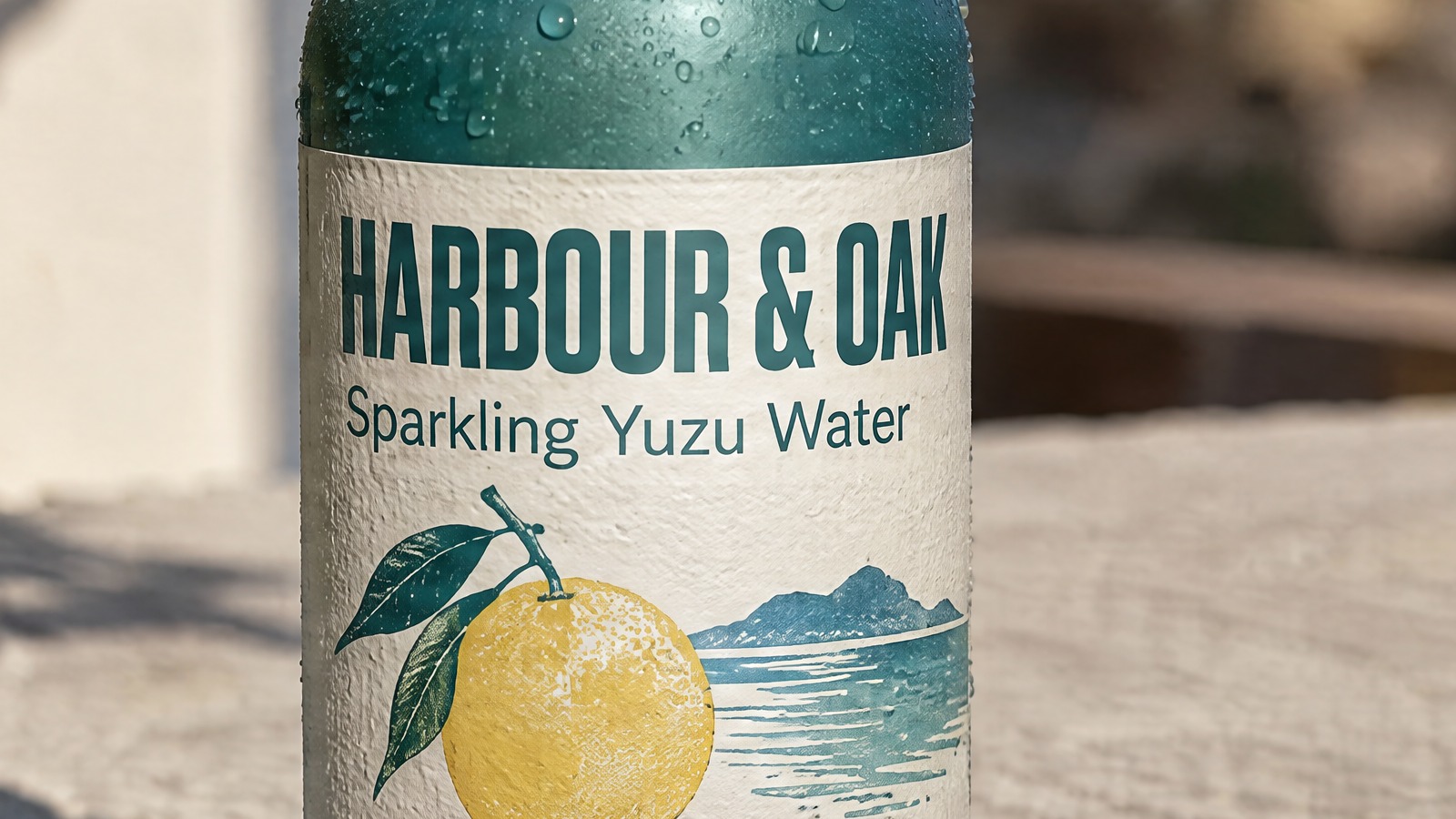
Flare, 4K, 1:1 crop
Sunburst, 4K, 1:1 crop
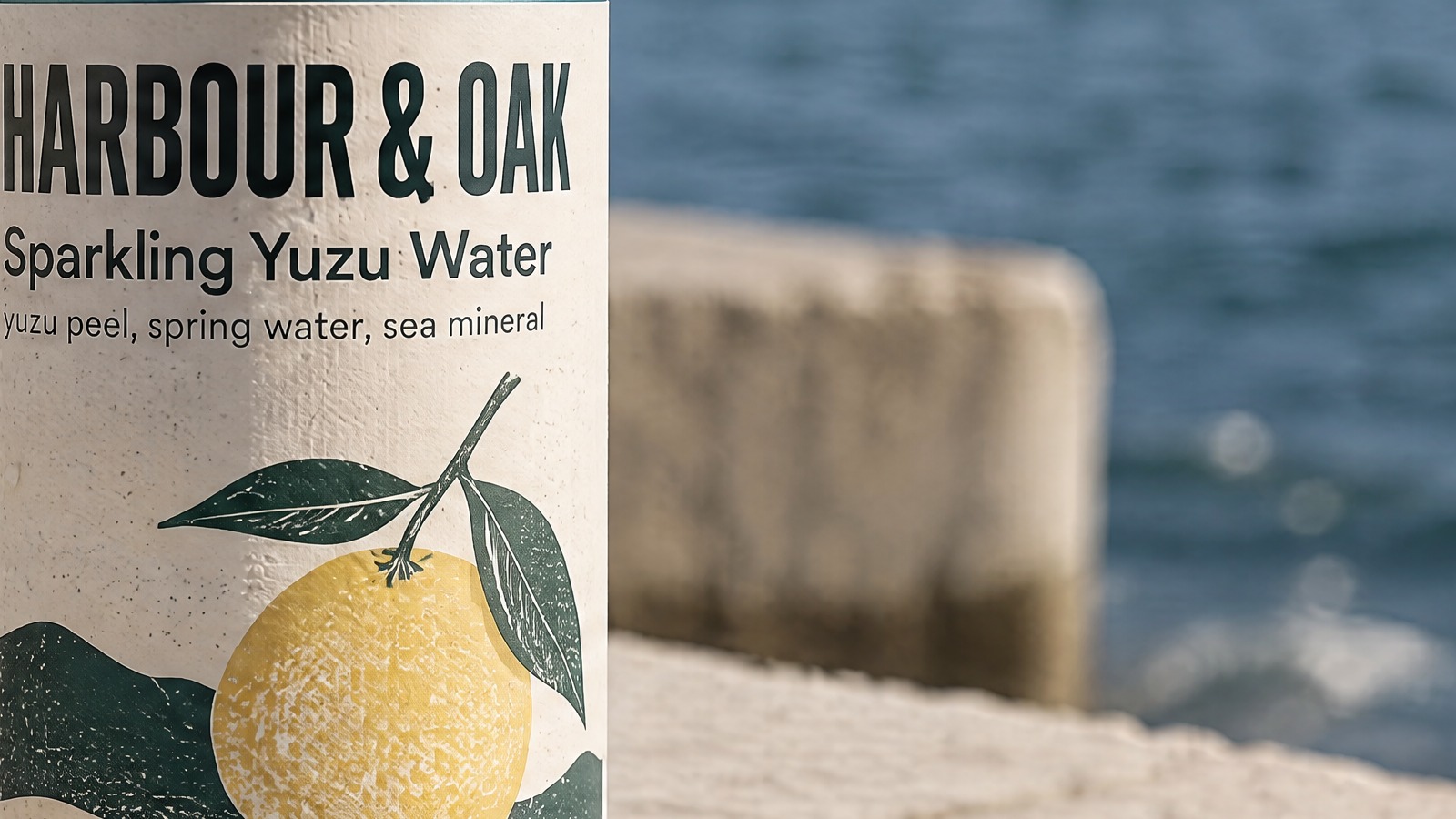
Unscaled 1600x900 crops from the 3840x2160 renders, so this is real 4K detail rather than a downscale. $0.12586 each.
They cost the same. So what does Sunburst actually buy?
Two things, and only one of them is a benefit.
Sunburst is consistently slower at the same config. At low the two are level, 16.0 s against 15.4 s. The gap opens as quality climbs: 18.4 s against 14.0 s at medium, 33.2 s against 21.9 s at high, 31.1 s against 20.3 s at 1536x1024, and 41.0 s against 31.8 s at 4K. Call it 30% to 52% more wall clock at high for the same money.
On raw generation quality, I could not pick a consistent winner. Here is the high pair at 1536x1024, same prompt, same seed-free defaults:
Flare, 20.3 s
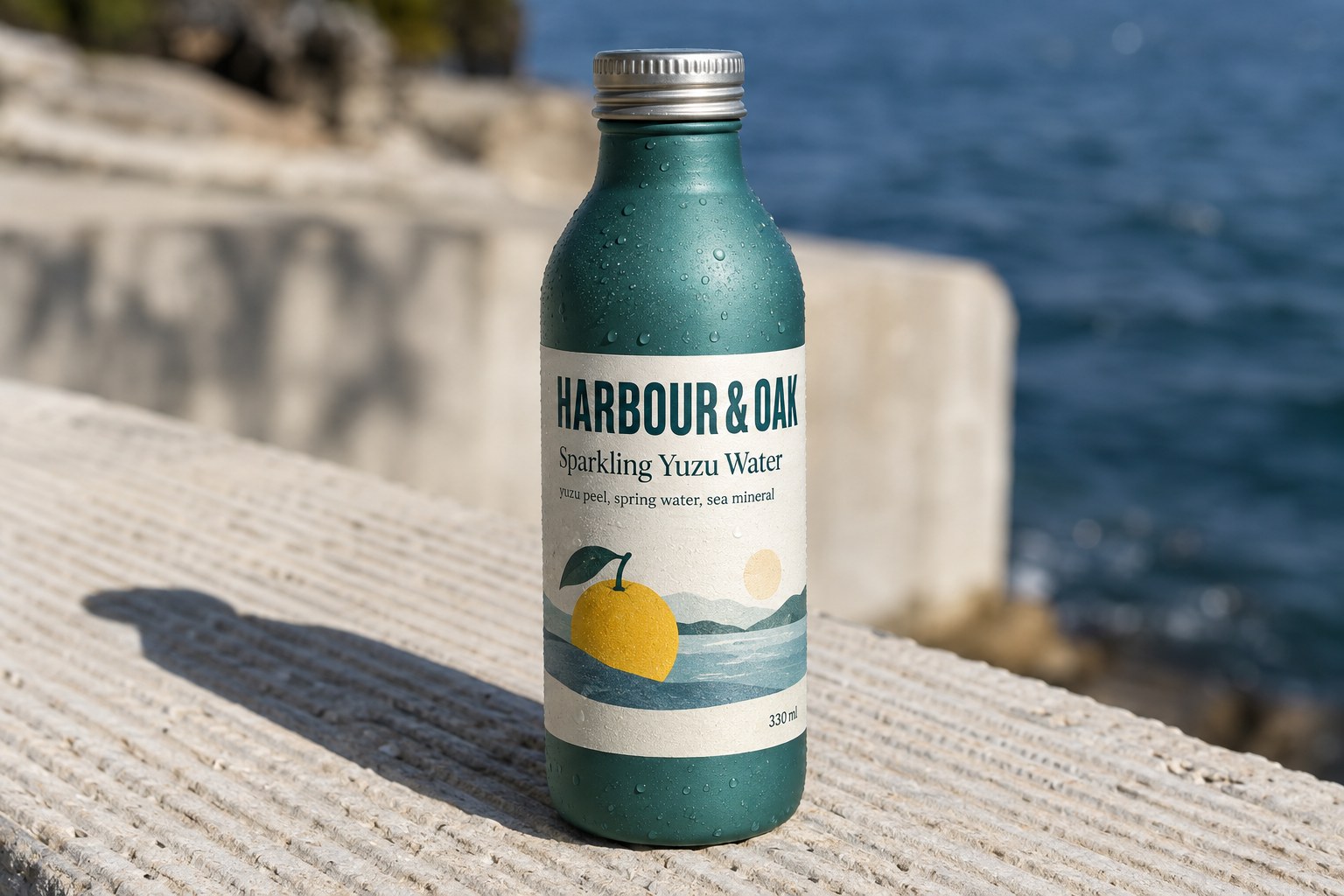
Sunburst, 31.1 s
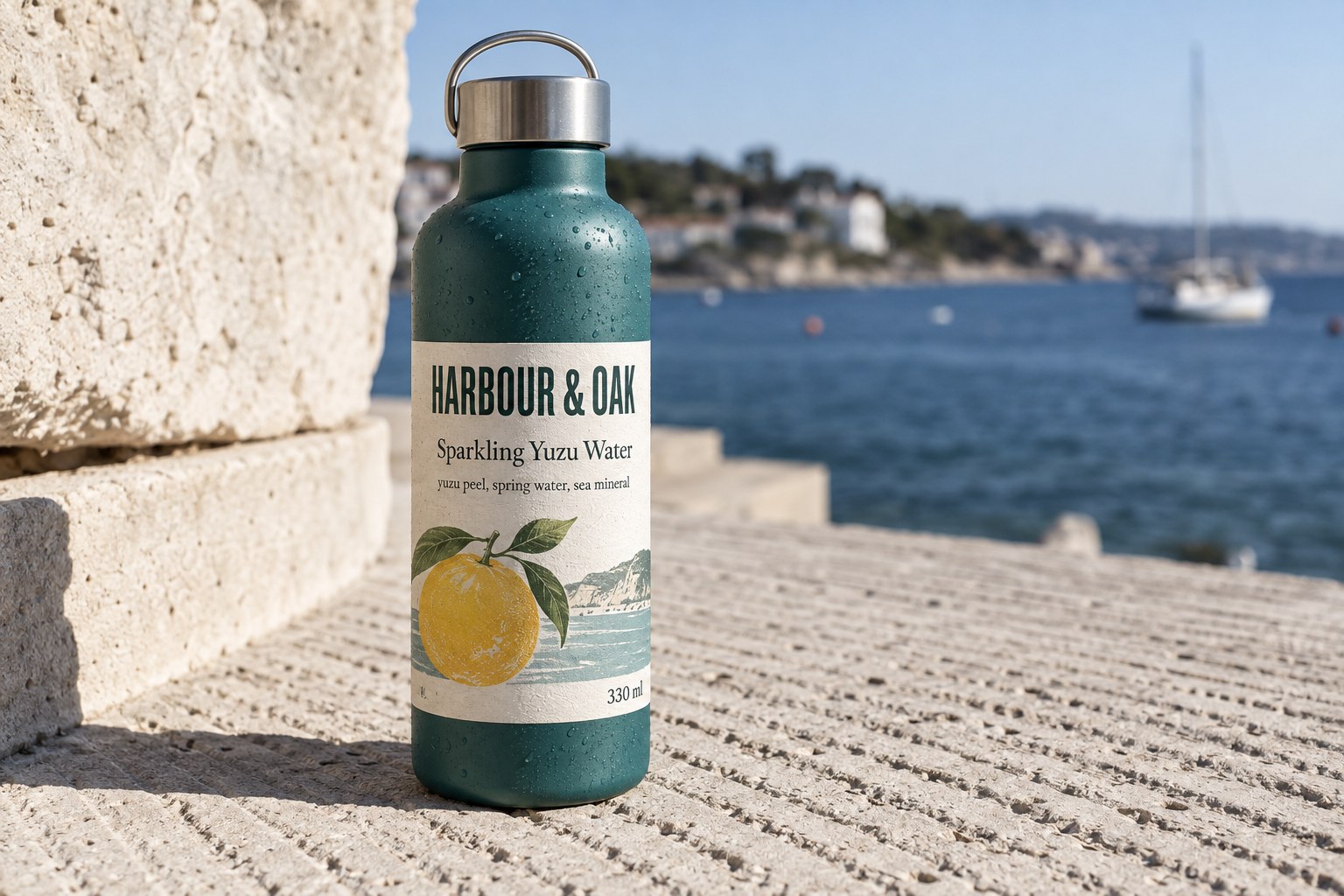
1536x1024 at quality high. Both billed $0.05220625. All four text blocks correct in both.
Both rendered every one of the four text blocks correctly spelled and legible, including the 8-pixel ingredient line. Flare's frame has slightly better subject separation here; Sunburst's has cleaner label margins. Run it again and I would expect the verdict to flip. If you are choosing on generation quality alone, take the faster one.
The quality parameter is not a typography parameter
This is the result that will save people the most money. The spec tells you to keep quality at high so typography stays crisp. At low, eight times cheaper at $0.00811, both models still rendered all four text blocks correctly:
Flare, quality low, $0.0081
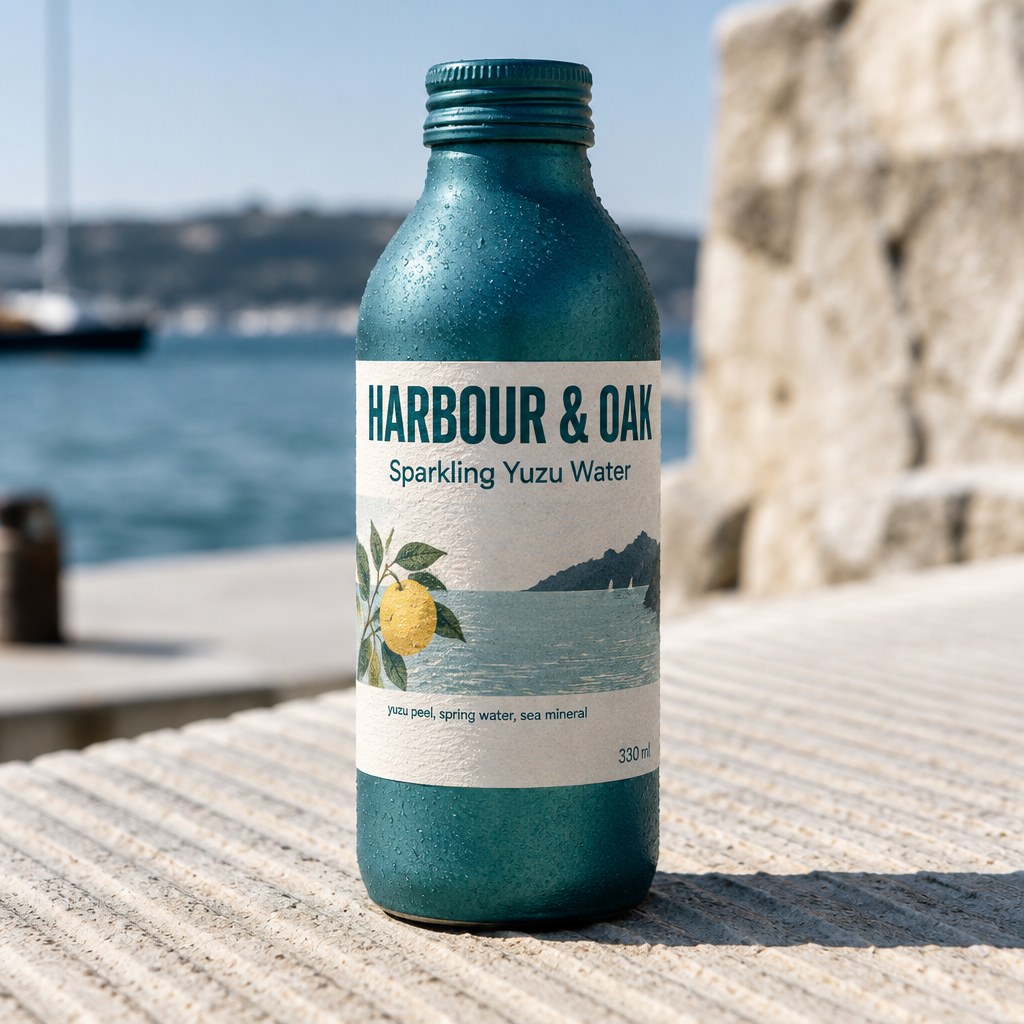
Sunburst, quality low, $0.0081
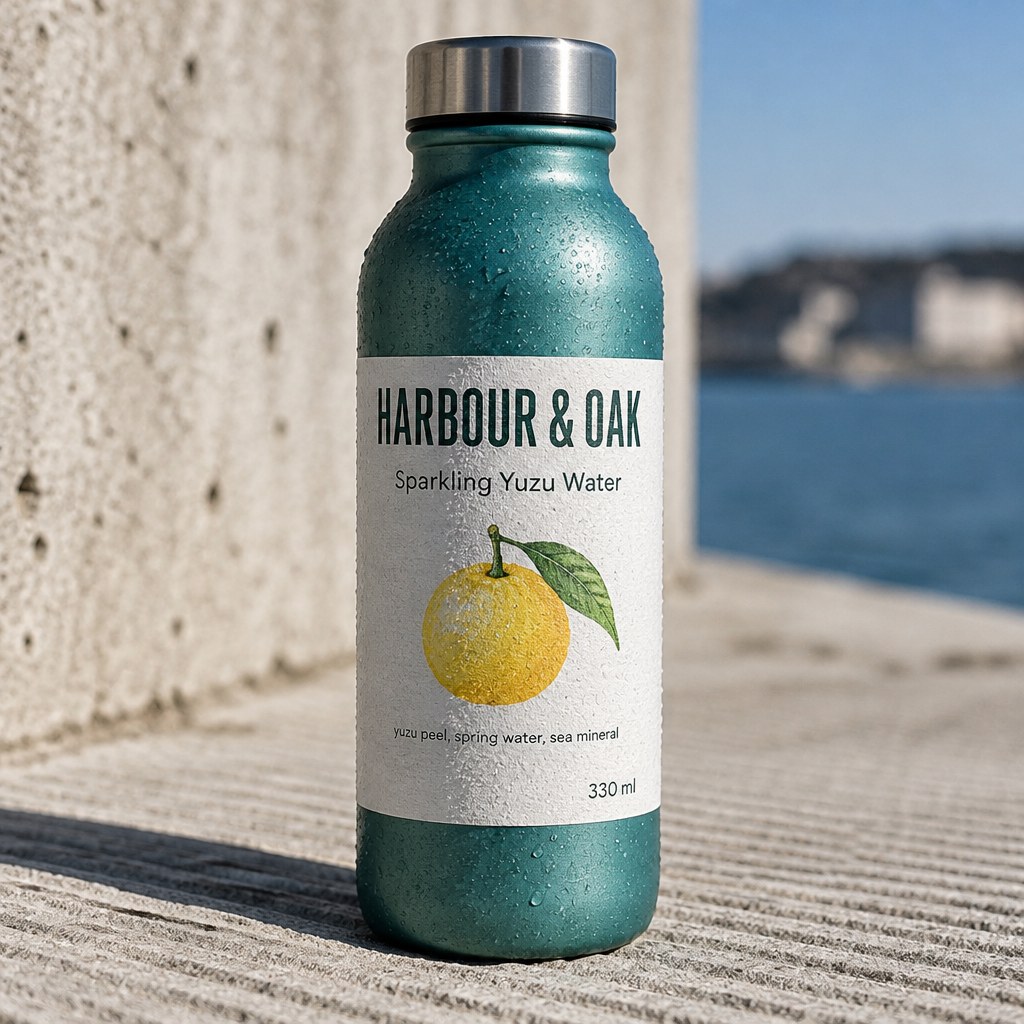
Quality low, 1024x1024. Brand name, tagline, ingredient line and volume all correct on both.
What high buys is micro-detail: condensation droplets, paper grain, specular roll-off on the metal. Real, and worth paying for on a hero asset. Not worth paying 8.2x for on a thumbnail or a first-pass concept. On GPT Image 2 that same lever was 33.7x, so 2.5 has narrowed the penalty for defaulting badly, but the default is still high and it is still the most expensive setting on the endpoint.
Edit mode, and the precision claim measured
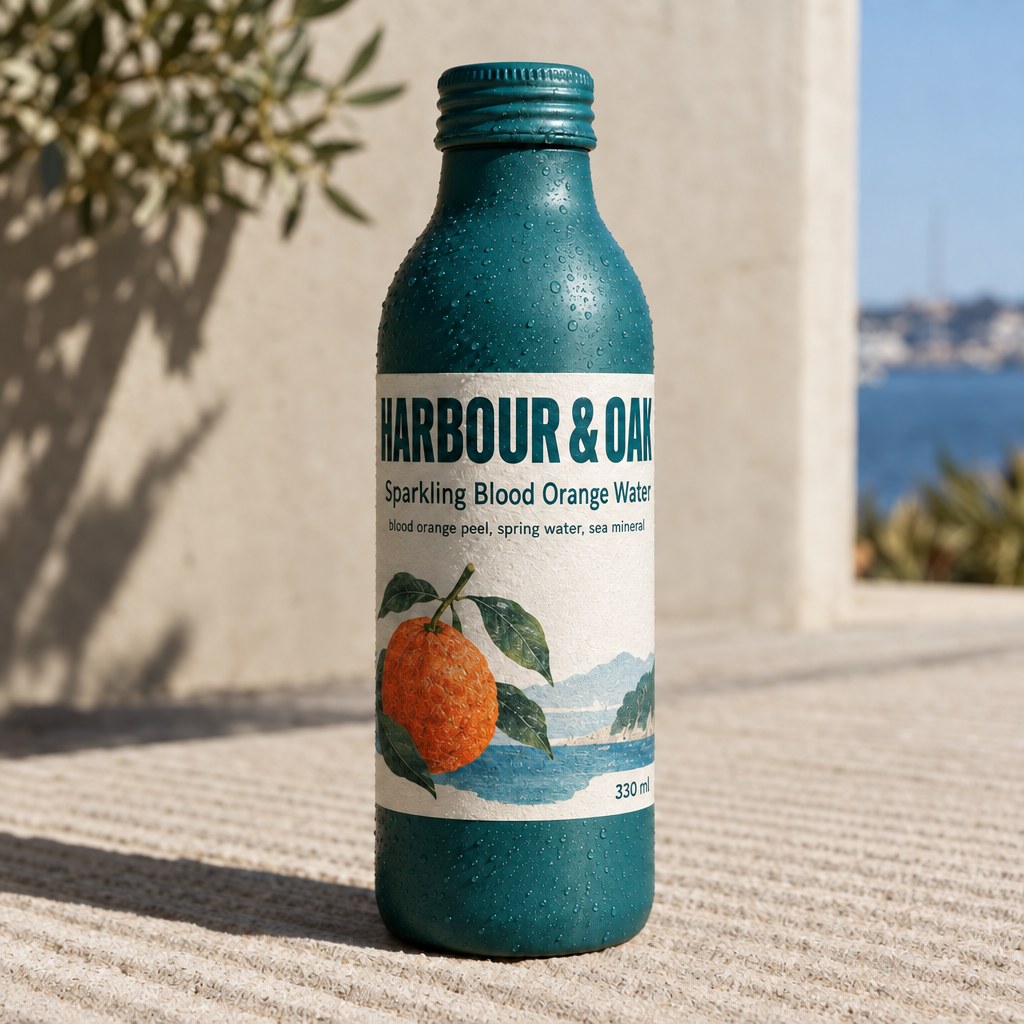
Sunburst's stated advantage is edit precision, so this is the test that matters. I took the Flare 1024x1024 high render as a base, passed it to both models in image_urls, and asked for a change to two text lines and nothing else.
Parameters image_urls: [1 reference] | size: 1024x1024 | quality: high | output_format: png
Input
image_urls[0]
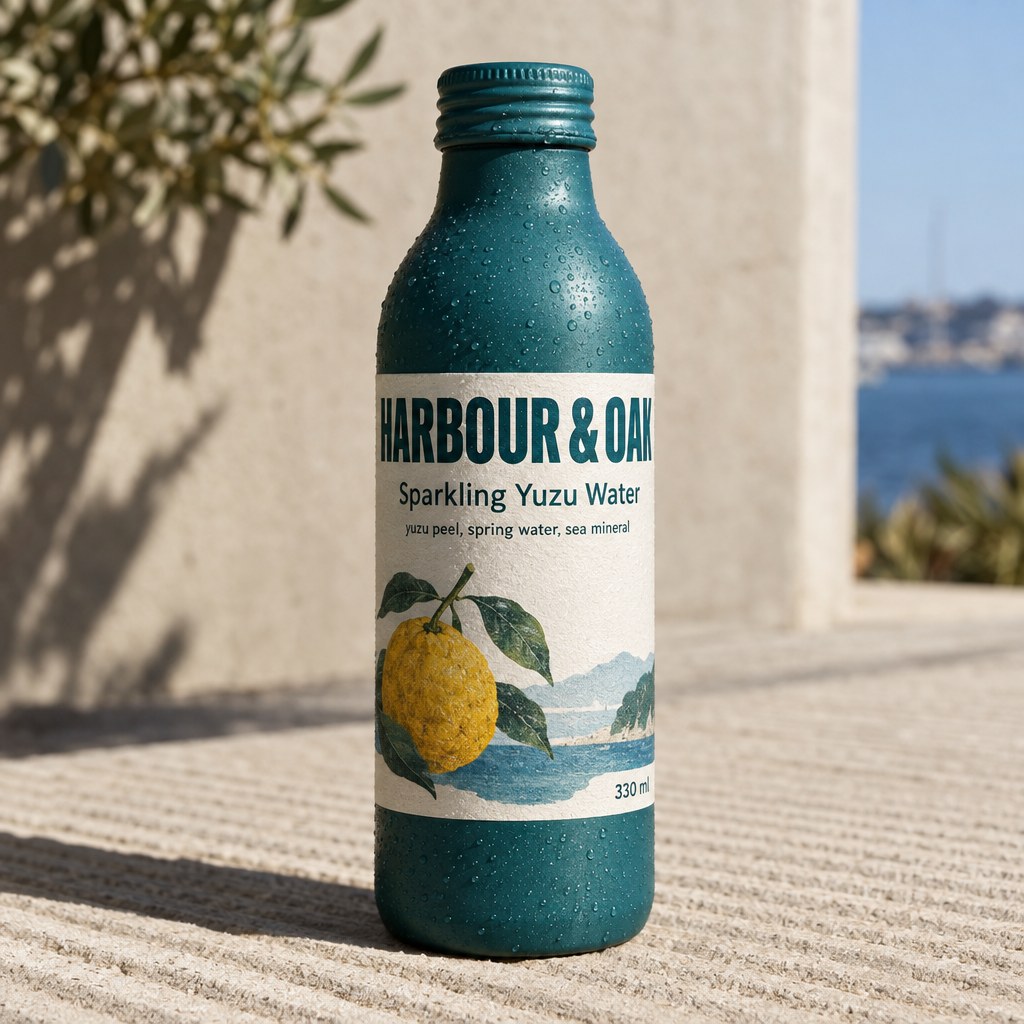
Flare edit, 24.9 s
Sunburst edit, 40.9 s
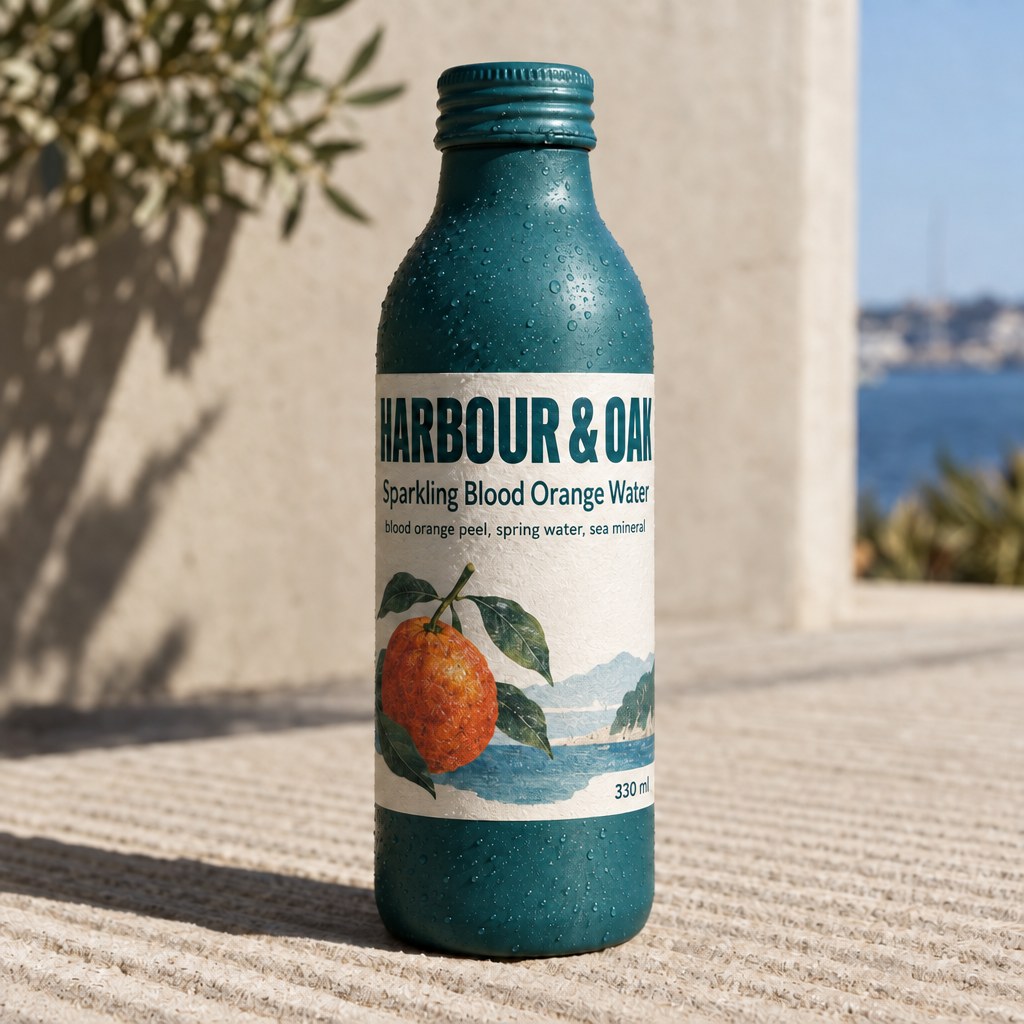
Both edits billed $0.07655875. Passing one 1024x1024 reference added about one cent over a from-scratch render.
Both nailed the copy change, both held the bottle, the label geometry, the type treatment, the hard shadow and the background. As a production result this is genuinely good, and it is the fastest route I have found to a copy variant of an approved asset.
To score the precision claim rather than eyeball it, I diffed each output against the base pixel by pixel and split the frame into the region the edit was supposed to touch and everything else. Lower is better outside the box:
| Edit | Mean pixel drift outside the target region | Pixels changed by more than 12/765 |
|---|---|---|
| Flare, no mask | 13.26 | 31.2% |
| Sunburst, no mask | 10.11 | 19.1% |
| Sunburst, with alpha mask | 10.36 | 19.5% |
Sunburst's precision advantage is real and it is about 40%. That is the one measurable thing your extra wall clock buys. If you are running copy or colourway variants against a locked-off brand asset, that is worth having. If you are generating from scratch, you are paying in latency for nothing.
The other half of that table matters more, though: neither model leaves the untouched region alone. Even the best case redrew 19.1% of the pixels outside the edit target by a visible amount. Nothing here is a pixel-preserving composite. Plan on re-approving the whole frame after an edit, not just the part you asked to change.
The alpha mask did not fence the edit
The spec is specific about mask_image_url: an alpha-channel PNG matching the reference dimensions, transparent areas get regenerated, opaque areas stay pixel-perfect, and a flat black-and-white mask with no alpha channel is rejected. So I built a proper RGBA mask, fully opaque except for a transparent 323x90 window over the two lines of copy, and re-ran the identical edit on Sunburst.
Mask, transparent window only over the copy

Sunburst, masked, 36.3 s
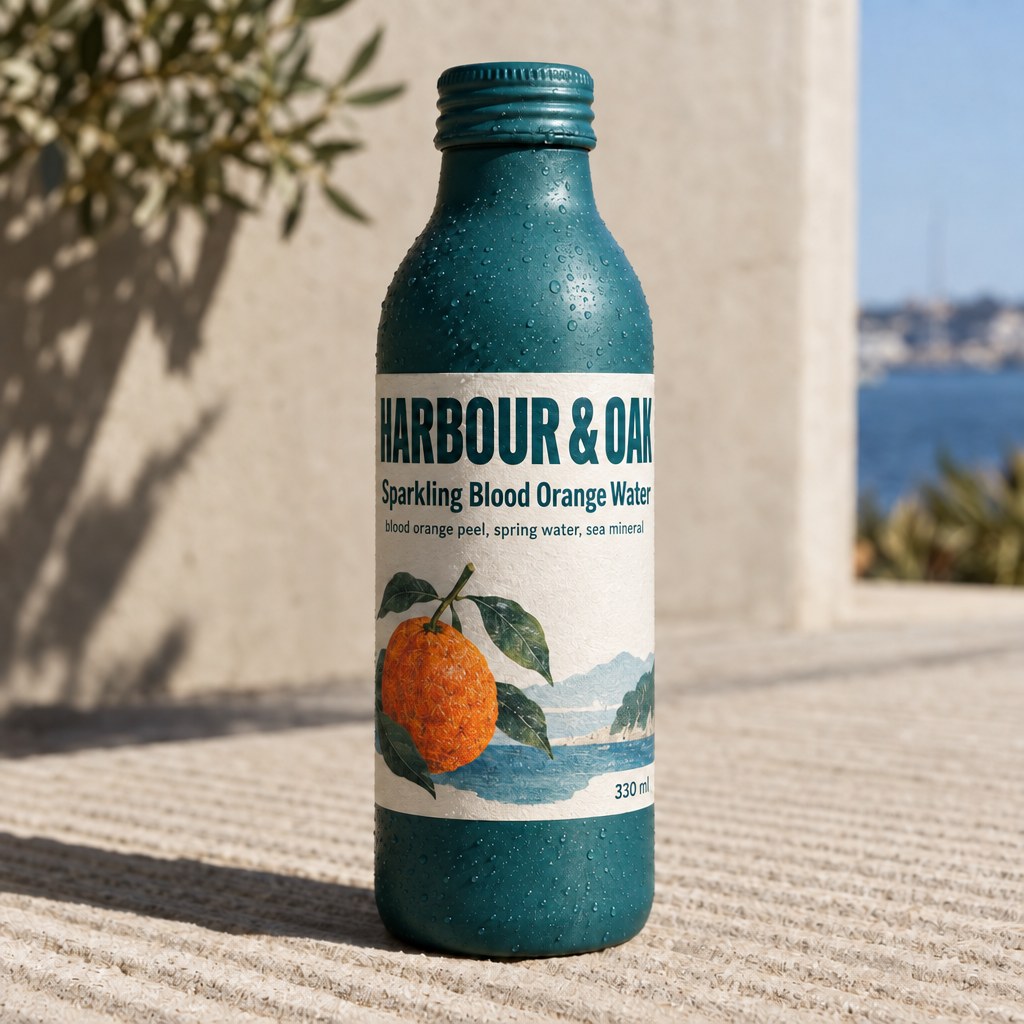
The fruit sits well outside the transparent window and it changed anyway.
The mask was accepted, the call succeeded, and it changed nothing that I could measure. Drift outside the target region was 10.36 against 10.11 unmasked, which is the same number. And the illustrated fruit, which sits several hundred pixels below the transparent window, went from yellow to orange exactly as it did in the unmasked run.
Two honest conclusions. The mask did not confine the edit on this test, and "opaque areas stay pixel-perfect" did not hold literally, because 97.5% of pixels outside the window changed by at least one level. One useful upside: the mask is free. The masked call billed $0.07655875, identical to the unmasked edit, so the mask PNG is not charged as image input.
Transparent backgrounds work properly
The e-commerce and UI path is the one feature that behaved exactly as documented. Setting background: "transparent" with output_format: "png" returned a real RGBA file.

Flare, background transparent, $0.06628125 in 21.4 s. Shown over a checkerboard so the alpha is visible.
Measured on the returned PNG: 55.6% of pixels fully transparent, 33.9% effectively opaque, and 10.4% at partial alpha, which is the soft halo around the die-cut edge. Worth knowing before you wire this into a pipeline: no pixel came back at alpha 255, the maximum in the file is 254. If your compositing step tests for full opacity with == 255 it will match nothing. Threshold at 254 or above instead. The curved lettering across the bottom of the badge also came out clean, which is the harder typography case.
Where it fell over
"Change only X" is not respected literally. I asked for two text lines and both models also recoloured the label illustration from a yellow yuzu to an orange, in all three edit runs. The inference is reasonable, a blood orange product should not carry a yellow fruit, but it is not what I asked for and it would fail a brand review that expects a diff of exactly one element.
The mask parameter did not do its job on the one test I ran, as above. I would not build a surgical inpainting feature on it without testing your own case first.
There is no seed parameter. Nine parameters and not one of them is a seed, so nothing here is reproducible. Same prompt, same config, different image every time. For an A/B on prompt wording that is a real problem, and it is why I compare Flare and Sunburst on measured cost and drift rather than claiming one render is prettier.
The averages on the model pages are not rates. Sunburst's published average cost is 31% higher than Flare's, which reads like a price difference and is not one. Every config I fired billed the same on both.
A short production checklist
- Default to Flare. Same price, 30% to 52% faster at
high, and generation quality is a coin flip. - Switch to Sunburst only for edits against a locked asset, where the 40% lower drift outside the target region earns its wall clock.
- Never leave
qualityon itshighdefault for previews, drafts or thumbnails.lowis 8.2x cheaper and the type is still correct. - Ask for 1536x1024 and crop instead of 1024x1024. More pixels, 21.6% less money.
- For anything print or hero-sized, generate at 3840x2160. It is 4.2x cheaper per megapixel than the 1 MP square.
- Re-approve the full frame after every edit. Nothing outside your target region is guaranteed to survive.
- Threshold alpha at
>= 254, not== 255.
FAQ
How much does the GPT Image 2.5 API cost per image?
Measured on Segmind: $0.00811 at 1024x1024 quality low, $0.06661 at 1024x1024 high, $0.05221 at 1536x1024 high, and $0.12586 at 3840x2160 high. Flare and Sunburst billed identically on every config.
What is the difference between GPT Image 2.5 Flare and Sunburst?
Not price. Flare is 30% to 52% faster at the same config. Sunburst drifts about 40% less outside the target region when editing an existing image. Choose Flare for generation, Sunburst for edits against a locked asset.
Is GPT Image 2.5 cheaper than GPT Image 2?
Yes, about 4x cheaper at every quality tier above low, measured on identical size and quality settings. A 1024x1024 high render fell from $0.264 to $0.067, and it returned in 21.9 s instead of 152.8 s.
How do I edit an image with the GPT Image 2.5 API?
Pass one or more public image URLs in image_urls on the same endpoint and describe the change. There is no separate edit slug. One 1024x1024 reference added roughly one cent in image input tokens.
Does GPT Image 2.5 render legible text in images?
Yes, and better than the docs imply. Four separate text blocks at three type sizes came back correctly spelled and legible even at quality: low, on both models, across all 14 of my test calls.
Can GPT Image 2.5 output transparent PNGs?
Yes. Set background: "transparent" with PNG or WEBP output and you get a real alpha channel. Note that maximum alpha in the returned file is 254, not 255, so test for opacity with a threshold.
The short version
Two endpoints shipped with near-identical spec sheets, and after 14 calls and $0.836 the picture is clear. The generational jump from GPT Image 2 is real and large: 4x cheaper tokens and up to 7x faster. Within the 2.5 pair, price is not a differentiator at all, so Flare is the sane default and Sunburst is a specialist tool for edit work where you have measured that the lower drift matters to you. Skip high for anything that is not a final asset, generate wide rather than square, and go straight to 4K when the output matters, because it is the cheapest pixel on the platform.
Both are live now: GPT Image 2.5 Flare and GPT Image 2.5 Sunburst.