
Seedream 5.5 Is Here: Edit in Rounds, Transparent PNGs and Layers
Seedream 5.5 tested: 12 edit rounds, transparent PNGs and layer splits for e-commerce, games and agencies, with measured costs and API code.

ByteDance released Seedream 5.5 on 9 November 2026, and it went live on Segmind the same week. I spent a morning putting it through the jobs our customers actually run: product colourways, game assets and multilingual campaign posters. That came to 36 billed generations for $1.70 in total. Every image in this post came out of those runs, and every price is what the API billed, read from the response, not estimated.
The short version: Seedream 5.5 is an editing model first. You can change one thing in an image, then another, then another, and the rest of the frame stays put. It also returns real transparent PNGs, and its sibling, Seedream 5.5 Layer Decomposition, takes a flat image apart into named transparent layers. It is also cheap: $0.021 for an image at 1K or 1.5K and $0.037 at 2K. Searches for "seedream" on Google Trends more than doubled in the three days after launch, so I wanted real numbers out before the guesswork sets in.
1. Twelve rounds of edits on one product shot: zero background pixels moved by more than 32 levels.
2. One catch: the whole frame darkened by about half a level per round, steadily. Over long chains, that adds up.
3. Transparent PNGs are clean on solid objects and soft effects. Glass came back opaque both times I asked for see-through.
4. Spanish and Japanese copy swaps were exact. Hindi got the headline right and two letters wrong in the small line.
5. Layer Decomposition split a game scene into 8 named layers plus a clean base for $0.199.
6. Every bill matched the published price list to the sixth decimal.
What is new in Seedream 5.5
ByteDance built the release around three upgrades, and they map neatly to three kinds of buyers.
- Stable multi-round editing. ByteDance says Seedream 5.5 preserves unedited regions at the pixel level, and it demoed 100 edits in a row on one image. That is the feature e-commerce and agency teams have been asking for, because it means a hero shot can become ten variants without ten reshoots.
- Native RGBA output. Set
backgroundtotransparentand you get a PNG with a real alpha channel, including partial transparency. No separate background removal step. This is the gaming and motion design feature. - Better realism and small text. ByteDance reports a 0.4% severe and 1.7% minor text corruption rate on Chinese and English, including dense small type. Those are the maker's own figures, so I tested other scripts myself below.
On Segmind, there is a fourth piece: Seedream 5.5 Layer Decomposition, a separate endpoint that takes one finished image and returns a clean base plus each element as a transparent PNG, with a name, a description and a bounding box. Pair it with the main model and you can generate, edit, cut out and take apart, all on one API key.
The input surface is small. prompt, up to 10 reference_images, size (1K, 1.5K or 2K), aspect_ratio (auto plus eight ratios from 1:1 to 21:9), background, output_format and watermark. One image per request. Here are the pixel sizes I actually got back:
| Size and ratio | Pixels returned | Price |
|---|---|---|
| 1K, 1:1 | 1024 x 1024 | $0.021164 |
| 1.5K, 1:1 | 1536 x 1536 | $0.021164 |
| 1.5K, 3:4 | 1296 x 1728 | $0.021164 |
| 1.5K, 16:9 | 1920 x 1080 | $0.021164 |
| 2K, 4:3 | 2304 x 1728 | $0.037037 |
| 2K, 2:3 | 1664 x 2496 | $0.037037 |
| 2K, 16:9 | 2560 x 1440 | $0.037037 |
| 2K, 21:9 | 3024 x 1296 | $0.037037 |
1K and 1.5K cost the same, and 1.5K gives you more than twice the pixels. I see no reason to ever pick 1K. One more detail for developers: an edit with aspect_ratio on auto came back a few pixels larger than its source (2304 x 1728 in, 2368 x 1776 out), then held that size for every later round. If you diff or composite rounds, resize round 1 first.
Seedream 5.5 pricing on Segmind
The price list has three lines, and Layer Decomposition shares it:
| Charge | Price |
|---|---|
| Each output image, 1K or 1.5K (up to 2.61 MP) | $0.021164 |
| Each output image, 2K (over 2.61 MP) | $0.037037 |
| Each input or reference image | $0.0084656 |
Transparent output costs nothing extra. Every reference you send is billed, which matters for edit chains, because each round sends the previous result back as a reference. Here is what my jobs actually cost, straight from the cost field the API returned:
| Job | Billed | Time |
|---|---|---|
| 1.5K image or transparent asset from a prompt | $0.021164 | 18 to 29 s |
| 2K image from a prompt | $0.037037 | 20 to 31 s |
| 1.5K edit, one reference (a poster translation) | $0.0296296 | 19 to 24 s |
| 2K edit, one reference (one colourway round) | $0.0455026 | 25 to 30 s |
| 2K blend of three references | $0.0624338 | about 30 s |
| Layer split: 2K photo into a base and 2 layers | $0.0878306 | 24 s |
| Layer split: 1.5K scene into a base and 8 layers | $0.1989416 | 36 to 39 s |
| A transparent request with jpeg output (rejected) | $0.00 | instant |
Times are the model's own inference time; the average across my single-image runs was about 24 seconds. For context, Seedream 5.0 Pro lists $0.107 per 2K image and a 30-day average wait of about 87 seconds, so 5.5 is roughly a third of the price and much faster. 5.0 Pro charges less per extra reference ($0.0036), which only matters if you send many.
E-commerce: one product shot, every colourway
The e-commerce job is simple to describe and hard to do well: shoot one product, then show it in every colour and material you sell, on the same backdrop, with the same light. Retouchers bill by the variant. I wanted to see whether Seedream 5.5 could hold a product steady through a chain of edits.
Round 1: the master shot
Parameters size: 2K | aspect_ratio: 4:3 | background: opaque | cost: $0.037
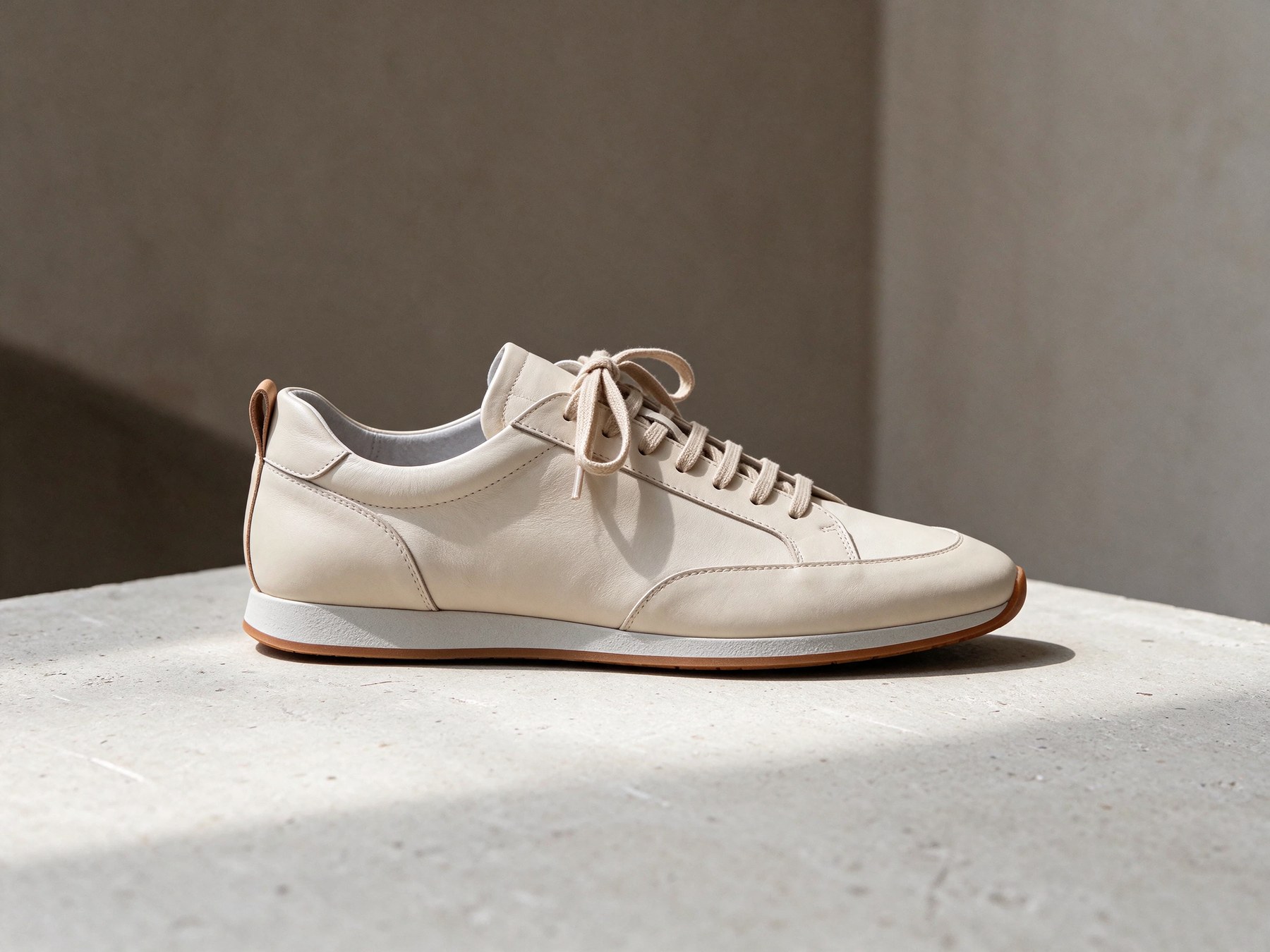
Round 1. 2304 x 1728, 22 seconds. Leather grain and stitching hold up at full size.
It is a clean catalogue frame. The one miss: I asked for a gum sole and got a white midsole with a thin gum edge. That is a prompt-reading slip, not a quality one.
Rounds 2 to 4: material, laces, then lettering
Each round sends the previous image as the only reference, names one change, and lists everything that must stay. The model keeps no session, so that list is the only memory it has.
Parameters size: 2K | aspect_ratio: auto | reference_images: [round 1] | cost: $0.0455 per round
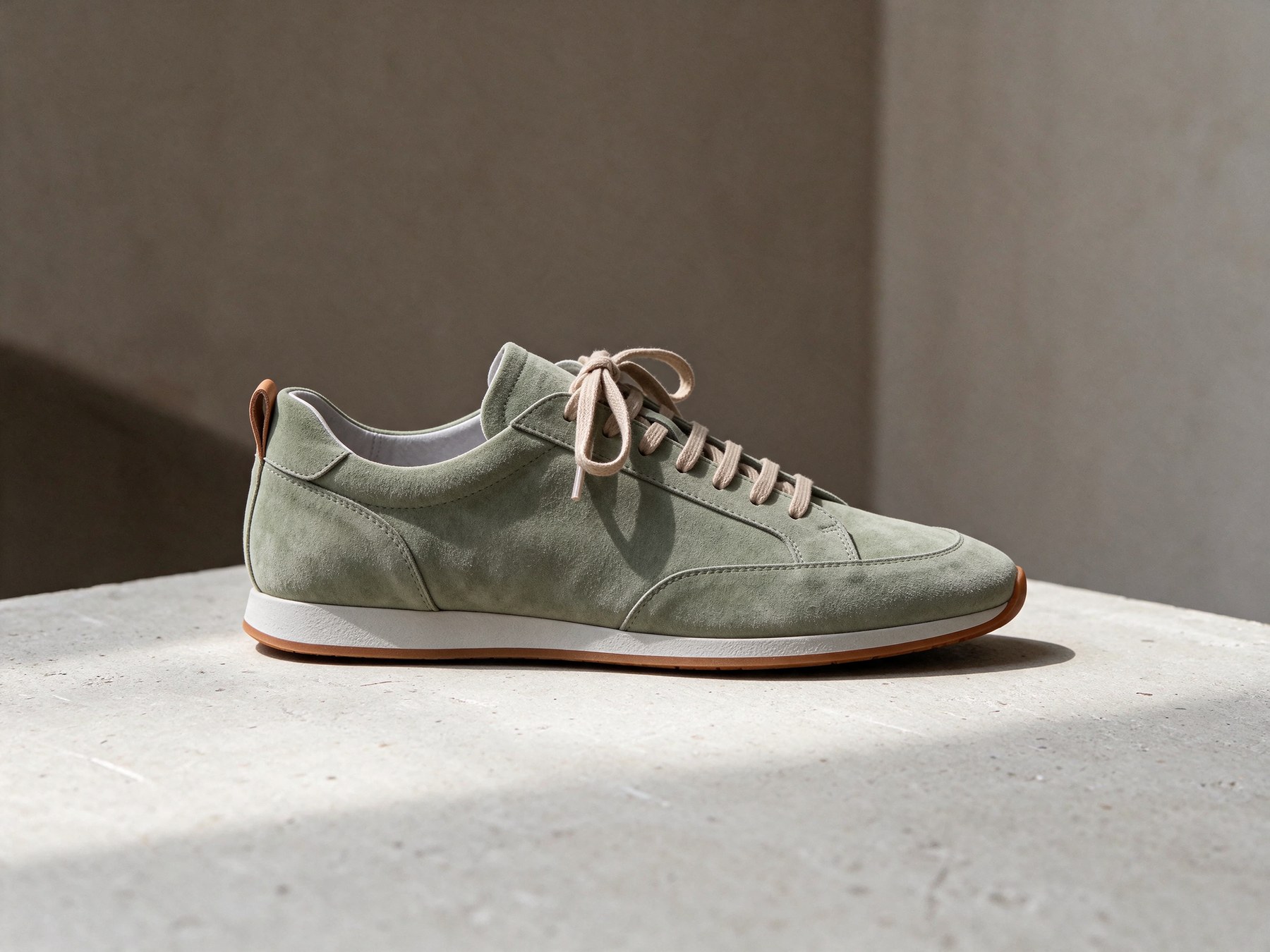
Round 2: suede upper
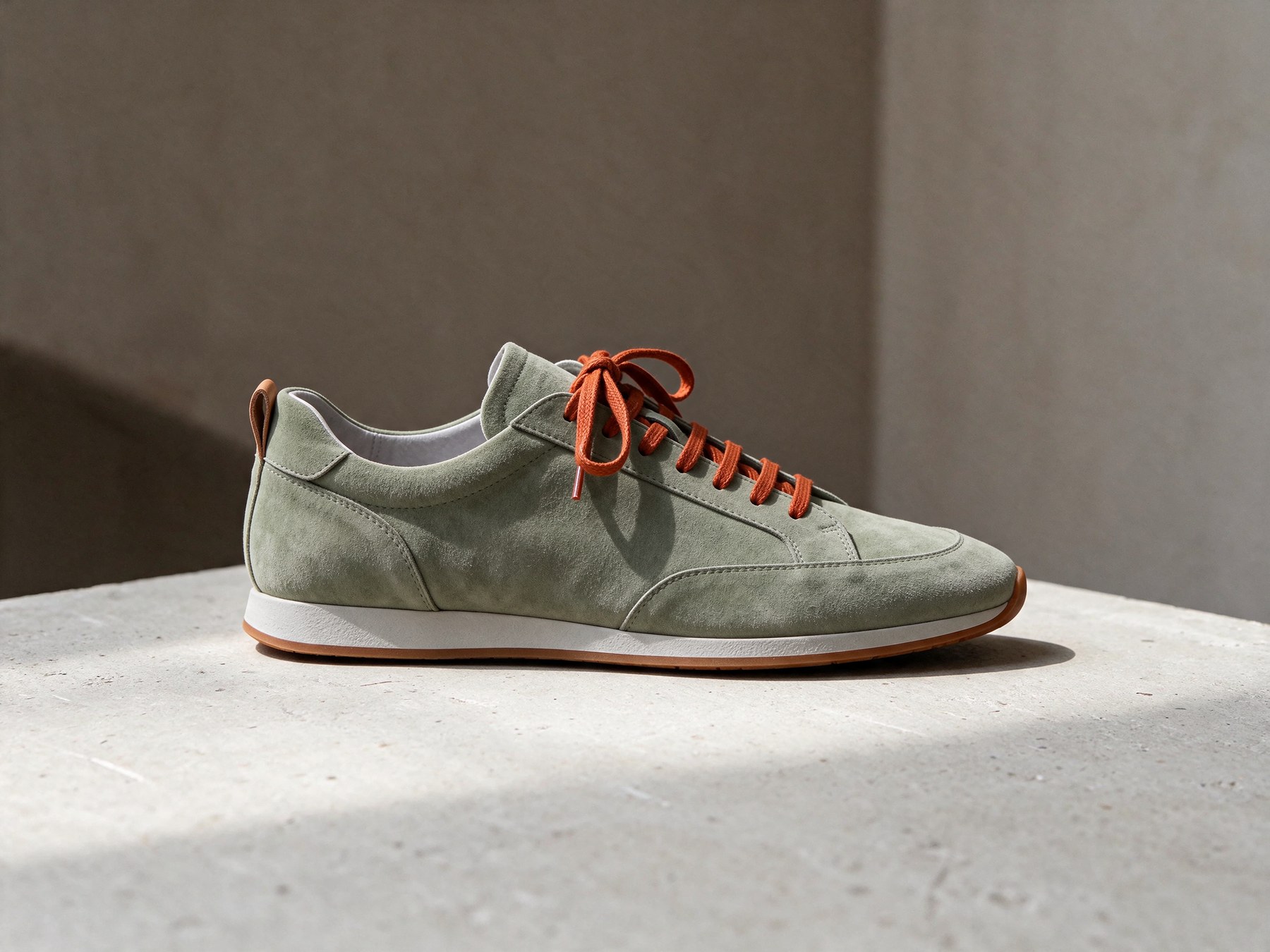
Round 3: orange laces
Round 4: "NORTH 04" on the heel
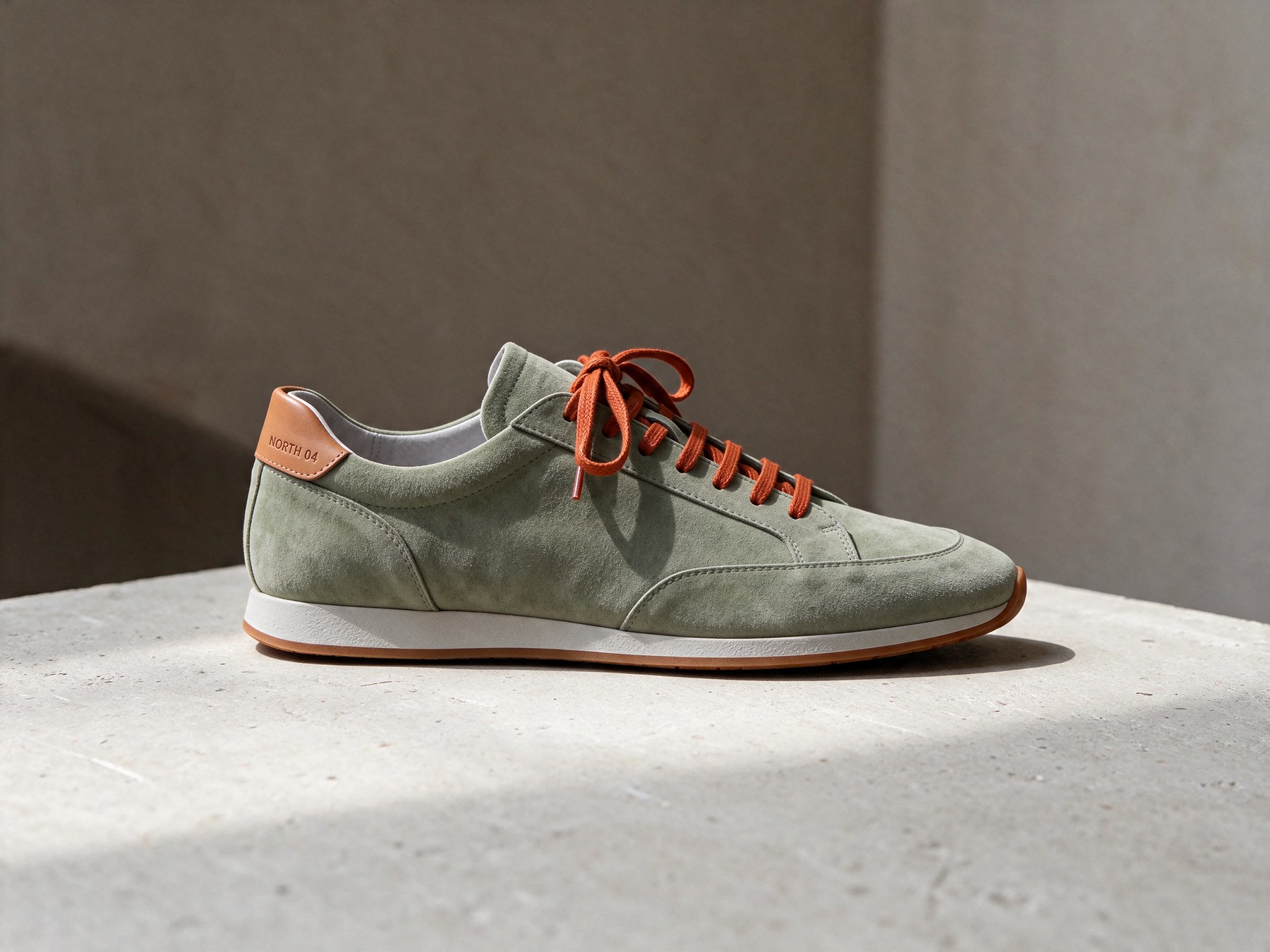
Rounds 3 and 4 used the same pattern: "Change only the laces to burnt-orange waxed cotton" and "Add small debossed lettering reading NORTH 04 on the tan leather heel tab".
I measured every round against the one before it, counting a pixel as changed if any colour channel moved by more than 32 of 255 levels. The suede swap changed 9.9% of the frame, which is about the area of the shoe's upper. The lace swap changed 1.03%. The lettering changed 0.49%. Here is the lace round as a change map: pink is what moved.
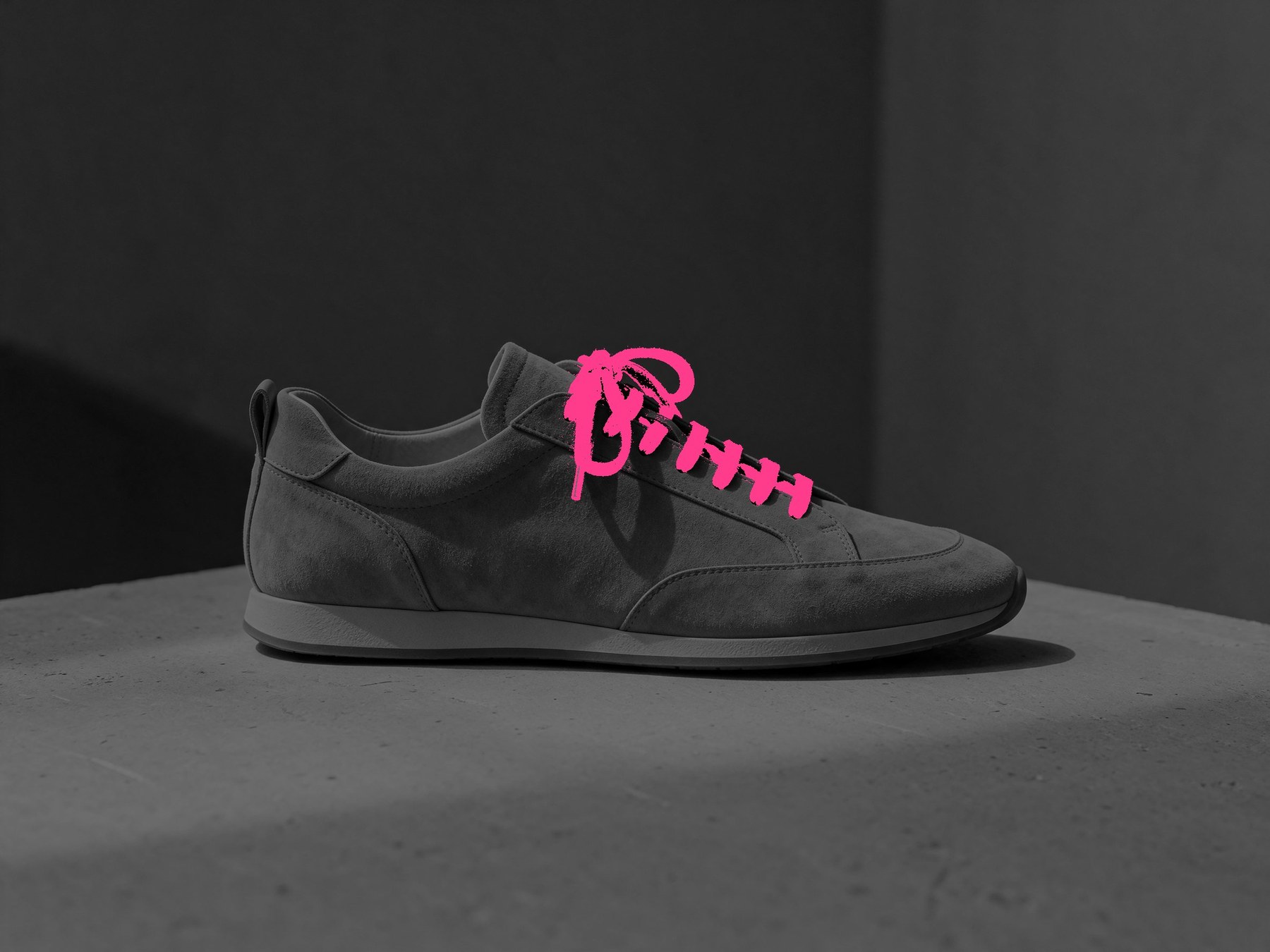
Round 2 to round 3. Only the laces moved. The plinth, backdrop and shadow are untouched.
The lettering round taught me something. The text is spelled right and debossed in the right tone, but there was no room on a thin pull loop, so the model quietly redesigned the loop into a wide heel counter to make space. If the product is real, that is a change your merchandiser will catch. Prompt for text only where the surface already exists.
Round 3: pull loop
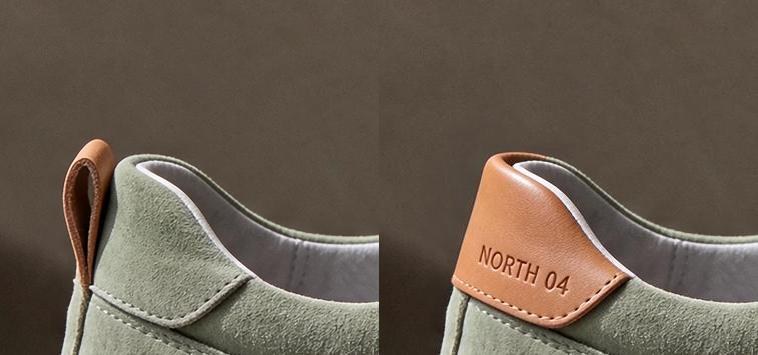
Left: the original pull loop. Right: the model widened it into a heel counter to fit "NORTH 04".
Branching from the master
Chains are not the only way to work. For a catalogue, I would branch every colourway from the master instead, so no variant inherits another variant's drift. One edit from round 1 gave me the black version:
Master
Branch: black leather
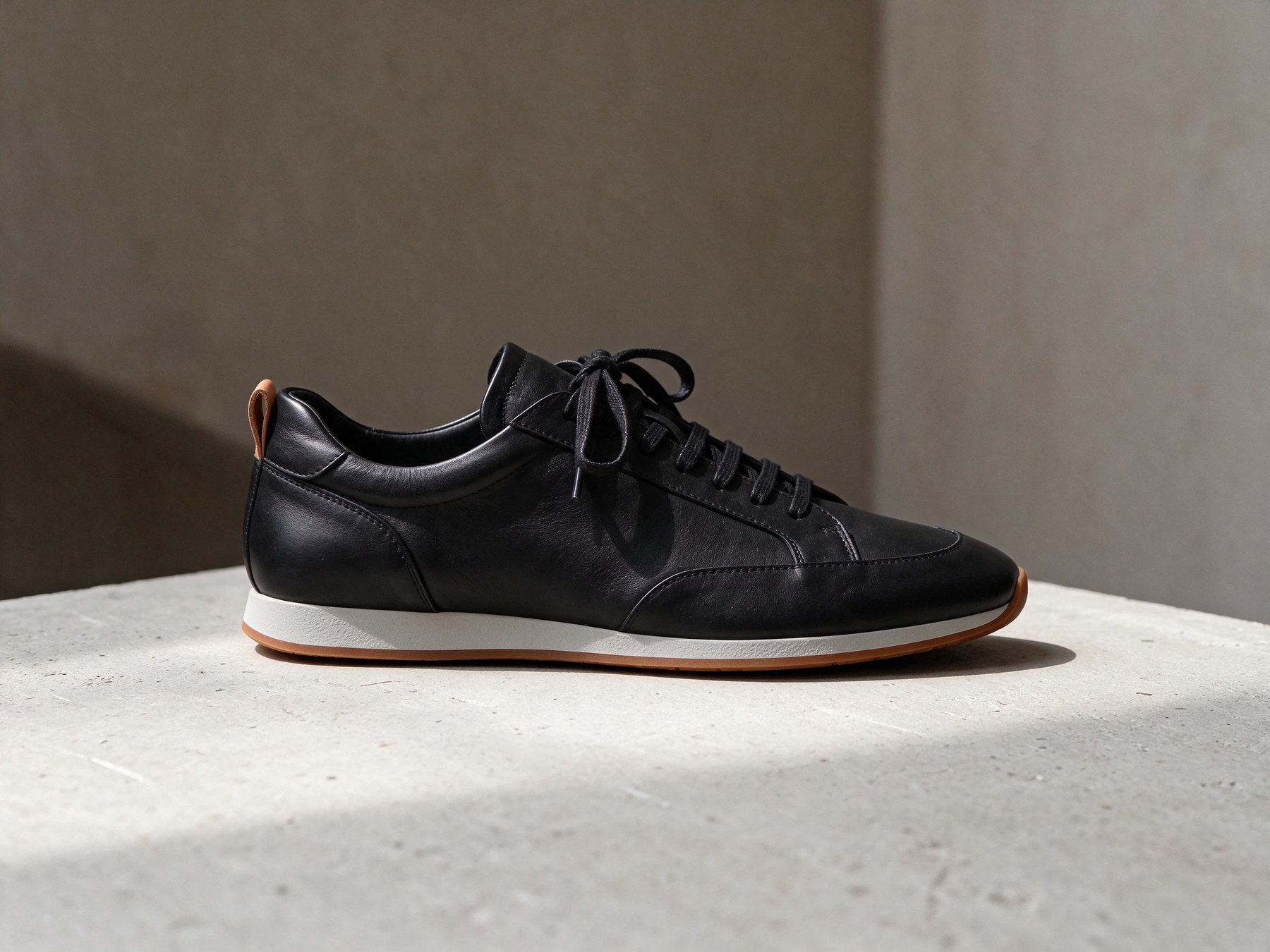
One round from the master, $0.0455. 12.5% of pixels changed, nearly all of them on the shoe.
How far can you chain? I ran 12 rounds
ByteDance claims 100 rounds. I did not have the patience for that, but I took the chain to round 12 by flipping the laces between navy and orange eight more times, and measured the backdrop and plinth (everything outside the shoe) against round 2 after each round.
| Round | Background pixels moved over 32 levels | Average shift vs round 2 |
|---|---|---|
| 3 | 0.00% | 0.5 levels |
| 4 | 0.00% | 1.0 |
| 6 | 0.00% | 2.0 |
| 8 | 0.00% | 3.1 |
| 10 | 0.00% | 4.1 |
| 12 | 0.00% | 5.1 |
Two findings. First, the pixel-level preservation is real: no background pixel ever made a jump. Second, the whole frame darkened by almost exactly half a level per round, in all three channels, like a slow exposure creep. At round 12 you cannot see it next to round 4. At that rate, though, round 100 would be about 50 levels darker, and you would see that.
Round 4
Round 11: navy laces
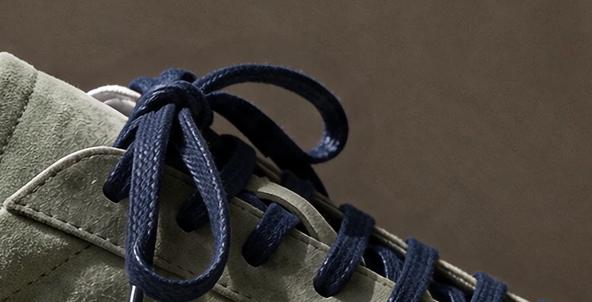
Round 12
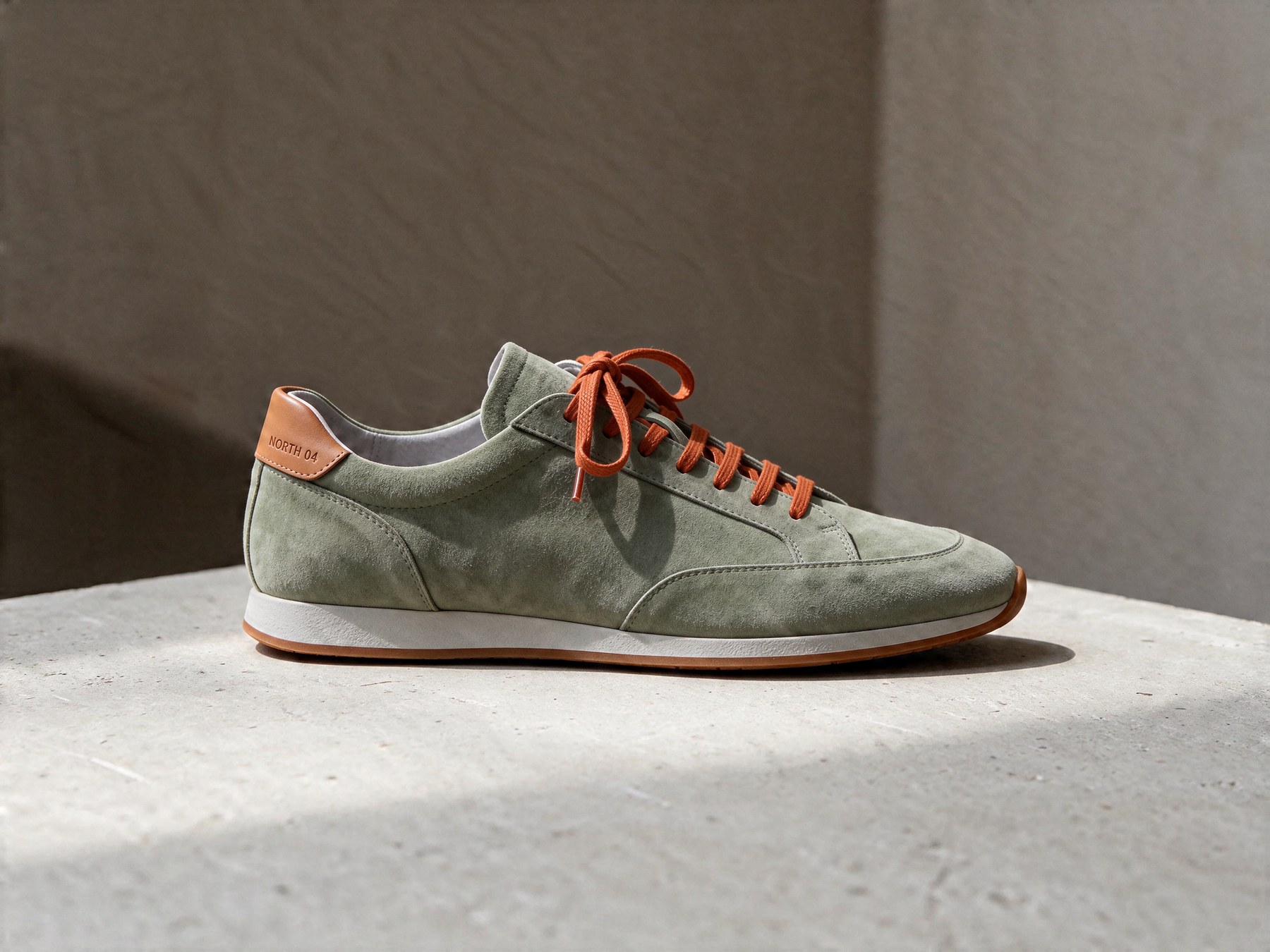
Eight lace swaps later, round 12 is indistinguishable from round 4 by eye.
So for long chains: branch from the master where you can, add the original image as a second reference (the model page recommends this too), and colour-match the final round to round 1 in post if the chain runs past a few dozen edits.
Transparent cut-outs, generated that way
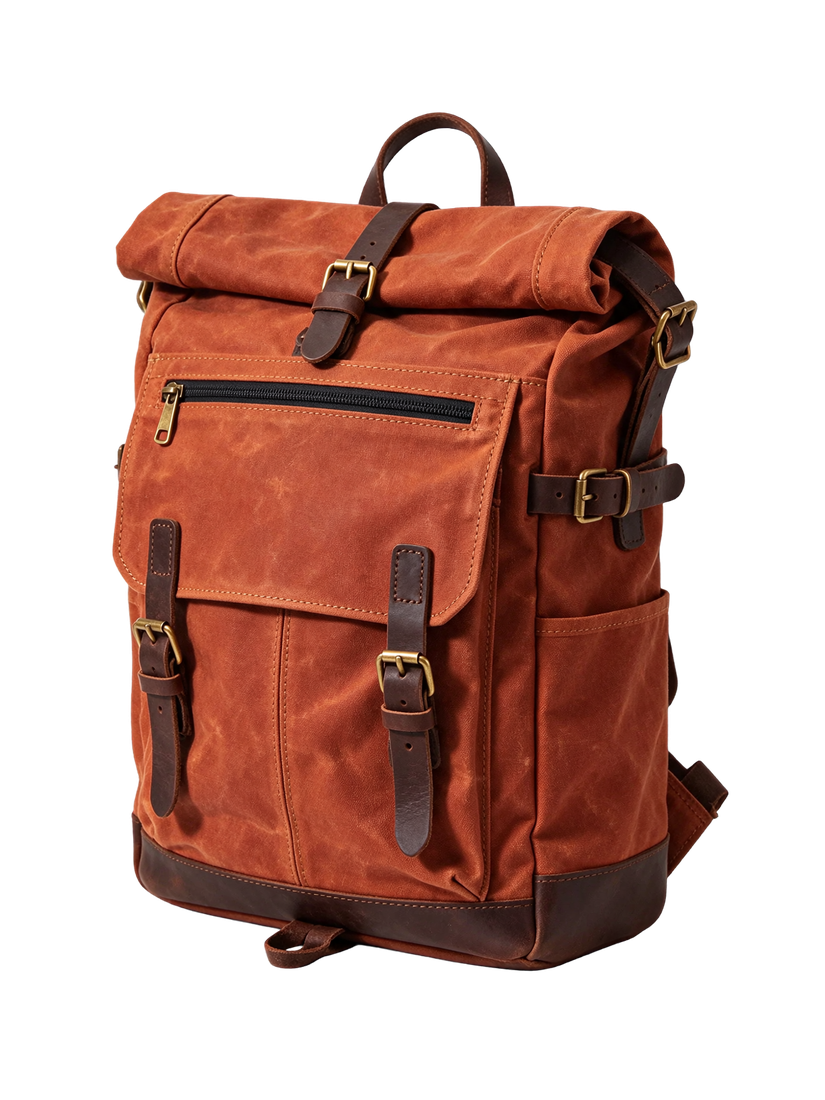
Parameters size: 1.5K | aspect_ratio: 3:4 | background: transparent | output_format: png | cost: $0.021
Backpack
Perfume, asked for see-through glass
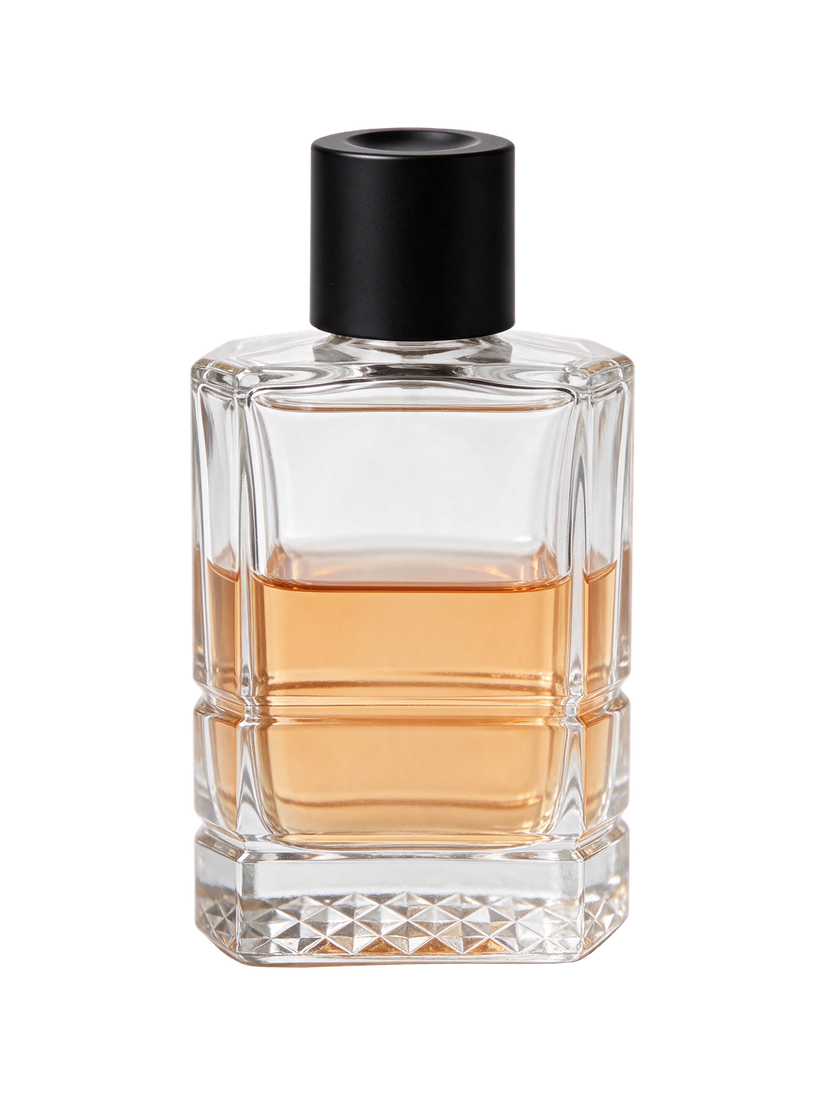
Shown on a checkerboard so the alpha is visible. Both are RGBA PNGs at 1296 x 1728.
The backpack is 54.7% fully clear, with only 0.5% of pixels partly transparent: a clean, hard edge you can drop on any page. The perfume is where it falls short. I asked for the empty glass to be see-through, and it came back fully opaque, with the glass painted in. The landing page tests found the same with a juice bottle and tinted lenses. For glass and liquids, plan to composite in post.
From cut-outs to a lifestyle scene
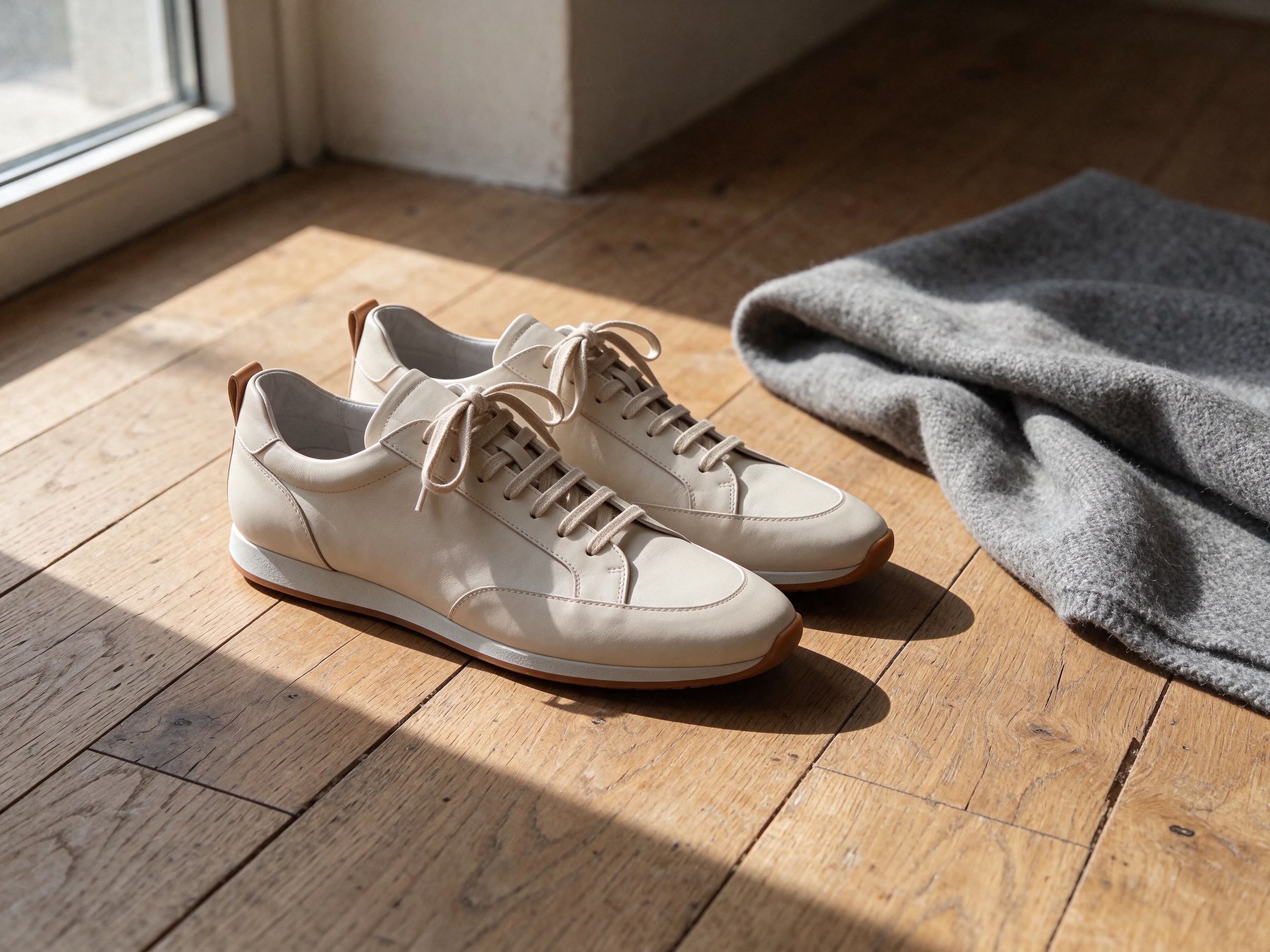
Next I asked the model to move the master sneaker into a lifestyle setting. It did, but it also turned one shoe into a pair and changed the camera angle. Fine for a lifestyle image, wrong if you needed the exact same render. Then I used Layer Decomposition to pull the product back out of that photo:
Parameters model: seedream-5.5-layer-decomposition | max_images: 3 | size: auto | cost: $0.0878
Photo
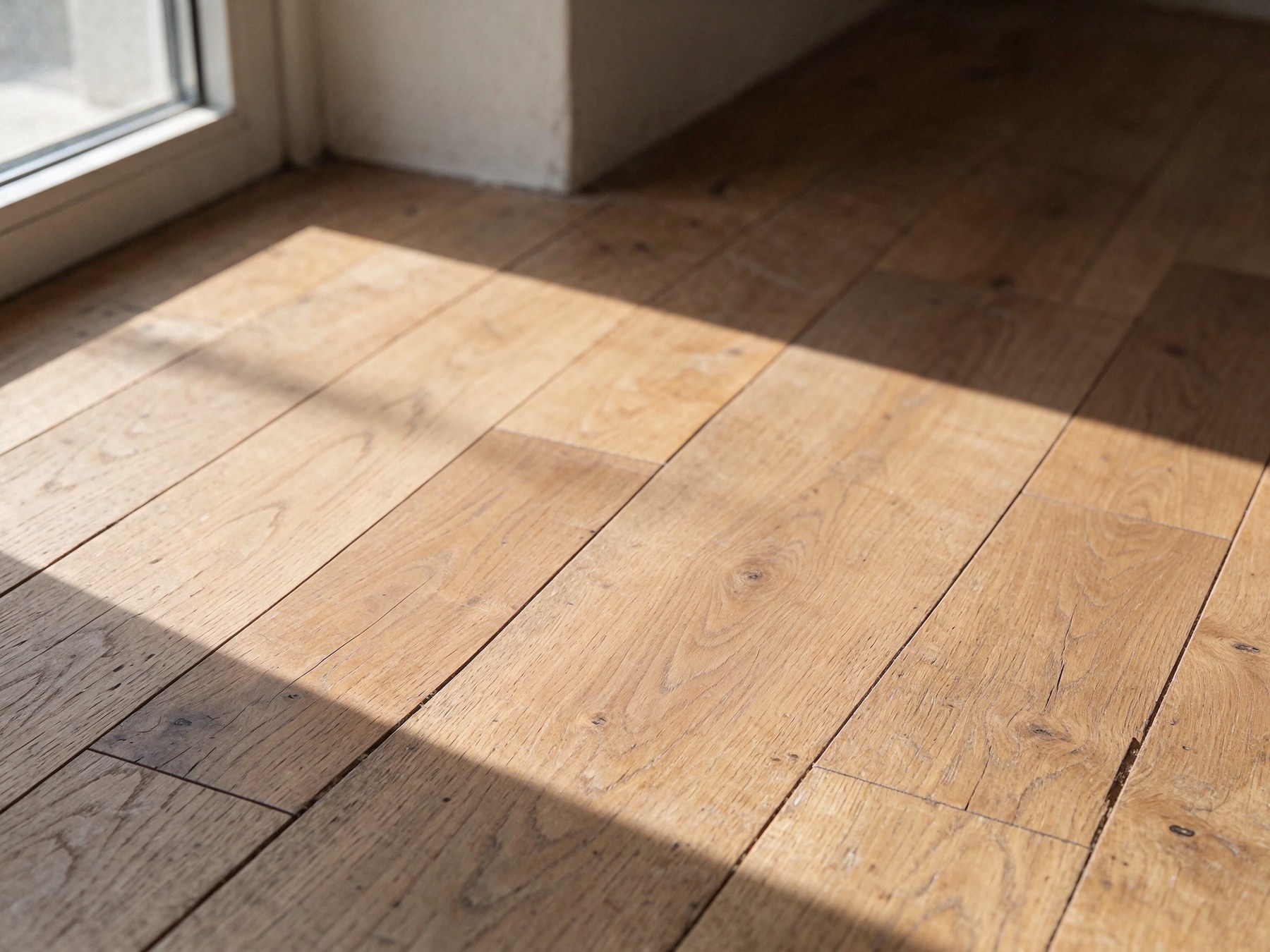
Base layer
Sneaker layer
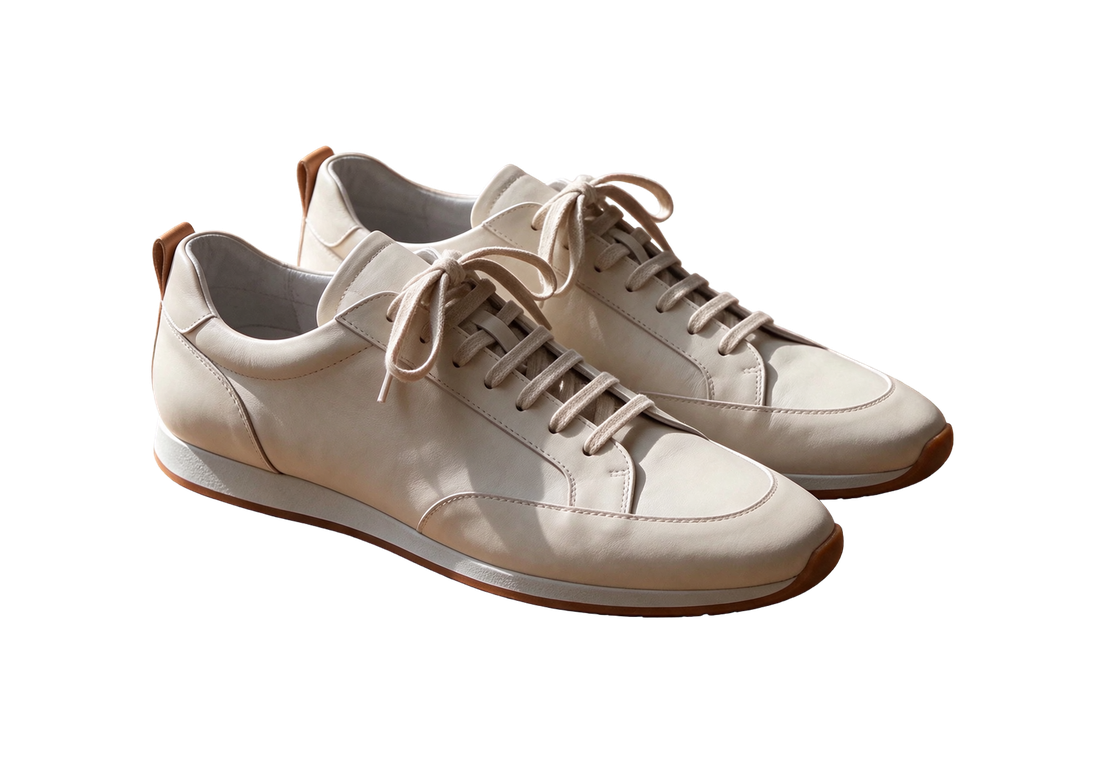
A 2K base and two layers in 24 seconds. The floor under the shoes is filled in convincingly.
The base is the room with the shoes and blanket gone, floorboards and light filled in. That empty room is a reusable set. One oddity worth knowing if you parse the response: I wrote the prompt in English, and the layer names and descriptions came back in Chinese. The other two splits I ran returned English.
Then I closed the loop with a three-reference blend: the backpack cut-out, the sneaker layer, and the empty room.
Ref 1
Ref 2
Ref 3
Inputs to reference_images[], in the order the prompt names them.
Parameters size: 2K | aspect_ratio: 4:3 | references: 3 | cost: $0.0624
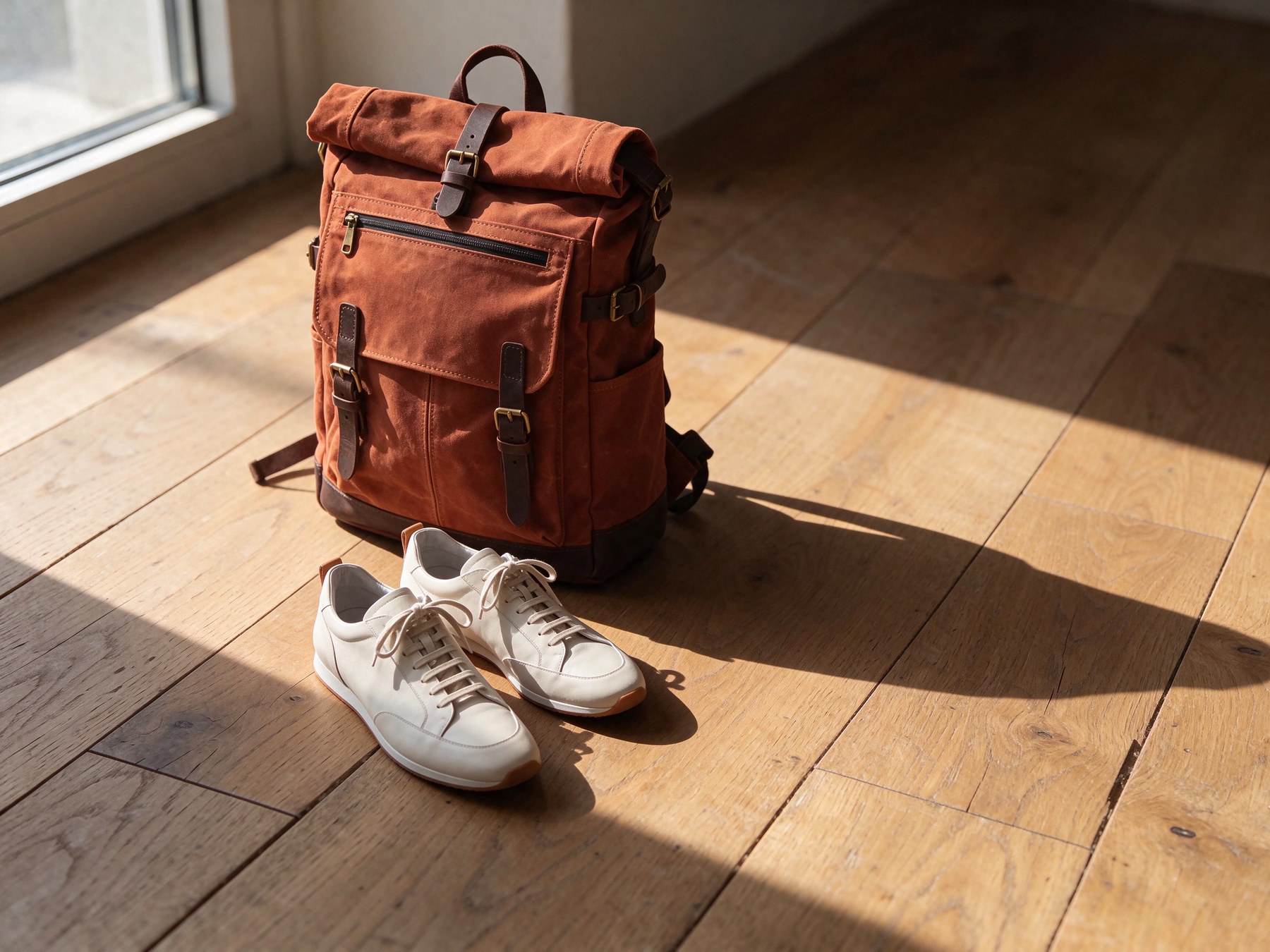
Both products sit on the floor with shadows that match the window light. Brass buckles and straps survived intact.
Six cents for a styled flat-lay from catalogue assets. The shadows fall the right way and the backpack details held. This is the workflow I would hand an e-commerce team: generate or shoot a master, cut it out, and stage it anywhere.
Gaming: transparent assets and scenes you can take apart
Game teams need lots of small assets with alpha: items, icons, effects, characters in poses. Background removal on painted art is where hair, glow and smoke get butchered. Native RGBA skips it.
Parameters size: 1K | aspect_ratio: 1:1 | background: transparent | cost: $0.021 each
Health potion

Treasure chest

Spell effect

Three item prompts in the same painterly style, each one call.
The spell effect is the impressive one: 30.5% of its pixels are partly transparent, so the glow genuinely blends over whatever sits behind it. Most cut-out tools flatten that into a hard halo. The chest has clean edges around every coin. The potion repeats the glass problem: the flask is opaque, though for a stylised icon that reads fine.
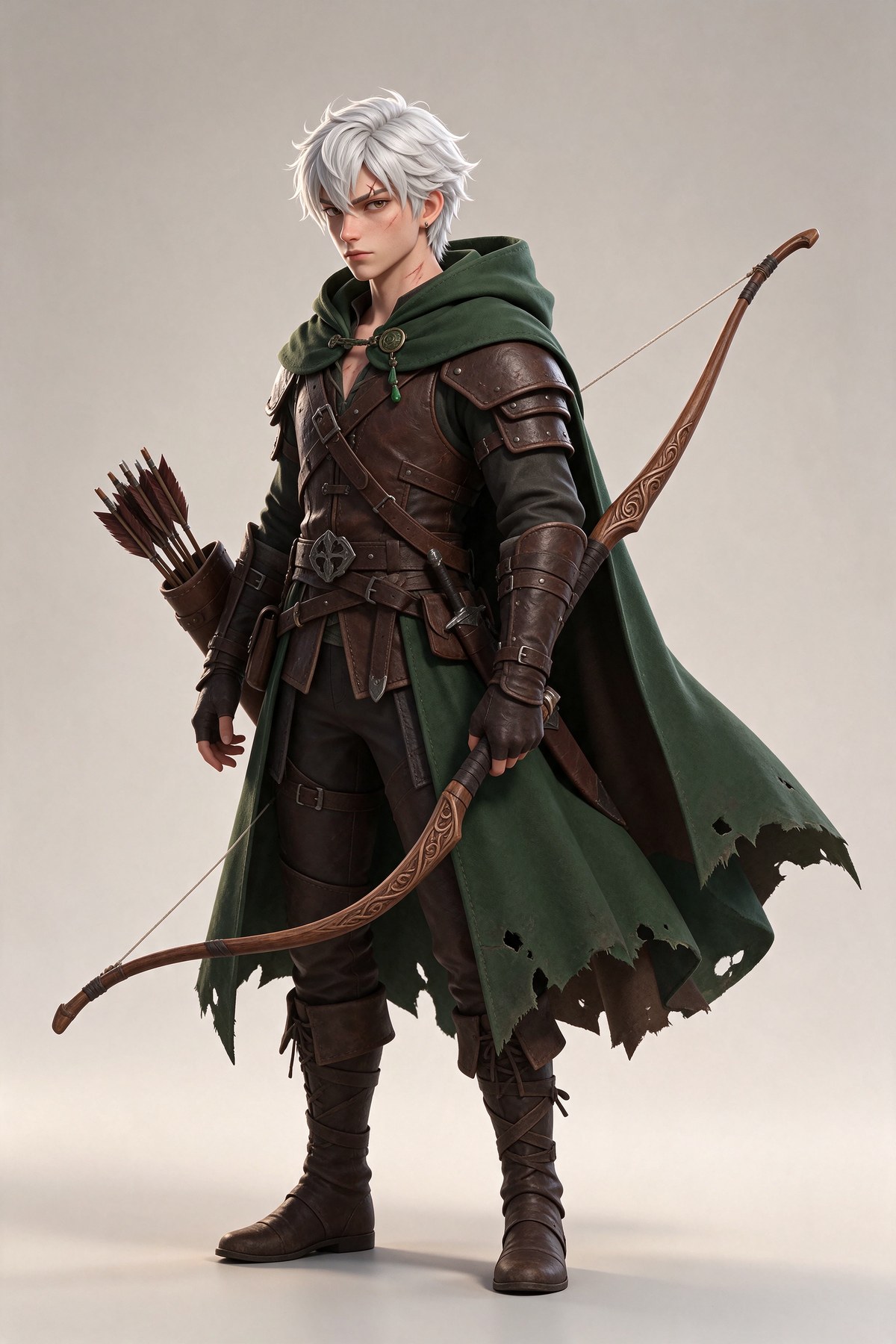
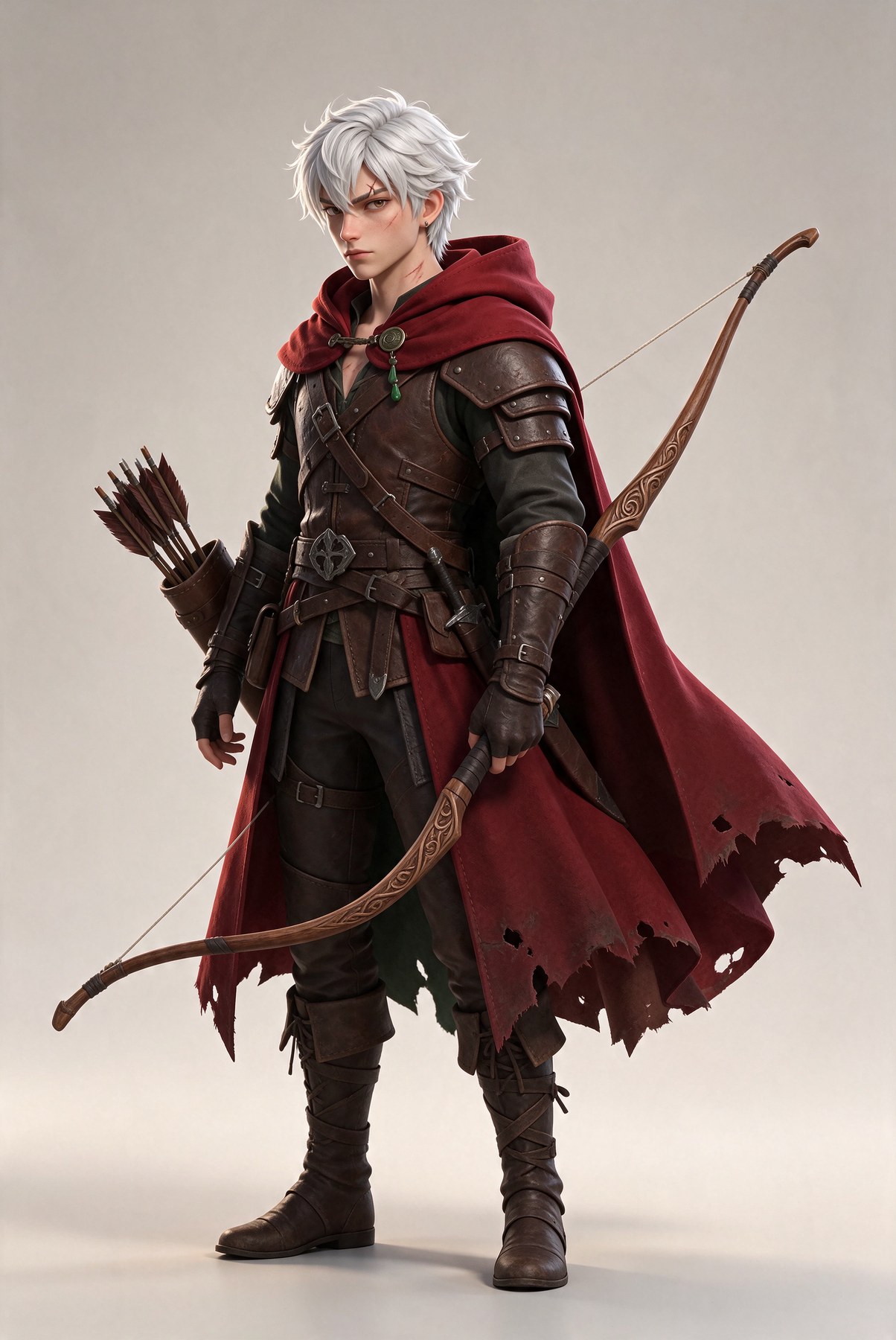
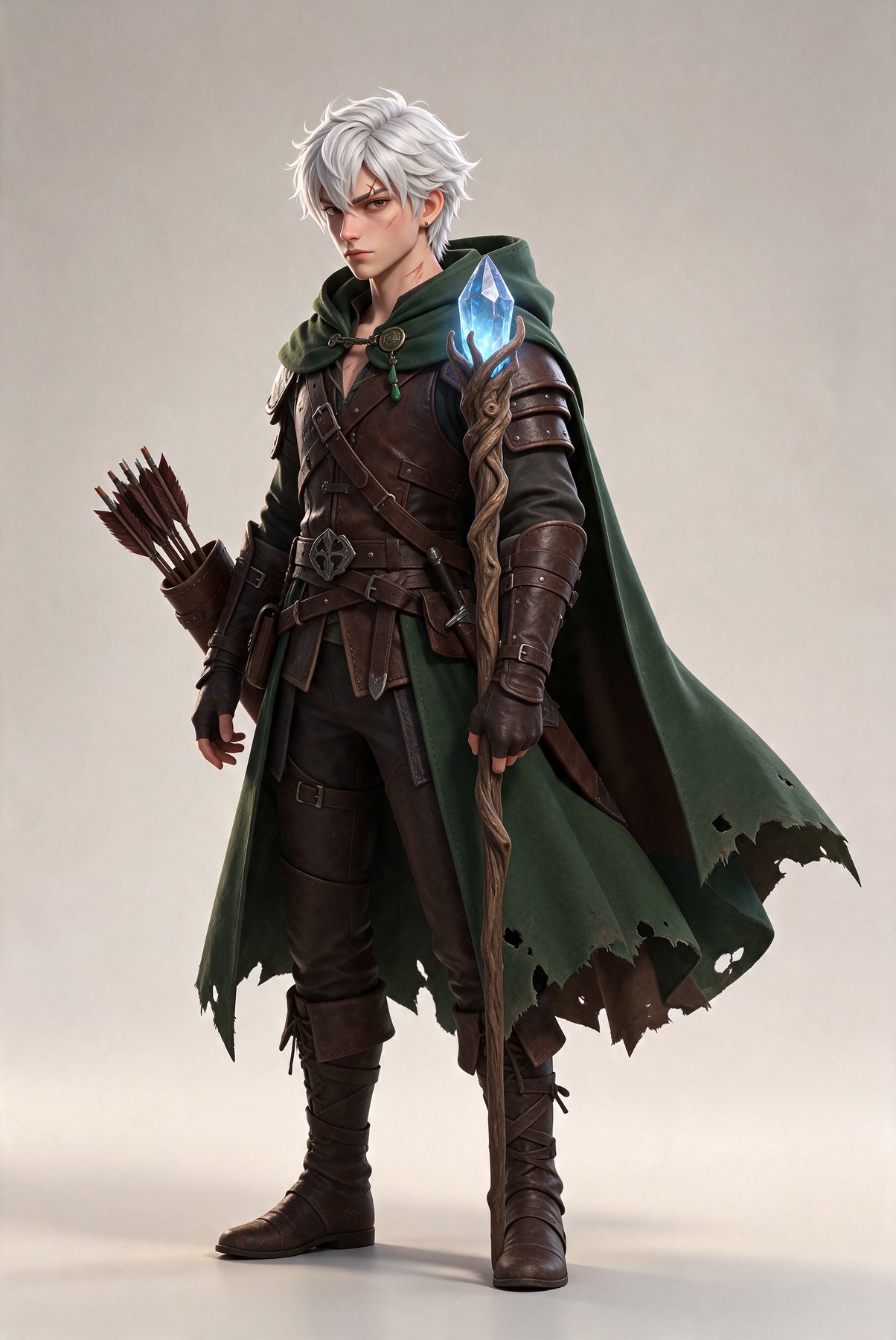
One character, edited and re-posed
Parameters size: 2K | aspect_ratio: 2:3 | cost: $0.037
Base
Edit: crimson cloak
Edit: crystal staff
New pose, transparent

Edits at $0.0455 each. The kneeling pose was a 1.5K transparent edit at $0.0296.
The cloak recolour changed 5.6% of pixels and the weapon swap 3.4%. Face, hair, armour and boots match across all three. The fourth is the useful one for a game pipeline: the same character, kneeling and drawing the bow, delivered on a transparent background in one call. The face, cloak and armour carried over from the reference.
Key art into parallax layers
Parameters size: 1.5K | aspect_ratio: 16:9 | cost: $0.021
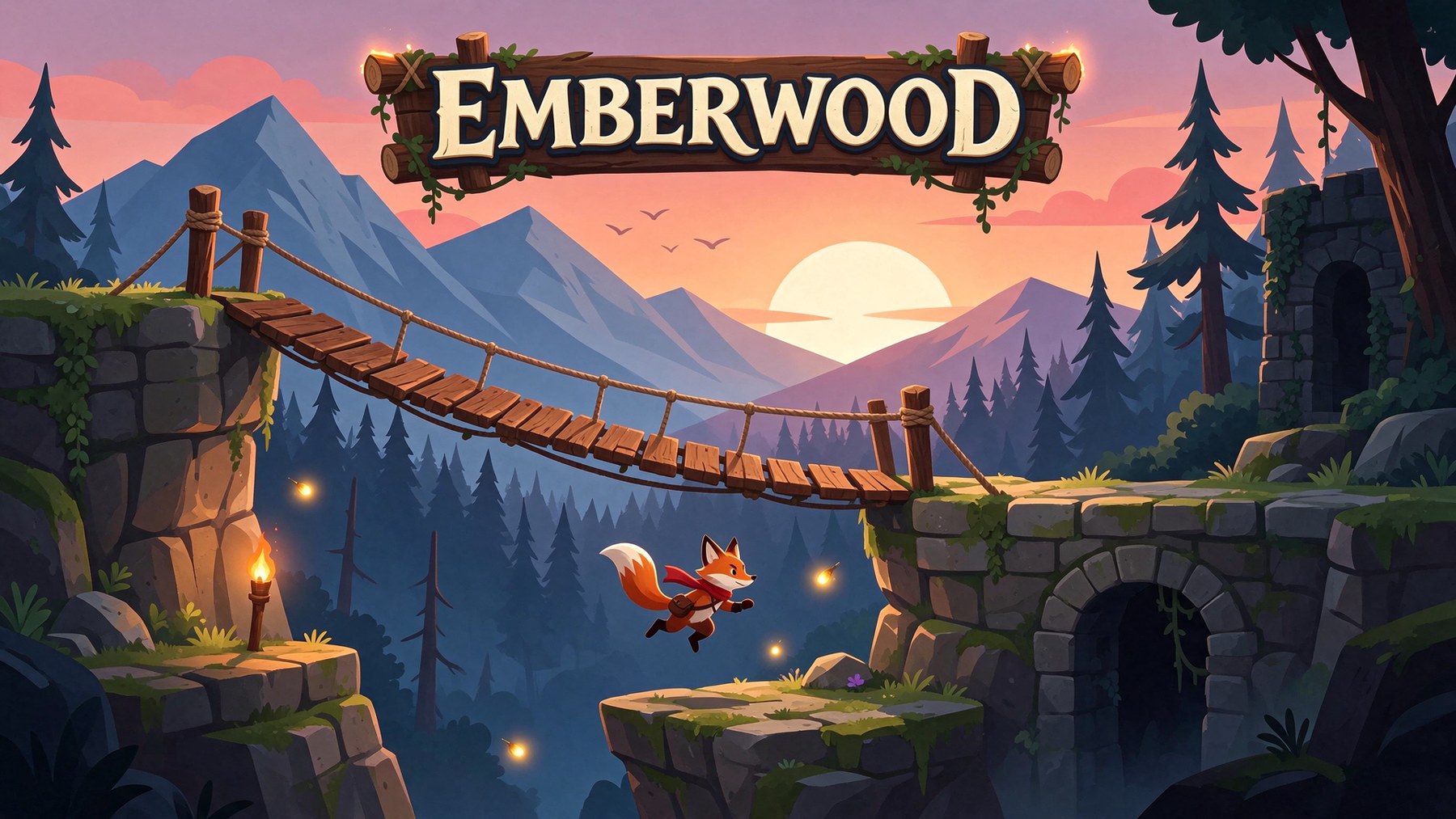
The title is spelled right. It added a hanging wooden sign behind it and more than three fireflies, neither of which I asked for.
Then I sent it to Layer Decomposition with an empty prompt, max_images 10 and text recognition on.
Base layer (z-index 0)

The base: sky, sun, mountains and forest, with the bridge, platforms, fox and sign removed and the gaps painted in.
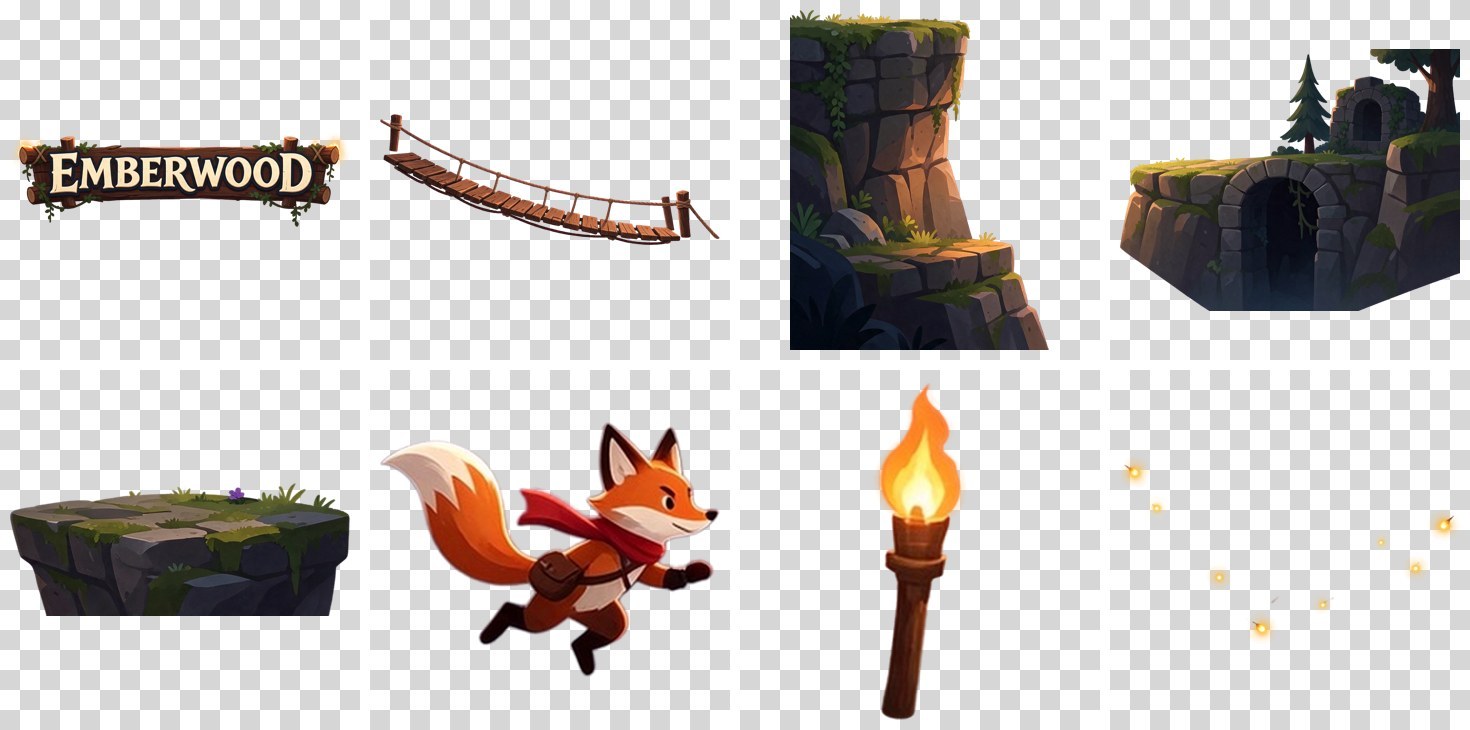
The 8 layers it returned: sign, bridge, left cliff, right ruins, floating platform, fox, torch and fireflies.
Eight layers plus a base in 39 seconds for $0.199, every one named sensibly ("Leaping orange-red fox character", "Wooden torch on left platform"). The base is the real prize for parallax: a clean, filled background plate. Two things to know before you build on it:
- Small layers come back upscaled. The torch occupies a 256 x 256 box in the scene but arrives as a 1024 x 1024 PNG. Every layer I got was at least about one megapixel. Resize each layer to its
bounding_boxbefore you place it. - Rebuilding by bounding box is close, not exact. When I stacked every layer back at its box, 9.4% of pixels differed from the original. The right-hand ruins came back noticeably smaller. Treat the layers as assets, not as a lossless copy of the image.
The text recognition did not pick up "EMBERWOOD", because the model classed it as part of the wooden sign. That matches the model page's caveat that not every text layer qualifies.
Here is the payoff: the base plate, three platform layers, and the transparent assets from earlier, composited in about 15 lines of Pillow with no masking.

Base plate plus three platform layers from the split, with the ranger, chest, potion and spell effect from separate calls. Zero background removal.
Agencies: one campaign, every market and format
Agency work is multiplication: one approved key visual becomes a dozen sizes in a handful of languages, and every version needs the copy to be exactly right. That is where text rendering and edit stability matter together.
Parameters size: 1.5K | aspect_ratio: 3:4 | cost: $0.021
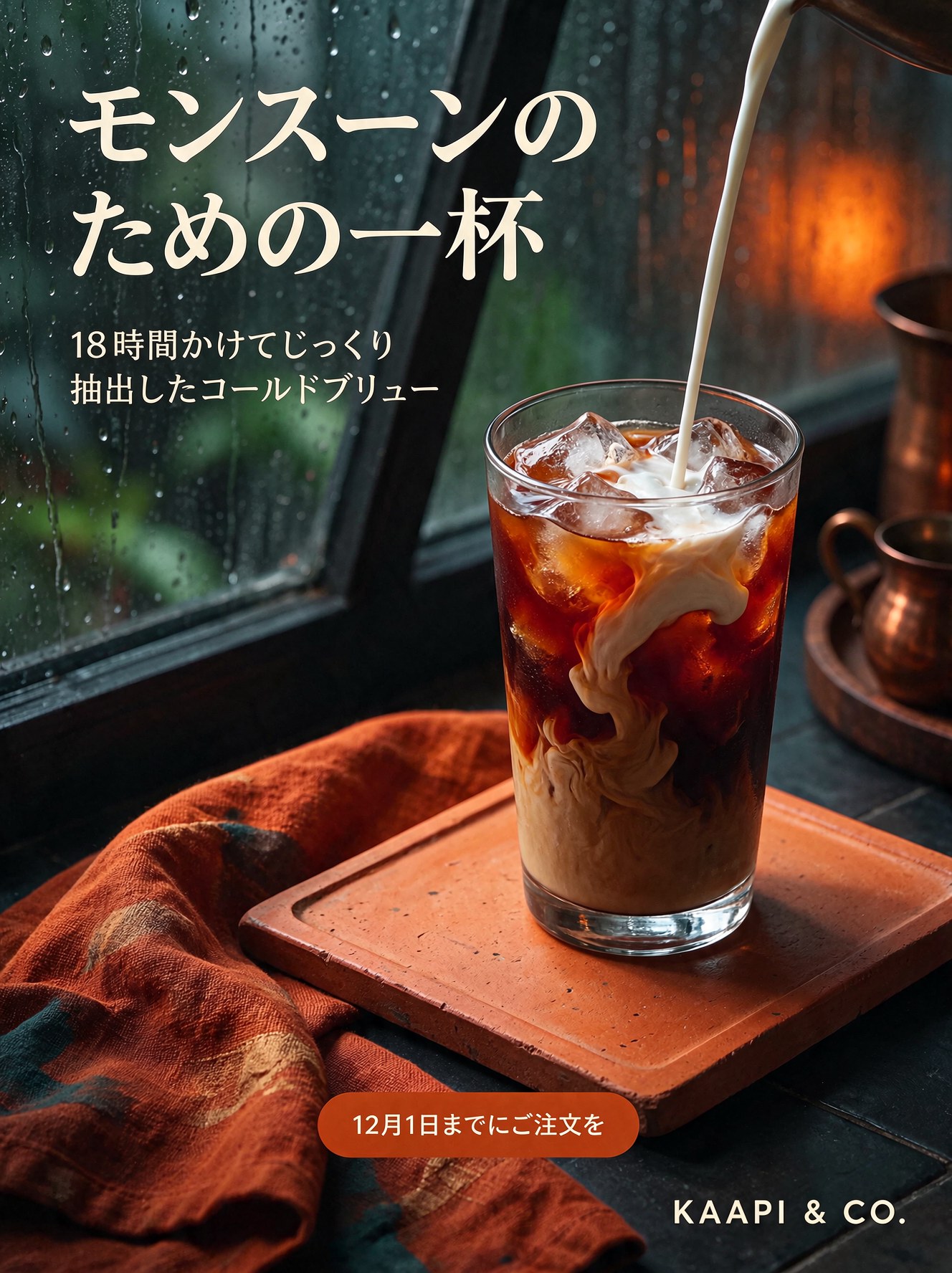
All four lines came back exact on the first try, ampersand included. Then I localised it with one edit each, swapping only the copy and listing everything to keep.
Parameters size: 1.5K | aspect_ratio: auto | reference_images: [English poster] | cost: $0.0296 per language
English (original)
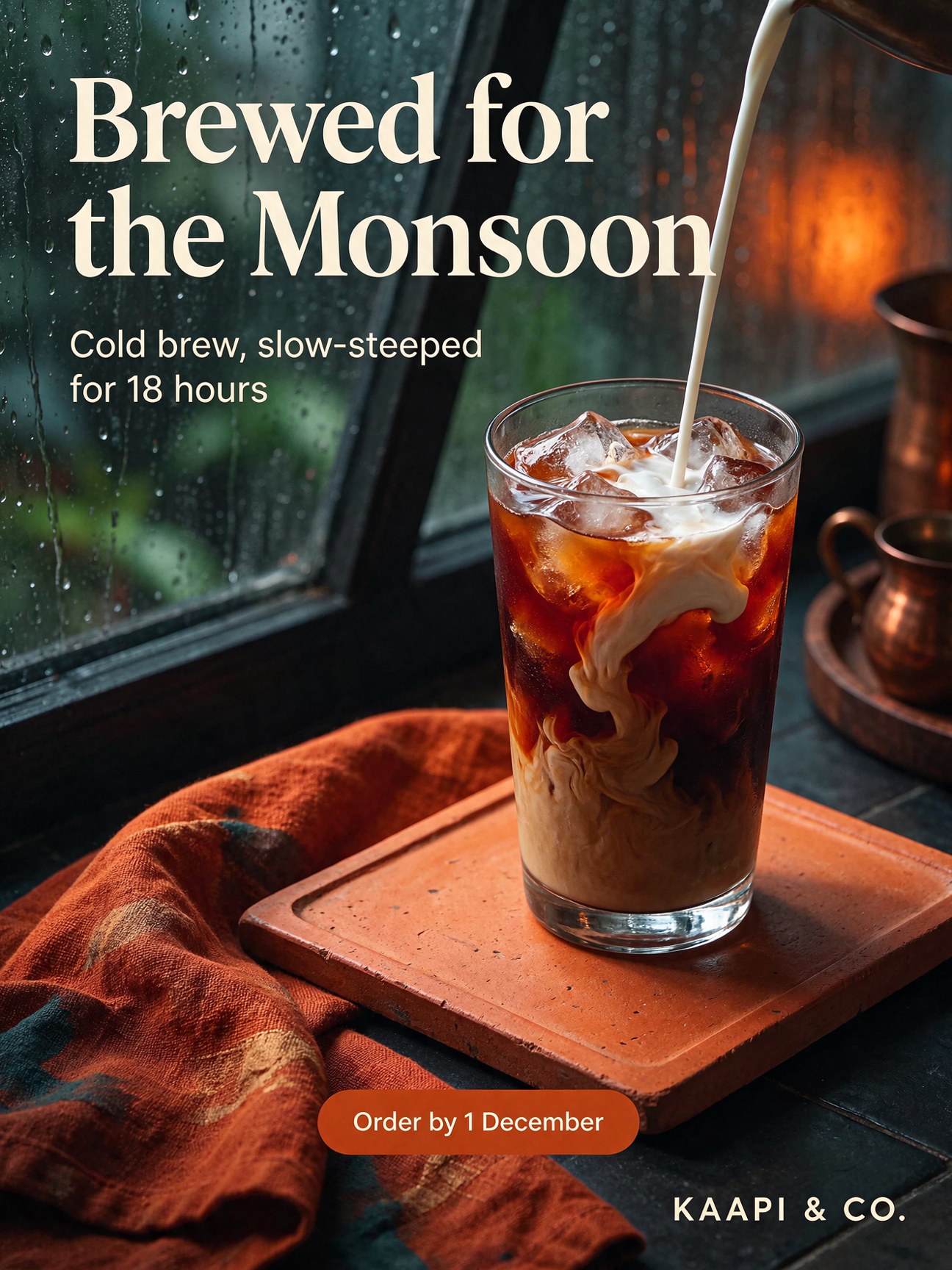
Spanish

Japanese
Hindi
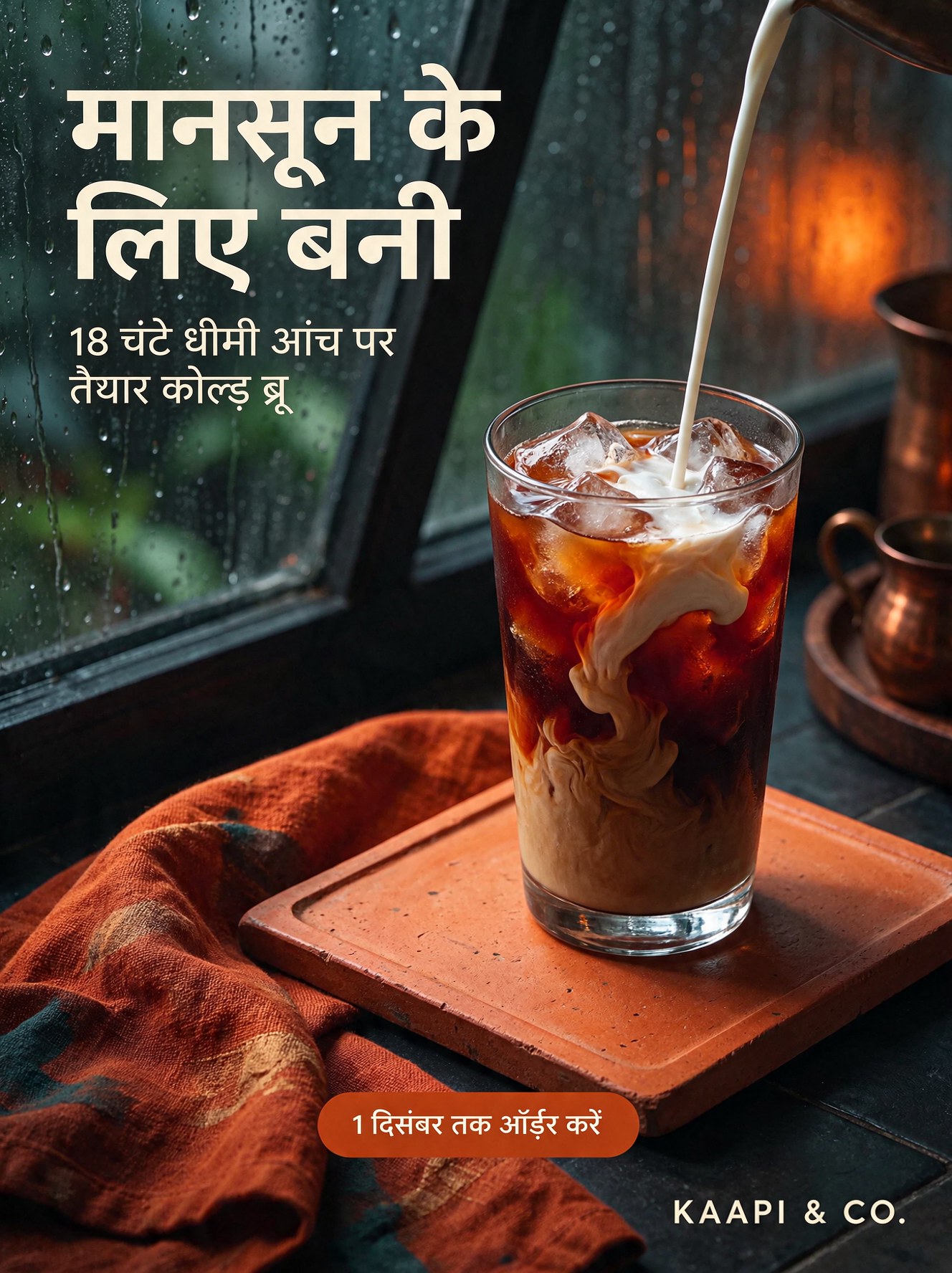
Each translation changed 4.4% to 5.2% of the frame: the text, and nothing else that matters.
I read every line glyph by glyph. Spanish: exact, accents included. Japanese: exact, including the small two-line subhead. Hindi is the honest result. The headline "मानसून के लिए बनी" and the button "1 दिसंबर तक ऑर्डर करें" are perfect. The small subhead has two errors: it wrote चंटे where I asked for घंटे (hours), and added a dot under the ड in कोल्ड. A Hindi reader would spot the first one immediately.
Hindi detail

Headline and button correct. The subhead misspells घंटे as चंटे.
That is still a big step up for Devanagari. In one of our earlier tests, Seedream 5.0 Pro rendered a Hindi sign in Arabic letterforms. But the rule stands: have a native speaker proof every Indic line before it ships, especially small type.
Re-laying the poster for a web banner
Parameters size: 2K | aspect_ratio: 16:9 | reference_images: [English poster] | cost: $0.0455
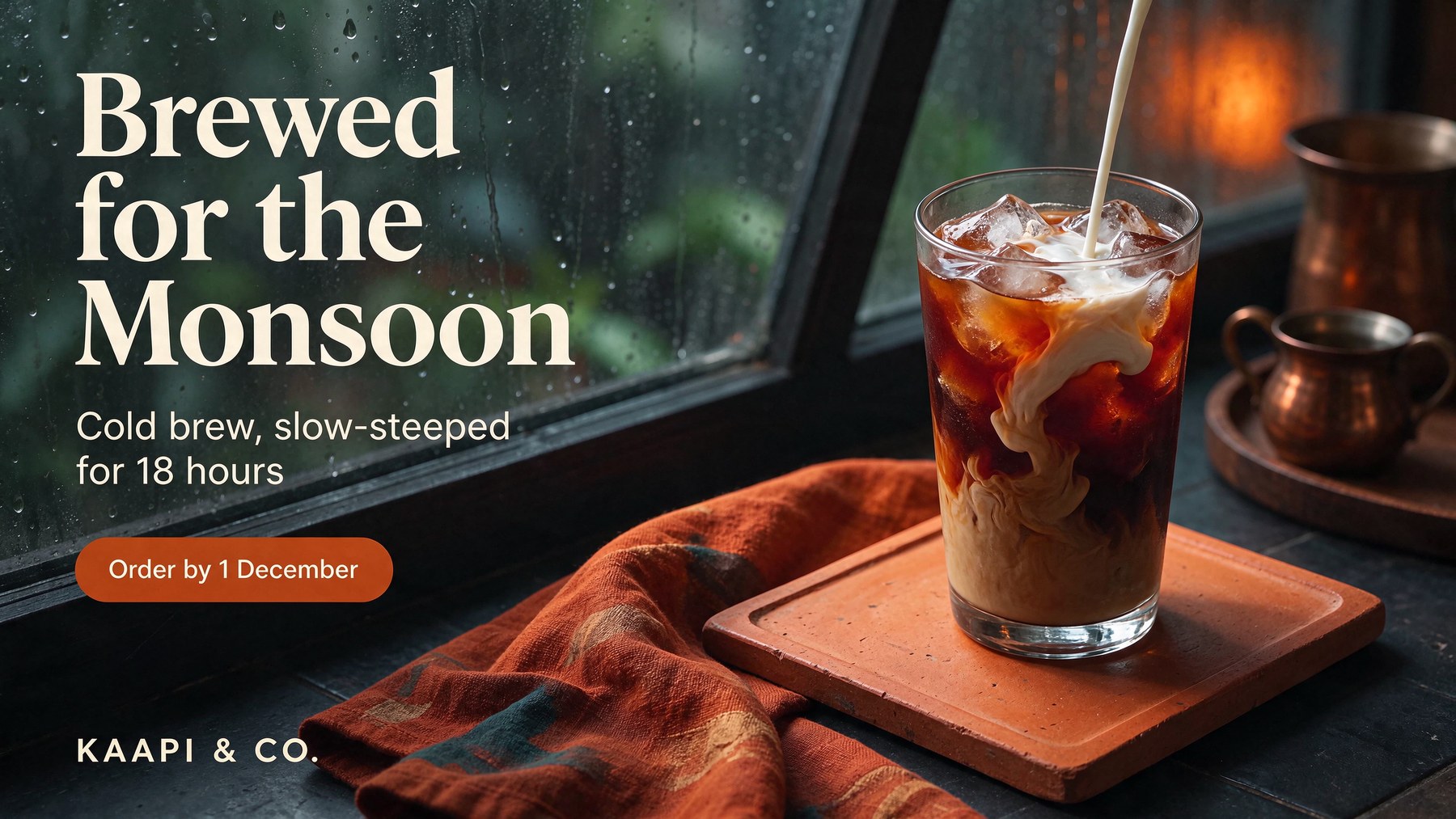
2560 x 1440. Same type, same palette, all four lines exact, the scene rebuilt for the wider frame.
This is the one that would save an agency real hours. The copy is exact, the type styles carried over, and the product is re-staged for the wider frame rather than stretched.
Taking the poster apart for the design team
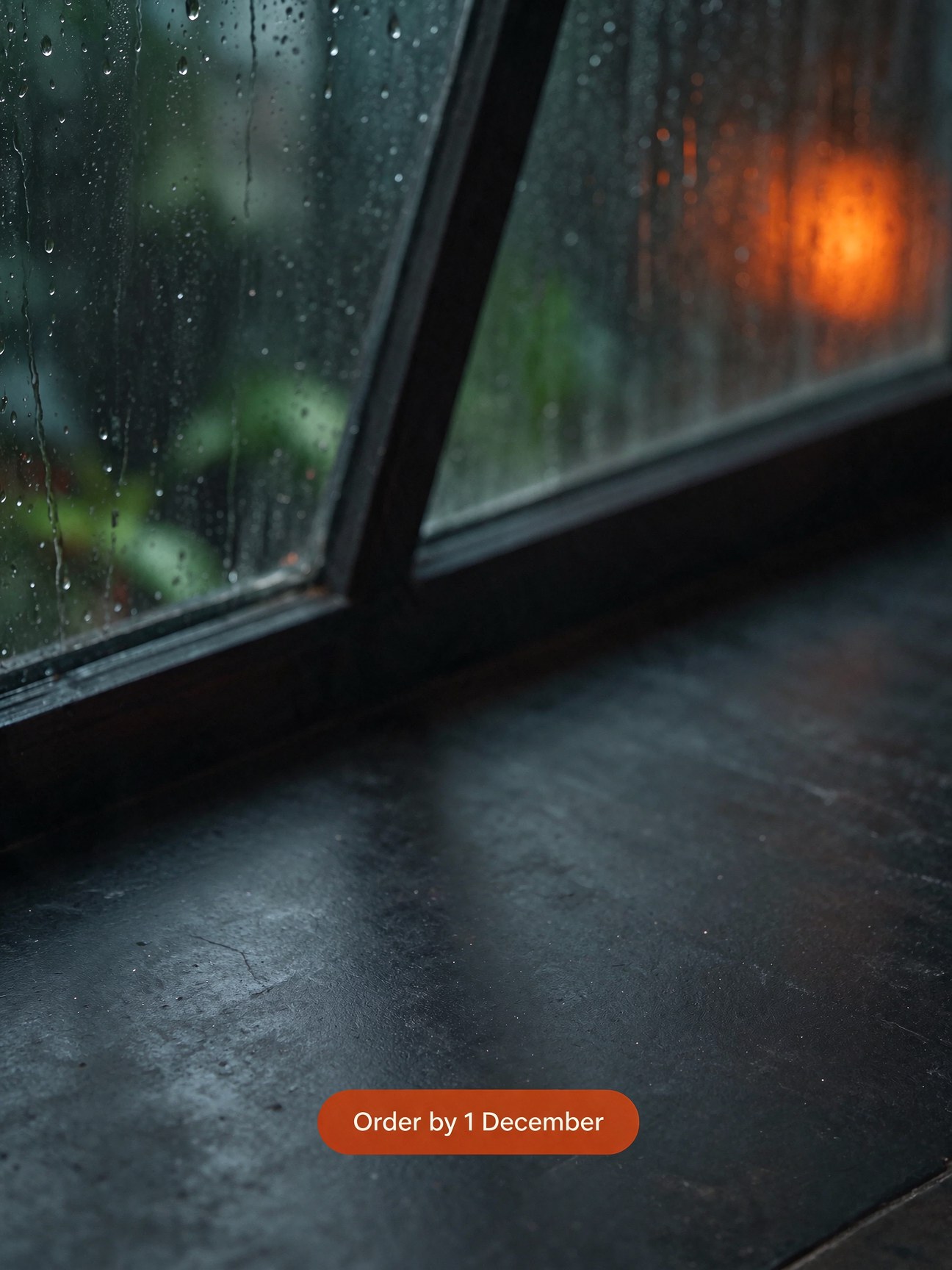
Last, I ran the original poster through Layer Decomposition with text recognition on, the way you would to hand an editable file to a designer.
Base layer
Returned layers
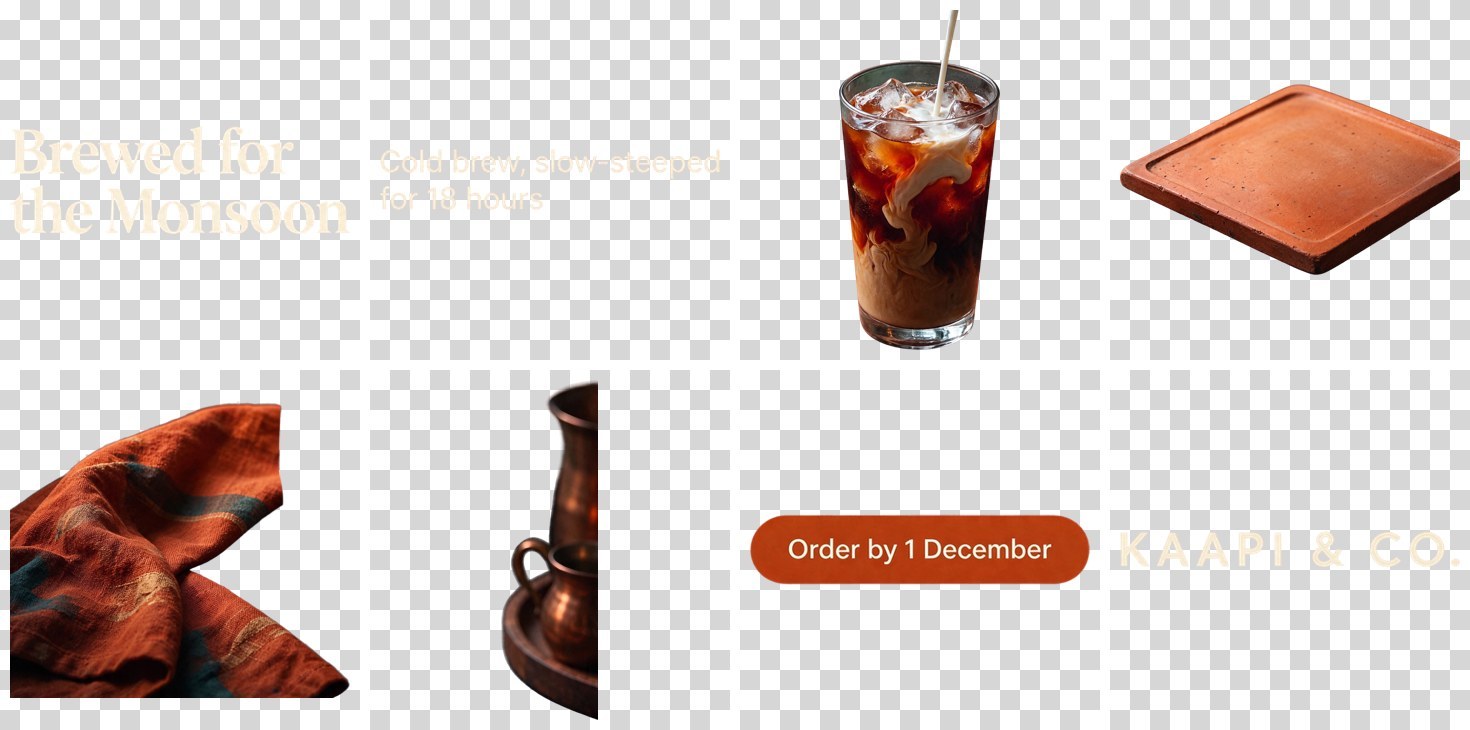
A base and 8 layers for $0.199: headline, subhead, glass, tray, napkin, copper jugs, button and wordmark.
| Layer | Text it read | Closest font | Colour |
|---|---|---|---|
| Headline | Brewed for / the Monsoon | Bona Nova, bold | #F7EEDC |
| Subhead | Cold brew, slow-steeped / for 18 hours | TikTok Sans | #FDF3DC |
| Wordmark | KAAPI & CO. | TikTok Sans | #F8EDD7 |
| Button | not returned | not returned | not returned |
Three of four text blocks came back as structured text with a font match and a hex colour, which is enough to rebuild them as live type. The button did not: it was returned as an image layer only, and its text also stayed baked into the base. If you rebuild the poster, paint that spot out of the base yourself.
What did not work
- See-through glass. Two requests for transparent glass, two opaque bottles. Soft effects like glow and smoke do get partial alpha.
- Slow darkening over long edit chains, about half a level per round in my test.
- Small Devanagari text. Two errors in one line, even though the large Hindi text was perfect.
- Edits that need room. Asking for lettering on a thin pull loop made the model redesign the loop.
- Moves change more than you asked. Moving one sneaker into a new scene produced a pair at a new angle.
- Layer rebuilds drift. Layers placed at their bounding boxes differed from the original by 9.4% of pixels in the game scene.
None of these stopped a use case. They are the places to put a human check.
Seedream 5.5 API: three snippets
Everything above ran through one Segmind API key. Use /v1 when you want the image back in the response, and /v2 when you want a hosted image URL, which is exactly what an edit chain needs to pass into the next round.
1. A transparent asset, synchronous
import os, requests

r = requests.post(
    "https://api.segmind.com/v1/seedream-5.5",
    headers={"x-api-key": os.environ["SEGMIND_API_KEY"]},
    json={
        "prompt": "A die-cut vinyl sticker of a grinning cartoon mango wearing headphones, "
                  "bold black outlines, thick white border. Isolated on a fully transparent "
                  "background with clean cut-out edges. No text.",
        "size": "1.5K",            # same price as 1K, twice the pixels
        "aspect_ratio": "1:1",
        "background": "transparent",
        "output_format": "png",    # jpeg + transparent is rejected, unbilled
    },
    timeout=180,
)
r.raise_for_status()
open("sticker.png", "wb").write(r.content)
print("billed", r.headers.get("x-cost"))   # e.g. 0.021164
The response is the PNG itself, and the x-cost header carries what that call billed. A live 1K run of this same call took 23.5 seconds and billed $0.021164; 1.5K bills the same.
2. Edit in rounds with /v2
import os, time, requests

API = "https://api.segmind.com/v2"
H = {"x-api-key": os.environ["SEGMIND_API_KEY"]}

def run(payload):
    rid = requests.post(f"{API}/seedream-5.5", headers=H, json=payload).json()["request_id"]
    while True:
        s = requests.get(f"{API}/requests/{rid}/status", headers=H).json()
        if s["status"] in ("COMPLETED", "FAILED"):
            break
        time.sleep(3)
    res = requests.get(f"{API}/requests/{rid}", headers=H).json()
    if s["status"] == "FAILED":
        raise RuntimeError(res.get("error"))
    return res["output"], s["metrics"]["cost"]       # hosted image URL, exact cost

KEEP = ("Keep the sneaker's shape, stitching, sole, heel tab, the plinth, the backdrop, "
        "the light and the shadow exactly as they are in the reference.")
master, cost = run({"prompt": "Studio product photograph of a minimalist off-white leather "
                              "sneaker on a pale concrete plinth. No logos or text.",
                    "size": "2K", "aspect_ratio": "4:3", "background": "opaque"})

edits = ["Change only the upper to sage-green suede.",
         "Change only the laces to burnt-orange waxed cotton."]
current = master
for change in edits:
    current, c = run({"prompt": f"{change} {KEEP}",
                      "reference_images": [current, master],   # original anchors long chains
                      "size": "2K", "aspect_ratio": "auto"})
    cost += c
print(current, round(cost, 4))
Sending the master as a second reference adds $0.0085 a round. On long chains it is worth it to anchor identity and fight the slow drift I measured.
3. Split an image into layers and rebuild it
import io, requests
from PIL import Image

# reuse run()-style polling, but against the layer endpoint
rid = requests.post(f"{API}/seedream-5.5-layer-decomposition", headers=H, json={
    "image": "https://example.com/key-art.png",
    "prompt": "",              # empty: the model finds every major element
    "max_images": 10,          # base included; each image is billed
    "text_recognition": True,
    "size": "auto",
}).json()["request_id"]
# ... poll /requests/{rid}/status until COMPLETED, then:
layers = requests.get(f"{API}/requests/{rid}", headers=H).json()["output"]

layers.sort(key=lambda l: l["z_index"])
canvas = Image.open(io.BytesIO(requests.get(layers[0]["url"]).content)).convert("RGBA")
for l in layers[1:]:
    x1, y1, x2, y2 = l["bounding_box"]["absolute"]
    img = Image.open(io.BytesIO(requests.get(l["url"]).content)).convert("RGBA")
    img = img.resize((x2 - x1, y2 - y1))     # small layers arrive upscaled to ~1 MP
    canvas.alpha_composite(img, (x1, y1))
    if "text_recognition" in l:
        print(l["name"], "->", l["text_recognition"]["text"])
canvas.save("rebuilt.png")
The output is a list: index 0 is the opaque base, and every other entry has url, name, description, z_index and a bounding_box in both absolute pixels and a 0 to 1000 scale. Text layers add text_recognition, with per-run font, colour and style.
Seedream 5.5 FAQ
What is Seedream 5.5?
Seedream 5.5 is ByteDance's image generation and editing model, released on 9 November 2026. It takes a prompt and up to 10 reference images and returns one image at 1K, 1.5K or 2K, with optional transparent backgrounds. Its headline feature is editing in rounds while the rest of the image stays stable.
How much does Seedream 5.5 cost?
On Segmind, Seedream 5.5 costs $0.021164 per image at 1K or 1.5K and $0.037037 at 2K, plus $0.0084656 per reference image. A 2K edit with one reference bills $0.0455. Transparent output is free. In my 36 billed runs, every charge matched that list exactly.
Does Seedream 5.5 really keep images stable across edits?
In my 12-round test, no background pixel moved by more than 32 levels, and single-object edits touched 0.49% to 1.05% of the frame. The whole image did darken by about half a level per round, so branch variants from the master and anchor long chains with the original image.
Can Seedream 5.5 make transparent PNGs?
Yes. Set background to transparent and output_format to png. Solid objects get clean edges and soft effects get real partial alpha (30.5% of pixels on my spell effect). Glass came back opaque both times I asked for it to be see-through. A jpeg request with a transparent background is rejected instantly and not billed.
What is Seedream 5.5 Layer Decomposition?
It is a separate endpoint that splits one image into a clean base plus named transparent PNG layers with bounding boxes, and can read text with a font match and colour. It bills each returned image at the Seedream 5.5 rate plus the input image: $0.199 for a base and 8 layers at 1.5K.
How well does Seedream 5.5 render non-English text?
Spanish and Japanese poster copy came back exact in my tests. Hindi headline and button text were perfect, but a small Hindi subhead had two letter errors. Quote every line in the prompt, keep the layout simple, and proofread small type before print.
Try it
You can run Seedream 5.5 in the playground, and Layer Decomposition right next to it, on the same API key. My suggestion for a first test: take one product photo you already have, run three edit rounds on it, then split the last one into layers. It will cost you about twenty cents, and you will know within a few minutes whether it fits your pipeline.