
Fibo Generate 1.5 and Fibo Edit 1.5 API Guide: 12 Real Calls and Exact Costs
Fibo 1.5 API guide: 12 real calls on Fibo Generate 1.5 and Fibo Edit 1.5, with structured JSON prompts, masked edits, measured latency and exact cost.

Every image model I test has the same hole in it. I get one great frame, the client asks for the same shot with softer light, and I am back to rewriting prose and rolling dice. There is no handle to turn. Bria's FIBO 1.5 family is the first pair of endpoints I have used that hands me a handle: it returns the scene it built as structured JSON, and I can edit one field of that JSON and fire again.
I spent an afternoon on the Segmind endpoints for Bria FIBO 1.5 and Bria FIBO 1.5 Image Edit. Twelve billed calls, $0.4225 total. This post is that run: the exact request bodies, the outputs, the measured latency. If you are looking for a Fibo 1.5 API guide with real numbers rather than a feature list, this is it.
The three Fibo endpoints on Segmind
FIBO is Bria's photorealistic image family, trained on licensed data, which is why it keeps showing up in enterprise procurement conversations. On Segmind it lands as three separate slugs, and it took me a minute to work out which does what.
| Slug | Does | Billed per call | My measured latency |
|---|---|---|---|
bria-fibo-generate | Text or reference image or structured JSON to image | $0.0375 | 9.1s to 18.9s at 1MP, 52.3s at 4MP |
bria-fibo-image-edit | Instruction or masked or multi-image edit | $0.0375 | 18.4s to 20.3s |
bria-fibo-generate-structured-prompt | Text or image to a structured JSON prompt, no pixels | $0.0100 | 11.7s |
All three are synchronous. You POST, you wait, you get JSON back. Note that despite what the generic response documentation says, these endpoints do not return binary image bytes. Every one of my twelve calls returned a JSON envelope shaped like {"output": {"image_url": ..., "seed": ..., "structured_prompt": {...}}}, and the image_url points at temp.bria.ai. That is a temporary host. Download the bytes inside your request handler and push them to your own storage, or you will ship a page full of dead images a week later. I lost a few minutes to that assumption before I looked at the response body.
The reproducibility claim, actually tested
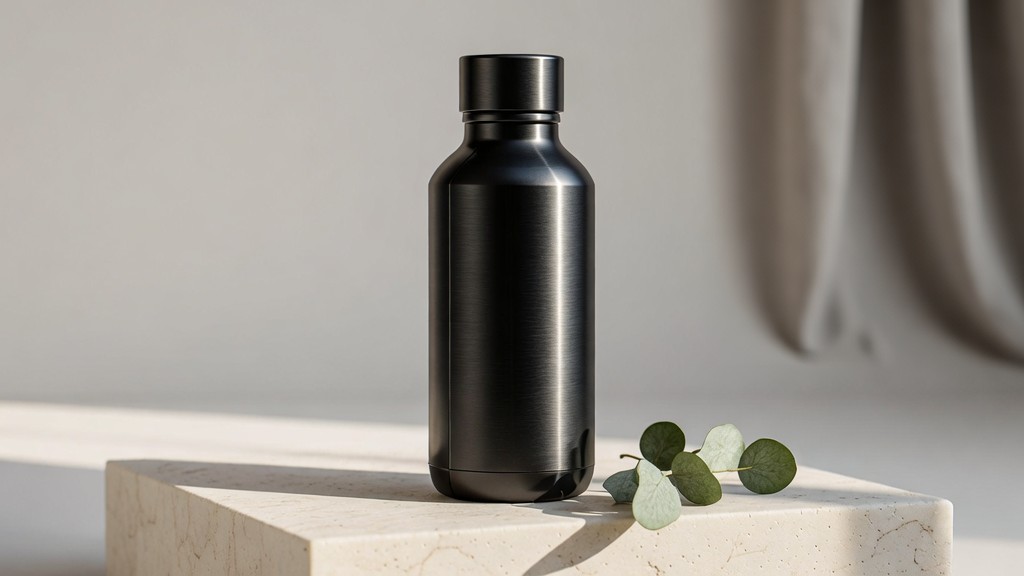
The first thing I wanted to know was whether the seed is real. So I fired the same product prompt twice with seed: 123456 and nothing else changed.
Parameters resolution: 1MP | aspect_ratio: 16:9 | seed: 123456 | output_type: png
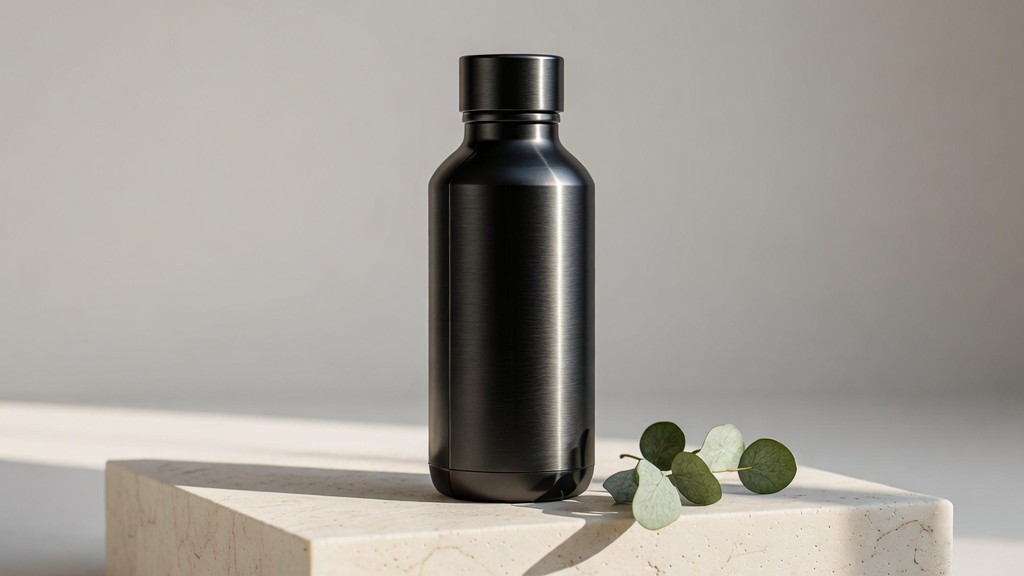
Call one at 1MP, 16:9. Call two with identical parameters came back pixel for pixel identical.
Two different request IDs, two different temp.bria.ai URLs, two PNG files with different MD5 hashes. I diffed the decoded pixels: the difference bounding box was empty and the maximum per channel difference was zero. The files differ only in PNG container bytes. The returned structured_prompt was byte identical too. That is genuine determinism, not marketing language, and it is the thing that makes the rest of this workflow safe to automate. If you cache a seed and a structured prompt, you can rebuild the exact asset months later.
What the structured prompt actually contains
Every generation returns the scene decomposed into JSON. My bottle shot came back with nine top level keys: short_description, objects, background_setting, lighting, aesthetics, photographic_characteristics, style_medium, context and artistic_style. The lighting block looked like this:
"lighting": {
  "conditions": "Bright morning window light",
  "direction": "Side-lit from left",
  "shadows": "Long, soft raking shadows cast by the water bottle and a
               delicate, soft shadow cast by the eucalyptus sprig
               across the travertine ledge."
}
So I replaced that one block with a dim tungsten description, nudged two fields in aesthetics, left everything else including the seed untouched, and sent the whole object back as structured_prompt with no prompt field at all.
Original lighting block
Lighting block swapped
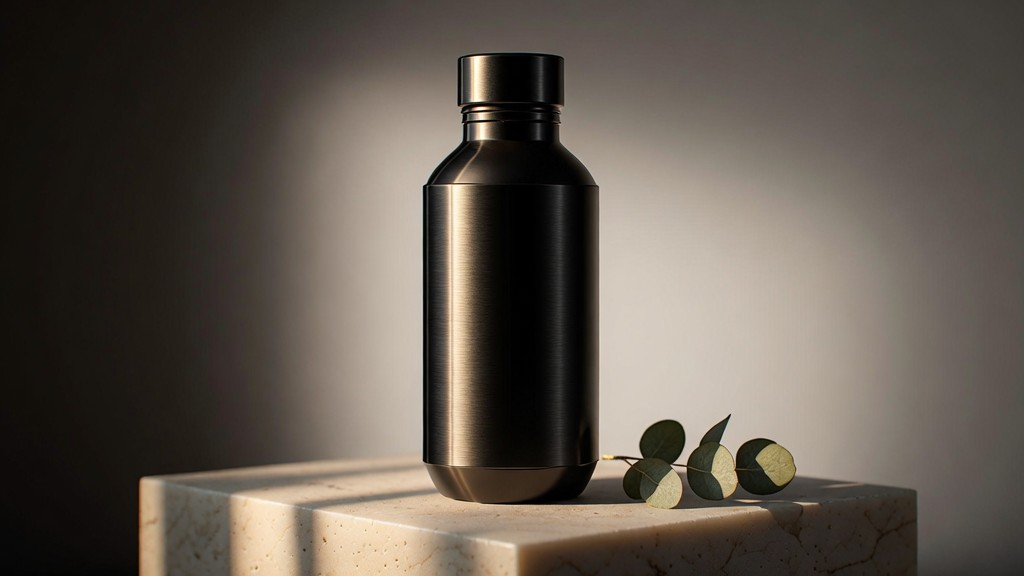
One JSON field changed. Same seed, same subject, same framing, same props, different light.
The product stayed centred on the same ledge with the eucalyptus in the same place, and the light moved to a hard back-right rim with the left of the frame falling into shadow. The silhouette is not perfectly identical, so this is a re-render guided by structure rather than a relight of existing pixels. For an agency deciding between three lighting treatments before a client call, that distinction does not matter. Three $0.0375 calls and you have the options.
Two things I confirmed here that the parameter docs do not make obvious. First, Segmind's schema marks prompt as required, but a request carrying only structured_prompt is accepted and works fine. Second, structured_prompt and a reference image are documented as mutually exclusive, and the gateway does not enforce that. I sent both and got HTTP 200 with an image built from the structured prompt and no visible trace of the reference. Do not rely on an error to catch that mistake for you.
Use case one: product photography for marketing teams
This is where Fibo Edit 1.5 earns its place. I uploaded the bottle from the generate step to S3 and asked the edit endpoint to move it outdoors while holding the product identity.
Parameters image_urls: [1 image] | seed: 123456 | output_type: png
Input
Output
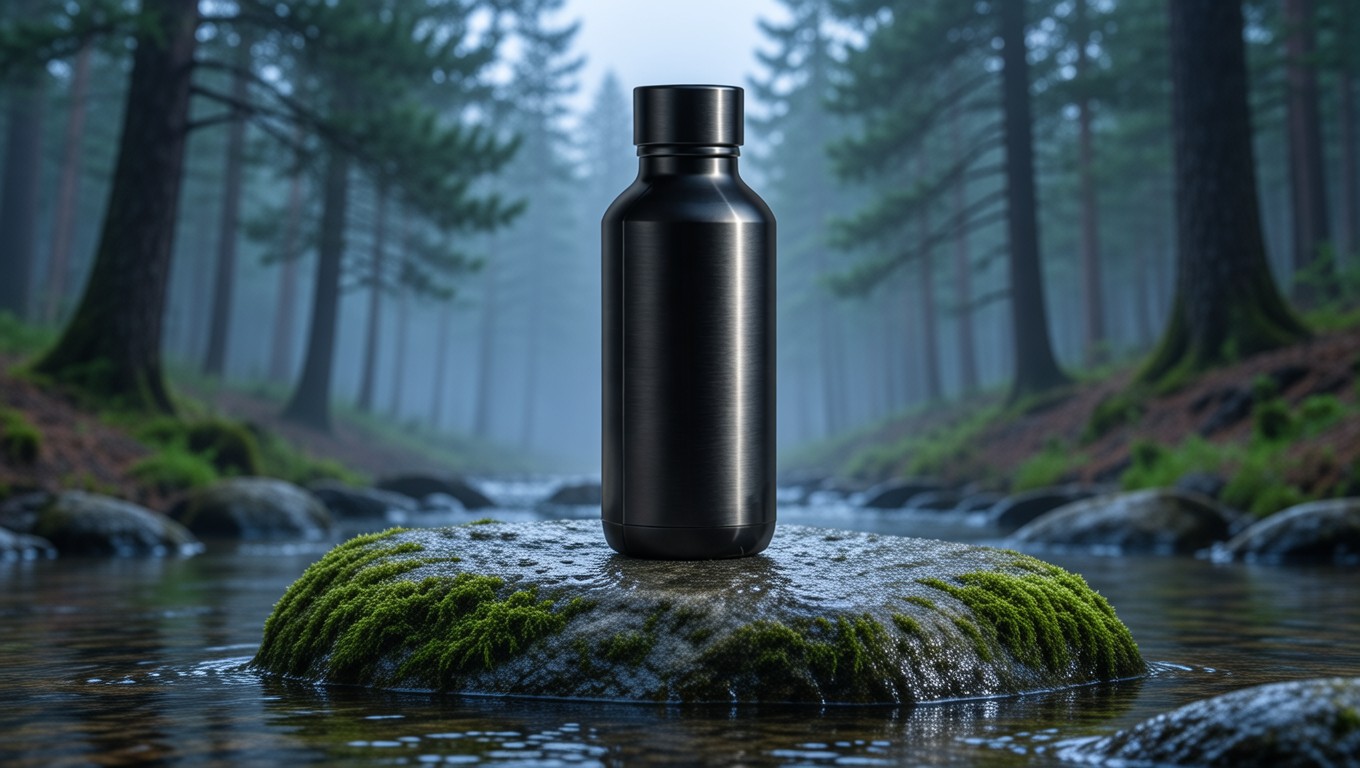
Scene swap in 18.6 seconds for $0.0375. The cap, the taper and the matte finish survive.
The bottle came through with its cap geometry, its taper and its brushed finish intact, which is the whole ballgame for a brand asset. Then I pushed harder and passed two separate product photographs in one image_urls array, my bottle plus Segmind's example serum bottle, and asked for a single shelf shot containing both.
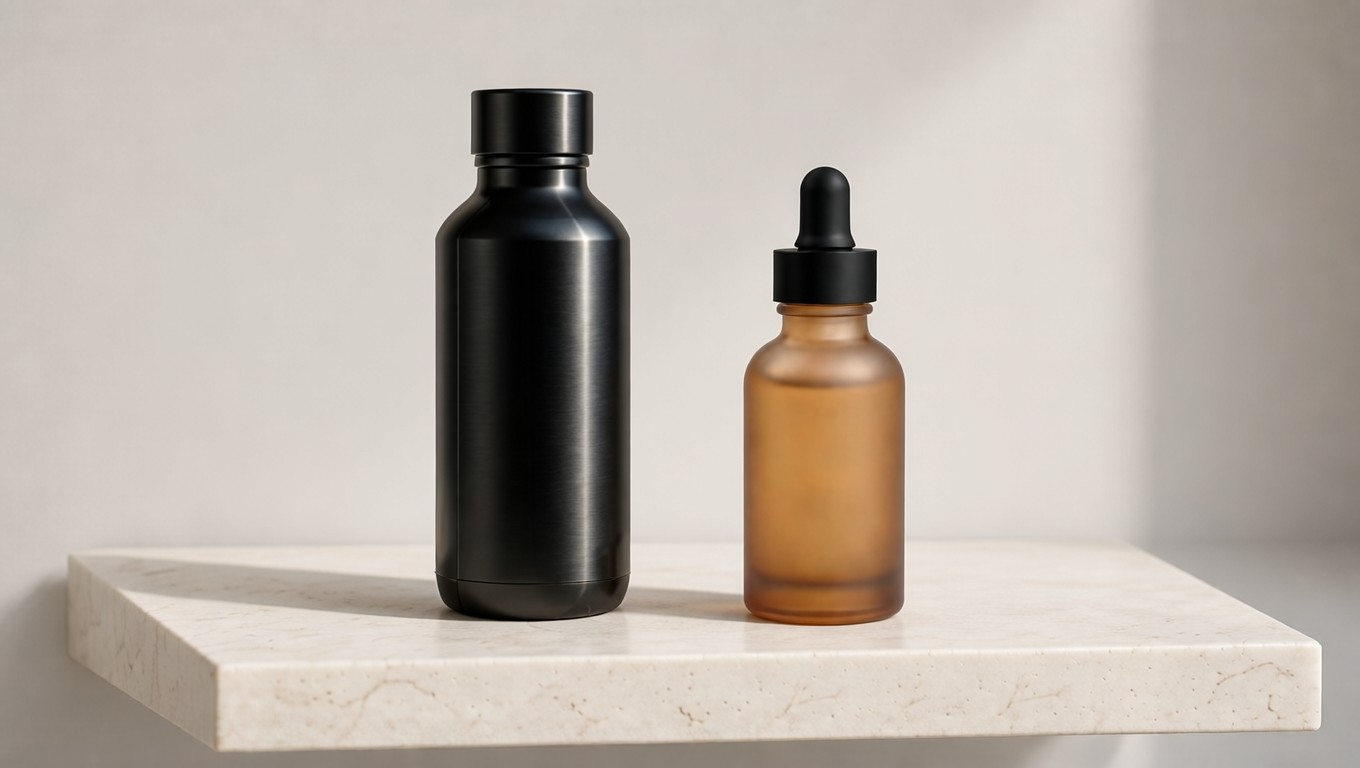
Two input photographs, one output frame. Both products keep their own shape, finish and cap.
Both products kept their identity: the matte black bottle on the left, the frosted amber serum with its black dropper on the right, both on one travertine shelf under consistent light. image_urls accepts one to four images, so a small brand can assemble bundle shots and lifestyle sets from a handful of studio captures. Here is the whole call:
import requests

r = requests.post(
    "https://api.segmind.com/v1/bria-fibo-image-edit",
    headers={"x-api-key": "YOUR_API_KEY"},
    json={
        "image_urls": [BOTTLE_URL, SERUM_URL],
        "instruction": (
            "Build one retail shelf photograph containing both products: "
            "the matte black insulated bottle from the first image standing "
            "on the left, and the amber glass serum bottle from the second "
            "image on the right, both on the same pale travertine shelf "
            "under soft even daylight. Keep both products exactly as they "
            "are, same shapes, same finishes, same caps."
        ),
        "seed": 123456,
        "output_type": "png",
    },
    timeout=240,
)
out = r.json()["output"]
image_bytes = requests.get(out["image_url"]).content   # temp host, save it now
Use case two: 4MP frames for pre-visualisation
Film and previs work needs pixels. The resolution enum has exactly two values, 1MP and 4MP, and the interesting part is that they cost the same $0.0375. You pay in latency instead: my 1MP calls came back in 9.1 to 18.9 seconds, my 4MP call took 52.3 seconds.
Parameters resolution: 4MP | aspect_ratio: 3:2 | seed: 77 | output_type: png
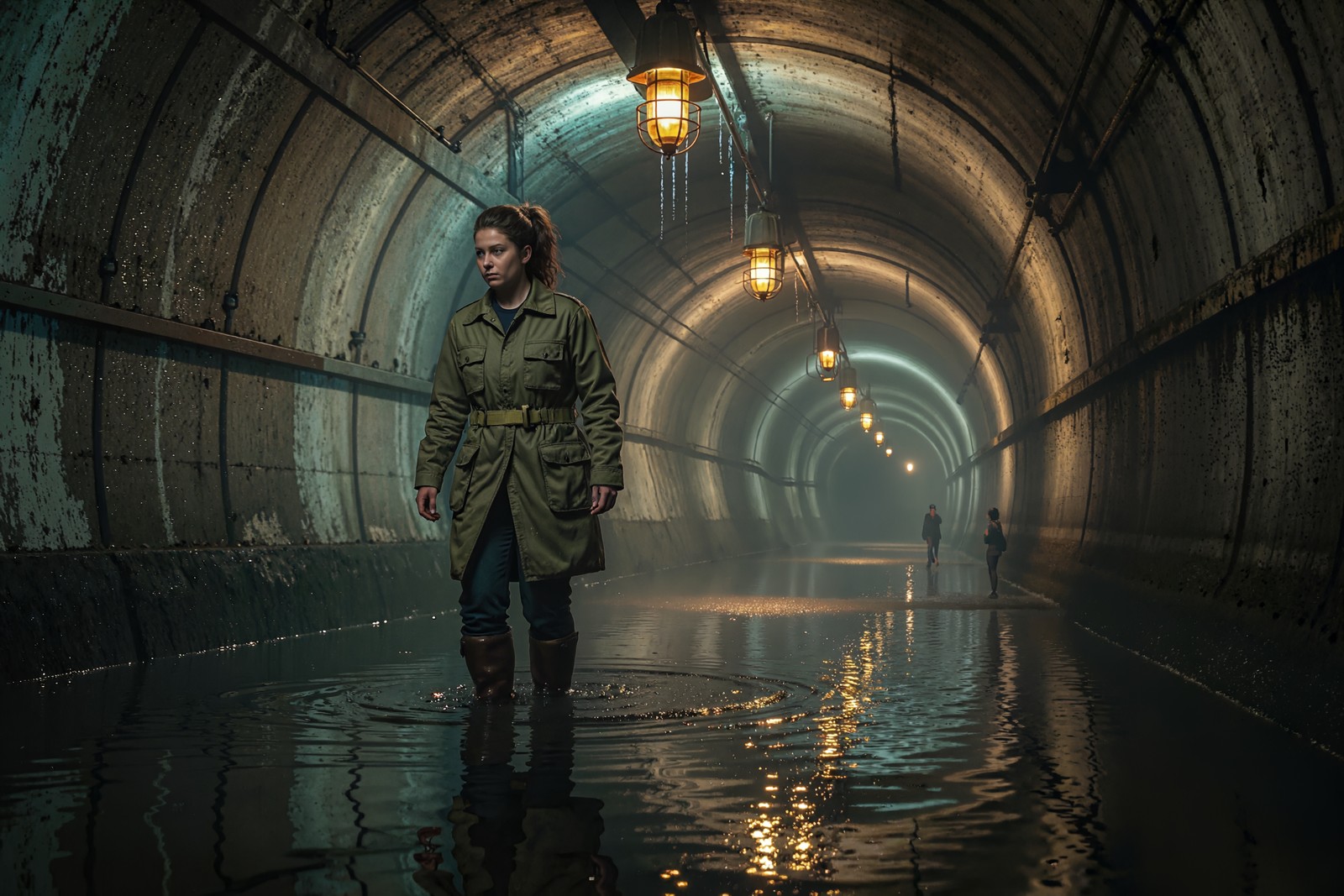
Delivered at 2304 by 1536, 3.54 megapixels, 4.9 MB PNG. Downscaled here for page weight.
Worth knowing before you promise a client a resolution: the labels are nominal. At 4MP and 3:2 I got 2304 by 1536, which is 3.54 megapixels. At 1MP and 16:9 I got 1024 by 576, which is 0.59 megapixels. The 1MP label only lands on its number at 1:1, where it returns 1024 by 1024. Budget the real pixel counts, not the enum names.
Use case three: vertical frames for production houses and MCNs
For channel and short form work the useful ratios are 9:16 and 4:5. Nine ratios are supported in total, and an unsupported one fails cleanly with the full list in the error body, which is the kind of error message I wish more gateways wrote.
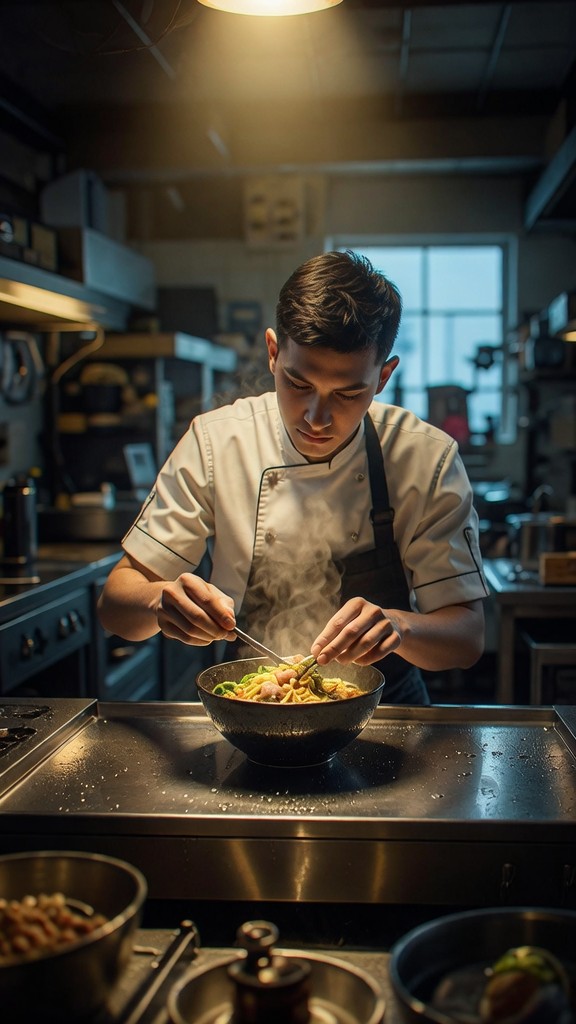
9:16 at 1MP returns 576 by 1024 in 18.9 seconds.
Honest note on this one. I asked for clean empty space in the upper third so a title card could sit there, and Fibo put the practical light source in exactly that spot instead. Composition and negative space instructions in plain prose got the weakest compliance of anything I tried all afternoon. If your pipeline needs a reserved title-safe area, do it the other way round: generate, read the returned aesthetics.composition field, rewrite it, and fire the structured prompt back. Do not expect the text prompt to hold a layout.
Masked edits are the precision tool
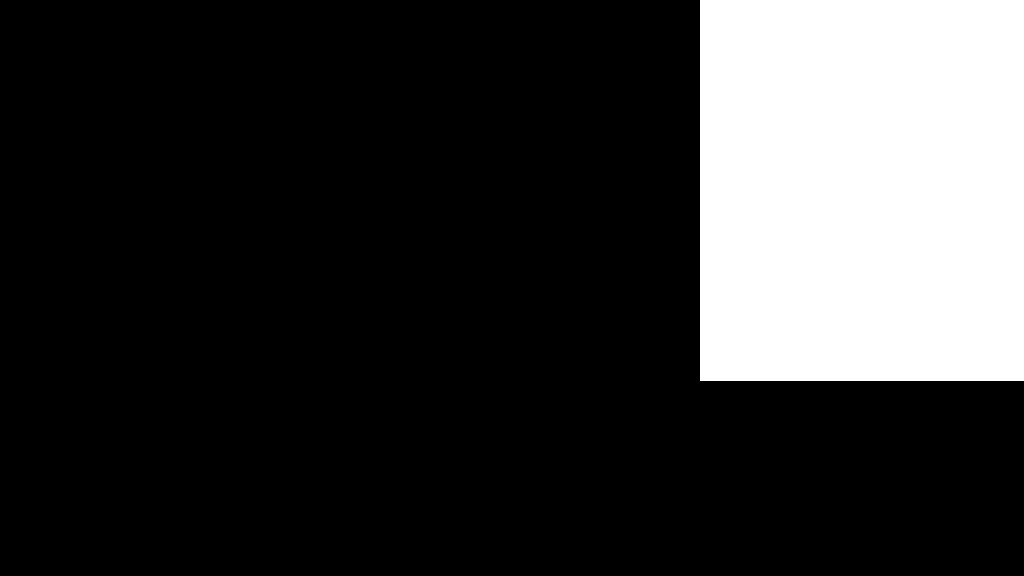
The mask parameter takes a single image URL where white regions are editable and black regions are preserved. I built a mask covering 20.9% of the frame, the upper right background only, and asked for a linen backdrop there and nothing else.
Mask passed in
Result
Mean absolute pixel change inside the mask: 42.04 of 255. Outside the mask: 0.01 of 255.
I measured the containment rather than eyeballing it. Inside the white region the mean absolute change per channel was 42.04 out of 255. Outside it, 0.01 out of 255, which is rounding noise from the JPEG round trip. The mask holds. That is what makes this endpoint usable for the boring, high volume work: swapping a background on 400 SKUs without touching the product, or replacing on-pack text in one panel.
One side effect to plan around. A maskless edit reframed my 1024 by 576 input to 1360 by 768 on the way out. The masked edit returned exactly the input dimensions. If your downstream pipeline cares about dimensions, pass a mask, or resize on receipt.
What the run cost
Twelve billed calls, $0.4225. The x-cost response header returned $0.0375 on every generate and every edit, flat across 1MP and 4MP, flat with and without a mask, flat with one input image or two. The structured prompt endpoint returned $0.0100. Segmind's model page quotes $0.037 per generation, so budget against the $0.0375 the header actually reports.
| Volume per month | Generate only | Generate plus one edit pass |
|---|---|---|
| 500 images | $18.75 | $37.50 |
| 5,000 images | $187.50 | $375.00 |
| 50,000 images | $1,875.00 | $3,750.00 |
Because 4MP costs the same as 1MP, there is no reason to draft at low resolution to save money. Draft at 1MP to save the 30 or so seconds, then re-fire the winning seed and structured prompt at 4MP for delivery. The determinism is what makes that two stage workflow safe.
Honest assessment
What I would use it for tomorrow: high volume product and catalogue work where the same asset has to be regenerated on demand months later, and any pipeline where a reviewer needs to change one attribute of an approved image without reopening the whole prompt. The seed plus structured prompt pair is a real reproducibility contract, the masked edit is measurably contained, and identity preservation across a scene swap held up on every attempt.
FAQ
What is the Fibo 1.5 API used for?
Photorealistic image generation and instruction based image editing where results have to be reproducible. It is a strong fit for product photography, catalogue variants and background replacement, and it returns the scene as structured JSON you can version.
How do I call the Fibo 1.5 API on Segmind?
POST to https://api.segmind.com/v1/bria-fibo-generate or https://api.segmind.com/v1/bria-fibo-image-edit with an x-api-key header. Both are synchronous and return JSON containing a temporary image_url, the seed and the structured_prompt.
How much does Fibo Generate 1.5 and Fibo Edit 1.5 cost?
The x-cost header reported $0.0375 per call on all eleven of my image calls, at both 1MP and 4MP. The structured prompt endpoint bills $0.0100. Failed requests bill nothing.
Can Fibo 1.5 reproduce the same image twice?
Yes. Two calls with identical parameters and the same seed returned pixel identical images, verified with a per channel difference of zero. Store the seed and the returned structured prompt to rebuild an asset exactly.
What is a structured prompt in Fibo 1.5?
A JSON decomposition of the scene with fields for objects, background, lighting, aesthetics and photographic characteristics. Edit one field, send it back as structured_prompt, and you change that attribute without rewriting the prose.
Does Fibo Edit 1.5 support masks?
Yes. Pass a single mask image URL where white is editable and black is preserved. In my test the region outside the mask changed by 0.01 out of 255, so the containment is effectively exact.
Where I landed
Fibo 1.5 is not the flashiest image model on Segmind, and that is fine, because it is solving a different problem. It is the one that gives you a receipt: a seed, a structured scene description, and a flat $0.0375 whatever you ask of it. For anyone building a real content pipeline rather than making one nice picture, that receipt is worth more than another point of aesthetic score. Try Fibo Generate 1.5, Fibo Edit 1.5 and the structured prompt endpoint and read the JSON that comes back. That is where the value is hiding.