
Double Capsule by Segmind: Reshoot Any Video in a New World, Same Take
I tested Double Capsule, Segmind's video to video AI reshoot tool: same take, new location, season or light, with real runs and exact costs.

A reshoot is the most expensive sentence in post production. The location is gone, the actor is on another job, the light was wrong and nobody noticed until the edit. So when we put Segmind Double Capsule live, I wanted to know one thing: if I hand it a shot that already exists, does it give me back the same take in a different world, or a lookalike that will never cut with the rest of the scene?
I ran it on real footage and on a previs render, at all three resolutions, and I measured what came back: frame timing, length, codec and the exact bill for each run. Here is everything I found, including the two runs it refused to deliver.
What Double Capsule is
Double Capsule is a video to video AI workflow, a PixelFlow on Segmind, built for film, TV, commercial and VFX teams. You give it four things:
- A source video: one continuous shot you already filmed, 4 to 30 seconds.
- A reference image of the look you want. The prompt calls it
@Image 1. - Change: one sentence about the new location, light, season, weather or prop.
- Keep: who and what must survive, such as "the man in a white shirt, tie and suspenders".
A video model re-renders the take, then a finishing step conforms it for your timeline. The raw take plays about 5% fast, so Double Capsule stretches it back to your clip's exact duration and frame rate, fills the repeated frames with optical-flow in-betweens, measures your camera's grain and adds the missing part back, and carries your source audio over. The file comes back as HEVC (H.265) Main 10 in an MP4. One switch, smooth_retime_and_grain_match, turns the finishing off if you want the raw take.
This is the difference from text to video or image to video. Those invent a new shot. Double Capsule edits yours, so the performance, the timing, the framing and the camera move are the ones you paid a crew to capture.
A practical note before the examples: the reference image is the steering wheel. The fastest way to make one is to pull a frame from your shot and change it in any image editor. I made every reference for my own tests that way, by editing a frame of the source with Nano Banana 2 for about $0.13 each.
Example 1: a new room and new light, same performance
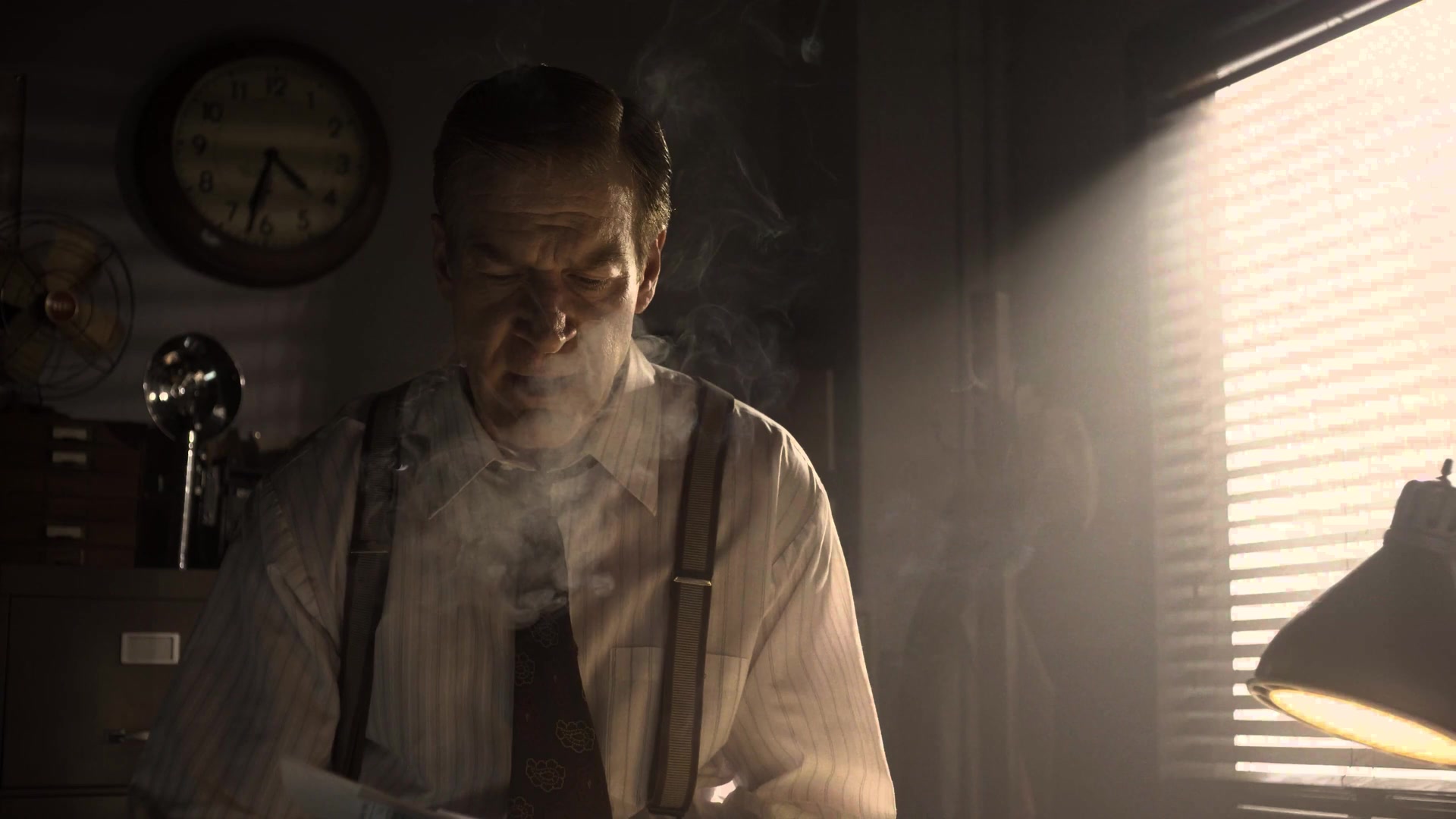
Start with the example on the PixelFlow page itself, because it shows the core promise cleanly. The source is a shot from Meridian (Netflix, Inc., CC BY 4.0): a man in a white shirt and suspenders at a desk, daylight through blinds, cigarette smoke curling past him.
Source video (frame)
source_video
Reference image
reference_image, called @Image 1
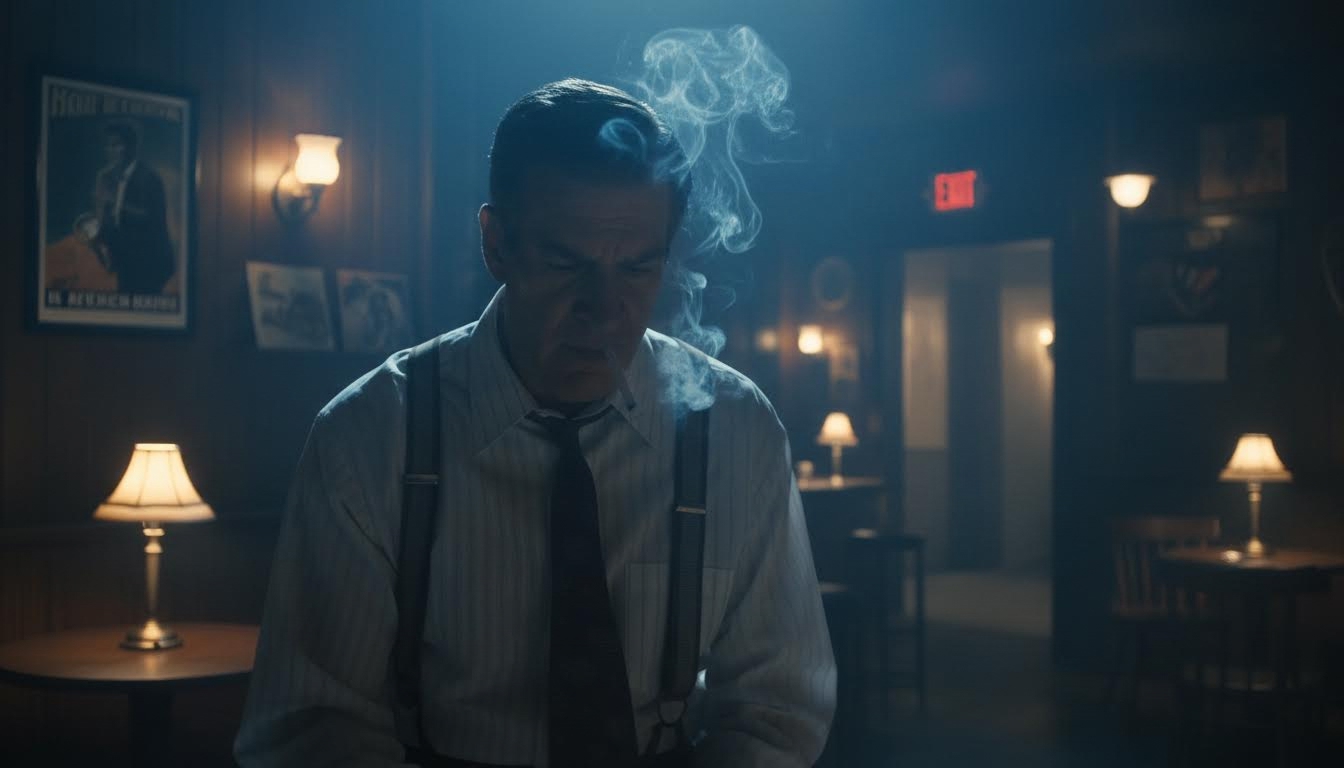
Inputs from the Double Capsule PixelFlow page. Source: Meridian, Netflix, Inc., CC BY 4.0.
Keep the man in a white shirt, tie and suspenders
Parameters resolution: 1080p | smooth_retime_and_grain_match: true | length: 5s
Left: the source shot. Right: Double Capsule output. Transcoded to H.264 for this page.
Watch his head and hands on both sides at once. Every gesture lands on the same frame, because it is the same take. What changed is everything around him: the daylight office became a blue, hazy back room with brass table lamps, and the smoke the Change line asked to keep is still there, drifting on its own path. I ran the same timing check on this pair that I ran on my own shots (more on that below): the output frames match the source frames with zero offset across all five seconds.
One honest flaw: it added a small red EXIT sign in the background that nobody asked for. Image and video models like to invent signage, so check the background of every output the way you would check a continuity sheet.
Example 2: summer to snow, 10 seconds at 1080p
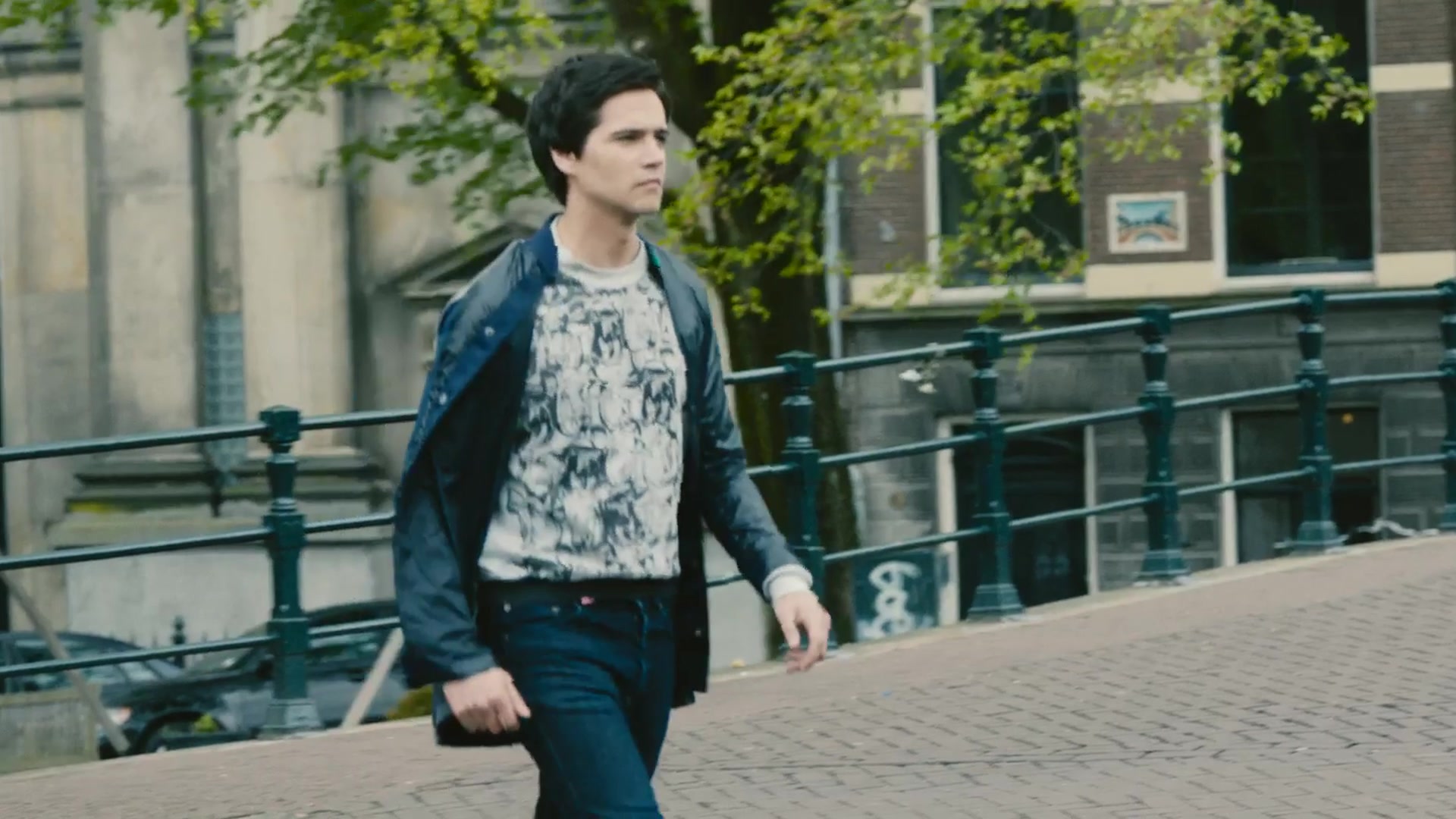
For my own tests I used Tears of Steel, the open movie from the Blender Foundation (CC BY 3.0, mango.blender.org). It is real location footage shot in Amsterdam, which is exactly the kind of material a reshoot problem starts with. I cropped it from 2.4:1 to 16:9 and removed the soundtrack. The first shot is a tracking walk along a canal: green trees, grey cobbles, a lamp post sliding past the lens, ten seconds long.
Source video (frame)
source_video
Reference image
reference_image, called @Image 1
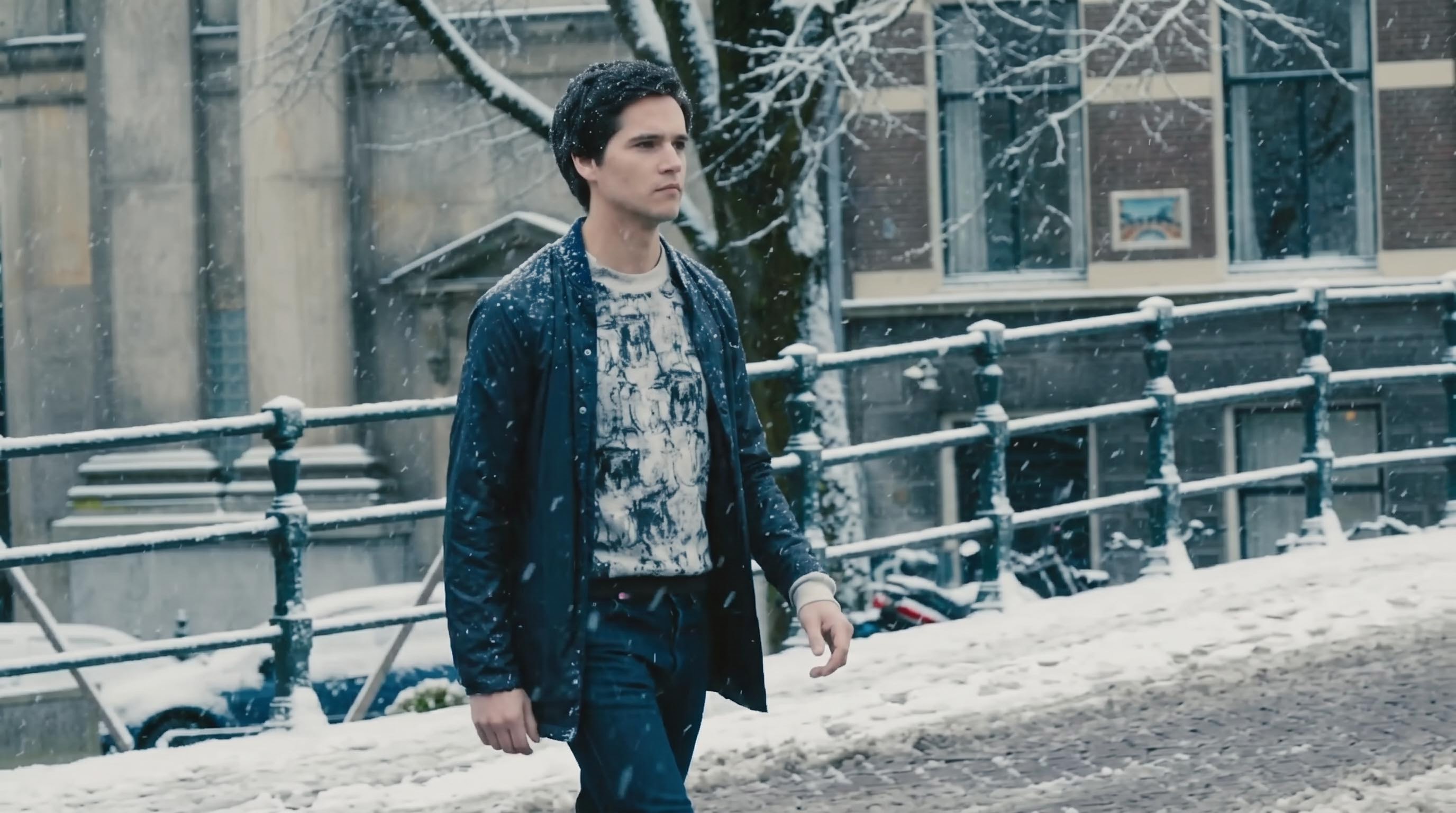
Source: Tears of Steel (c) Blender Foundation, mango.blender.org, CC BY 3.0. The reference is one frame of the shot, edited.
Keep the young man with dark hair in the dark blue jacket, printed T-shirt and jeans
Parameters resolution: 1080p | smooth_retime_and_grain_match: true | length: 10s
Left: source. Right: Double Capsule at 1080p. Billed $7.17 for 10 seconds.
This is the run that convinced me. The tracking move, his stride, the lamp post wiping across frame and the yellow traffic sign at the end all line up with the source. I measured it rather than eyeballing it: 240 frames in, 240 frames out, and when I matched each output frame against its neighbours in the source, the best match was the same frame number at every sample point across the ten seconds, with a one-frame wobble on the very last sample. That is what "drops straight onto the original in the edit" should mean, and it held.
The detail I did not ask for is the one I liked most: snowflakes settle in his hair and on the shoulder of his jacket as he walks. The face stays his face, the printed T-shirt keeps its pattern, and the grade goes colder to match the weather.
Where it fell short of the reference: I asked for bare snowy trees and got trees that kept their leaves under a frosting of snow. The cobbles, railings and parked cars took the snow convincingly, but this reads as a sudden early snowfall rather than deep winter. If you need January, ask for it in the reference image and the Change line, and expect to iterate.
The full 1080p output on its own, so you can judge it at size.
Example 3: moving a dialogue scene to Venice, at 480p
The page recommends exploring looks at 480p before you pay for a 1080p final, so I did exactly that with a two-hander on a canal bridge. I also broke a rule on purpose. The tips say the closer your reference matches the shot's framing, the closer the result follows it, and my Venice reference came back from the image editor as a much wider shot, with the actors small on an arched bridge. I wanted to see which input wins when they disagree.
Source video (frame)
source_video
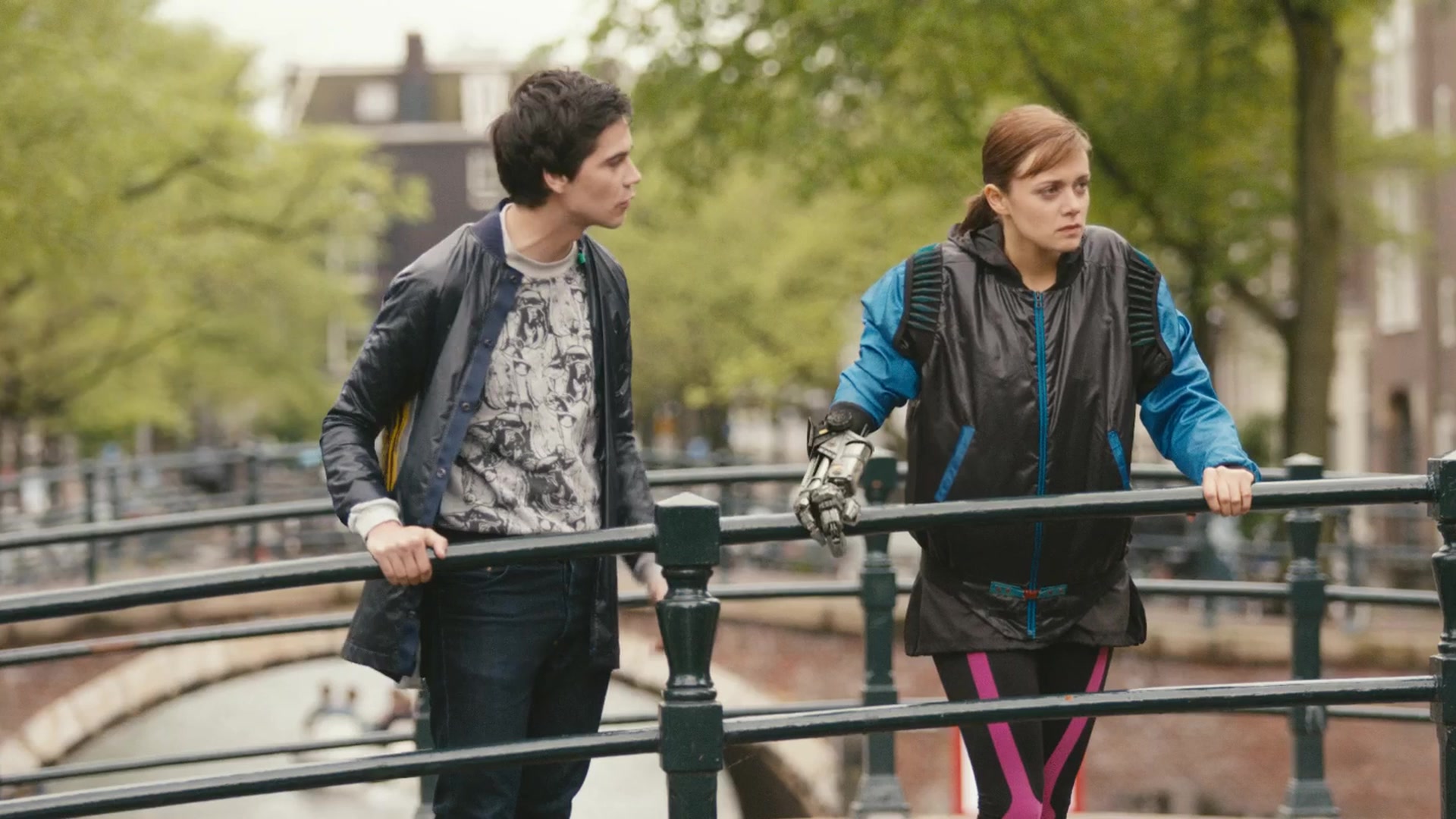
Reference image
reference_image, called @Image 1
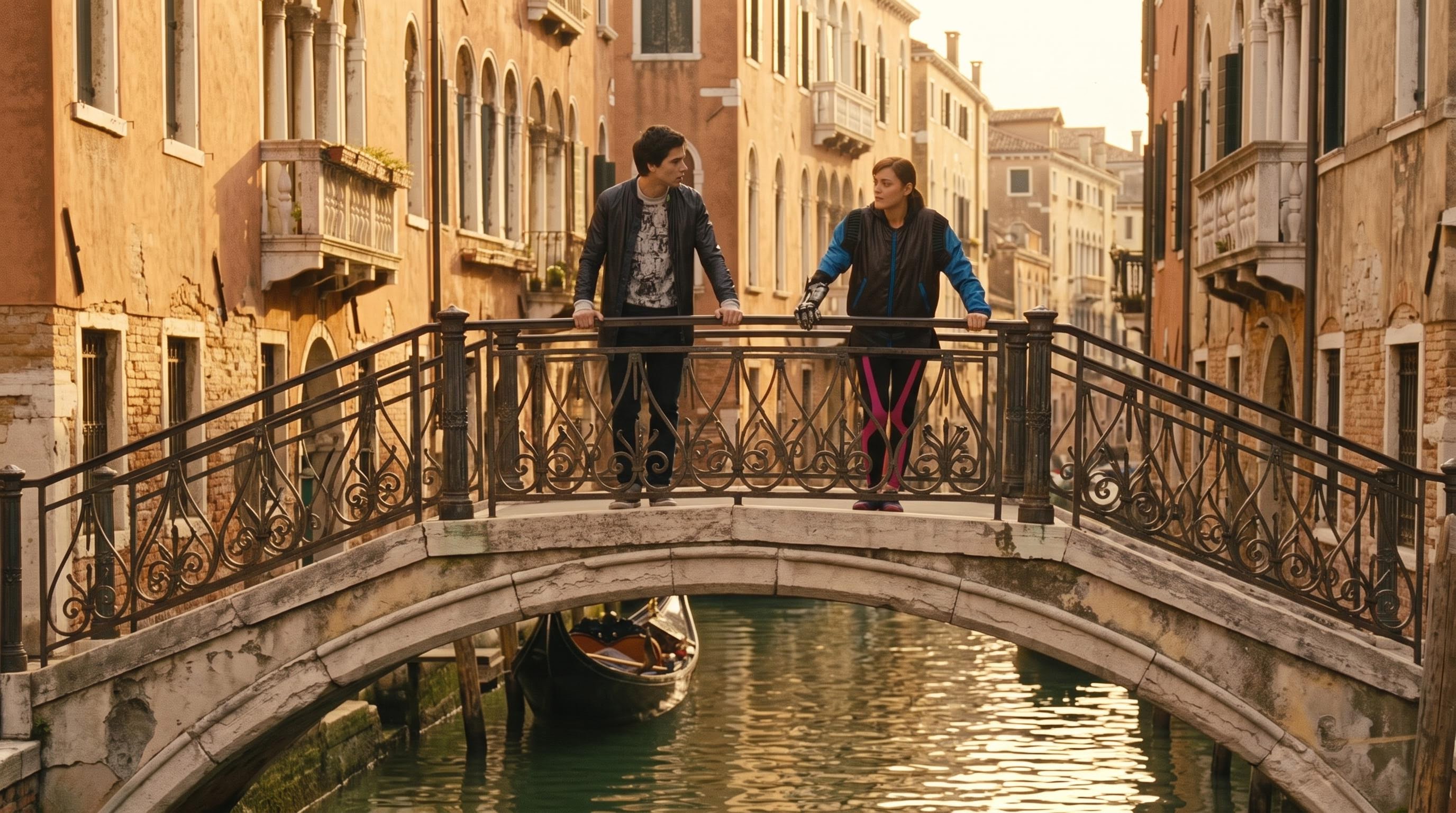
Source: Tears of Steel (c) Blender Foundation, CC BY 3.0. Note the reference is framed much wider than the shot.
Keep the young man in the dark leather jacket and printed T-shirt, and the young woman in the black and blue jacket with the metal hand
Parameters resolution: 480p | smooth_retime_and_grain_match: true | length: 5s
Left: source. Right: Double Capsule at 480p, upscaled for this side-by-side. Billed $0.91.
The footage won. The output kept the original medium shot, the actors stayed where they were in frame, and the reference only supplied the world: ochre palazzi with arched windows and warm golden light replaced the green Amsterdam trees. The dialogue, his shout, her reaction and the robotic hand all survive.
The cost of the mismatch shows in the foreground. I asked for an old wrought-iron railing, and the bridge kept its green Amsterdam railing, because the actors lean on it and the camera sees it up close. Double Capsule protects what the performance touches. That is the right instinct for a reshoot tool, but it means a prop the actors are holding is the hardest thing to change, which matches the page's own advice to swap props only for similar-looking ones.
At $0.91 a look, 480p is cheap enough to try three directions before you commit. Just remember that every run is a new take: a 1080p render of the same inputs will not be a sharper copy of your 480p preview, it will be a fresh attempt at the same brief.
Example 4: grey previs to a photoreal shot
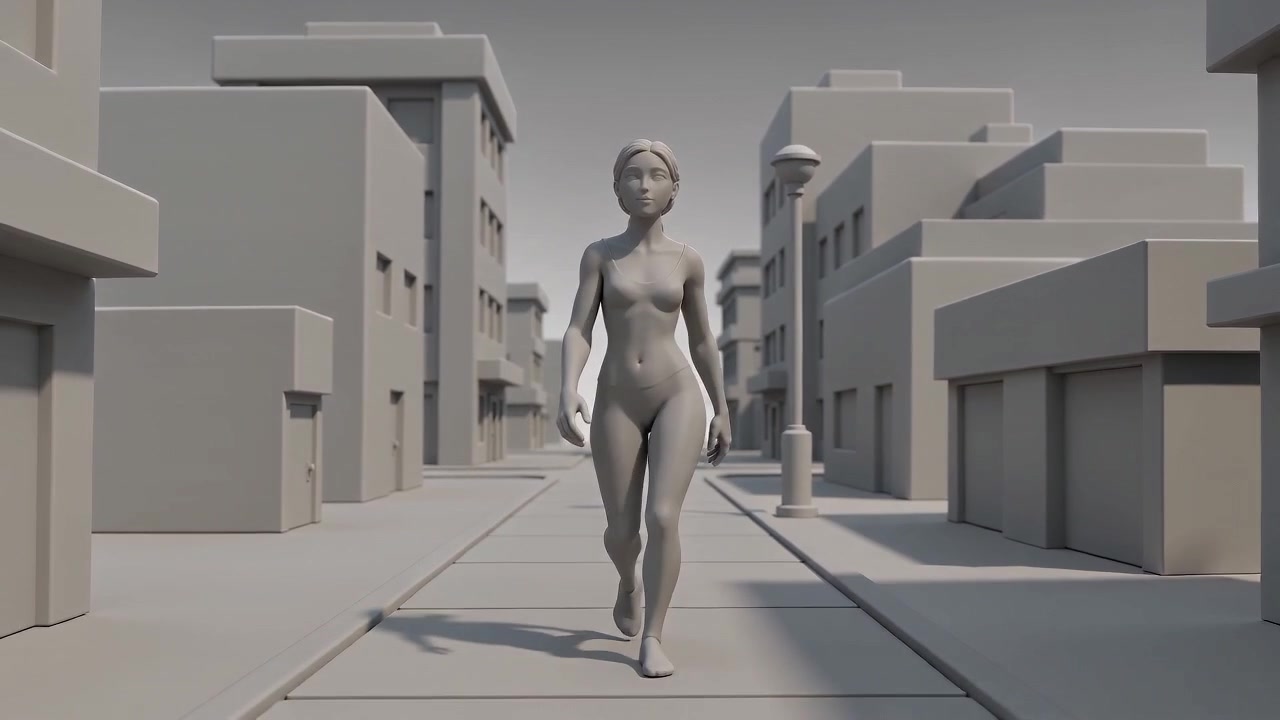
The last use case on the page is the one I was most sceptical about: turning a greybox or clay previs into a photoreal shot that keeps the animation and the camera. I did not have a previs file to hand, so I generated a six-second clay animatic, an untextured mannequin walking toward a dollying camera down a blockout street, and fed that in as the source.
Source video (frame)
source_video
Reference image
reference_image, called @Image 1
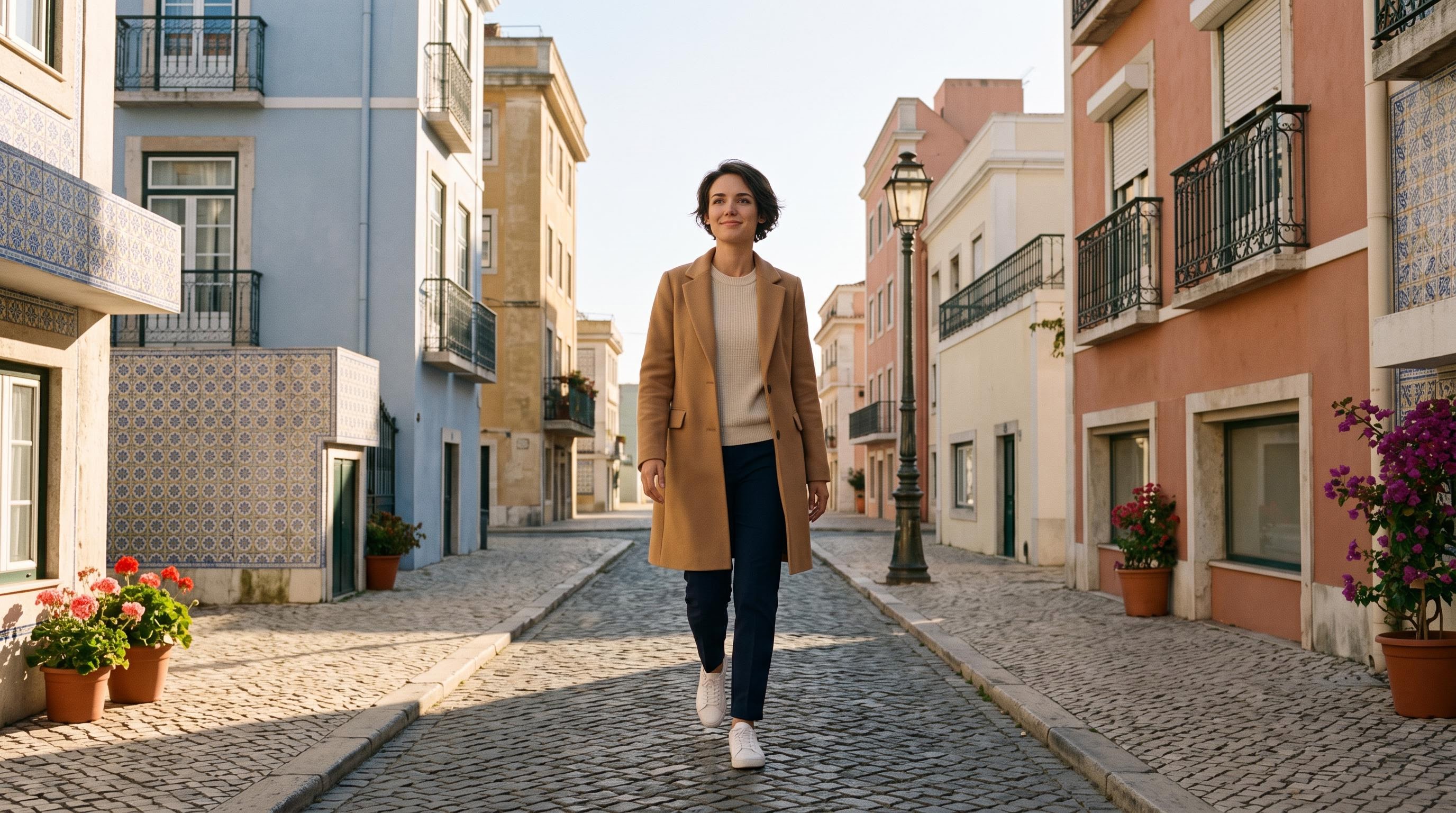
The source is a clay animatic I generated with a video model for this test, standing in for a real previs render.
Keep the walking woman's pose, stride and timing, and the camera move
Parameters resolution: 720p | smooth_retime_and_grain_match: true | length: 6s
Left: clay previs. Right: Double Capsule at 720p. Billed $2.01.
This one is close to magic for a pitch. The blockout boxes became pastel Lisbon facades with tiled walls, balconies and flower pots, the grey cylinder became a street lamp, and the mannequin became the woman from the reference, walking with the same stride while the camera pulls back at the same speed. For selling a sequence to a client before a single location is booked, that is the whole job.
It is also the case where my timing measurement stops working, because nothing in the frame looks like the source any more. So treat previs conversions as "same blocking and camera", which is what you want from previs anyway, rather than a frame-exact conform.
What I measured: price, delivery and a refusal
Every run below is from my own account, with the bill read from Segmind's request history.
| Run | Resolution | Length | Billed | Page price for 5s |
|---|---|---|---|---|
| Venice bridge | 480p | 5s | $0.91 | $0.91 |
| Clay previs to Lisbon | 720p | 6s | $2.01 | $1.67 |
| Canal walk to snow | 1080p | 10s | $7.17 | $3.69 |
| Bridge at night, two attempts | 480p | 5s | $0.00 (blocked) | $0.91 |
Pricing is honest and predictable. The page quotes $0.91, $1.67 and $3.69 for a five-second shot at 480p, 720p and 1080p, including a flat $0.30 for the finishing step, and says longer clips scale with length. My bills matched: $0.91 for five seconds at 480p, $2.01 for six seconds at 720p (the five-second price scaled by length), and $7.17 for ten seconds at 1080p, a little under double the five-second price, mostly because the $0.30 finish is charged once per run, not per second. In each case my request history shows the bill as two lines: the video model and the $0.30 finish. The page's tip is the one that matters for your wallet: you pay for every second, so trim the clip to the shot you actually need.
Delivery matches the spec. Every output came back as HEVC Main 10, 10-bit 4:2:0, at the source's exact length: 5.00s for 5.00s and 10.00s for 10.00s. My sources were all 24fps, so I can confirm 24 in, 24 out, but I did not get to test a 25 or 29.97fps source. One thing for web teams: not every browser decodes 10-bit HEVC, so I transcoded the videos on this page to H.264. For a timeline in Resolve or Premiere the HEVC file is what you want.
It refused one change twice. My first idea for the bridge shot was a rainy night. Both attempts, one with the finishing switch on and one with it off, failed after a few minutes with the message that the generated video was blocked by content-safety filters as "content that may be related to copyright restrictions". Neither run was charged. The same shot then went through cleanly with the Venice brief (the refused attempts also carried a test audio track I had added, so the inputs were not byte-identical). I cannot tell you exactly what tripped the filter. The practical lesson is that a refusal costs you minutes, not money, and the footage this tool is built for, your own unreleased dailies, is a different situation from a famous open movie anyone can recognise.
Plan for minutes, not seconds. The page says a five-second shot takes about six to seven minutes at 1080p and about four at 480p. My six-second 720p previs run took 317 seconds from submit to finished file. Fire a batch and go do something else.
Running it from your pipeline
Every PixelFlow on Segmind is also a REST API with the same inputs as the page. It is asynchronous: you submit, get a poll_url, and poll until the status is COMPLETED. That makes it easy to batch a list of shots from Python or your pipeline tools.
import json, time, requests

API_KEY = "YOUR_SEGMIND_API_KEY"
URL = "https://api.segmind.com/workflows/v2/6ae2ede23d93ec299cd95e70-v10"

payload = {
    "source_video": "https://your-bucket.example.com/shot_042.mp4",
    "reference_image": "https://your-bucket.example.com/shot_042_snow.jpg",
    "change": "Change the season to the snowy winter in @Image 1: snow on the cobbles and railings; keep the snowflakes falling",
    "keep": "the young man in the dark blue jacket, printed T-shirt and jeans",
    "resolution": "480p",                    # 480p, 720p or 1080p
    "smooth_retime_and_grain_match": True    # False returns the raw take
}

job = requests.post(URL, json=payload, headers={"x-api-key": API_KEY}).json()

while True:
    status = requests.get(job["poll_url"], headers={"x-api-key": API_KEY}).json()
    if status["status"] in ("COMPLETED", "FAILED"):
        break
    time.sleep(10)

if status["status"] == "COMPLETED":
    new_shot = json.loads(status["output"])[0]["value"]
    print("New shot:", new_shot)
else:
    print("Failed:", status.get("error_message"))
Two things from my runs that the sample code on the API page does not spell out: the output key is new_shot, and a failure (including the content-safety refusal above) comes back as FAILED with an error_message object that names the step that failed, so log it rather than retrying blindly.
Where it shines and where it does not
It shines when the change is about the world around the performance: location, time of day, season, weather, and turning previs into a pitchable frame. The timing conform is real. On my ten-second 1080p walk it matched the source frame for frame, which is the property that makes an AI reshoot usable in an actual edit rather than a mood reel.
It is weaker on anything the actors touch or that sits close to the lens. The railing my actors leaned on refused to become wrought iron. It also follows a reference loosely when the brief is extreme (my bare winter trees kept their leaves), it invents small background details like signage, and every run is a new take, so you will sometimes pay for two or three to get the one you want. The page itself notes that very fine skin and fabric texture can come out a little smoother than the camera original, which is why the grain match exists.
My workflow recommendation: make the reference by editing a frame of the actual shot so the framing matches, explore at 480p for $0.91 a look, then render the winner at 1080p.
FAQ
What is the best video to video AI for reshooting footage?
For changing the world around a filmed performance, Double Capsule is built for exactly that: it keeps the take, framing and camera move, and changes location, light, season or props from one reference image and one sentence.
How much does Double Capsule cost per shot?
Segmind's page quotes about $0.91 at 480p, $1.67 at 720p and $3.69 at 1080p for a five-second shot, including $0.30 for finishing. Longer clips scale with length. My ten-second 1080p run billed $7.17.
Does this video to video AI keep the actor's performance?
Yes. The performance, timing, framing and camera move come from your footage. On my ten-second test the output matched the source frame for frame.
How long can my clip be?
4 to 30 seconds of one continuous shot per run. Split longer shots and run each part, and trim to the frames you need because you pay per second.
What file does it return?
An MP4 in HEVC (H.265) Main 10, 10-bit 4:2:0, at your clip's exact length and frame rate, with the source audio carried over as AAC.
Can I call it from code?
Yes. It is an async REST API with the same inputs as the playground: submit, then poll the returned URL until the status is COMPLETED.
The take is the asset
What Double Capsule gets right is the order of priorities. The expensive part of a shot is the performance and the camera, and those are the parts it refuses to touch. Everything else, the street, the season, the light, becomes something you can change after wrap for a few dollars and a few minutes. It is not perfect, and the reference image does a lot of the work, but for reshoots, seasonal ad versions and previs pitches it already earns a place in the pipeline.
Try it on one of your own shots in the Double Capsule playground, or wire it into your pipeline with the API docs.
Footage credits: Tears of Steel (c) Blender Foundation, mango.blender.org, CC BY 3.0, cropped to 16:9 with the soundtrack removed and changed with Double Capsule. Meridian (c) Netflix, Inc., CC BY 4.0, from the Double Capsule PixelFlow page.