
MiniMax H3 Prompt and Parameter Guide, With Sample Outputs
A MiniMax H3 prompt and parameter guide from 10 measured generations: what each parameter does, real sample outputs, and exact billed cost.


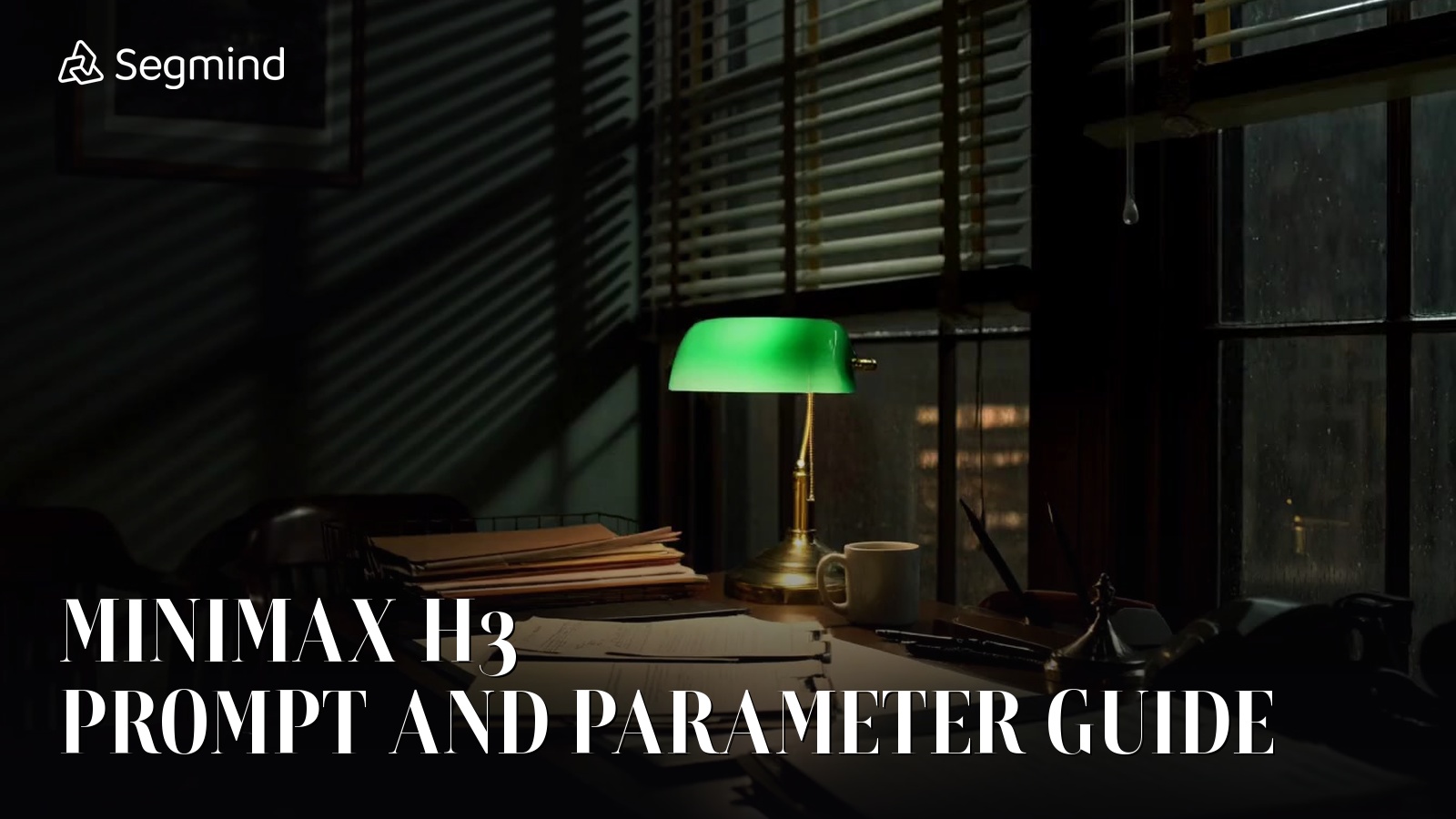
MiniMax says one thing about H3 in its own prompting notes, and after ten generations I think it is the only sentence that matters: the model does what you tell it, and only what you tell it. That cuts both ways. Give it a directed shot and it delivers that shot. Give it a sentence and it will happily invent a whole commercial around you, with cuts you never asked for.
So I ran the parameter space end to end on Segmind and measured everything that came back: frame counts, resolutions, audio levels, wall clock, and the exact billed cost of each call. Ten fires, $5.54 total. This is the prompt and parameter guide I wanted when I started, with every sample output embedded so you can judge the results rather than take my word for them.
What you are actually configuring
H3 is not one endpoint on Segmind. It is three, and they take slightly different inputs:
- minimax-h3-text-to-video:
prompt,ratio,duration,resolution - minimax-h3-image-to-video:
image,prompt,last_frame_image,duration,resolution. Noratio, because the output takes its shape from the input image. - minimax-h3-reference-to-video:
reference_images(1 to 5),prompt,ratio,duration,resolution
That is the entire surface. Four parameters on text to video, five on the other two. There is no CFG scale, no negative prompt, no motion strength, and this is the important one: there is no seed anywhere in H3. Nothing you generate is reproducible. I will come back to what that costs you.
Every clip comes back as an MP4 in the response body, H.264 High in yuv420p at a fixed 24fps, with an AAC stereo track at 32kHz. All ten of my outputs matched that exactly, which means they drop straight into a browser or an NLE with no transcode.
A one-line prompt and a directed prompt, same scene
I started with the laziest prompt I could write, because that is what most people actually type first.
Parameters resolution: 768P | duration: 6 | ratio: 16:9
MiniMax H3 output from a single-sentence prompt. The model picked the barista, the machine, the lighting, and inserted its own cut.
It is a good-looking clip. It is also not one shot. H3 gave me a wide of a man at a wood-clad espresso machine under warm bulbs, then cut to a macro of espresso falling into a cup. I never asked for a cut. With nothing to hold onto, the model reaches for the most commercial reading of your sentence and edits it for you.
Then I wrote the same scene as a director would, and changed nothing else.
Parameters resolution: 768P | duration: 6 | ratio: 16:9
The same scene, directed. Every specified attribute landed, and the invented cut disappeared.
Every attribute I named showed up: a woman in her thirties, cropped dark hair, black apron over a grey tee, brushed steel rather than wood, hard window light from camera left. Just as importantly, the cut vanished. One continuous take, because I told it what the camera was doing. Same model, same cost, same 6.58 seconds of footage. The only variable was how much of the shot I was willing to specify.
The five slots worth filling
After ten runs, the prompt shape that behaved most predictably fills five slots in one narrative paragraph, not a comma-separated tag list:
- Subject, with the two or three attributes you actually care about. Age, wardrobe, hair. Anything you leave blank is a decision you have handed to the model.
- Action beat, in the order it should happen. "Tamps, locks the portafilter, then turns her head."
- Camera. Shot size, whether it is locked off, and the move. This is the slot that suppresses unrequested cuts.
- Lens and light. Focal length, depth of field, key direction, where the shadows fall.
- Ambience. H3 always generates audio, so if you skip this it invents a soundscape too.
One caution learned on other video models and confirmed here: H3 reads camera clauses literally. "Chest height" will put the lens at chest height and crop the head. Write the framing you want, not the camera position you imagine producing it.
Camera language: does it follow an order?
The claim worth testing is whether H3 executes a multi-beat move in sequence, or just averages your instructions into one drift. I gave it three beats in six seconds.
Parameters resolution: 768P | duration: 6 | ratio: 16:9
Three camera beats in six seconds, executed in the order they were written.
I pulled frames at one-second intervals to check. At 0.2s it is a static wide of the whole desk. By 3.0s the camera has pushed in on the desk surface. By 5.0s it has tilted up to rain running down the window, with the green lamp visible in the lower corner as the frame leaves the desk behind. All three beats, in order, inside six seconds.
One honest caveat: the push-in landed on the desk generally rather than specifically on the open case file I named. Beat ordering is reliable. Precise subject targeting inside a beat is less so, which is an argument for shorter, simpler beats rather than three-act instructions.
resolution: what 2K buys, and the trap
The resolution enum has two values and the labels are honest. 768P returns 1344x768. 2K returns a genuine 2560x1440, not an upscale, at 3.57 times the pixels for 1.625 times the price. Per pixel, 2K is the better deal.
Here is the trap. I sent the identical barista prompt to both tiers. Because there is no seed, this is what came back at 2K:
Byte-identical prompt to the 768P clip above, run at 2K. A different barista, a mirrored kitchen, different blocking.
Different woman, machine moved to camera left, different blocking entirely. The brief is honored both times, but it is a different take. That kills the workflow everyone reaches for by default: draft cheap at 768P, then re-run the keeper at 2K. You cannot do that on H3. A 768P render validates your wording, never your composition. If composition matters, pay for 2K from the first fire, or accept that you are rolling again.
If reproducibility is the thing you actually need, note that the sibling model MiniMax H3 Max Turbo does expose a seed along with a prompt_expansion_mode, at 480P and 768P only and a much lower rate. H3 proper trades that away for the 2K tier.
ratio and duration, and the footage you did not pay for
For vertical I asked for 9:16 at ten seconds, which also let me check whether the portrait path has the rotation bug that bites on some other video models.
Parameters resolution: 768P | duration: 10 | ratio: 9:16
9:16 at ten seconds, returned as a true 768x1344 portrait.
Clean 768x1344 portrait, correctly oriented, no rotation metadata games. The vertical path is safe.
The duration finding is the one I did not expect. Every clip runs longer than you asked for, and the overshoot is not a fixed offset. Counting actual frames at 24fps:
| duration requested | frames returned | actual length | extra |
|---|---|---|---|
| 4 | 107 | 4.46s | +0.46s |
| 6 | 158 | 6.58s | +0.58s |
| 10 | 243 | 10.13s | +0.13s |
All four of my six-second requests returned exactly 158 frames, so it is deterministic for a given duration, just not proportional to it. Billing is on the second you requested, so the extra frames are free. The practical consequence is for anyone cutting to music or to a fixed slot: never assume the file is the length you asked for. Read the duration off the file and trim.
image to video, and the one parameter that is a hard constraint
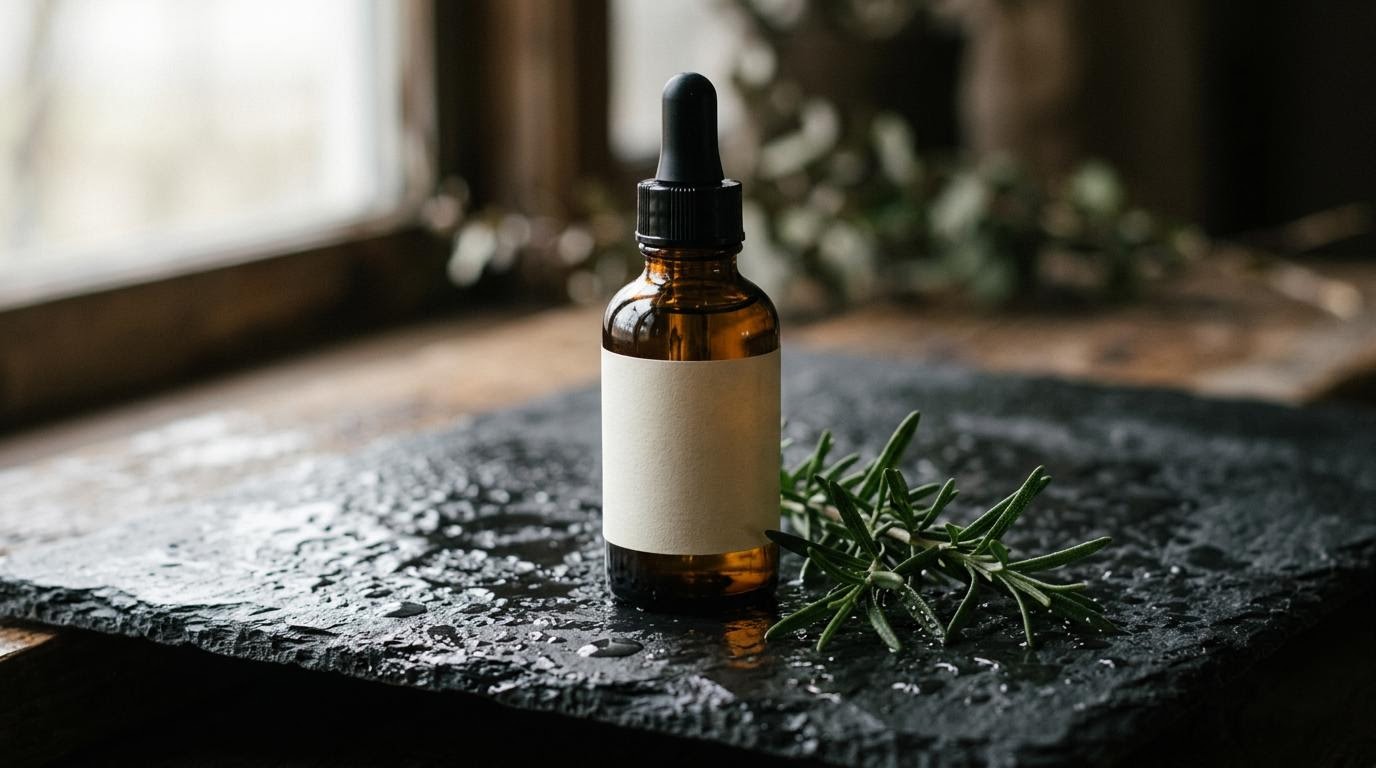
This is where H3 gets genuinely controllable. I generated a product still with Nano Banana 2, then generated a tighter macro of the same bottle, and used them as the two ends of a move.
Input 1
image = first frame
Input 2
last_frame_image = end frame
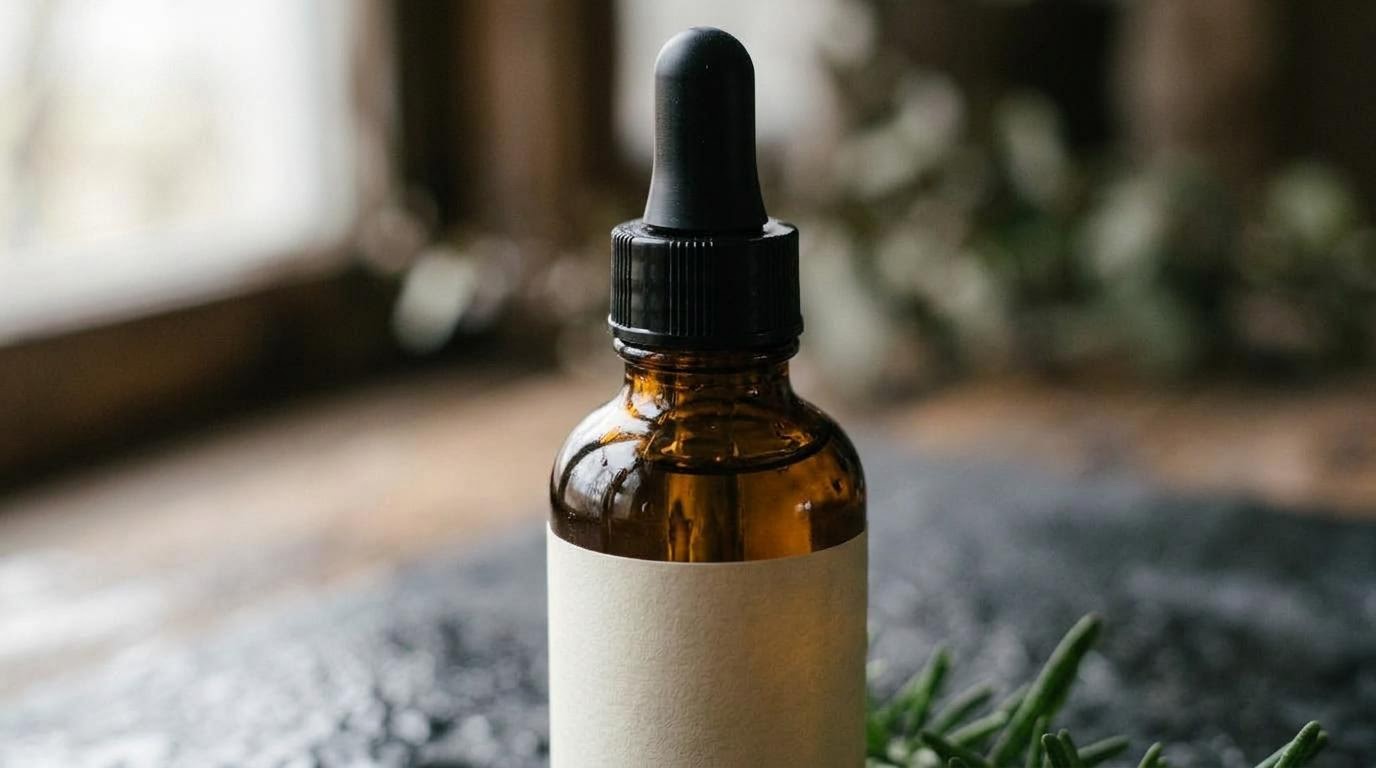
The two stills passed to minimax-h3-image-to-video. The same prompt was used for both runs below.
Parameters resolution: 768P | duration: 6 | left: image only | right: image + last_frame_image
First frame only
First + last frame
Identical prompt and first frame. The only difference is whether last_frame_image was set.
Both clips push in. Only one of them lands where I told it to. I compared each clip's final frame against the still I supplied as last_frame_image, as mean absolute pixel error on a 0 to 255 scale:
| run | error vs supplied end frame | error vs first frame |
|---|---|---|
| image only | 58.1 | 52.9 |
| image + last_frame_image | 2.5 | 58.3 |
| the two supplied stills, for scale | 58.4 apart from each other | |
An error of 2.5 out of 255 is about one percent. With last_frame_image set, H3 does not approximate your end frame, it arrives on it. Without it, the clip finishes as far from that composition as the two stills are from each other, which is to say it went wherever it wanted.
That makes last_frame_image the most useful parameter in the whole model for commercial work. Storyboard two frames, get a deterministic move between them, and chain clips end to end by feeding each clip's end frame as the next clip's start. It is the closest thing to control that a model with no seed can offer.
What it cost and how long it took
Every call below is a real billed figure taken from the x-cost response header, not an estimate:
| run | endpoint | settings | wall clock | billed |
|---|---|---|---|---|
| one-line prompt | text to video | 768P, 6s, 16:9 | 131.8s | $0.60 |
| directed prompt | text to video | 768P, 6s, 16:9 | 133.5s | $0.60 |
| directed prompt at 2K | text to video | 2K, 6s, 16:9 | 234.7s | $0.975 |
| three-beat camera move | text to video | 768P, 6s, 16:9 | 131.2s | $0.60 |
| vertical | text to video | 768P, 10s, 9:16 | 188.9s | $1.00 |
| short clip | text to video | 768P, 4s, 16:9 | 100.3s | $0.40 |
| first frame only | image to video | 768P, 6s | 173.0s | $0.60 |
| first + last frame | image to video | 768P, 6s | 152.7s | $0.60 |
The published rate card is exact: 768P bills at $0.10 per second of requested output and 2K at $0.1625, with no rounding surprises at any duration I tried. Eight video calls came to $5.38, and the two Nano Banana 2 stills added $0.16.
Latency on 768P text to video tracked duration closely across 4, 6 and 10 seconds: roughly fifteen seconds of wall clock per second of output, plus about forty seconds of fixed overhead. 2K cost noticeably more time than pixels, at 234.7s for the same six seconds. Treat 768P as the tier you iterate on and 2K as the one you queue.
Audio is always on, and never levelled
There is no audio toggle on any H3 endpoint. Every clip ships a stereo AAC track whether you describe a soundscape or not, which is why "Ambience" earns a slot in the prompt template above.
A working call
import requests

r = requests.post(
    "https://api.segmind.com/v1/minimax-h3-image-to-video",
    headers={"x-api-key": "YOUR_API_KEY"},
    json={
        "image": "https://your-cdn.com/first.jpg",
        "last_frame_image": "https://your-cdn.com/last.jpg",
        "prompt": "The camera pushes in slowly and steadily on the bottle, "
                  "water beads catching the light. Ambience: a quiet room, no music.",
        "duration": 6,
        "resolution": "768P",
    },
    timeout=600,
)
open("out.mp4", "wb").write(r.content)
Two things to get right in production. The response is the raw MP4 in the body, not JSON with a URL, so write r.content straight to disk. And set a timeout in the hundreds of seconds: the default in most HTTP clients will abandon a call that is going to succeed, and the generation still bills.
Honest assessment
What H3 does well: it follows direction closely enough that the prompt is a real control surface, it executes ordered camera beats inside a single take, last_frame_image is a genuinely hard constraint, and the 2K tier is a real 2560x1440 at a sane price per pixel.
Where it frustrates: no seed means nothing is reproducible and cheap drafts cannot preview expensive renders, which is a workflow tax you pay on every project. The audio is unlevelled. Clips do not come back the length you ordered. And 2K at nearly four minutes a call is not something you iterate on.
Best fit: directed single-take shots for ads, product work and vertical social, especially anything where you can storyboard the first and last frame. Not a fit: work that needs frame-exact reproducibility, or long multi-shot sequences that would be better assembled from several controlled clips.
FAQ
How do I write a MiniMax H3 prompt?
Write one narrative paragraph covering five slots: subject with attributes, action beats in order, camera framing and move, lens and lighting, and ambience. Avoid comma-separated tag lists. Anything you leave out, the model decides for you.
Does MiniMax H3 have a seed?
No. None of the three H3 endpoints accepts a seed, so no generation is reproducible. The sibling model H3 Max Turbo does expose a seed, at 480P and 768P only.
Is 768P a preview of 2K on MiniMax H3?
No. With no seed, the same prompt at 768P and 2K returns completely different takes. A cheap render validates your wording, not your composition.
What does MiniMax H3 cost?
On Segmind, 768P bills $0.10 per second of requested output and 2K bills $0.1625. A six-second 768P clip is $0.60 and a six-second 2K clip is $0.975. Measured billing matched the rate card exactly.
What resolution and frame rate does MiniMax H3 output?
768P returns 1344x768 and 2K returns a true 2560x1440, both at a fixed 24fps in H.264 with a stereo AAC track. Clip length can be 4 to 15 seconds.
How do I control the ending of an H3 clip?
Use last_frame_image on the image-to-video endpoint. In testing, the final frame matched the supplied still to within about one percent mean pixel error, making it the most reliable control in the model.
Where I would start
If you are picking H3 up today: write the five slots, iterate at 768P until the wording is right, then accept that your 2K run is a fresh roll of the dice and budget two or three of them. If the shot has to land on a specific composition, do not fight the text prompt for it. Generate your end frame as a still and hand it to last_frame_image, which is the one place H3 will do exactly as it is told, every time.
All three endpoints are live on Segmind: text to video, image to video, and reference to video, billed per second with no subscription.