
Image Generation Prompting Tips: 10 Fixes I Tested Across 4 Models
Ten image generation prompting tips, each shown as a before and after pair generated on Nano Banana 2 Lite, Seedream 5 Pro, FLUX.2 Pro and Ideogram 4.

Most bad AI images are not a model problem. I ran the same set of tests across four image models on a single afternoon, and in almost every case the difference between a throwaway image and one I would actually ship came from six or seven extra words in the prompt, not from switching models.
So this is not a listicle of prompt "magic words". Every tip below is a before and after pair I generated on Segmind while writing this post, on Nano Banana 2 Lite, Seedream 5 Pro, FLUX.2 Pro and Ideogram 4. The lazy prompt is the one most people actually type. The tested prompt is what I would send in production. Two of the tips exist because a test failed and taught me something I did not expect.
How I ran these tests
Every image in this post is a fresh generation from this run, made through the Segmind API with default parameters unless the tip is specifically about a parameter. I picked four models on purpose: a fast cheap general model (Nano Banana 2 Lite, $0.042 per image), a photographic flagship (Seedream 5 Pro, $0.05625 at 1K), a materials and detail specialist (FLUX.2 Pro, $0.0375 for the first megapixel) and a typography specialist (Ideogram 4, $0.10 per megapixel at QUALITY). Total spend for the whole test set was under two dollars, which is the real reason prompt iteration beats model shopping: you can afford to run the same idea eight ways.
1. Name the shot, not the vibe
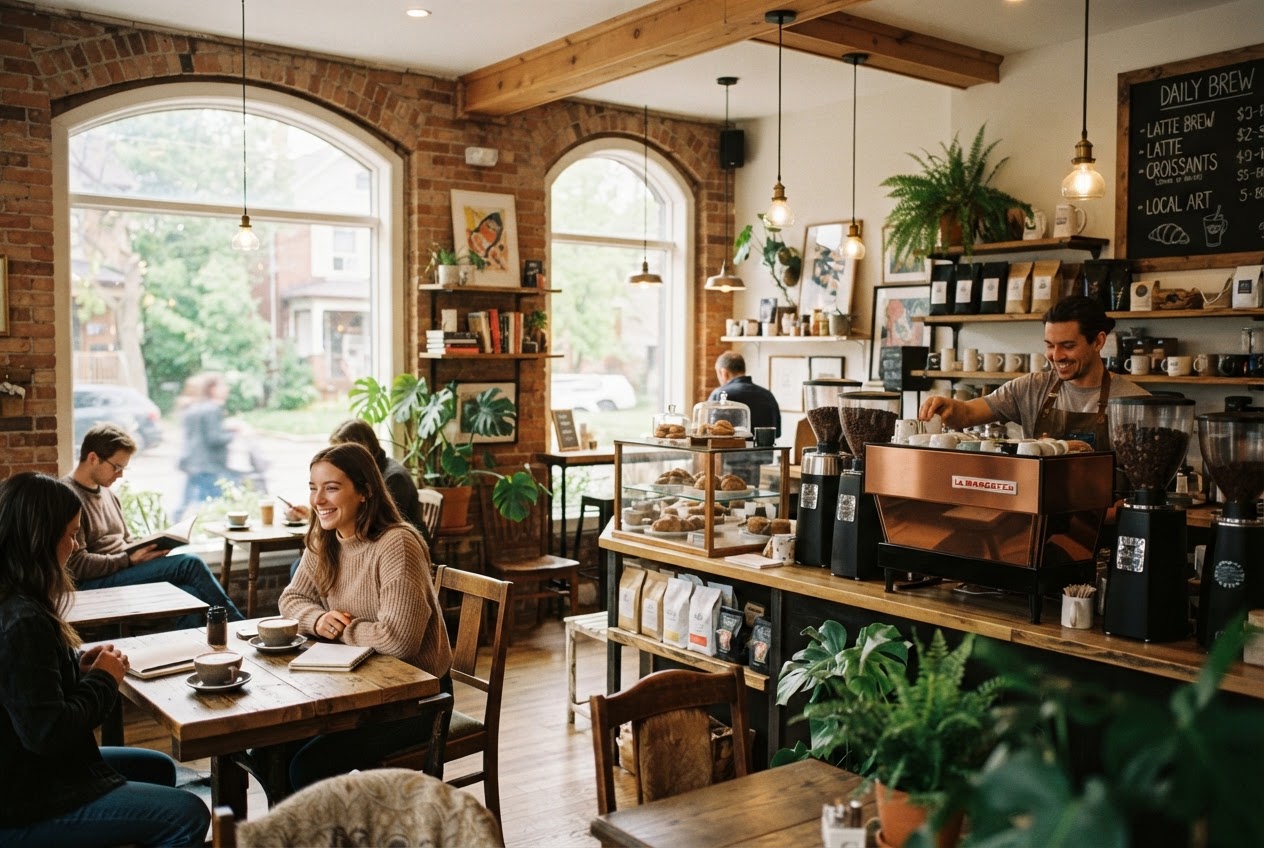
"A beautiful photo of X" gives the model no camera to stand behind, so it defaults to a wide, evenly lit, stock-catalogue view of the scene. Tell it where the camera is, how far away, what is in focus and what falls off.
Tested prompt Straight-on 35mm shot of a corner espresso bar at 7am, framed at chest height, shallow depth of field at f/2 with focus on the portafilter in the barista's hands, the back counter falling into soft blur, warm window light entering from camera left
Parameters model: nano-banana-2-lite | aspect_ratio: 3:2 | thinking_level: high | seed: 42
Lazy prompt
Tested prompt
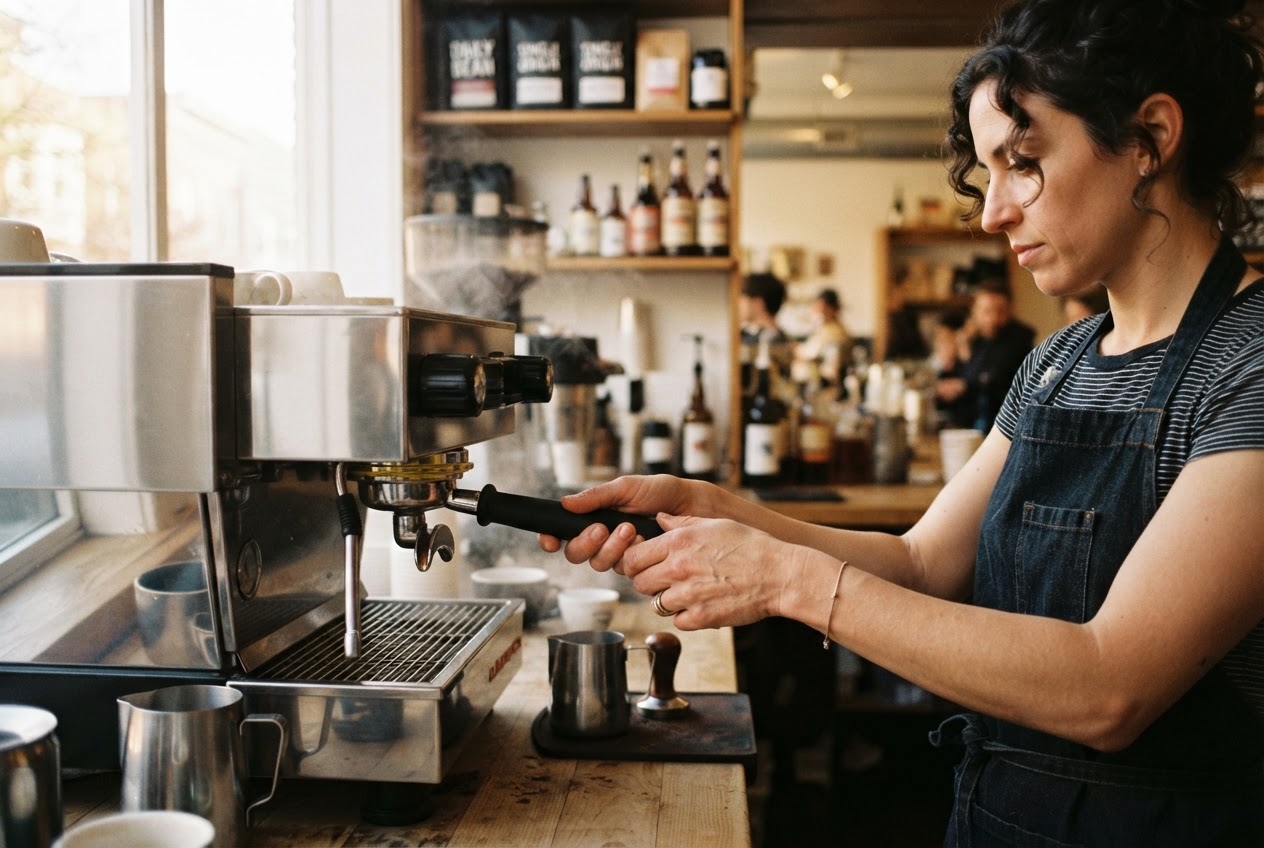
Same model, same settings. The only change is that the second prompt places a camera in the room.
The first image is a room. The second is a photograph of a moment inside a room, with a subject, a focal plane and a light direction. Four pieces of vocabulary do almost all the work here: focal length, camera height, aperture and where the light comes from. If you only remember one tip from this post, use this one.
2. Put the subject first, put the style last
A lot of prompts still start with a pile of quality tokens inherited from 2023 Stable Diffusion habits: "cinematic, moody, ultra detailed, 8k, hyperrealistic, award winning". Modern models read your prompt as a sentence, so whatever comes first anchors the composition. Lead with the quality tokens and you are telling the model that mood is the subject.
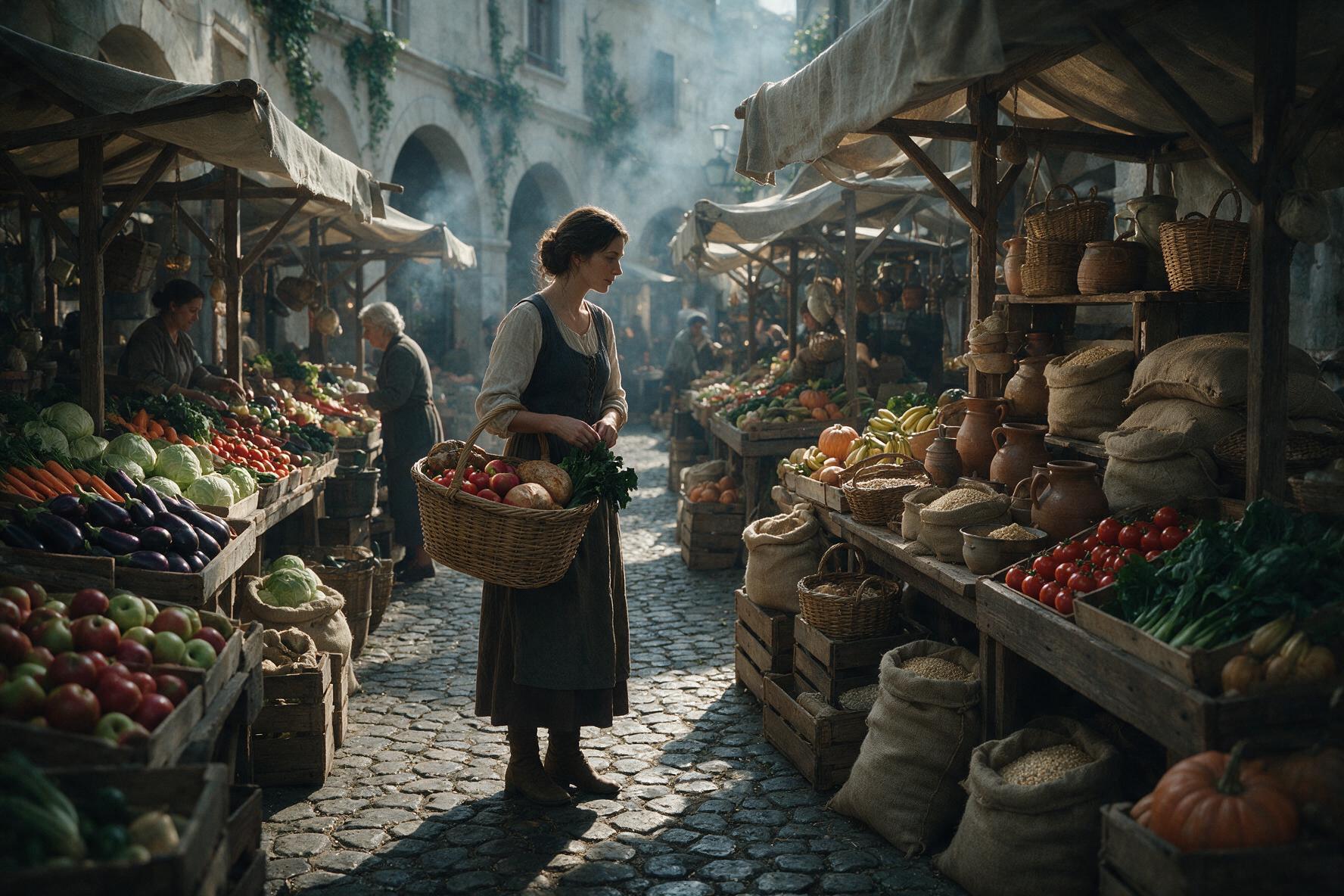
Tested prompt A woman in her fifties weighing tomatoes on a hanging brass scale at a covered vegetable market stall, both hands steadying the pan, wooden crates of produce stacked behind her. Style: documentary photography, muted greens and deep reds, natural overhead daylight through a corrugated roof.
Parameters model: seedream-5-pro | size: 1K | aspect_ratio: 3:2
Style first
Subject first, style last
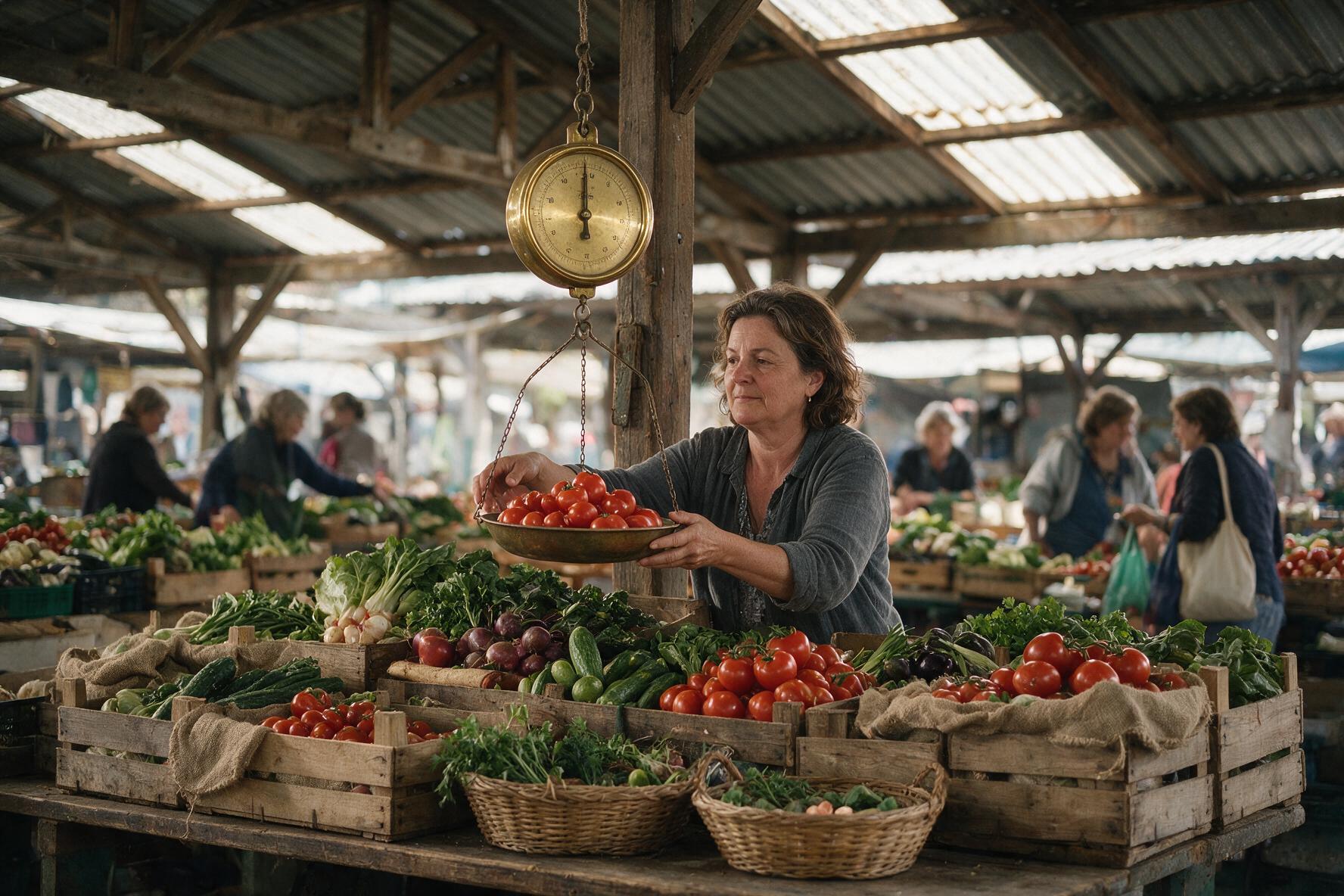
Seedream 5 Pro. The lazy version renders the mood faithfully and forgets to give the woman anything to do.
In the first image the woman is small, turned away and doing nothing in particular, because "moody" got top billing. In the second she has an action, a prop and a place in the frame, and the style instruction still lands because it is attached at the end as a separate sentence. My rule: subject and action, then setting, then camera, then style. Quality tokens like "8k" and "award winning" contribute almost nothing on 2026 models and cost you prompt real estate.
3. Describe the light source, not the mood
"Moody" is an outcome. Models cannot render an outcome, but they can render a lamp. Name the fixture, its position, its colour temperature and what happens to everything it does not reach.
Tested prompt Portrait of a chef standing at the pass in a dark prep kitchen, lit only by a single overhead heat lamp directly above him, warm 2700K pool of light falling on his forehead, shoulders and the steel counter, the rest of the kitchen dropping to near black, no fill light
Parameters model: nano-banana-2-lite | aspect_ratio: 3:2 | thinking_level: high
"Moody"
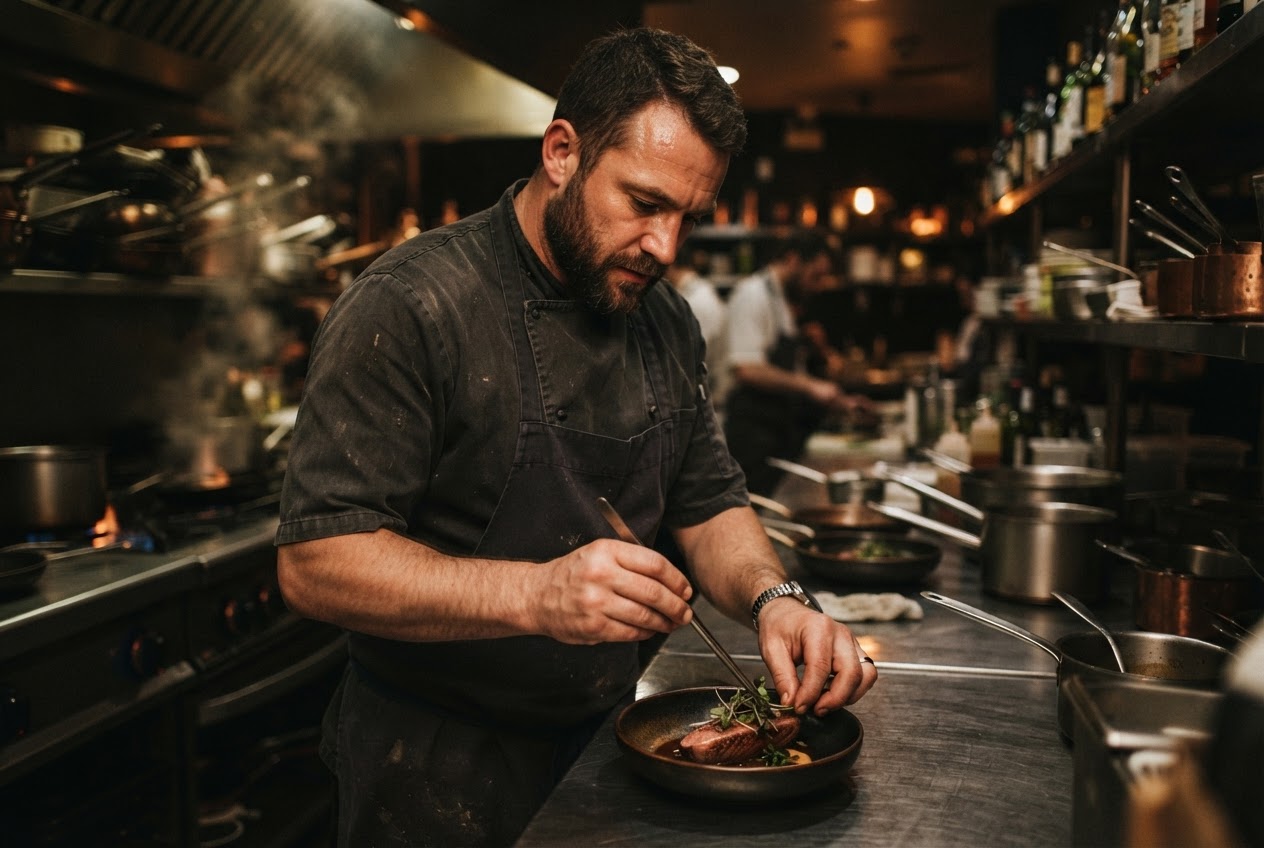
One named light source
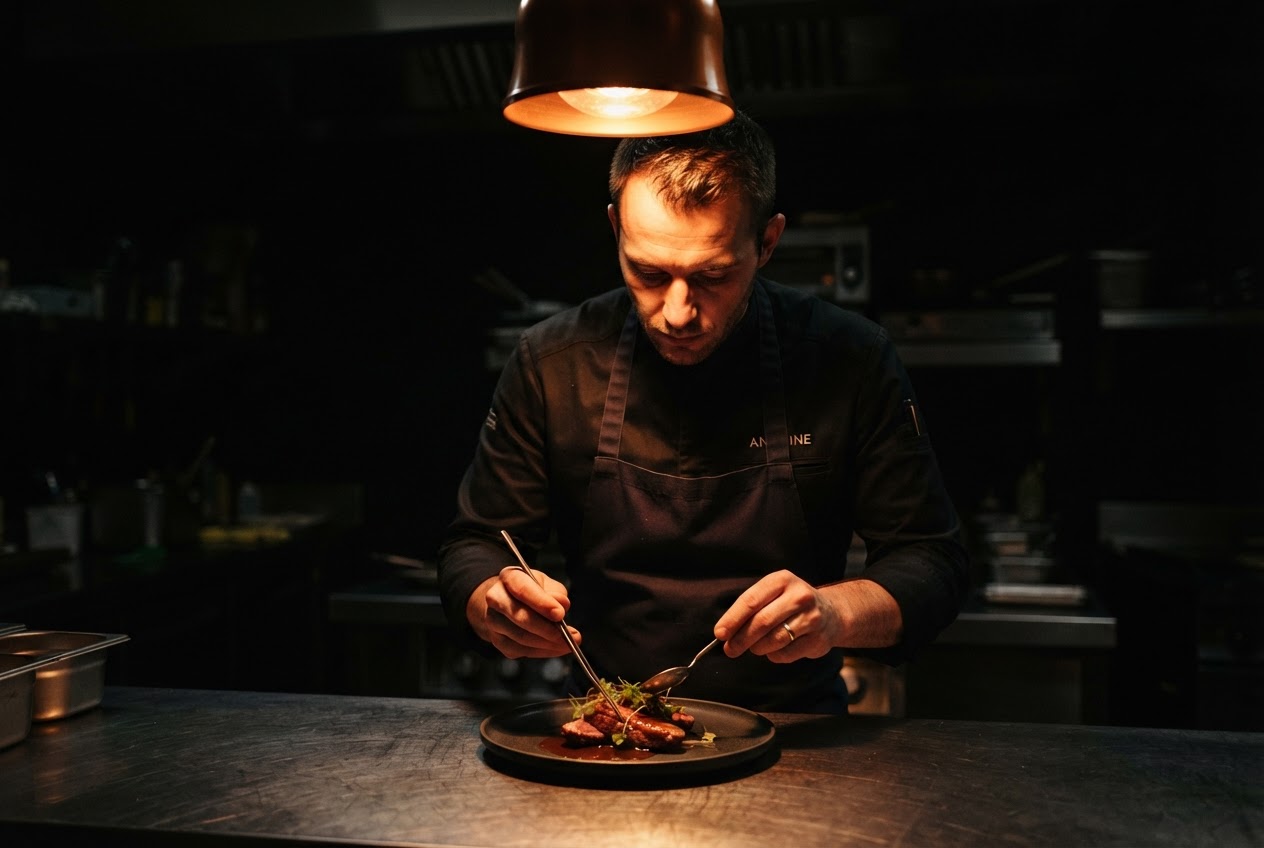
Naming the fixture and killing the fill light is what produces contrast. The word moody produces even ambient light with a warm grade.
Three phrases carry this: "lit only by", a colour temperature in kelvin, and "no fill light". The same pattern works in reverse for bright commercial work: "large softbox at 45 degrees camera left, white bounce card opposite, no shadows under the product".
4. Quote your text exactly, and keep it short
If you describe the text you want instead of writing it, the model will invent copy, and invented copy is where garbled lettering shows up. Put every string you actually want inside quotes, say where it sits in the layout, and keep each string under about six words.
Tested prompt Minimal print poster on a cream background, one espresso cup centred low in the frame, headline text reading "MORNING FOLD" in bold condensed sans across the top, small caption reading "ROASTED IN GOA" at the bottom edge, generous empty space between them
Parameters model: ideogram-4 | rendering_speed: QUALITY (default) | output_format: png
Described text
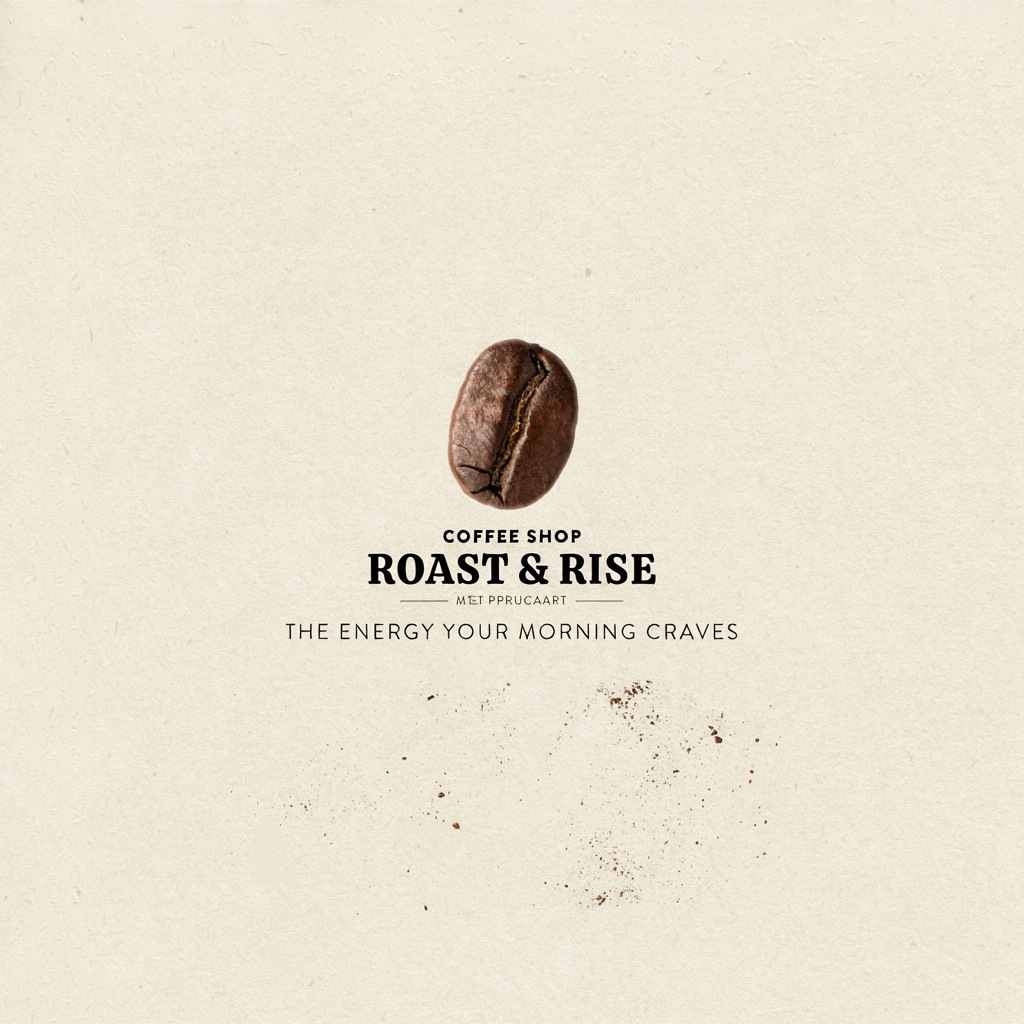
Quoted text
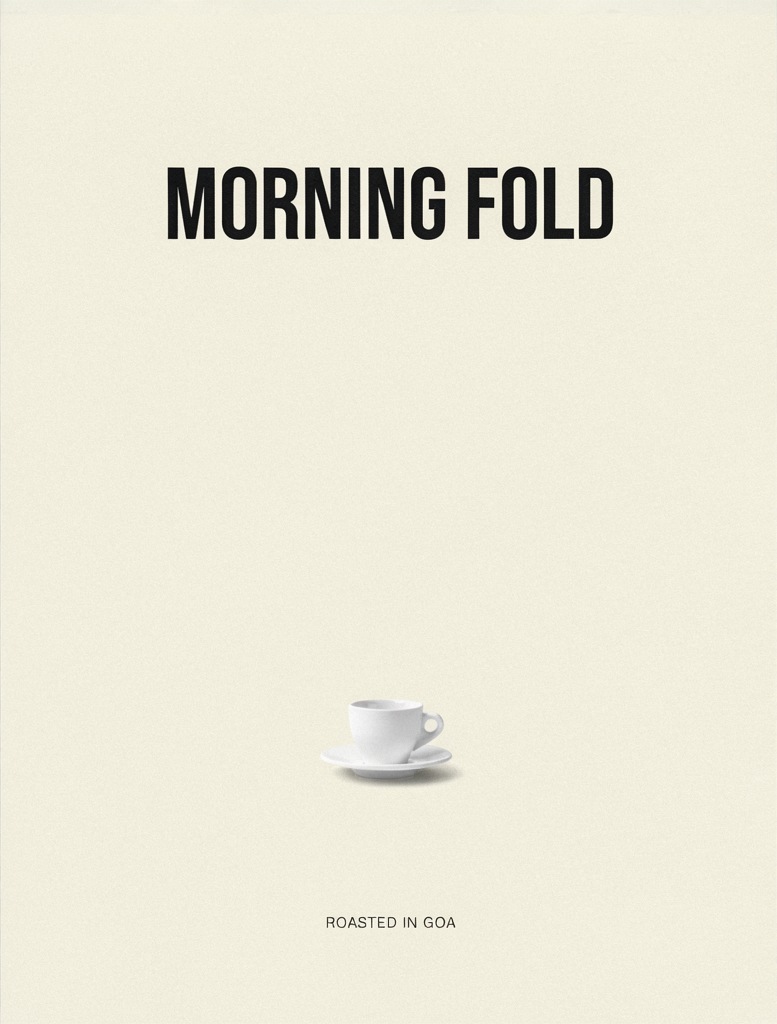
Ideogram 4. Left: the model invents a brand, a tagline and one line of broken lettering under the logotype. Right: both quoted strings render exactly.
Look closely at the left poster: the invented brand mark reads cleanly, but the small line under it dissolves into letter shapes that are not words. That is the failure mode you are avoiding. On the right, "MORNING FOLD" and "ROASTED IN GOA" are both exact, because they were quoted and short. Long paragraphs of body copy still break on every model I tested. If you need real body copy, generate the image with empty space and set the type in your design tool.
5. Name materials, not adjectives
"Premium", "luxury" and "high end" are price signals, not visual instructions. Materials and finishes are visual instructions.
Tested prompt Product shot of a wristwatch: brushed titanium case, sapphire crystal carrying a faint blue anti-reflective cast, matte vulcanised rubber strap, resting on honed black basalt, a single softbox reflection running the length of the case, dust-free surface
Parameters model: flux-2-pro | width: 1216 | height: 832 | seed: 42
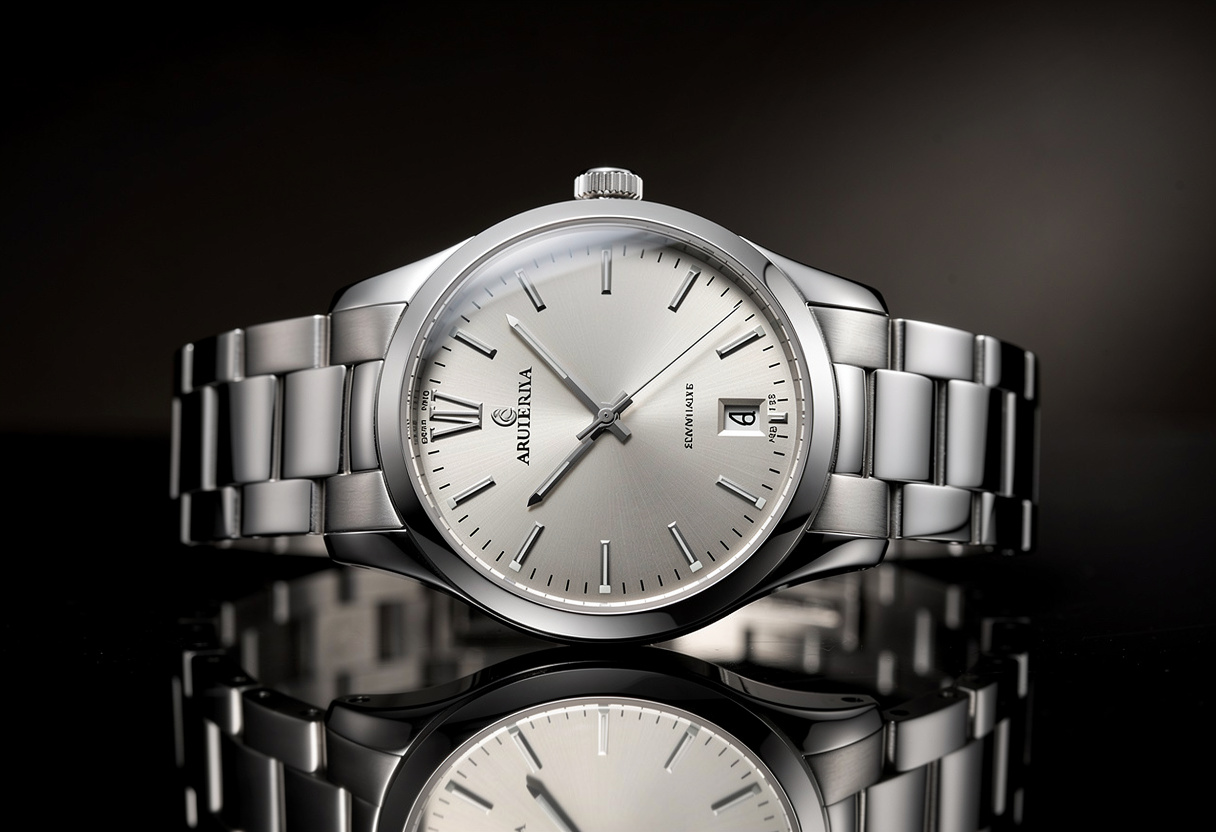
Adjectives
Materials
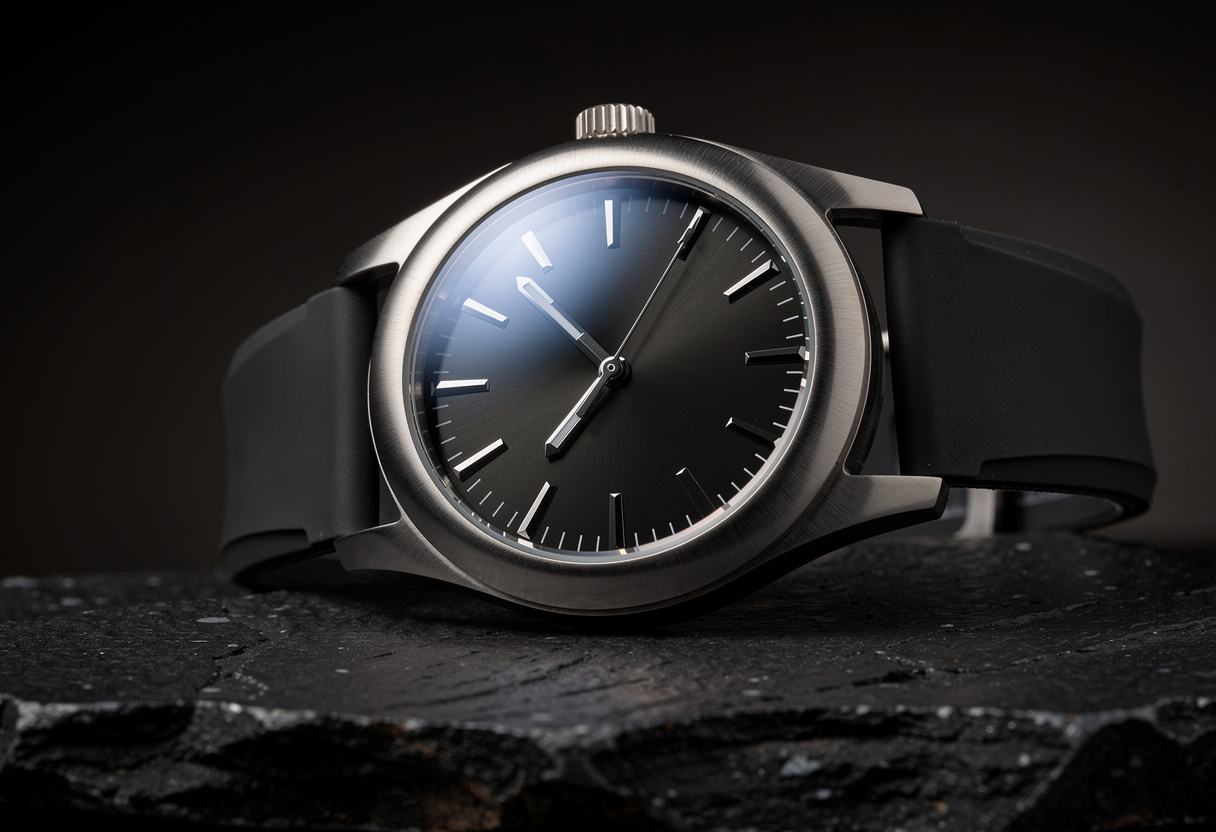
FLUX.2 Pro. Adjectives give you the generic idea of an expensive watch. Materials give you a specific object you could actually photograph.
FLUX.2 Pro rewards this more than any other model I tested. Brushed versus polished, matte versus lacquered, honed versus glossy: each of those pairs changes how the surface handles the light, and the model renders the difference. The same trick works for food (crumb structure, glaze, sear), fabric (slub, ribbed, boiled wool) and architecture (board formed concrete, weathered corten).
6. Set the aspect ratio at generation time, not in the crop tool
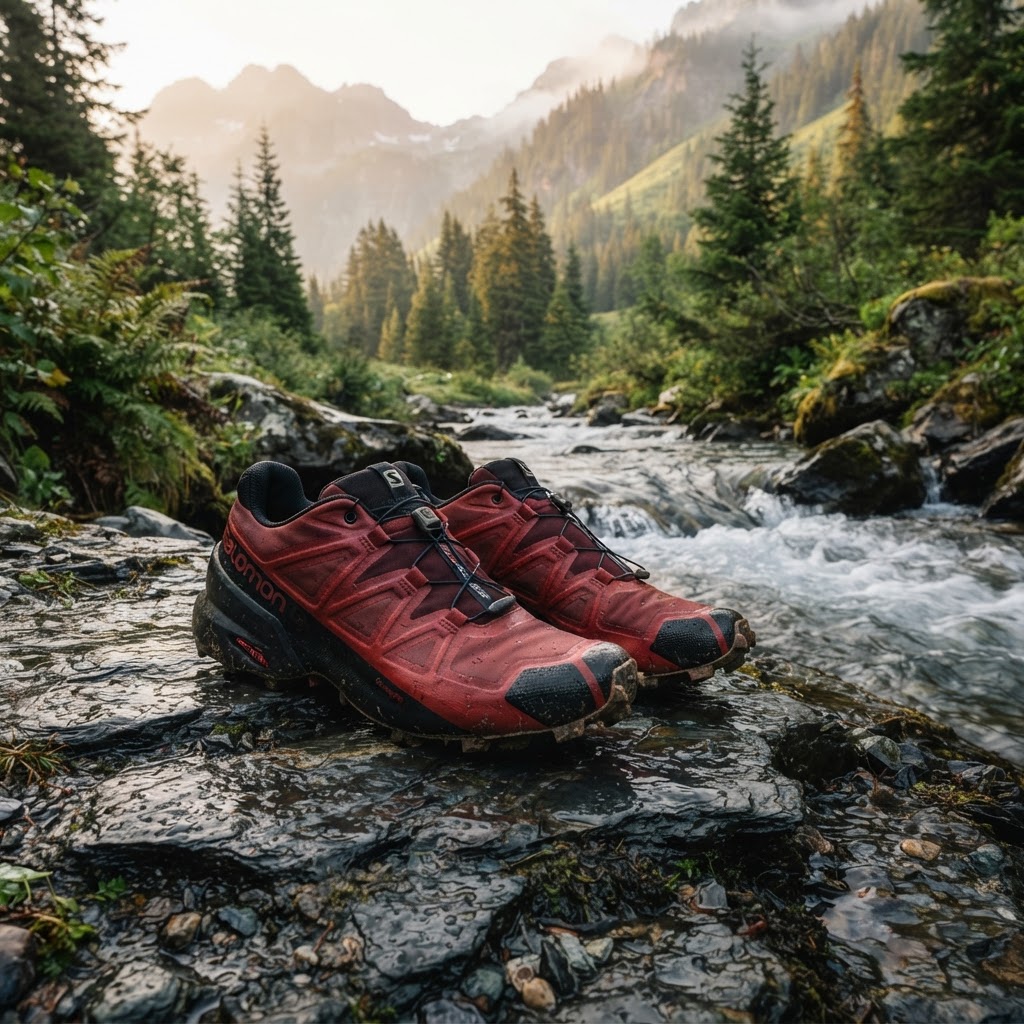
Cropping a 1:1 image to 9:16 throws away two thirds of the pixels and usually cuts through the subject. Every model here recomposes the scene when you change the aspect ratio, so ask for the shape you are going to ship.
Tested prompt Same prompt, aspect_ratio switched to 9:16 for a story or reel placement
Parameters model: nano-banana-2-lite | aspect_ratio: 1:1 vs 9:16 | seed: 42
1:1
9:16
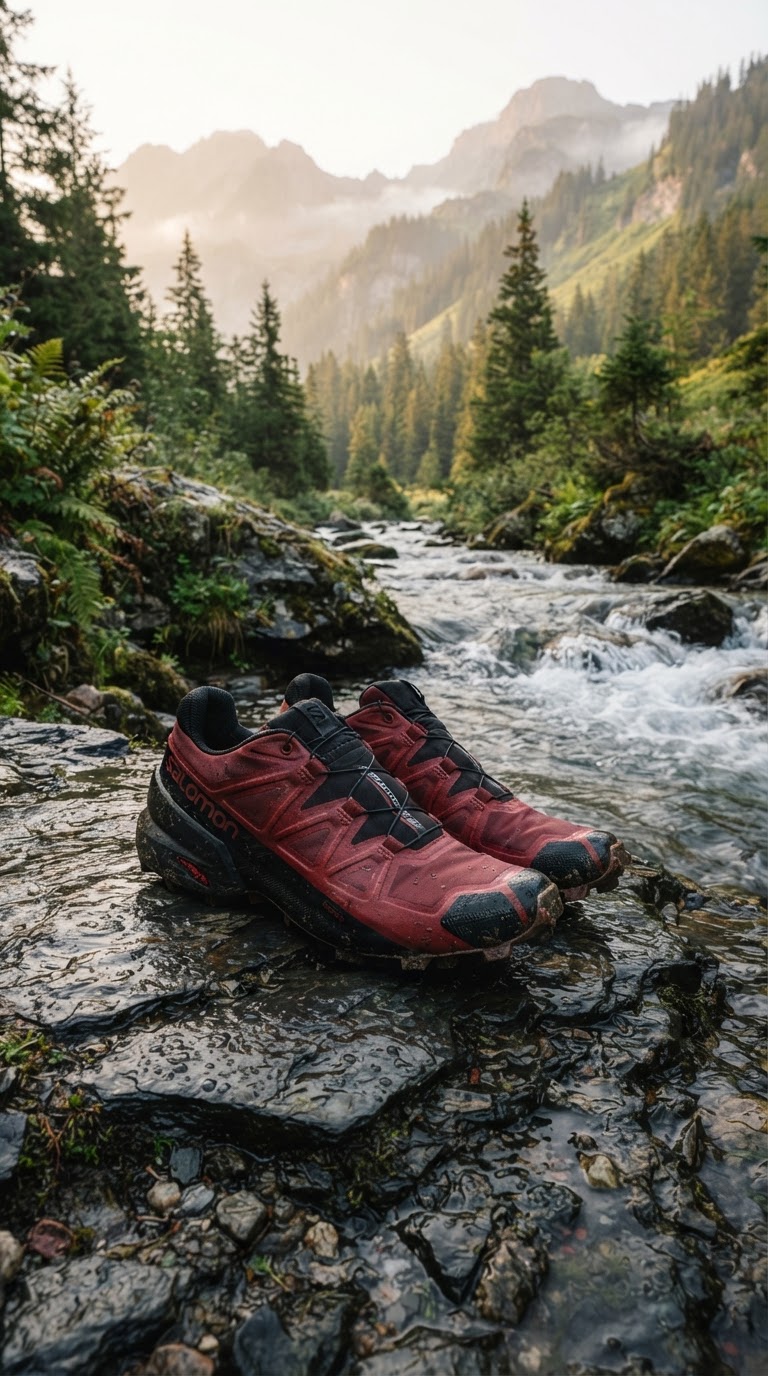
Not a crop. The vertical version moves the subject, changes the amount of stream in frame and keeps the mountains, which a crop of the square image could not do.
If you need one image in several placements, generate it once per placement instead of cropping. At $0.042 per image on Nano Banana 2 Lite, three placements cost about 13 cents, which is cheaper than the ten minutes you would spend fixing crops.
7. Do not expect the seed to lock your composition
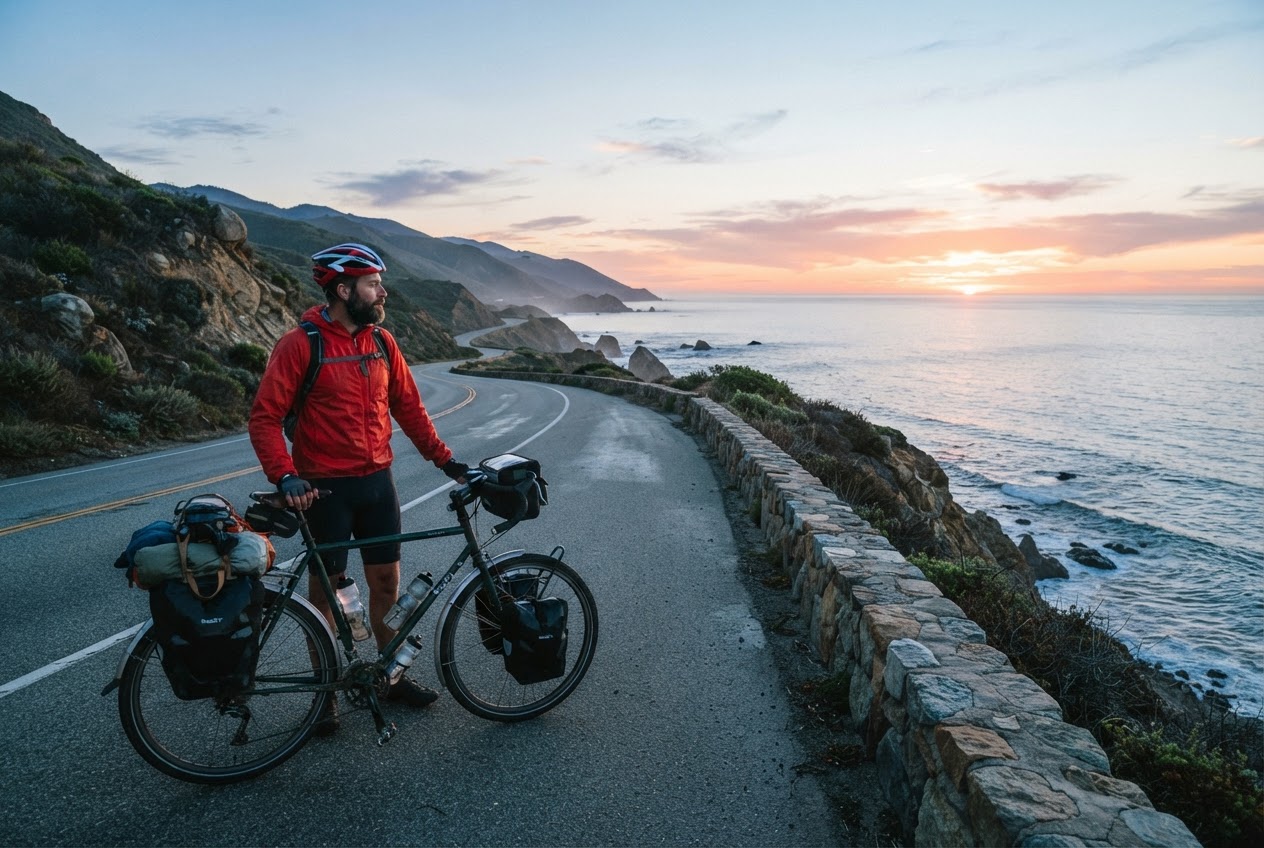
This is the tip that came out of a failed test. Old diffusion habits say: fix the seed, change one word, and everything else stays put. I ran exactly that experiment, seed 777 on both, changing only the jacket colour.
Tested prompt A cyclist standing beside a touring bike on a coastal road at dawn, wearing a yellow windbreaker, wide shot, sea on the right
Parameters model: nano-banana-2-lite | seed: 777 on both | aspect_ratio: 3:2 | one word changed
seed 777, red
seed 777, yellow
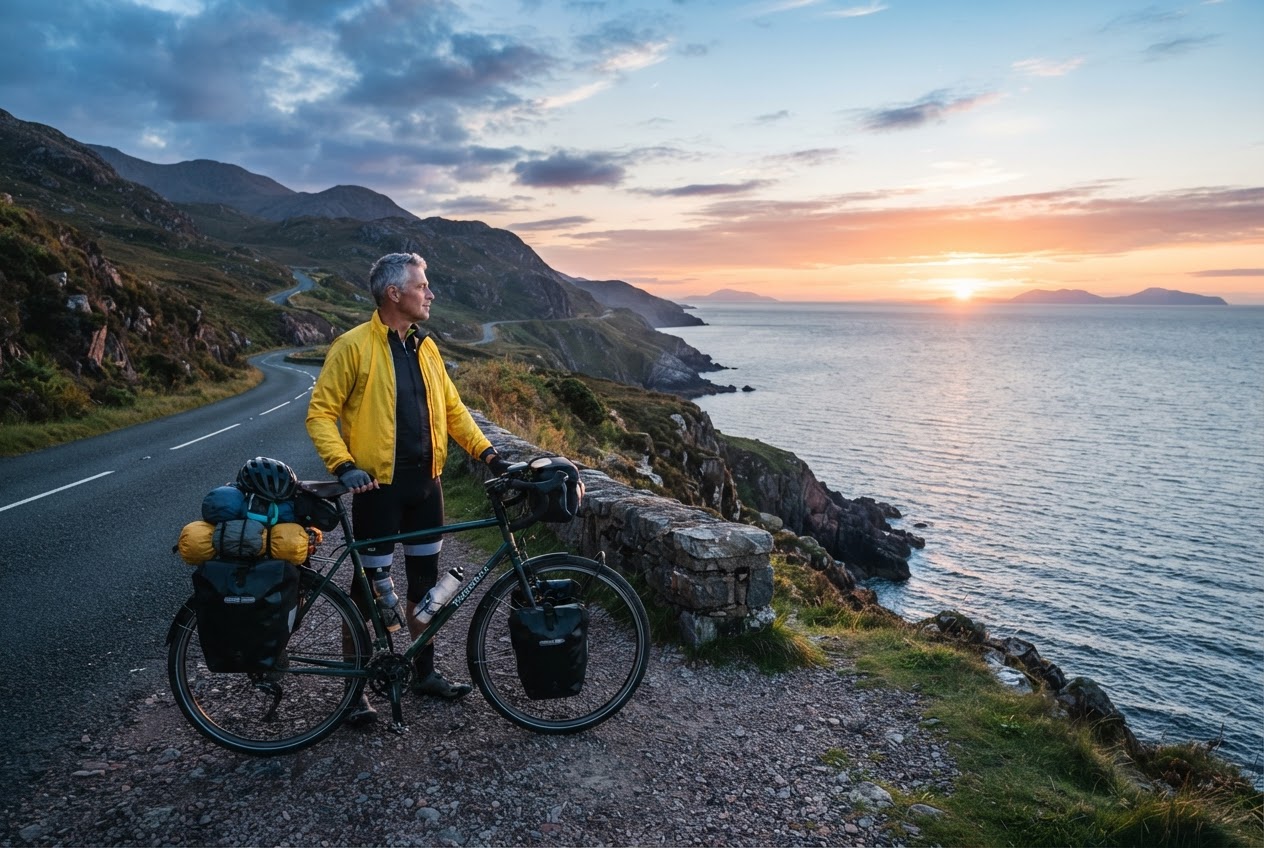
Same seed, one word different. The road, the rider, the pose and the light all changed.
Both images are good. Neither is a controlled variation of the other. On the Gemini family models the seed is a nudge toward reproducibility, not the deterministic lock it is on classic diffusion samplers, and any change to the prompt can move the whole frame. If you need a true single-variable change, do it as an edit: pass your first image back in through image_urls and ask for the jacket colour to change while everything else stays the same. Plan your workflow around edits, not seeds.
8. Never ask for "an advertisement"
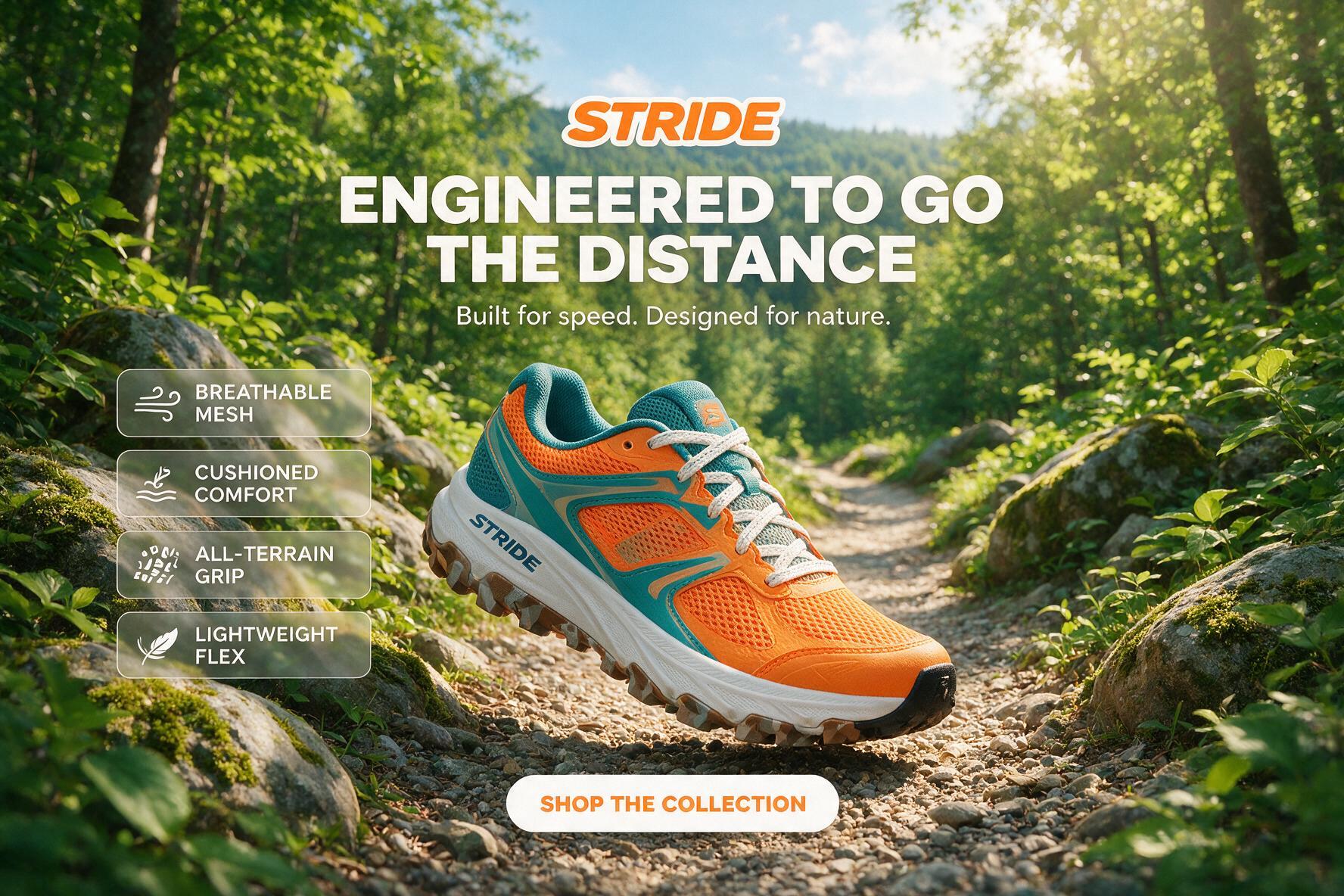
Ask for an ad and you get an ad, complete with invented headline, invented logo, invented body copy and a call to action button. It looks impressive in a demo and it is unusable, because your designer now has to paint out someone else's typography.
Tested prompt Advertising still life: one running shoe placed in the lower right third of the frame on a seamless mid-grey backdrop, the upper left two thirds left as clean empty wall for headline copy, soft directional light from the top right, small hard shadow under the shoe
Parameters model: seedream-5-pro | size: 1K | aspect_ratio: 3:2
"An advertisement"
Ask for the negative space
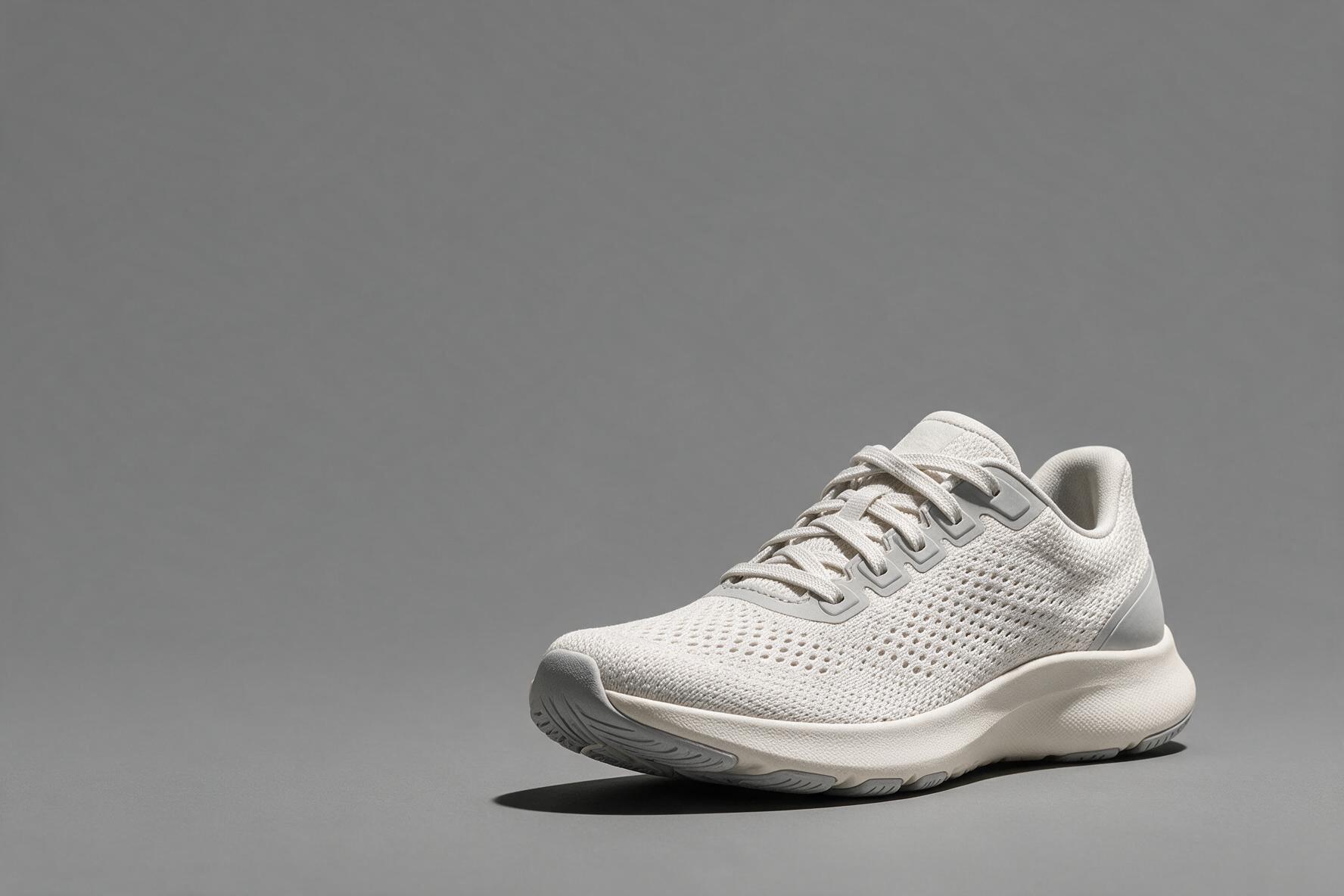
Seedream 5 Pro. The right hand frame is the one a designer can actually use, because the copy area is empty and lit evenly.
Describe the plate, not the poster. Say which third the product sits in, say what the rest of the frame is, and set the type yourself. One more thing worth knowing: when I asked for a plain running shoe, the model put a recognisable sportswear logo on it. If the output is going anywhere near a paying client, add "unbranded, no logos, no visible branding" to product prompts and check the result before it ships.
9. Count out loud
Quantity words like "a few", "several" and "some" are read as "a pile of". If the number matters, state it and describe the arrangement.
Tested prompt Exactly three croissants in a single row on a steel bakery tray, evenly spaced with a hand's width between each, shot top down, nothing else on the tray
Parameters model: nano-banana-2-lite | aspect_ratio: 3:2 | thinking_level: high
"A few"
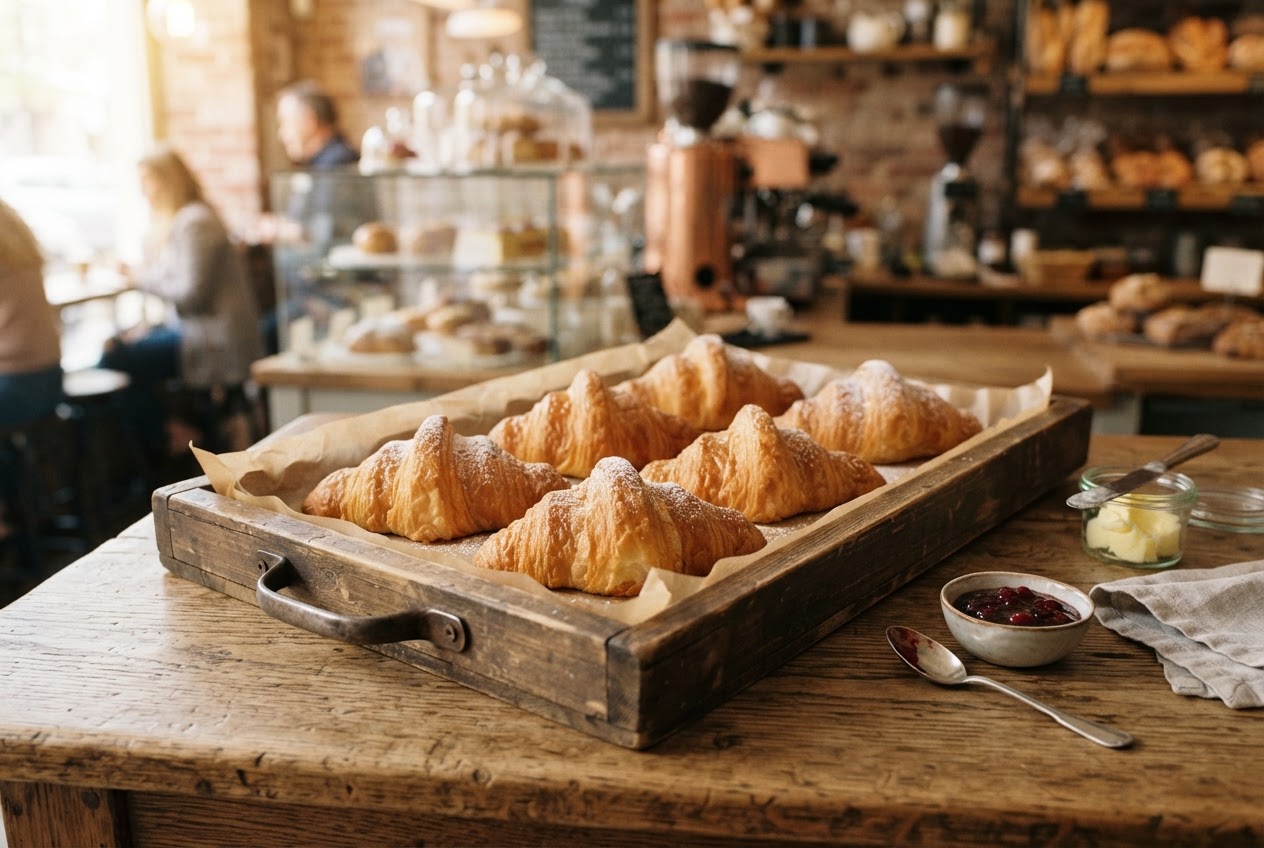
"Exactly three", arrangement described
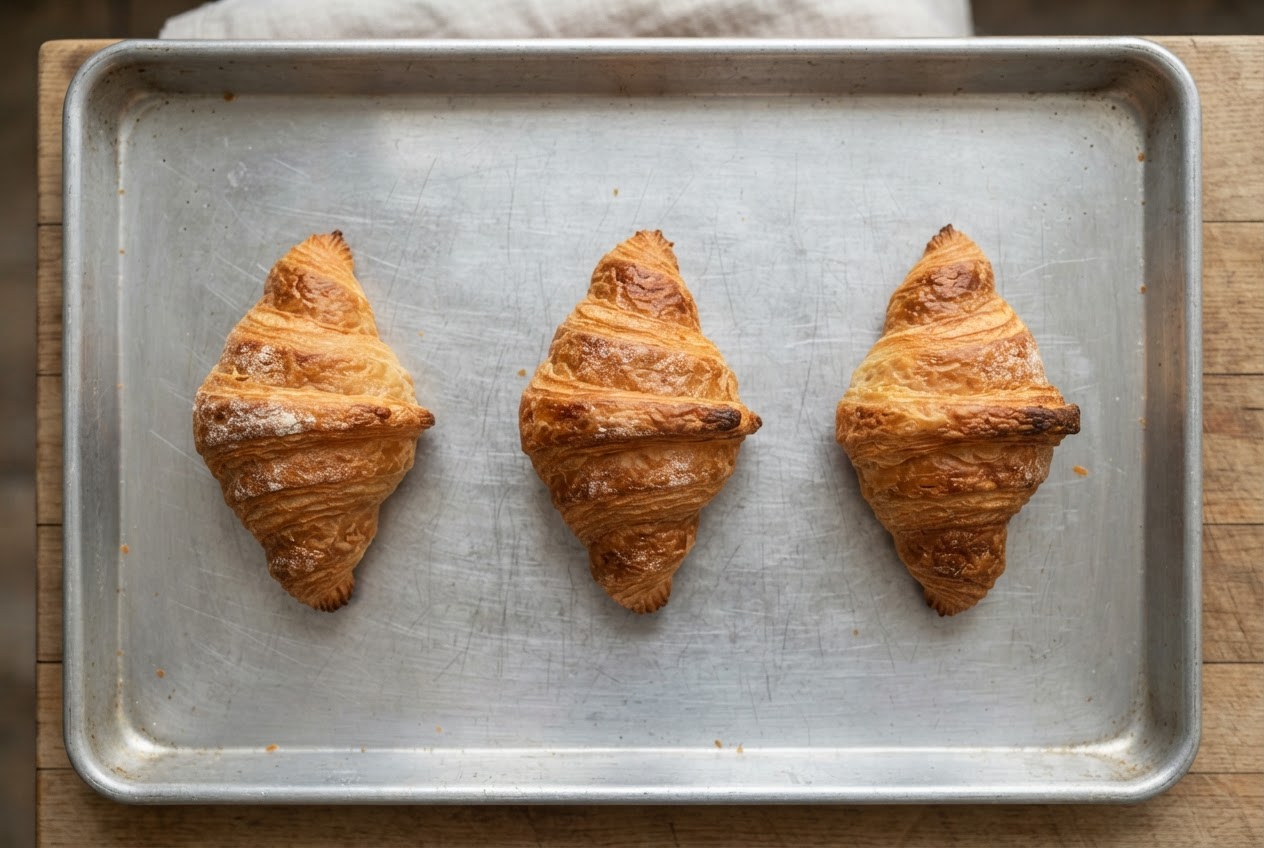
Counting works when you also describe the arrangement. Exactly three, in a row, evenly spaced, nothing else in frame.
Accuracy still degrades past about six objects on every model I have tested, so if you need nine identical items in a grid, generate three and composite, or use a workflow that lays them out for you. The same discipline applies to people: "three people at a table" behaves, "a group of people" does not.
10. Draft on the cheap model, finish on the expensive one
This is a workflow tip rather than a wording tip, and it is the one that saves the most money. Prompt iteration is a search problem, so run the search on the cheapest model that understands language well, then re-run the winning prompt on the model whose output quality you actually need.
Here is what the four models in this post cost per image on Segmind today:
| Model | Price per image | Best for |
|---|---|---|
| Nano Banana 2 Lite | $0.042 flat | Prompt iteration, thumbnails, bulk drafts |
| FLUX.2 Pro | $0.0375 first megapixel, $0.01875 each additional | Materials, surfaces, product detail |
| Seedream 5 Pro | $0.05625 at 1K, $0.1125 at 2K | Photographic scenes, people, campaign stills |
| Ideogram 4 | $0.03 per MP TURBO, $0.06 BALANCED, $0.10 QUALITY | Posters, packaging, anything with type |
| Nano Banana 2 | $0.08 at 1K, $0.12 at 2K | Instruction following, composition heavy briefs |
Segmind list prices at the time of writing. Charges are per successful generation.
Twenty drafts on Nano Banana 2 Lite cost 84 cents. Twenty drafts at 2K on a flagship cost about four times that, for images you are going to throw away anyway. Iterate cheap, finish expensive.
Where this approach falls short
Longer prompts are not automatically better prompts. Past roughly 120 words I start seeing models drop the third or fourth instruction, and the fix is to move the dropped detail into an edit pass rather than to shout louder in the original prompt. Text longer than a few words still breaks everywhere. Exact brand colours are unreliable, so composite your brand elements rather than prompting for a hex value. And models go down: Nano Banana 2 was returning errors from its upstream provider during this test run, which is why the Lite model does most of the work in this post. If image generation sits in a production path, write the fallback model into your code before you need it.
FAQ
What are the most important image generation prompting tips for 2026?
Name the camera and framing, describe the light source instead of the mood, use materials rather than adjectives, quote any text you want rendered, state exact counts, and set the aspect ratio at generation time. Those six changes fixed more images in my tests than any model switch.
Do quality tokens like "8k, ultra detailed, award winning" still work?
Not meaningfully. On the four models I tested, quality tokens mostly displaced useful description. Modern image models read prompts as language, so the words that pay off are the ones describing the subject, the light and the camera.
Why does the same seed give me a different image?
On Gemini family models such as Nano Banana 2 and Nano Banana 2 Lite, the seed nudges reproducibility but does not lock composition, and any prompt change can move the frame. For controlled single variable changes, pass the original image back in as a reference and request an edit instead.
How do I get accurate text in an AI generated image?
Put the exact string in quotes, keep it under about six words per line, say where each line sits in the layout, and use a typography focused model such as Ideogram 4. For paragraphs of copy, generate empty space and set the type in your design tool.
How many words should an image prompt be?
Between about 30 and 90 words for most work. That is enough for subject, action, setting, light and camera without hitting the point where models start dropping instructions.
What is the cheapest way to iterate on prompts?
Run your search on a low cost model, then re-run the winning prompt on your quality model. Nano Banana 2 Lite is $0.042 per image on Segmind, so twenty iterations cost under a dollar.
Try these on your own prompts
Take one prompt you are unhappy with and apply three of these tips: put the subject first, name the light source, and add the camera. Run it on Nano Banana 2 Lite for four cents, and once the wording is right, re-run it on Seedream 5 Pro or FLUX.2 Pro. All the models in this post run behind one API key on Segmind, so switching between them is a one line change.