
Ideogram 3.0 on Segmind: Features, API, Pricing, and Use Cases
Learn how to create stunning visuals with Ideogram 3.0 on Segmind. Photorealistic ads, concept art, and YouTube thumbnails from $0.0375 per image.


Interest in AI image generation has stayed strong across 2025 and into 2026, and the models driving that interest are getting sharper every quarter. When I started testing Ideogram 3.0, the first thing I noticed was how differently it handles text in images compared to every other model I've run through Segmind. That alone makes it worth a serious look.
But photorealistic text rendering is only one piece of it. The model ships with four distinct style types, three rendering speed tiers, and a resolution grid that covers everything from 512px portrait to 1536px landscape, all priced in a range that makes production-volume usage actually viable.
In this post, I'll walk you through what Ideogram 3.0 does well, where it falls short, and exactly how I'd deploy it across three different production environments: a marketing agency, a film studio, and a YouTube-focused content operation.
TL;DR
- Ideogram 3.0 is built for image generation workflows where readable text, layout, and visual polish matter.
- On Segmind, the model supports TURBO, DEFAULT, and QUALITY rendering tiers, with pricing starting at $0.0375 per generation.
- The strongest use cases are product ads, posters, thumbnails, branded visuals, packaging concepts, and pre-viz references.
- TURBO works well for early concepting, while DEFAULT and QUALITY are better suited for final candidates that need sharper detail.
What is Ideogram 3.0?
Ideogram 3.0 is a text-to-image generation model developed by Ideogram AI and released on March 26, 2025, as the third major iteration of its photorealistic generation system. The key architectural focus is text accuracy within generated images.
Many image generation models struggle with embedded text, often producing blurry or hallucinated letterforms. Ideogram's training pipeline treats typography as a first-class output, which makes it uniquely useful for any workflow that involves readable text in the final image: product packaging, poster design, social media graphics, event collateral.
On Segmind, it runs as a synchronous endpoint, meaning you get your output directly in the response body with no async polling loop needed. Pricing tiers are $0.0375 for TURBO, $0.075 for DEFAULT, and $0.1125 for QUALITY. Relative to the cost of a stock photo license or a designer hour, even the QUALITY tier is low-cost enough to test for production workflows.
Looking for high-quality image generation with accurate text? Try Ideogram 3.0 on Segmind today and create visuals that stand out.
Ideogram 3.0 Features That Improve Production Output
4 things stand out after running 8 test cases across the model's parameter space:
- Text-In-Image Accuracy: In my Segmind tests, Ideogram 3.0 handled embedded text better than any other model I've tested on the platform. Product names, event titles, and channel branding all came through legibly and were well-integrated into the visual. When you set magic_prompt: OFF, the model sticks strictly to your prompt without enhancing it, which is critical for precise typographic work.
- Four Distinct Style Types: REALISTIC, GENERAL, DESIGN, and AUTO behave meaningfully differently. REALISTIC is optimized for photographic output. DESIGN leans toward flat, graphic, and typographic compositions. GENERAL is the hybrid that handles painterly and concept art styles well. AUTO lets the model infer from the prompt.
- Three Rendering Speed Tiers: TURBO is fast and cheap at $0.0375, but I ran a side-by-side with DEFAULT at the same prompt, and the quality gap is noticeable, particularly in fine detail and edge sharpness. For hero images or client-facing deliverables, DEFAULT or QUALITY is the right call.
- Wide Resolution Support: 69 resolution presets covering portrait, landscape, and square formats. For social-first workflows, 768x1344 (9:16) and 1344x768 (16:9) are the workhorses.

Cinematic megacity concept art, QUALITY rendering, style_type=GENERAL, 1344x768.
Use Case 1: How Marketing Agencies Can Create Faster Ad Concepts
A mid-size agency producing frequent ad variants for a single e-commerce or CPG account can quickly build up production costs.
Some reports note that product photographers generally charge $500 to $3,000 per day, while per-image pricing can range from $50 to $350 before additional support staff, equipment, editing, or licensing costs. Ideogram 3.0 doesn't eliminate that workflow, but it dramatically accelerates the concepting and variation stages.
Here's the scenario I tested: a luxury cosmetics brand needs a hero image for a new perfume SKU across multiple ad placements. The brief calls for a marble-and-rose-petal aesthetic, a photorealistic, clean background. I ran it through Ideogram 3.0 at DEFAULT speed with REALISTIC style type and got a usable output in under 10 seconds.
Parameters resolution: 1344x768 | rendering_speed: DEFAULT | style_type: REALISTIC | magic_prompt: AUTO

Cosmetics product visual, DEFAULT speed, REALISTIC style, 1344x768. $0.075 per image.
For event and campaign collateral, the DESIGN style type is the better fit. I tested it with a tech conference poster prompt, and the model handled typography and geometric layout cleanly, something most image generators actively struggle with.
Parameters resolution: 832x1248 | rendering_speed: DEFAULT | style_type: DESIGN | magic_prompt: OFF
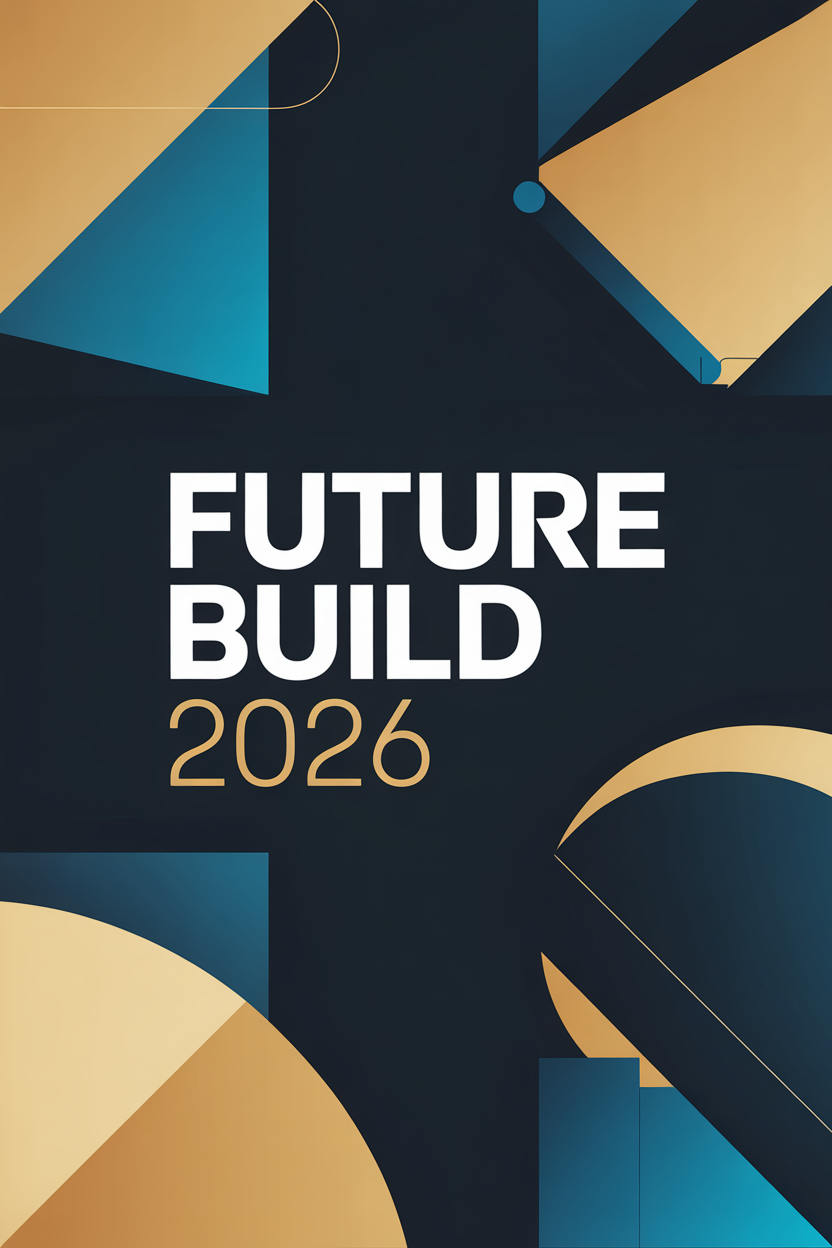
Event poster, DESIGN style, magic_prompt=OFF for exact text control, 832x1248.
The Python call for agency use is straightforward to batch:
import requests

response = requests.post(
    "https://api.segmind.com/v1/ideogram-3",
    headers={"x-api-key": "YOUR_API_KEY"},
    json={
        "prompt": "Your product ad prompt here",
        "resolution": "1344x768",
        "rendering_speed": "DEFAULT",
        "style_type": "REALISTIC",
        "magic_prompt": "AUTO"
    }
)
with open("output.png", "wb") as f:
    f.write(response.content)
For agencies, the right workflow is to use Ideogram 3.0 to generate 5 to 10 concept variations fast, get client direction, and then refine the winner. That collapses a multi-day concepting cycle into a few hours.
Use Case 2: Movie Making and Film Studios
Pre-visualization is where film studios lose a lot of time and money in the concept phase. Getting a production designer and a concept artist aligned on a visual direction can take days of iteration. AI image generation cuts that to minutes, and Ideogram 3.0's QUALITY rendering tier is genuinely usable for production reference.
I tested two scenarios for this. First, a dystopian megacity for a sci-fi production, the kind of establishing shot reference that a VFX supervisor and director would review together. Second, a tension-filled parking garage confrontation that a storyboard artist would typically sketch from scratch.
Parameters resolution: 1344x768 | rendering_speed: QUALITY | style_type: GENERAL | magic_prompt: AUTO
Sci-Fi Megacity (QUALITY)
Parking Garage Scene (DEFAULT)

Both generated at 1344x768. Left: QUALITY tier ($0.1125). Right: DEFAULT tier ($0.075). REALISTIC style.
For pre-viz, the QUALITY tier at $0.1125 per image is essentially free compared to hiring a concept artist for a day. I'd use it to generate 15 to 20 reference frames for a major scene, then hand the best 3 or 4 to the production designer for detailed refinement. That's a workflow that pays for itself on the first use.
One note for film studios: setnegative_prompt explicitly. Leaving it out lets the model make its own compositional choices, which works for some prompts but not when you need specific blocking or camera angles. Adding "no text, no watermarks, no people in frame" for environment shots keeps the output clean.
Use Case 3: How Production Houses and MCNs Can Create Thumbnail Variants Faster
YouTube channels and MCNs are thumbnail machines. A channel posting 5 videos per week needs 5 thumbnails, often under deadline, often with specific text requirements. The design-heavy channels (tech, finance, self-improvement) need bold typography and high-contrast layouts that catch the eye in a feed of competing thumbnails.
This is exactly where Ideogram 3.0's DESIGN style type earns its place. I ran a thumbnail test for a tech channel with an "AI TOOLS 2026" headline requirement. The output integrated the text properly and produced a layout that reads at thumbnail scale.
Parameters resolution: 1344x768 | rendering_speed: DEFAULT | style_type: DESIGN | magic_prompt: AUTO
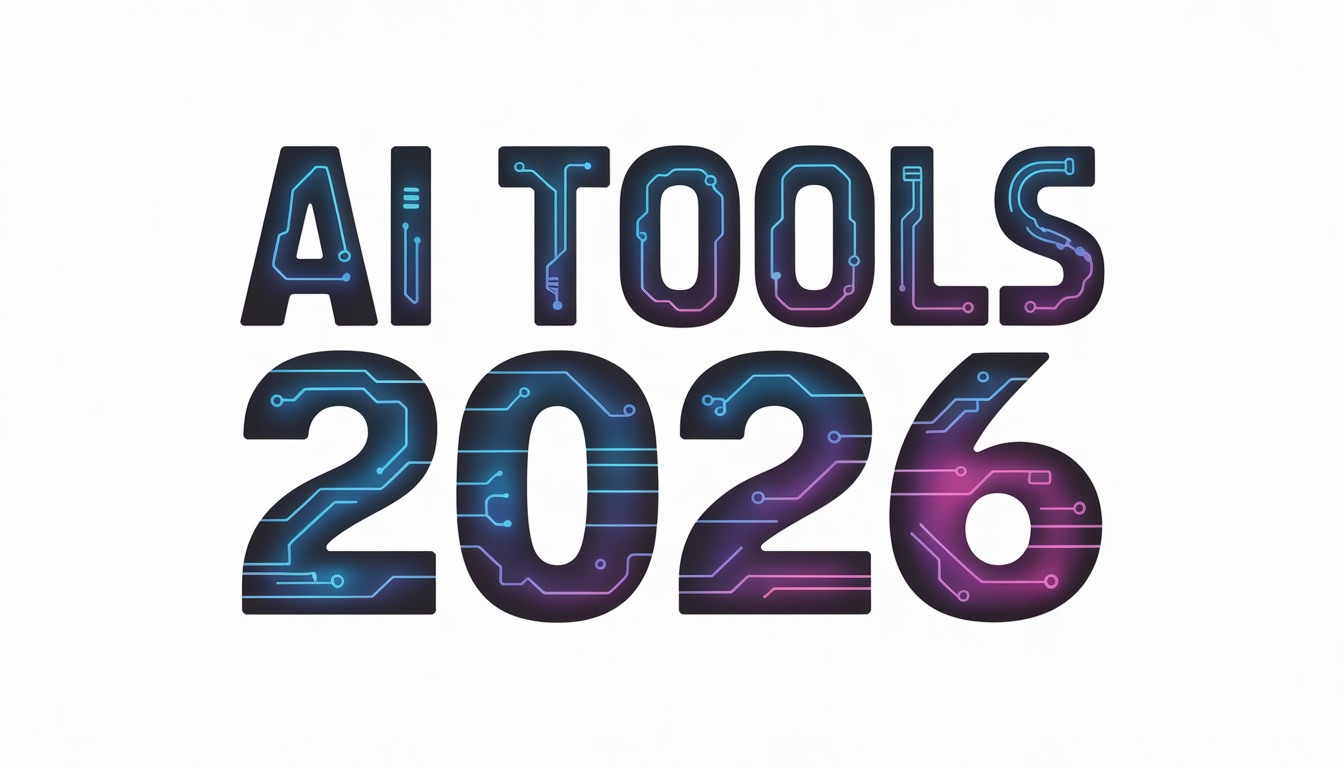
YouTube thumbnail, DESIGN style, 1344x768, $0.075. Text rendered accurately and legibly.
For MCNs managing 20 to 50 channels, the economics are compelling. At $0.075 per DEFAULT image, generating 5 thumbnail variants per video costs $0.375. Compared with US graphic design labor costs of around $61,300 a year, Ideogram 3.0’s DEFAULT tier makes first-draft thumbnail generation low-cost enough to test several visual directions before a designer steps in for selection, editing, and A/B testing.
I've found the best results come from being very explicit about text content in the prompt. Write the exact text you want in quotes. Use magic_prompt: OFF if the model keeps paraphrasing your brand name. Set style_type: DESIGN rather than REALISTIC for anything with bold graphic elements.
How to Use the Ideogram 3.0 API in a Production Workflow
The Ideogram 3.0 API on Segmind is a straightforward POST call. The only required parameter is prompt. Everything else has sensible defaults. Here's a complete working example:
import requests

API_KEY = "YOUR_SEGMIND_API_KEY"

response = requests.post(
    "https://api.segmind.com/v1/ideogram-3",
    headers={
        "x-api-key": API_KEY,
        "Content-Type": "application/json"
    },
    json={
        "prompt": "A serene Japanese garden with cherry blossoms in full bloom, koi pond reflecting the pink petals, traditional stone lantern, morning mist.",
        "resolution": "1024x1024",
        "rendering_speed": "DEFAULT",
        "style_type": "GENERAL",
        "magic_prompt": "AUTO",
        "negative_prompt": "people, text, watermark"
    },
    timeout=60
)

if response.status_code == 200:
    with open("output.png", "wb") as f:
        f.write(response.content)
    print("Image saved.")
else:
    print(f"Error {response.status_code}: {response.text}")

Developer demo: minimal params, just the prompt and resolution. 1024x1024, DEFAULT speed.
A few key things to know:
The three most impactful parameters are rendering_speed, style_type, and magic_prompt. Speed controls cost and quality. Style type changes the entire visual grammar of the output. Magic prompt ON or AUTO lets Ideogram enhance your prompt internally, which usually helps for creative prompts but can override specific brand copy requirements. Set it to OFF when the exact text matters.
For batch processing, start with controlled parallel requests and monitor API responses, especially rate-limit errors. For parameters, response format, and implementation details, see the Ideogram 3.0 API documentation.
How to Balance Speed, Quality, and Cost
I ran the same cosmetics product ad prompt at both TURBO ($0.0375) and DEFAULT ($0.075) to see how much quality you give up for the cost savings. The short answer: more than you might expect on fine detail, less than you'd think on overall composition.
DEFAULT ($0.075)
TURBO ($0.0375)

Same prompt, same params, different rendering_speed. TURBO is half the price; DEFAULT wins on edge sharpness and surface detail.
My take: Use TURBO for concepting and internal review rounds, DEFAULT or QUALITY for anything client-facing or publishing-ready. Since DEFAULT costs twice as much as TURBO, using TURBO for early iterations and DEFAULT or QUALITY for final candidates keeps image generation costs easier to control
Honest Assessment: Where Ideogram 3.0 Works Best and Where It Needs Testing
Where Ideogram 3.0 genuinely excels in my tests: text rendering in generated images, DESIGN-mode graphic layout output, and polished photorealistic output at the QUALITY tier. I've run many image models through Segmind, and Ideogram 3.0 has been the most reliable for embedded text in my tests. That's a real, practical advantage for any workflow that outputs consumer-facing images with branding or copy.
Where it has gaps in my tests: style diversity at the TURBO tier felt limited. If you need a highly stylized or illustrative aesthetic, like anime, watercolor, or concept sketch, I’d still compare it against Flux or SDXL-based pipelines before choosing the final model. Ideogram 3.0 is optimized for photorealistic and graphic design outputs, and it shows when you push it toward more artistic territory.
Best fit: marketing agencies, production houses, MCNs, and any developer building an image generation pipeline where text accuracy and photorealism are primary requirements. For fine-art illustration workflows, I’d test it against more stylized image models before making the final call.
FAQs
What is Ideogram 3.0 used for?
Ideogram 3.0 is primarily used for text-to-image generation with accurate text rendering. Common applications include product ad visuals, event posters, YouTube thumbnails, film concept art, and any image that requires legible embedded text.
How do I use the Ideogram 3.0 API?
Call POST https://api.segmind.com/v1/ideogram-3 with your x-api-key header and a JSON body containing at minimum a prompt field. The response body is a binary PNG image. See the developer section above for a complete Python example.
What is the difference between Ideogram 3.0 TURBO, DEFAULT, and QUALITY?
TURBO costs $0.0375 and is the fastest but lower quality. DEFAULT costs $0.075 and offers a strong balance of speed and detail. QUALITY costs $0.1125 and delivers the sharpest, most detailed output, best for production-ready or client-facing images.
Is Ideogram 3.0 free to use on Segmind?
Ideogram 3.0 is a paid API on Segmind. It starts at $0.0375 per image at TURBO speed. Segmind also lists DEFAULT at $0.075 and QUALITY at $0.1125 per generation. See the full Ideogram 3.0 pricing details.
How does Ideogram 3.0 compare to Flux for image generation?
Ideogram 3.0 leads in text-in-image accuracy and graphic design output. Flux is more flexible for stylized and artistic aesthetics. If your workflow needs readable text or photorealistic commercial imagery, Ideogram 3.0 is the better choice.
Can Ideogram 3.0 generate vertical images for social media?
Yes. Use the resolution parameter with a portrait preset such as 768x1344 for 9:16 (Instagram Reels, TikTok) or 832x1248 for 2:3. You can review the full list of supported settings in the Ideogram 3.0 API documentation.
Conclusion
Ideogram 3.0 is a game-changer for creative workflows that require high-quality, text-heavy images. Whether you're a marketing agency, a film studio, or a content creator, its ability to generate polished, photorealistic images at scale makes it an invaluable tool.
The best way to evaluate it is with real prompts from your own workflow. Run a few production-style briefs through the model, compare TURBO, DEFAULT, and QUALITY outputs, and see where it fits into your creative process.
Try Ideogram 3.0 on Segmind today to see how it can streamline your production process and enhance your visual content.