
Nano Banana 2 Lite: Google's Fastest, Cheapest Image Model
Nano Banana 2 Lite is Google's fastest, cheapest Gemini image model: 4-second images at $0.042 on Segmind. What it does, API code, and real outputs.

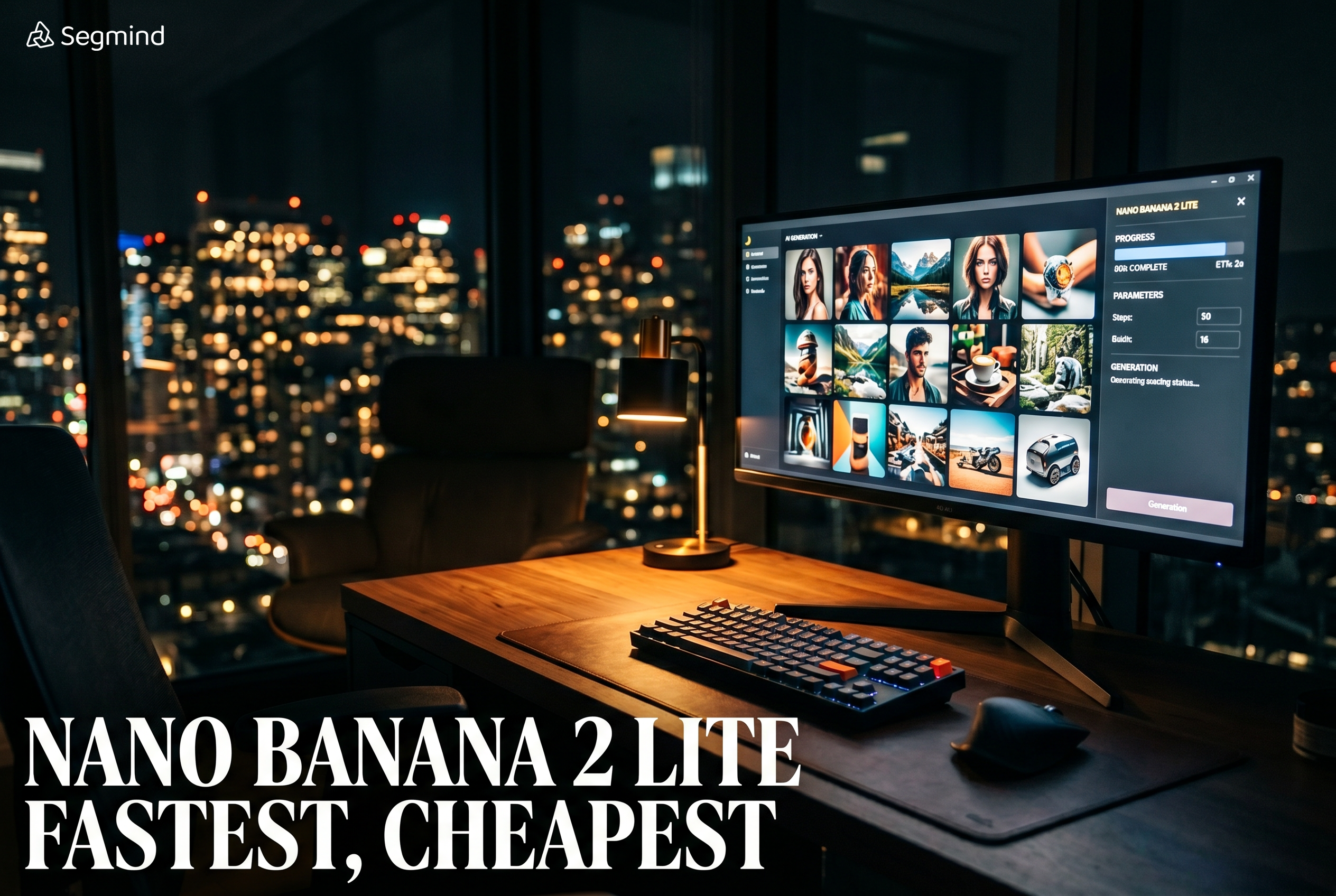
Google just shipped the model I have been waiting for, and it is not the biggest one. It is the smallest. Nano Banana 2 Lite landed at the end of June 2026 as Google's fastest and cheapest image model, generating photorealistic pictures in about four seconds. For anyone running high volume image pipelines, and I run a few, cheap and fast is often worth more than one extra point of quality on a benchmark. So I put it through a real workload on Segmind: product ads, film pre-visualization, thumbnails, and a live edit. This post covers what Nano Banana 2 Lite is, where it fits in the Nano Banana family, and how to actually call it, with the outputs I generated along the way.
What is Nano Banana 2 Lite?
Nano Banana 2 Lite is Google's newest and lightest Gemini image model, officially named gemini-3.1-flash-lite-image. It sits underneath the heavier Nano Banana models and is tuned for one thing: throughput. Google positions it for rapid ideation and high velocity developer pipelines, the places where you are generating hundreds or thousands of images and the cost per image decides whether the whole idea is viable.
The headline numbers are simple. Generations take roughly four seconds. On Segmind the price is a flat $0.042 per image at 1K resolution, and that same price covers both text-to-image and image editing. It keeps the traits the Nano Banana line is known for: reliable prompt adherence, strong character consistency, and legible text inside the image. What it gives up, compared to its bigger siblings, is resolution headroom. Lite renders at 1K only, where Nano Banana 2 goes up to 4K. For a launch model aimed at speed, that is a fair trade, and in my testing the 1K output was clean enough for social, web, and thumbnail work without a second thought.
You can call it directly on Segmind here: Nano Banana 2 Lite on Segmind.
Where Nano Banana 2 Lite sits in the family
The Nano Banana lineup has grown enough that it is worth a map. Here is how Lite compares against the other Gemini image models on Segmind, with prices I pulled from each model's live rate card.
| Model | Speed | Resolution | Price on Segmind | Best for |
|---|---|---|---|---|
| Nano Banana 2 Lite | ~4 sec | 1K only | $0.042 flat | Speed and volume: drafts, thumbnails, bulk product shots |
| Nano Banana 2 | slower | 512px to 4K | $0.08 (1K) to $0.175 (4K) | Higher resolution finals, web-grounded scenes |
| Nano Banana Pro | slower | up to 4K | ~$0.165 avg | Flagship quality hero assets |
| Nano Banana (original) | fast | 1K | ~$0.036 avg | The first-gen Gemini image model |
The short version: Lite is roughly half the price of the standard Nano Banana 2 at 1K, and a fraction of the flagship Nano Banana Pro. If your work lives at 1K and you care about volume, Lite is the obvious default. The moment you need 4K finals or web-grounded context, you step up to the heavier models. I treat Lite as my draft-and-iterate engine and reserve the bigger models for the final hero frame.
Use case 1: marketing agencies
Agencies live and die by volume. An account team producing fifty ad variants a week does not have time to art-direct every frame in a full editor. What they need is a model that can take a product brief and a piece of label copy and return a clean, on-brand shot in seconds. Text rendering is the make-or-break here, because a product ad with a garbled label is useless.
I gave Lite a serum brief with real label copy and asked for premium beauty photography. The label came back crisp and correctly spelled, the droplets read as real, and the whole thing took four seconds.
Parameters aspect_ratio: 4:5 | thinking_level: high | output_format: jpg
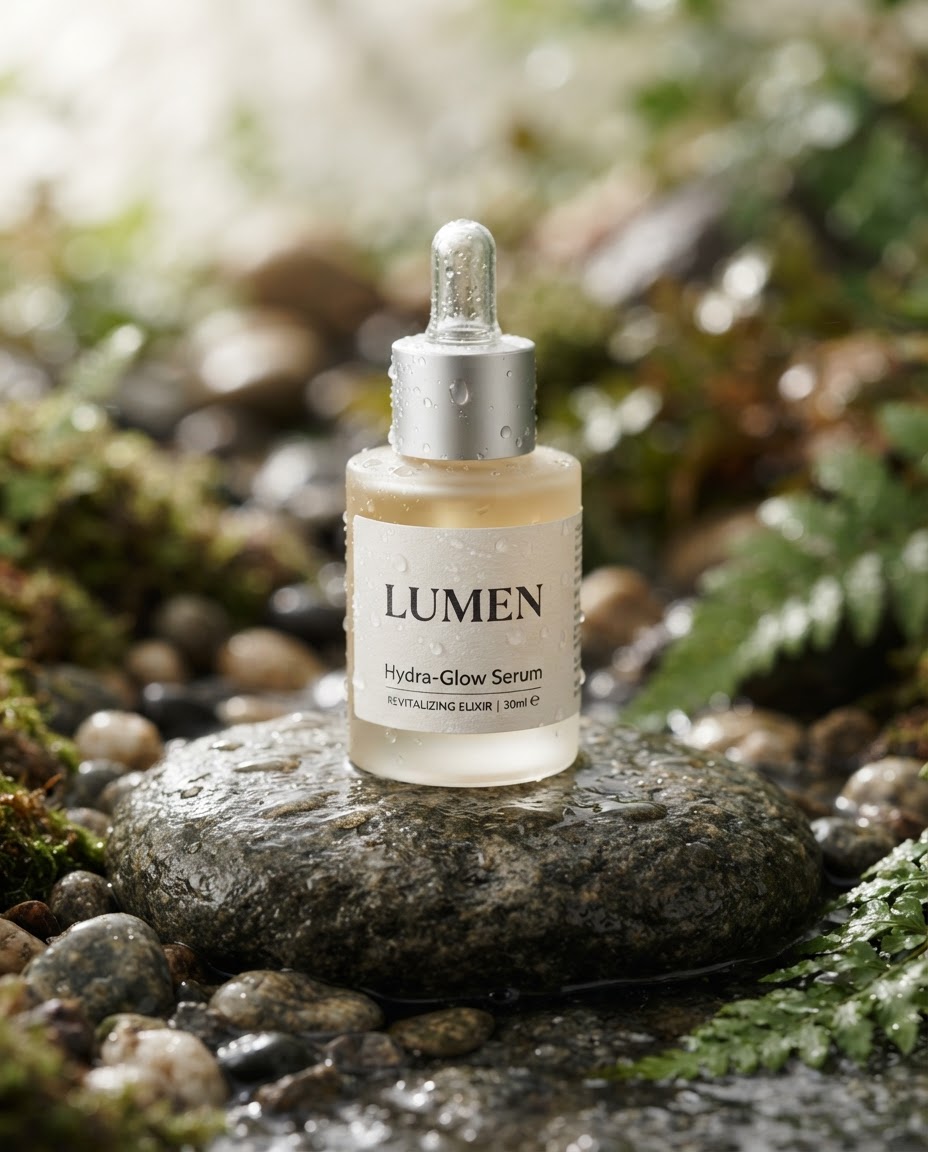
Nano Banana 2 Lite, product ad with legible label text, generated in about four seconds.
Here is the exact call. There is no async queue and no polling. You POST a prompt and the response body is the image.
import requests

url = "https://api.segmind.com/v1/nano-banana-2-lite"
headers = {"x-api-key": "YOUR_API_KEY"}

data = {
    "prompt": "A photorealistic product photo of a matte serum bottle on a wet river stone, label reads 'LUMEN'",
    "aspect_ratio": "4:5",
    "output_format": "jpg",
    "thinking_level": "high"
}

resp = requests.post(url, headers=headers, json=data)
with open("output.jpg", "wb") as f:
    f.write(resp.content)   # response body is the raw image
For an agency, the economics are the story. At $0.042 an image you can generate every variant your creative team can dream up, keep the good ones, and throw away the rest without a second thought about budget. That changes how you brainstorm.
Use case 2: film studios and pre-visualization
On the film side, the value is not final frames, it is speed of thought. A director or a VFX supervisor wants to see a look before anyone builds it. Pre-visualization is meant to be disposable, so a model that costs four cents and four seconds per frame fits the job perfectly. You can sketch out a sequence, show it in the room, and revise it live.
I asked for a cinematic establishing shot, the kind of frame that would open a scene. The mood, the lens flare, and the god rays all landed on the first try.
Parameters aspect_ratio: 16:9 | thinking_level: high | output_format: jpg
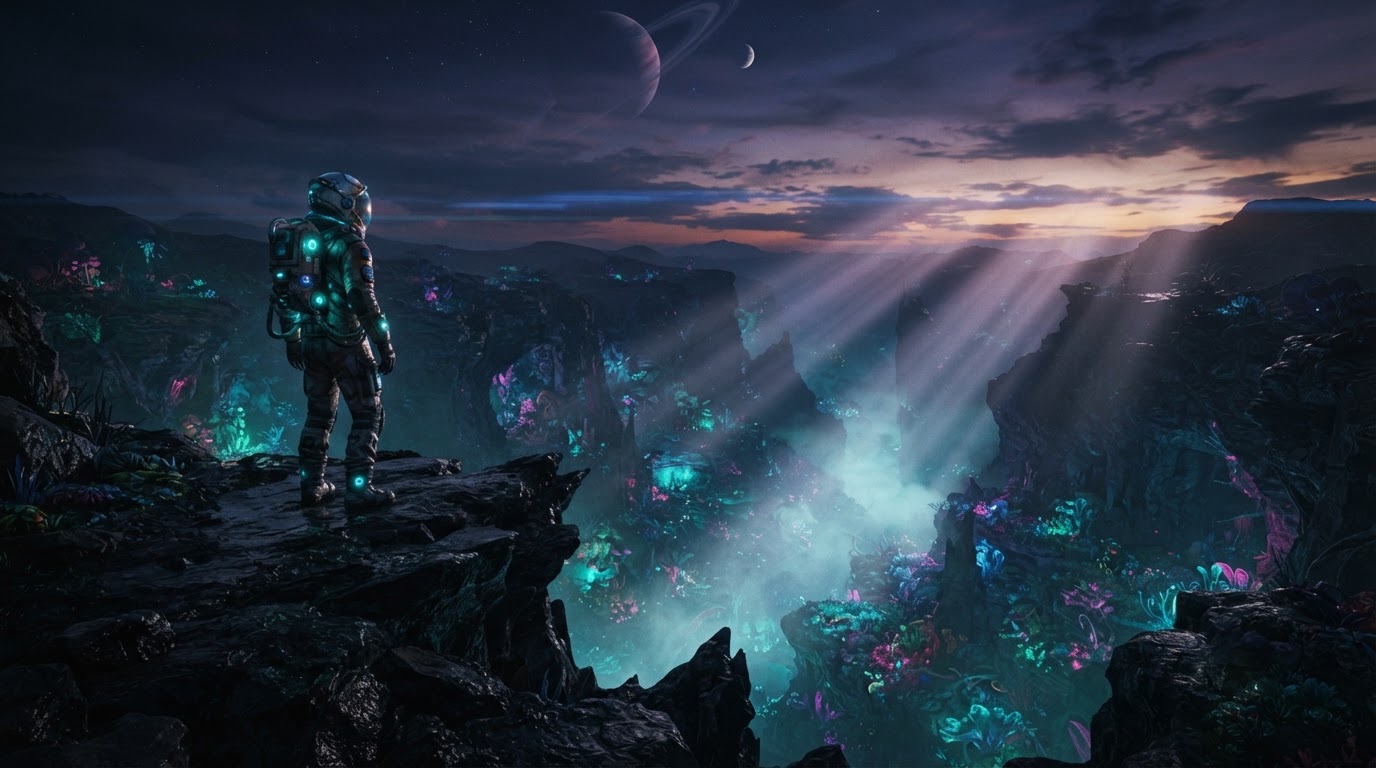
Nano Banana 2 Lite, a 16:9 pre-viz frame for a film studio look test.
The call is the same shape, you just switch the aspect ratio to 16:9 for a cinematic frame.
data = {
    "prompt": "Cinematic film still, wide establishing shot of a lone astronaut at the edge of a bioluminescent alien canyon at dusk, anamorphic lens flare, shot on 35mm",
    "aspect_ratio": "16:9",
    "thinking_level": "high"
}
requests.post(url, headers=headers, json=data)
Would I grade this into a finished film at 1K? No. But that is not what pre-viz is for. For look development, mood boards, and pitch decks, this is a quality bar that used to take a concept artist a day, delivered in seconds.
Use case 3: production houses and MCNs
This is where Lite earns its name. A multi-channel network or a production house pushing hundreds of videos a month needs thumbnails at scale, and thumbnails are almost entirely about bold, legible text on a high-contrast frame. A model that renders headline text reliably and costs pennies is exactly the tool for an automated thumbnail pipeline.
I asked for a classic high-energy thumbnail with a punchy headline baked in. The text came out sharp and correctly kerned, no post-editing required.
Parameters aspect_ratio: 16:9 | thinking_level: high | output_format: jpg
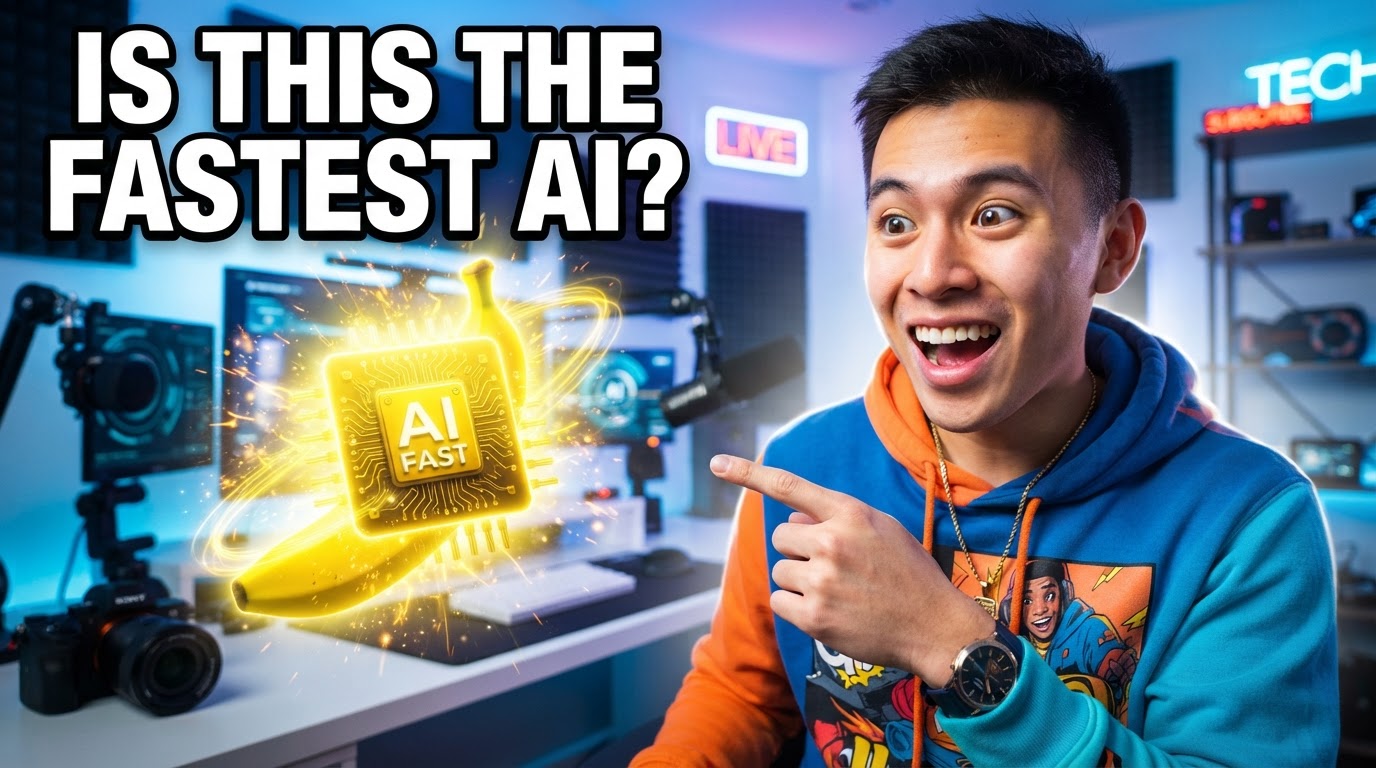
Nano Banana 2 Lite, a thumbnail with headline text rendered directly in the image.
Because there is no polling, batching is trivial. You loop over your titles and write out the files.
# Batch a week of thumbnails in one loop
titles = ["IS THIS THE FASTEST AI?", "I TESTED 5 IMAGE MODELS", "THIS CHANGES EDITING"]
for i, title in enumerate(titles):
    data = {
        "prompt": f"High-energy YouTube thumbnail, surprised creator in a bright studio, bold outlined text reads '{title}' top-left",
        "aspect_ratio": "16:9"
    }
    r = requests.post(url, headers=headers, json=data)
    open(f"thumb_{i}.jpg", "wb").write(r.content)
Run the numbers for an MCN doing 500 videos a month. At $0.042 a thumbnail, testing three variants per video is 1,500 generations, or about $63 a month. That is a rounding error against the value of a better click-through rate, and it is fully automatable.
Editing and multilingual text, in one model
Nano Banana 2 Lite is not just text-to-image. It also edits, and you use the same endpoint: pass a source image through image_urls and describe the change in the prompt. I took the LUMEN bottle from the first test, renamed the brand, and moved it onto a marble surface with different lighting. The model kept the photographic style, re-lettered the label cleanly, and swapped the background.
Input
Edited output
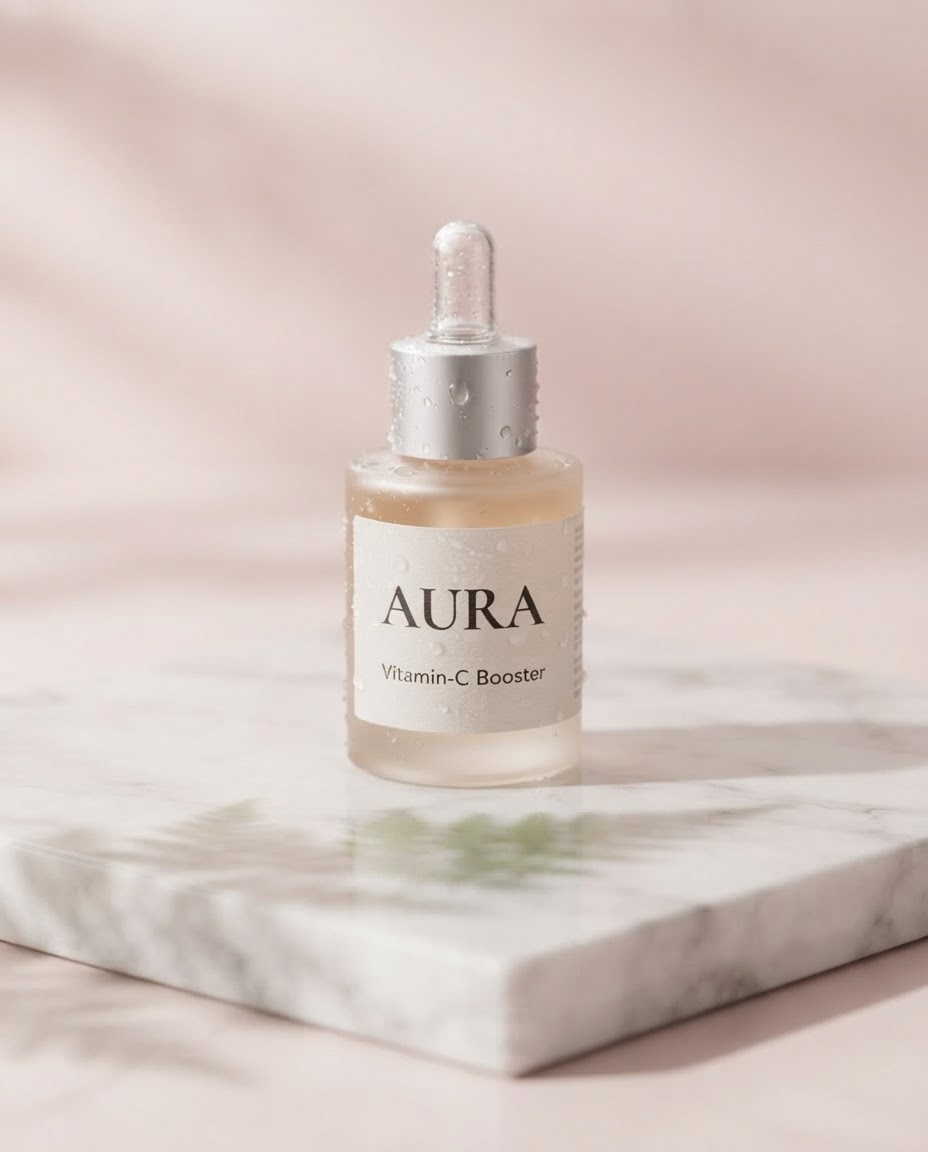
Left: the original generation. Right: the same bottle edited by Nano Banana 2 Lite with a new label and background.
Parameters image_urls: [source image] | aspect_ratio: 4:5 | output_format: jpg
# Editing: pass a source image via image_urls, describe the change in the prompt
data = {
    "prompt": "Change the label to read 'AURA' with 'Vitamin-C Booster' beneath, place the bottle on white marble with soft pink light",
    "image_urls": ["https://your-cdn.com/lumen-bottle.jpg"],
    "aspect_ratio": "4:5"
}
requests.post(url, headers=headers, json=data)
The other thing worth showing is multilingual text. I asked for a cafe storefront with the same name in English, Japanese, Hindi, and Arabic. All four scripts came back readable in a single pass, which is rare and genuinely useful for anyone localizing creative.
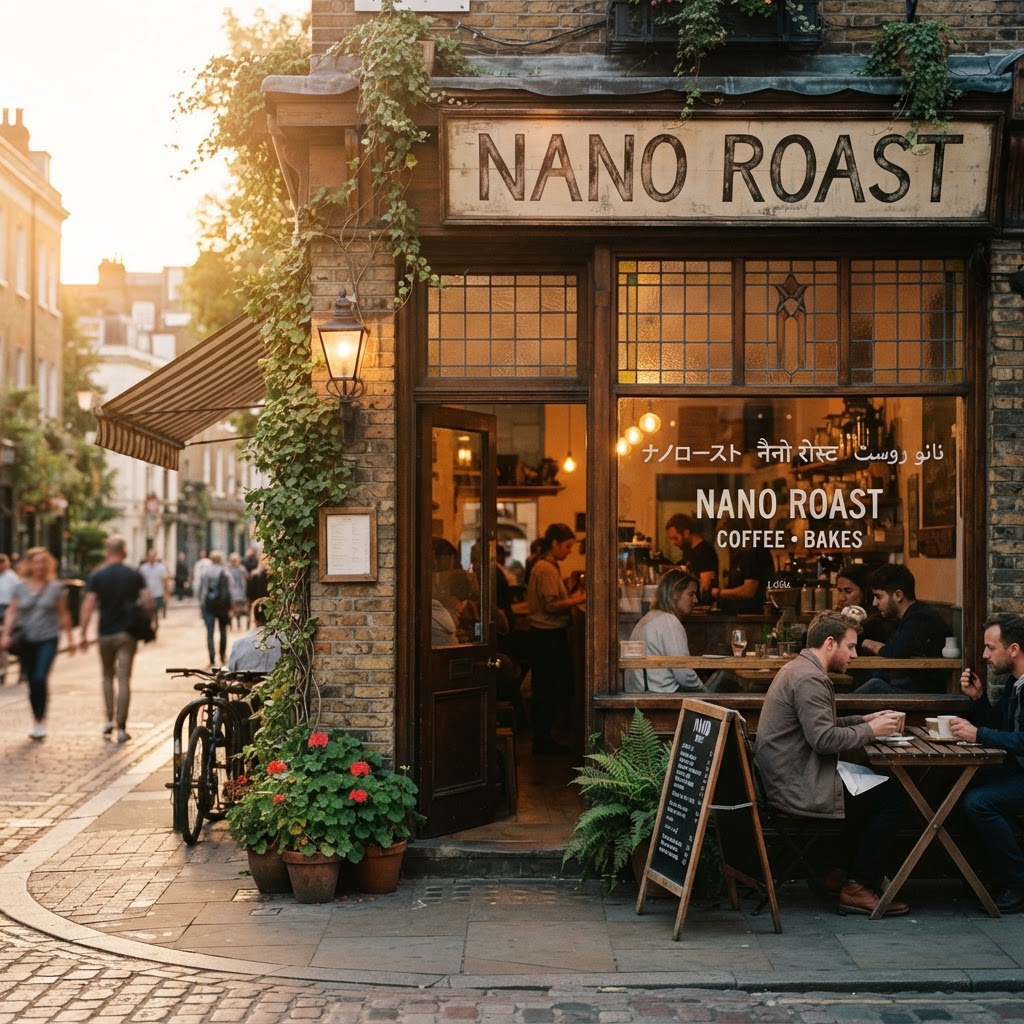
Nano Banana 2 Lite, one pass, four scripts. Multilingual text rendering held up well.
Developer integration guide
The API surface is small on purpose. Here is a full call with every parameter that matters, and what each one does.
import requests

url = "https://api.segmind.com/v1/nano-banana-2-lite"
headers = {"x-api-key": "YOUR_API_KEY"}

data = {
    "prompt": "your prompt here",
    "image_urls": [],            # add URLs to edit existing images
    "aspect_ratio": "1:1",       # auto, 1:1, 3:2, 2:3, 4:5, 16:9, 9:16, 21:9 and more
    "output_format": "jpg",      # jpg or png
    "output_resolution": "1K",   # 1K is the only option on Lite
    "thinking_level": "high",    # high for quality, minimal for maximum speed
    "safety_tolerance": 4,       # 1 (strict) to 6 (loose)
    "seed": 778812               # fix a seed for reproducible results
}

resp = requests.post(url, headers=headers, json=data)
open("output.jpg", "wb").write(resp.content)
The two parameters I reach for most are thinking_level and aspect_ratio. Set thinking_level to minimal when you want the absolute fastest turnaround and are generating drafts, and keep it on high for anything a client will see. In my run, a minimal-params generation came back in about four and a half seconds, so the floor is genuinely fast. aspect_ratio covers everything from 1:1 to 21:9, so you rarely need to crop afterward. The full parameter list and playground are on the model page.
One more pattern worth knowing: Google designed Lite to feed video. Generate a still with Nano Banana 2 Lite, then pass it as a reference to Gemini Omni Flash to animate it. That combination, a four-second still plus a fast animate step, is how you build an image-to-video pipeline that stays cheap per finished clip.
Pricing
Pricing on Lite is refreshingly boring, which is a compliment. It is a flat $0.042 per generation at 1K on Segmind. There are no resolution tiers to reason about, because 1K is the only option, and editing costs the same as generating. That predictability makes it easy to budget a pipeline.
| Volume | Cost on Segmind |
|---|---|
| 1 image | $0.042 |
| 100 images | $4.20 |
| 1,000 images | $42.00 |
| 10,000 images | $420.00 |
For context, the standard Nano Banana 2 starts around $0.08 at 1K and climbs to $0.175 at 4K with web search on. So for pure 1K work, Lite is close to half the cost, and that gap compounds fast at volume.
Honest assessment
What Lite does very well: it is fast, it is cheap, and it renders text better than most models at any price. The four-second turnaround changes how you work, because iteration stops feeling expensive. The editing path through image_urls is clean, and reusing one endpoint for both generation and editing keeps integration simple.
Where it has limits: 1K is the ceiling, so it is not the tool for large-format print or 4K hero shots. If you need web-grounded, up-to-date scene context or the highest fidelity, you want Nano Banana 2 or Nano Banana Pro instead. And like any fast model, very complex compositions with many interacting elements occasionally need a second attempt. My rule of thumb: Lite for drafts, thumbnails, product shots, and anything high volume at 1K. Step up to the heavier models only when the final resolution or grounding demands it.
Frequently asked questions
What is Nano Banana 2 Lite?
Nano Banana 2 Lite is Google's fastest and cheapest Gemini image model, released at the end of June 2026 and officially named gemini-3.1-flash-lite-image. It generates and edits photorealistic images in about four seconds, and it runs on Segmind at $0.042 per image.
How much does Nano Banana 2 Lite cost?
On Segmind, Nano Banana 2 Lite costs a flat $0.042 per generation at 1K resolution, with no separate charge for editing versus text-to-image. That works out to about $42 for 1,000 images.
How do I use the Nano Banana 2 Lite API?
Send a POST request to https://api.segmind.com/v1/nano-banana-2-lite with your x-api-key header and a JSON body containing a prompt. The response body is the raw image. Add image_urls to edit an existing image.
Is Nano Banana 2 Lite good at rendering text in images?
Yes. In my tests it rendered clean product labels, bold thumbnail headlines, and even multilingual signage across four scripts legibly. Text rendering is one of the strongest reasons to pick it for marketing and thumbnail work.
Nano Banana 2 Lite vs Nano Banana 2: which should I use?
Use Nano Banana 2 Lite when speed and cost matter most: drafts, thumbnails, and bulk product shots at 1K. Use Nano Banana 2 when you need higher resolutions up to 4K or web-grounded scenes, and are willing to pay roughly two to four times more per image.
Can Nano Banana 2 Lite make videos?
Not on its own. It is an image model. Google's intended pattern is to generate a still with Nano Banana 2 Lite, then animate it with Gemini Omni Flash, which is also available on Segmind.
Conclusion
Nano Banana 2 Lite is not trying to win a quality benchmark, and that is the point. It is the model you reach for when you need good images fast and cheap, at the volume real pipelines actually run. Across marketing ads, film pre-viz, thumbnails, live edits, and multilingual signage, it held up on the thing that matters most for those jobs: legible text and a four-second turnaround at $0.042 an image. If your work lives at 1K and you value speed and cost, this is your new default.
Try Nano Banana 2 Lite on Segmind: segmind.com/models/nano-banana-2-lite. Available via API with no setup required.