
The Cheapest AI Image Generation API for Developers in 2026
Pruna P Image generates images for $0.005 each on Segmind. Here is how it compares to Flux, SDXL, GPT Image 1, and others, with real samples.

If you are a developer building an app that needs image generation, the first question is usually: how much will this cost at scale? I have been testing every image model on Segmind's platform, and I found one that stands out for pure cost efficiency. Pruna P Image generates images for $0.005 per generation. Half a cent. That is 200 images for a dollar.
Let me break down what you get, how it compares to alternatives, and whether it is good enough for real use cases.
The Pricing Landscape for AI Image Generation
Here is what image generation costs across popular models on Segmind right now:
| Model | Cost per Image | Images per $1 |
|---|---|---|
| Pruna P Image | $0.005 | 200 |
| Flux Schnell | ~$0.008 | ~125 |
| SDXL 1.0 | ~$0.008 | ~125 |
| Seedream 5.0 Lite | $0.035 | ~29 |
| Bria 3.2 | $0.040 | 25 |
| Recraft V3 | $0.050 | 20 |
| Ideogram 2a | $0.050 | 20 |
| Flux Pro | $0.069 | ~14 |
| Nano Banana 2 | ~$0.092 | ~11 |
| GPT Image 1 | ~$0.179 | ~6 |
Pricing as of April 2026 on Segmind. Costs vary by resolution and parameters for some models.
Pruna P Image is 10x cheaper than Flux Pro, 7x cheaper than Seedream 5.0 Lite, and 36x cheaper than GPT Image 1. For developers who need volume, this difference is enormous.
What is Pruna P Image?
Pruna P Image is a text-to-image model built by Pruna AI, optimized for speed and fidelity. It supports multiple aspect ratios (1:1, 16:9, 9:16, 4:3, 3:4, 3:2, 2:3, and custom dimensions), resolutions up to 1440px, and returns results synchronously. No polling, no callbacks. You send a prompt, you get an image back in the same request.
The API is straightforward. Here is the minimum you need:
import requests

response = requests.post(
    "https://api.segmind.com/v1/p-image",
    headers={"x-api-key": "YOUR_API_KEY"},
    json={"prompt": "A product photo of wireless earbuds on marble"}
)

with open("output.png", "wb") as f:
    f.write(response.content)
That is it. One endpoint, one required parameter, image bytes in the response. No setup, no model hosting, no GPU provisioning.
What Does $0.005 Actually Get You?
I ran five different prompts through Pruna P Image to test it across common developer use cases. Every image below cost exactly half a cent to generate.
Product Photography
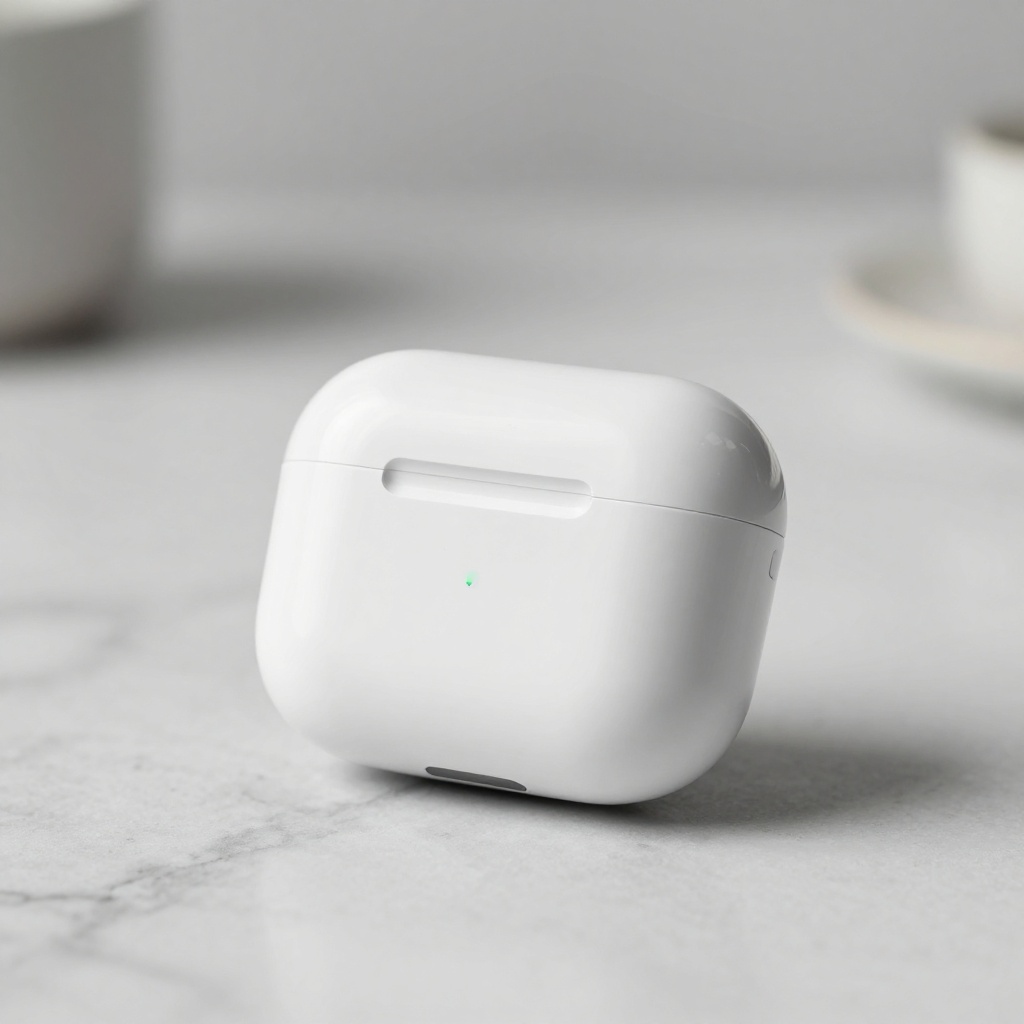
Product shot generated with Pruna P Image. Cost: $0.005.
Clean studio lighting, accurate shadows, professional depth of field. For e-commerce thumbnails, placeholder mockups, or MVP product pages, this is more than good enough.
Social Media Content
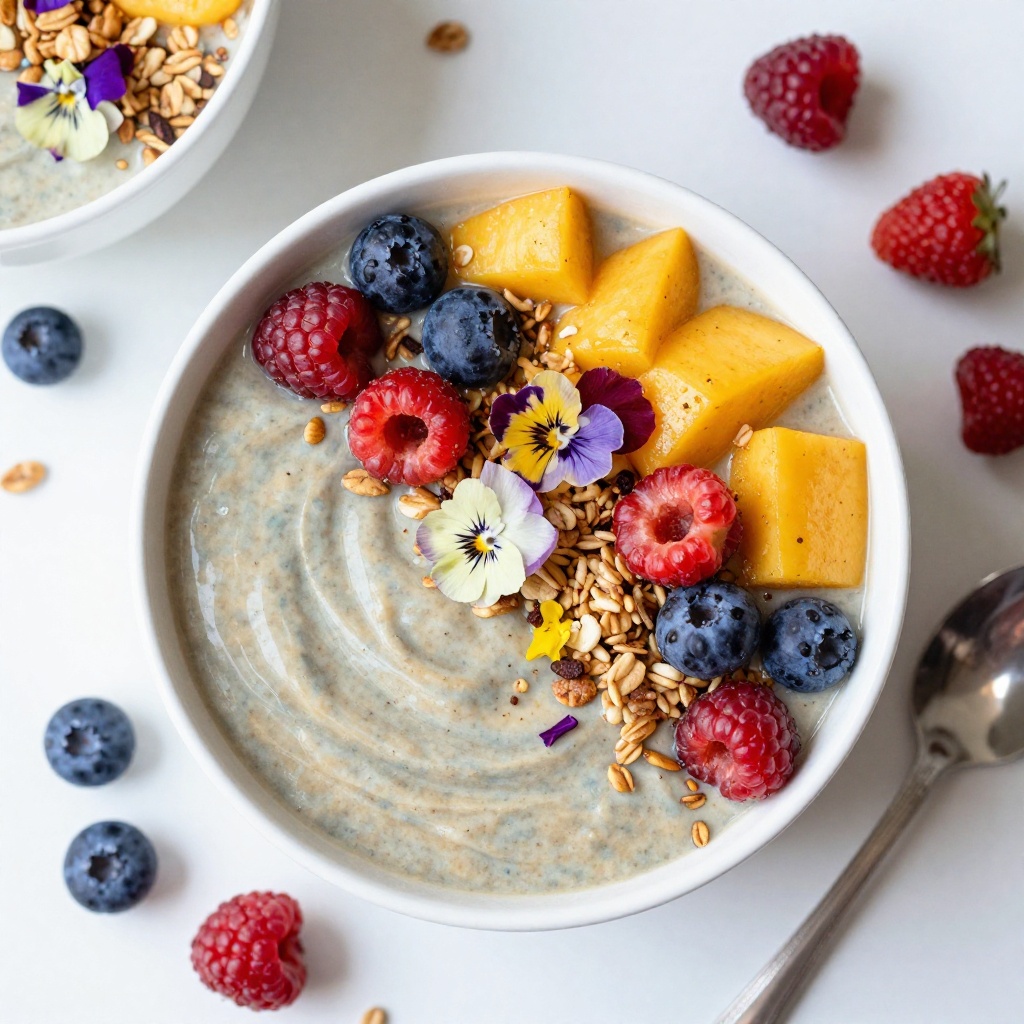
Social media food content. Cost: $0.005.
Bright, appetizing, Instagram-ready. If you are building a content automation tool or a social media scheduler that needs placeholder visuals, generating 1,000 images costs $5.
Marketing Hero Banners
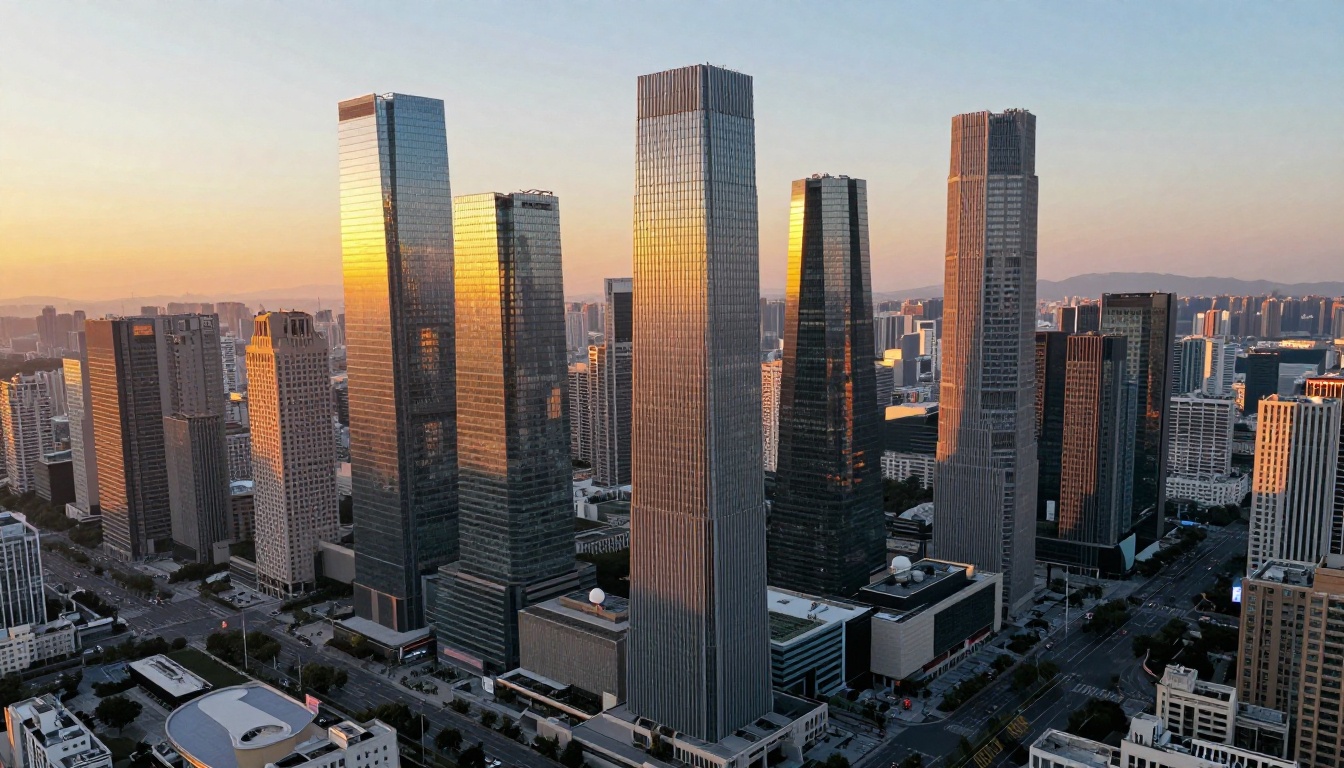
16:9 hero banner. Cost: $0.005.
Wide-format banners are a common need for landing pages and ad creatives. The 16:9 output here works as a header image right out of the box.
Illustrations and Mascots

3D mascot illustration. Cost: $0.005.
Clean 3D render with good isolation on the background. Useful for app onboarding screens, chatbot avatars, or placeholder brand assets during early product development.
Landscapes and Stock-Style Photography
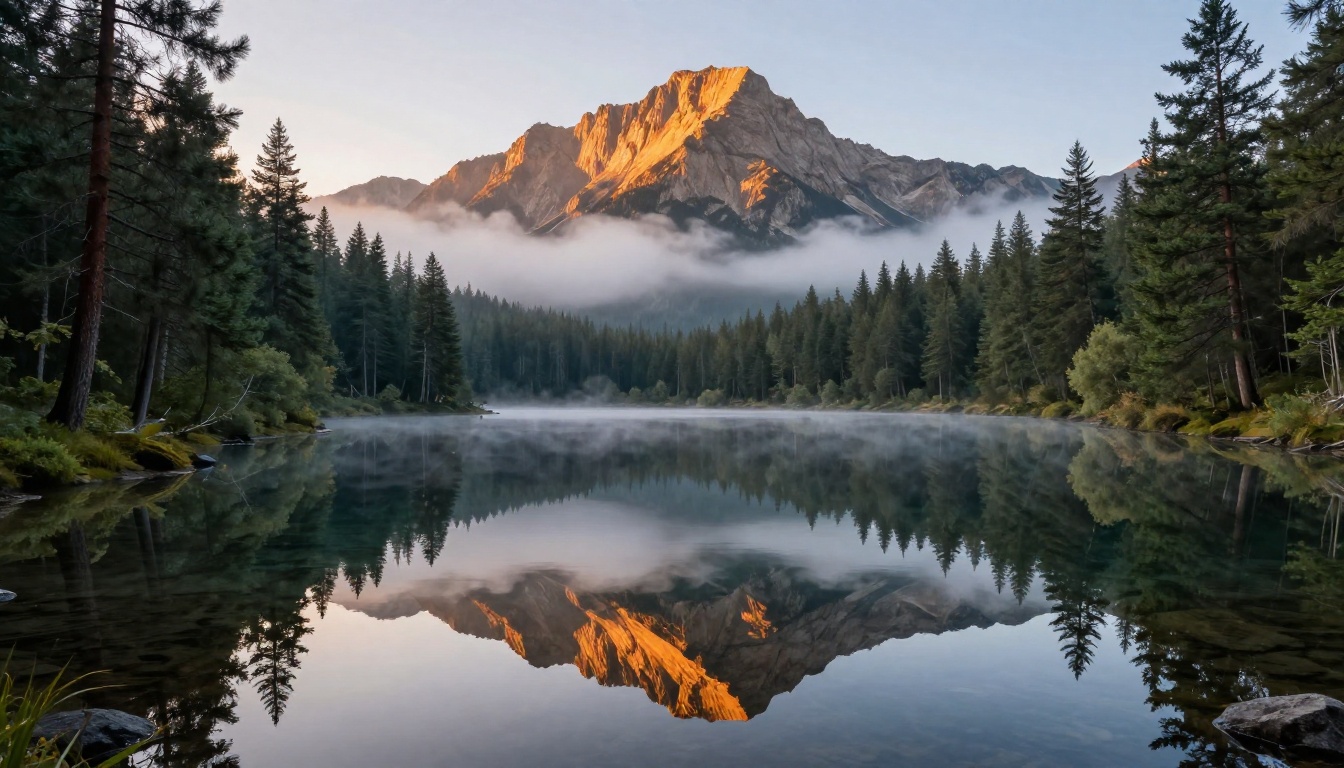
Landscape photography style. Cost: $0.005.
This is the kind of image that would cost $1-5 on a stock photo site. The reflections, mist, and golden-hour lighting are all handled well. For blog headers, presentation backgrounds, or pitch decks, it does the job.
Pruna P Image Edit: $0.01 per Edit
Pruna also offers P Image Edit at $0.01 per generation. It takes one or more input images plus a text prompt and produces an edited result. You can use it for style transfer, compositing multiple images, or guided edits. The API accepts an array of image URLs, so you can combine multiple source images in a single call.
response = requests.post(
    "https://api.segmind.com/v1/p-image-edit",
    headers={"x-api-key": "YOUR_API_KEY"},
    json={
        "prompt": "Place the product from image 1 on the background from image 2",
        "image_urls": [
            "https://your-bucket.s3.amazonaws.com/product.jpg",
            "https://your-bucket.s3.amazonaws.com/background.jpg"
        ]
    }
)
At a penny per edit, you can build automated product-on-background pipelines, batch style transfers, or A/B test visual variants without worrying about cost.
When to Use Pruna P Image (and When Not To)
Great for:
- Prototyping and MVPs where you need lots of images fast and cheap
- Content automation pipelines (social media, blog thumbnails, email visuals)
- E-commerce placeholder images during product shoots
- Internal tools, dashboards, or presentations that need visual assets
- Batch generation at scale (1,000+ images without blowing your budget)
Consider a premium model instead if you need:
- Precise text rendering in images (models like Ideogram 3 or GPT Image 1 are better here)
- Photorealistic human faces for commercial use at the highest quality bar
- Very specific artistic styles that need fine-grained control
The way I think about it: start with Pruna P Image for development and testing, then upgrade specific use cases to premium models once you know exactly which outputs need that extra quality. You will save significantly during the iteration phase.
Getting Started
You can start generating images in under a minute:
- Sign up at segmind.com (you get free credits to start)
- Grab your API key from the dashboard
- Make your first API call:
curl -X POST "https://api.segmind.com/v1/p-image" \
  -H "x-api-key: YOUR_API_KEY" \
  -H "Content-Type: application/json" \
  -d '{"prompt": "your image description here"}'
The response is the raw image bytes. Save them to a file or pipe them directly into your app. No SDK required, no async polling, no webhooks to set up.
Full docs and the interactive playground are at segmind.com/models/p-image.
FAQ
How much does Pruna P Image cost?
$0.005 per image generation on Segmind. That is 200 images per dollar.
What aspect ratios does Pruna P Image support?
1:1, 16:9, 9:16, 4:3, 3:4, 3:2, 2:3, and custom dimensions up to 1440px.
Is Pruna P Image good enough for production use?
For many use cases, yes. Product photography, social media content, marketing banners, and illustrations all look solid. For use cases requiring precise text rendering or the highest photorealistic bar, consider pairing it with a premium model.
What is the cheapest AI image generation API?
On Segmind, Pruna P Image at $0.005/image is currently the lowest-cost text-to-image model. Flux Schnell and SDXL are next at roughly $0.008.
Does Pruna P Image require any setup?
No. It is a single REST endpoint. Send a POST request with your prompt, get image bytes back. No model hosting, no GPU provisioning, no SDK dependencies.
Can I use Pruna P Image for commercial projects?
Yes. Check the model page for the latest license details.