
AI Image Upscaling API: Pruna P Image Upscale Review and Real-World Use Cases [2026]
I tested Pruna P Image Upscale across 6 real-world use cases. Sub-second processing, $0.005 per image. Full review with samples.

AI image generation has hit a quality ceiling that has nothing to do with the models themselves. The images look great at 1K, but the moment you need them at print resolution, on a billboard, or embedded in a 4K video timeline, you are stuck. Upscaling has been the missing step in most creative AI pipelines, and until now the options were either slow, expensive, or both. According to search trends, queries for "AI image upscaler" and "upscale AI art" have been climbing steadily through early 2026 as more teams integrate generative AI into production workflows.
I spent the last few hours testing Pruna P Image Upscale on Segmind across six different use cases, from product photography to VFX concept art. This post covers what the model does well, where it has limits, and whether it actually belongs in a production pipeline. I will walk through real samples with the prompts and code to reproduce everything.
What is Pruna P Image Upscale?
Pruna P Image Upscale is an AI upscaling model built by Pruna AI. It takes any image (JPEG or PNG) and returns an enhanced, higher-resolution version with sharpened textures and cleaner edges. The model is specifically optimized for AI-generated content, which makes it a natural fit as a finishing step in any text-to-image or image-to-image pipeline.
The technical approach focuses on speed and cost efficiency. Processing takes under one second per image, the API is fully synchronous (no polling), and it costs $0.005 per call. Output can reach up to 8 megapixels. Compared to alternatives like Real-ESRGAN or Topaz Gigapixel, Pruna P Image Upscale trades some configurability for dramatically faster processing and API-first design. You do not need to run anything locally or manage GPU instances.
Key Capabilities
There are five things that stood out during testing. First, the sub-second processing time is real. Every single test image came back in under a second, which means batch processing 1,000 images takes minutes, not hours. Second, the detail enhancement on AI-generated content is noticeably better than generic upscalers. Edges that looked slightly soft in the source image came back crisp. Third, the texture preservation is strong: fabric, glass, metal, and organic textures all survived the upscale without the watercolor smearing you get from some other tools. Fourth, text rendering holds up well. Poster designs and marketing visuals with typography came through readable and sharp. Fifth, the synchronous API design makes integration trivial: one POST request, binary response, done.
Input (1K)
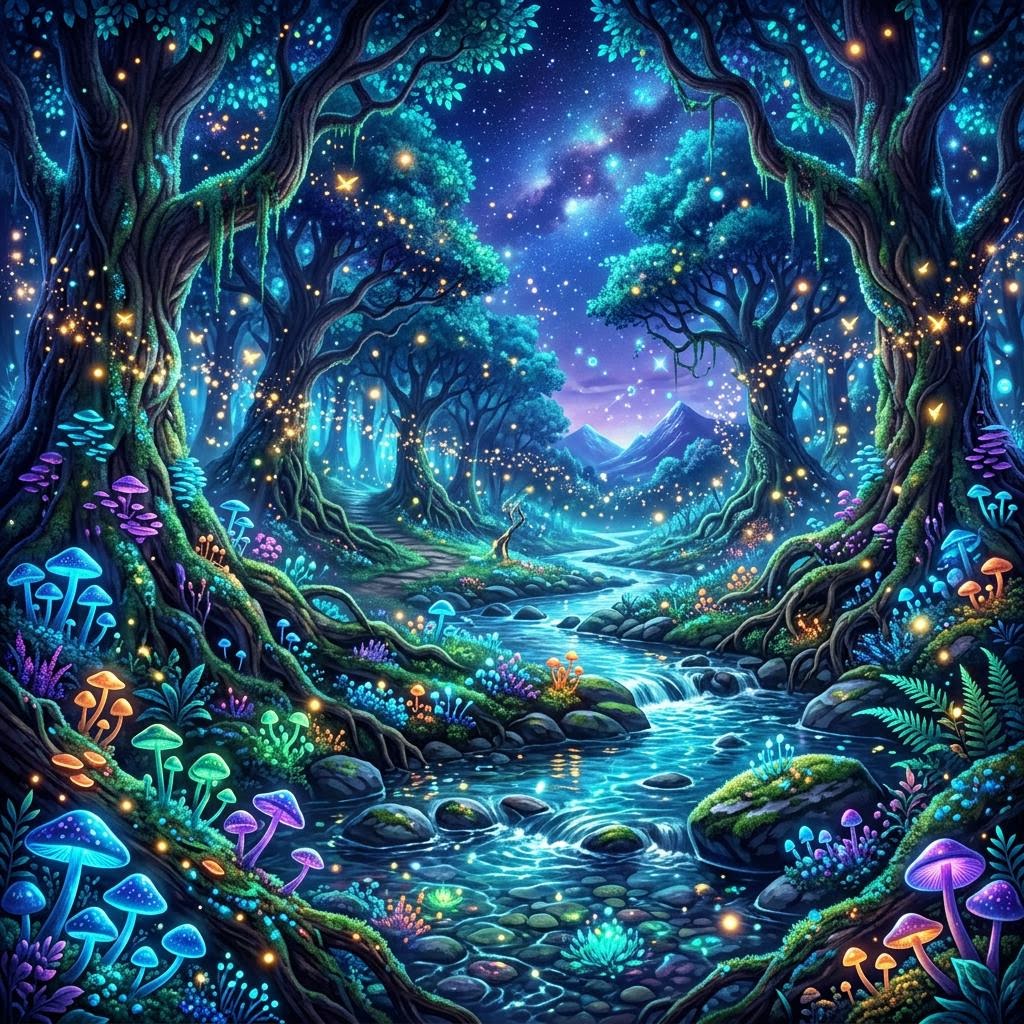
Upscaled Output
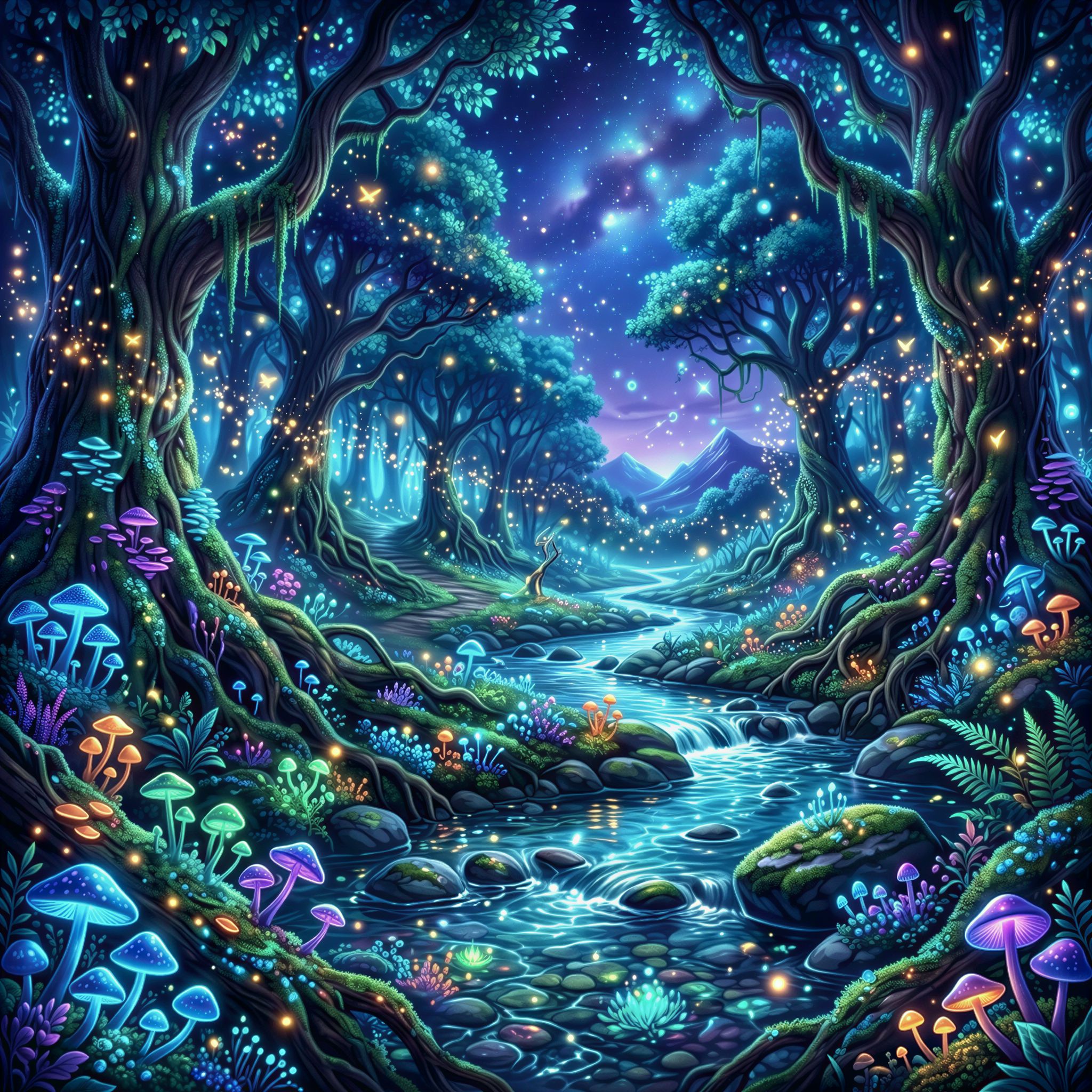
AI-generated fantasy art: the upscaled version preserves fine details in the bioluminescent elements and tree bark textures.
I also tested a text-heavy event poster design to see how well typography survives the upscaling process. This is a common pain point: upscalers often blur or distort letterforms, making text unreadable at the target resolution.
Input (1K)

Upscaled Output

Event poster with bold typography: letterforms stay crisp and the gradient background remains smooth after upscaling.
Use Case 1: Marketing Agencies
Search interest in "AI for marketing" and "AI ad creative" keeps climbing, and for good reason. Agencies are producing more visual assets than ever, and the turnaround expectations keep getting tighter. The problem is that AI-generated product shots and ad visuals often need a resolution bump before they are ready for print catalogs, trade show banners, or high-DPI web placements.
I tested this with a luxury cosmetics product shot. The source image was generated at 1K resolution with Nano Banana 2, simulating a typical output from a text-to-image model. I then ran it through Pruna P Image Upscale to see how it handles studio-style product photography.
Input (1K)

Upscaled Output

Product photography: glass reflections and marble texture come through cleanly after upscaling.
The result speaks for itself. The glass reflections on the perfume bottle stayed sharp, the marble surface texture came through without artifacts, and the golden accents retained their warmth. For an agency running 50 product visuals a week through an AI pipeline, adding this as the final step costs $0.25 per batch and takes under a minute.
import requests

# Upscale a product shot for print-ready resolution
response = requests.post(
    "https://api.segmind.com/v1/p-image-upscale",
    headers={"x-api-key": "YOUR_API_KEY"},
    json={"image": "https://your-product-shot.jpg"}
)

with open("product-upscaled.png", "wb") as f:
    f.write(response.content)
What makes this better than running Real-ESRGAN locally is the zero-setup factor. No GPU provisioning, no model downloads, no VRAM management. Just an API call that returns in under a second.
Use Case 2: Movie Making and Film Studios
Pre-visualization and concept art are two areas where film studios are adopting AI generation fastest. VFX supervisors use AI to quickly sketch out shots, environments, and mood boards before committing to full CG renders. The challenge: these concept images need to look sharp enough to present to directors and clients, which usually means upscaling from whatever resolution the generator produced.
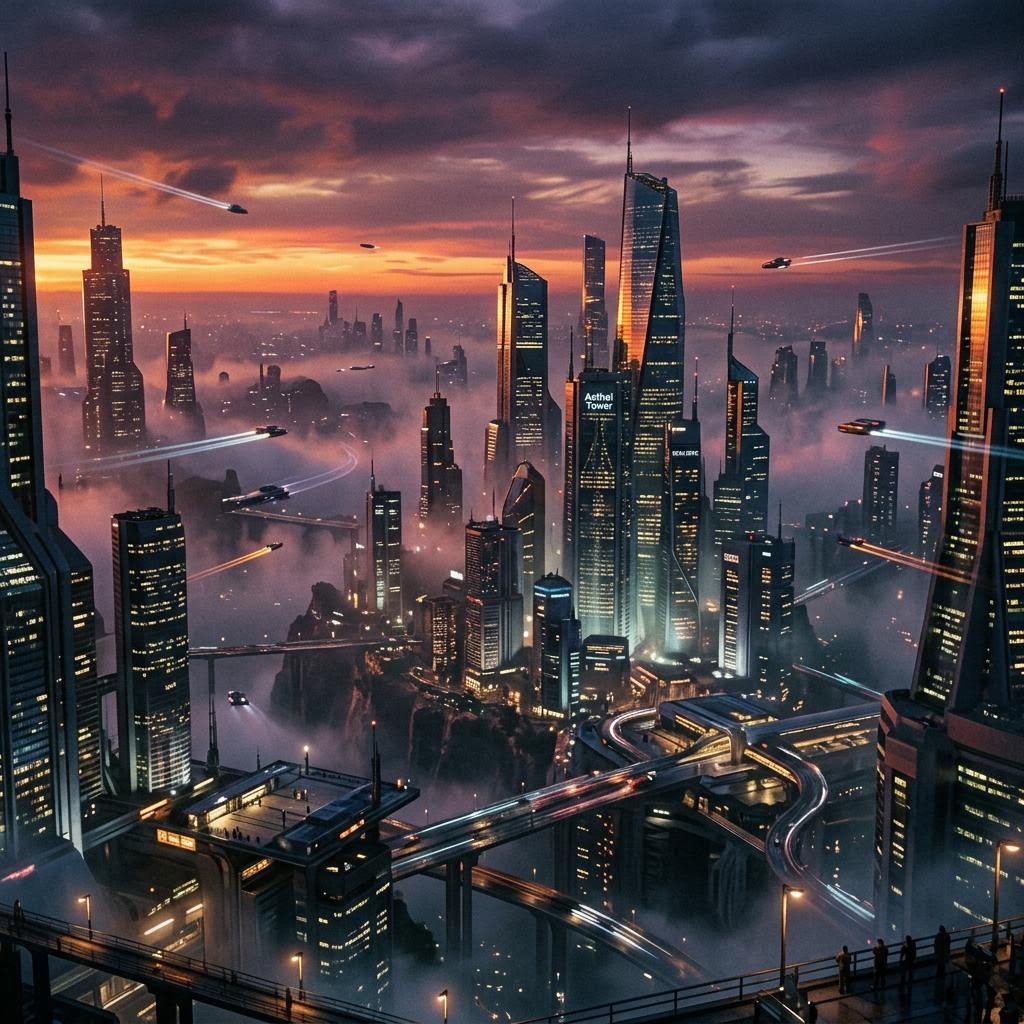
I tested this with a cinematic sci-fi cityscape, the kind of environment concept that a VFX team might generate during pre-production.
Input (1K)
Upscaled Output
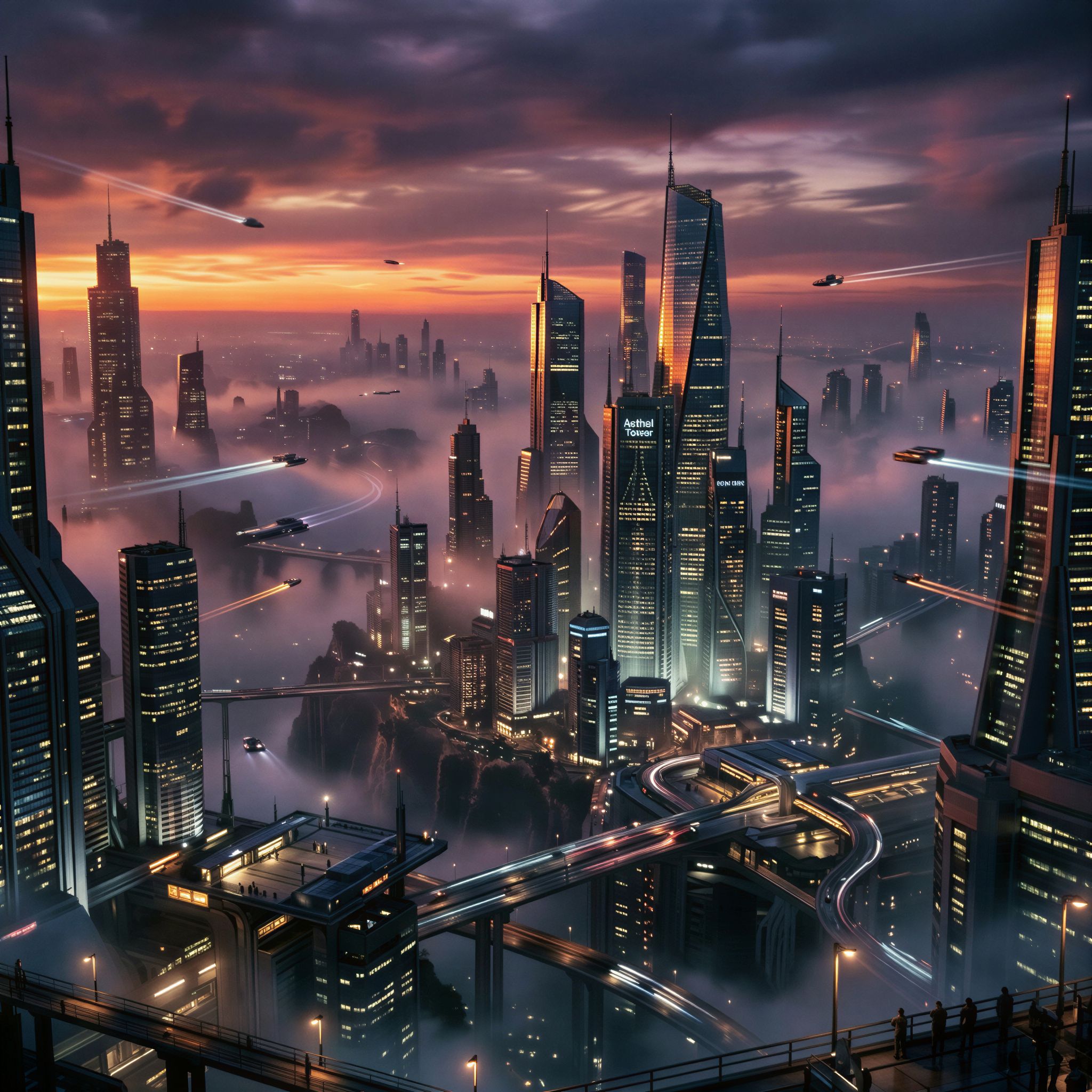
Sci-fi cityscape: building details, atmospheric fog, and light reflections are enhanced without introducing new artifacts.
The upscaled version preserved the volumetric fog layers, sharpened the building geometry, and maintained the film grain quality of the original. For a VFX studio presenting concept boards to a director, this is the difference between "rough AI sketch" and "polished concept." And at $0.005 per image, you can upscale an entire mood board of 200 frames for a dollar.
import requests

# Upscale VFX concept art for client presentation
response = requests.post(
    "https://api.segmind.com/v1/p-image-upscale",
    headers={"x-api-key": "YOUR_API_KEY"},
    json={"image": "https://your-concept-art.jpg"}
)

with open("concept-upscaled.png", "wb") as f:
    f.write(response.content)
"Production quality" in this context means sharp enough to project on a screening room display or embed in a pitch deck without pixelation. Pruna P Image Upscale clears that bar comfortably.
Use Case 3: Production Houses and MCNs
Content production at scale is where upscaling becomes a volume problem. A YouTube MCN managing 50+ channels needs thumbnails, channel banners, and promotional graphics for every video. Many of these are now AI-generated, but they often come out at resolutions that look soft on high-DPI displays or when cropped for different platform formats.
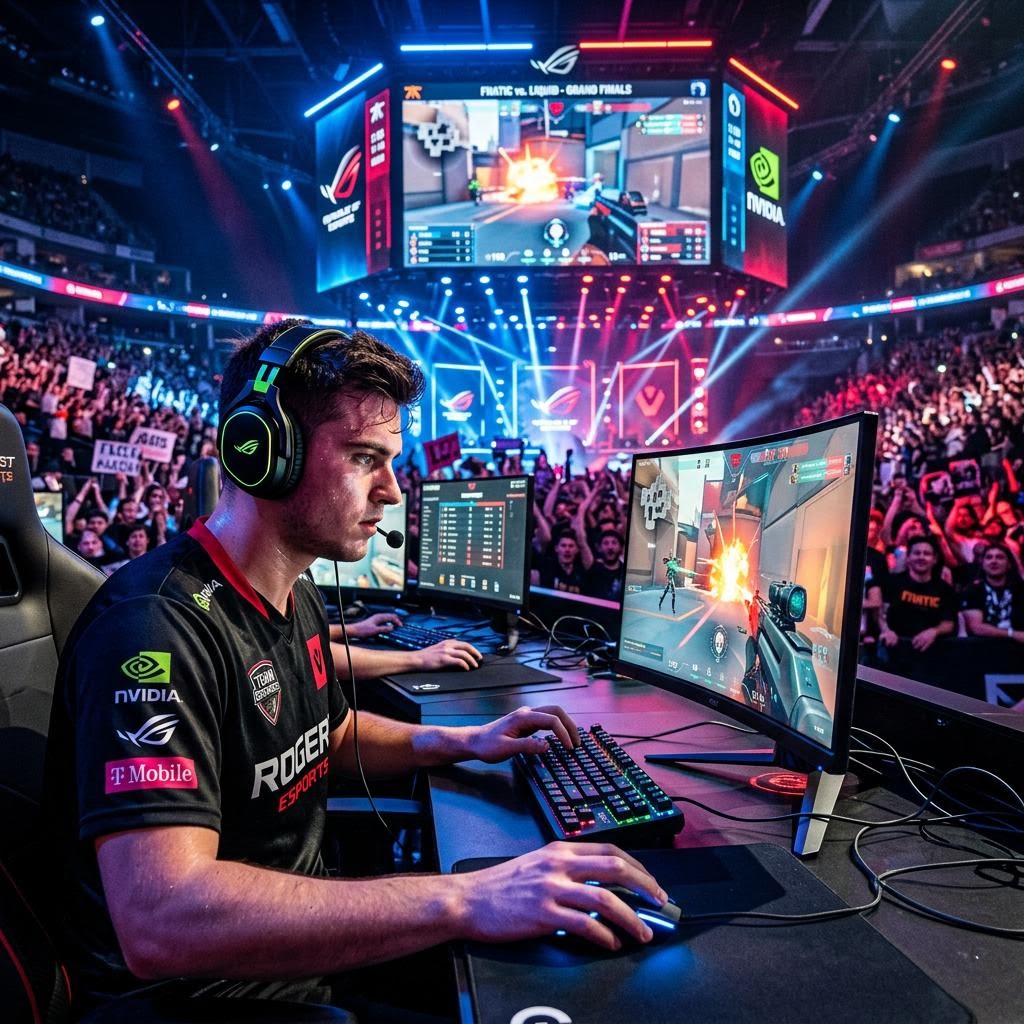
I tested this with a gaming/esports thumbnail, one of the highest-volume content types for MCNs.
Input (1K)
Upscaled Output
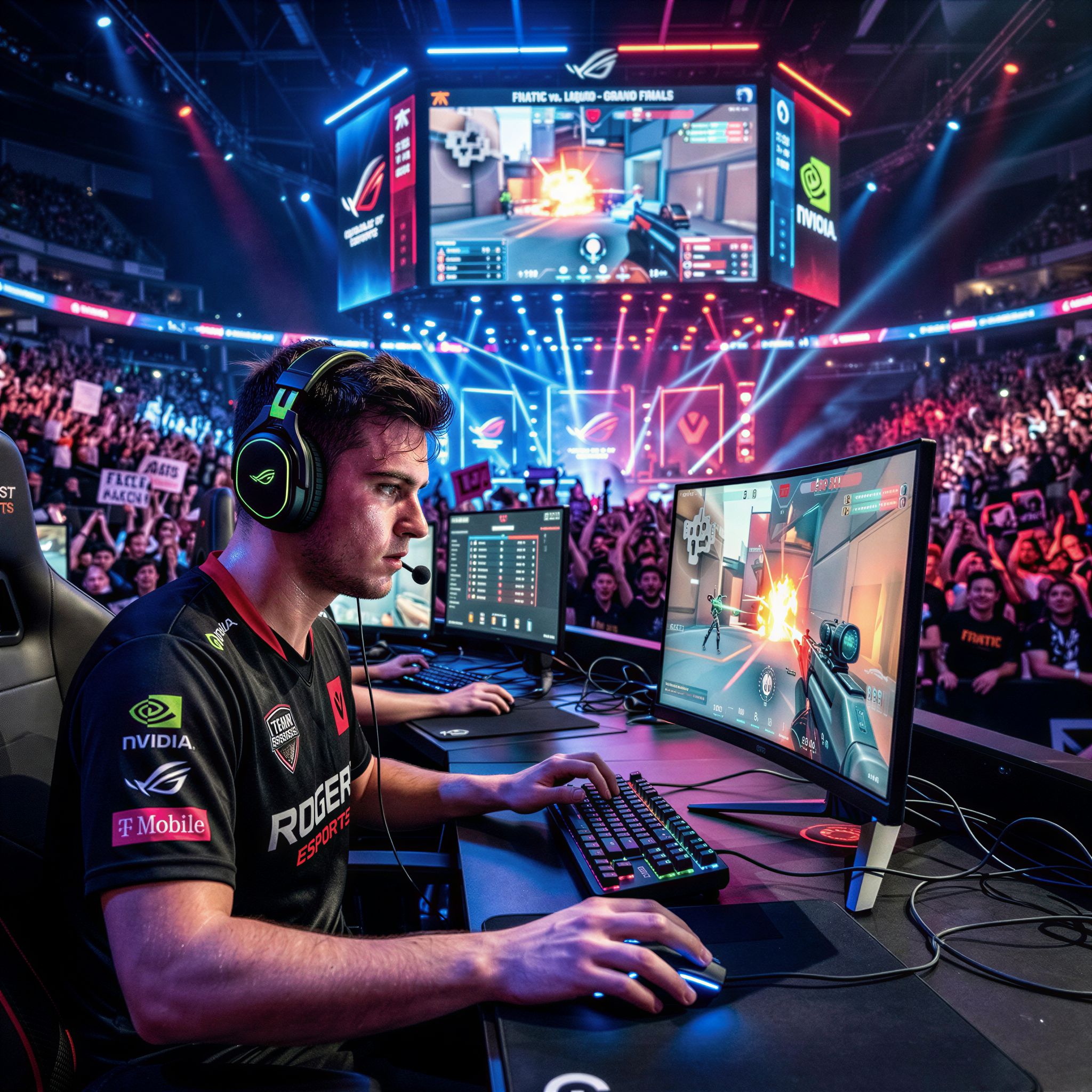
Gaming thumbnail: neon lighting, facial details, and screen reflections are all sharper in the upscaled version.
The neon lighting effects came through cleanly, facial details were sharpened without over-processing, and the background monitors retained their screen content. For an MCN producing 500 thumbnails a month, integrating this into the pipeline costs $2.50 per month total and saves the design team from manually retouching every image for sharpness.
import requests, os

# Batch upscale thumbnails for an MCN pipeline
thumbnail_urls = ["https://thumb1.jpg", "https://thumb2.jpg", "https://thumb3.jpg"]

for i, url in enumerate(thumbnail_urls):
    response = requests.post(
        "https://api.segmind.com/v1/p-image-upscale",
        headers={"x-api-key": "YOUR_API_KEY"},
        json={"image": url}
    )
    with open(f"thumb-upscaled-{i}.png", "wb") as f:
        f.write(response.content)
The ROI math is straightforward. At $0.005 per image and one second per call, you replace hours of manual retouching with a script that runs in minutes. The cost is negligible compared to design team hours.
Developer Integration Guide
Integrating Pruna P Image Upscale takes about five minutes. The API accepts a single required parameter (image, a URL to your source file) and returns the upscaled image as binary PNG data. Here is a complete working example:
import requests

API_KEY = "YOUR_API_KEY"
IMAGE_URL = "https://your-source-image.jpg"

response = requests.post(
    "https://api.segmind.com/v1/p-image-upscale",
    headers={"x-api-key": API_KEY},
    json={
        "image": IMAGE_URL,
        "disable_safety_checker": False  # optional, default is False
    }
)

if response.status_code == 200:
    with open("upscaled_output.png", "wb") as f:
        f.write(response.content)
    print(f"Upscaled image saved ({len(response.content)} bytes)")
else:
    print(f"Error: {response.status_code} - {response.text}")
The two parameters you need to know: image (required) is the URL of the source image you want to upscale, and disable_safety_checker (optional, defaults to false) toggles the built-in content filter. For batch processing, wrap this in an async loop using asyncio and aiohttp to process multiple images concurrently. The synchronous API design means each call completes independently, so parallel requests scale linearly. Full API documentation is at segmind.com/models/p-image-upscale.
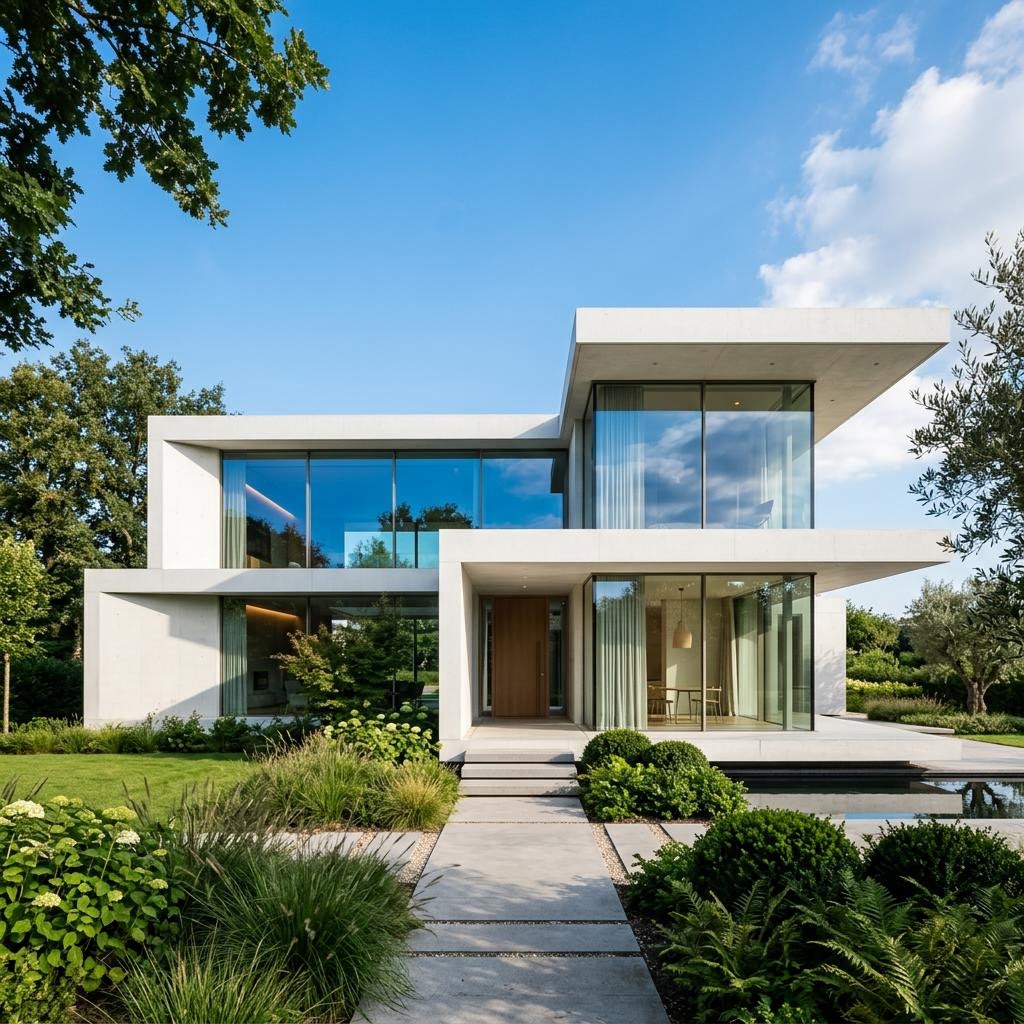
For the developer integration test, I upscaled an architectural photography shot to verify how the model handles clean geometric lines and large uniform surfaces, which are common failure points for upscalers that tend to introduce noise or pattern artifacts.
Input (1K)
Upscaled Output
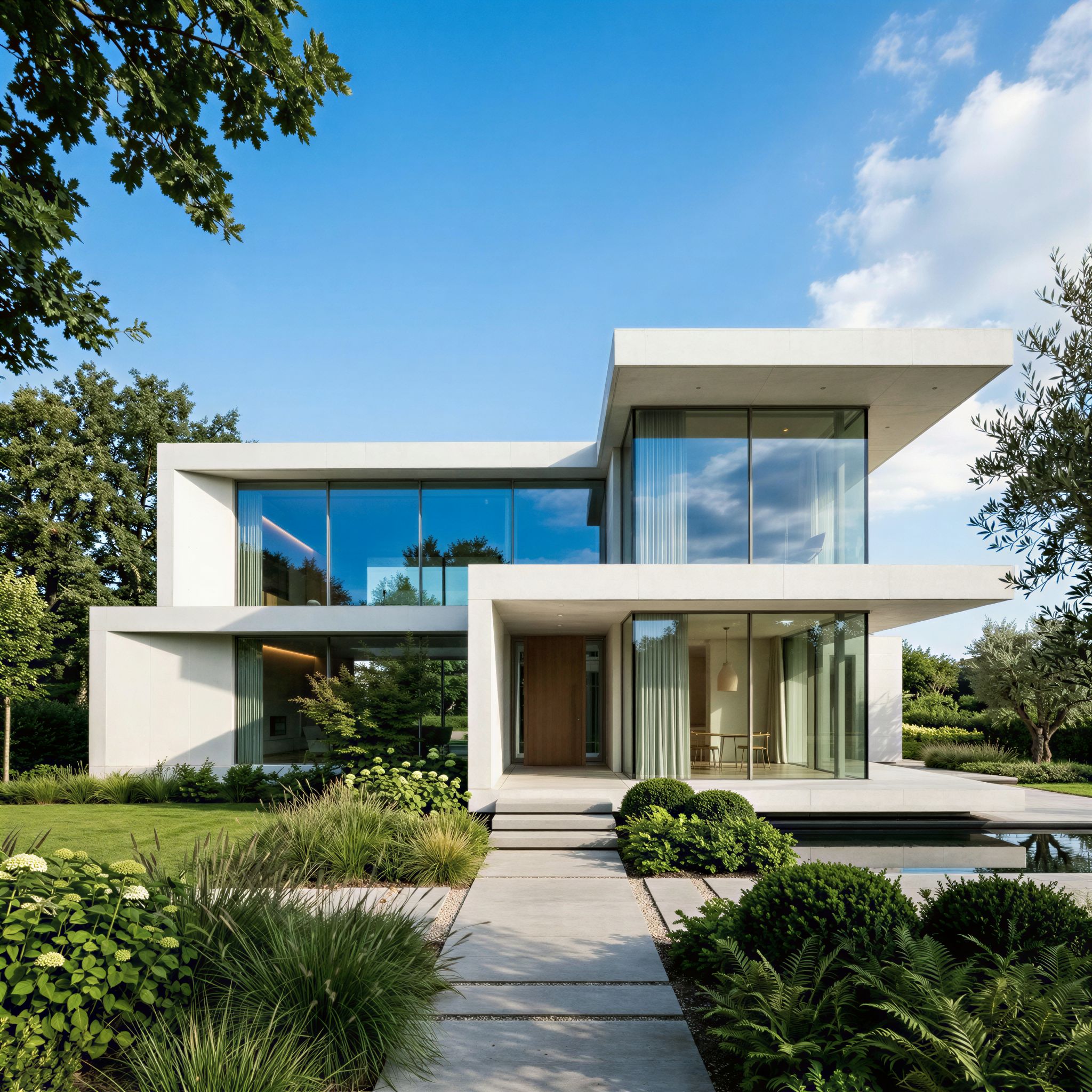
Architectural photography: clean geometric edges and uniform concrete surfaces are enhanced without introducing noise.
The result confirmed that straight lines stay straight and flat surfaces stay clean. No hallucinated texture patterns or edge ringing, which is a common issue with older upscaling approaches.
Honest Assessment
What Pruna P Image Upscale does very well: speed and cost efficiency are genuinely impressive. Sub-second processing at half a cent per image is hard to beat for any production use case. The quality on AI-generated content is strong, with textures, edges, and fine details all improving visibly without the common upscaling artifacts.
Where it has room to improve: the model has very few configurable parameters. You cannot control the upscale factor, choose between different enhancement styles, or specify an output resolution target. It is a one-size-fits-all approach, which works well for most cases but limits power users who want fine-grained control. Additionally, the model works best when the source image already has solid composition and detail. If you feed it a genuinely low-quality or heavily compressed source, do not expect miracles.
Best fit: teams that need fast, cheap, high-volume upscaling as a finishing step in an AI-generation pipeline. Not a fit: photographers who need pixel-level control over the enhancement process or teams working with extremely degraded source material.
FAQ
What is Pruna P Image Upscale used for?
It upscales images to higher resolution while enhancing detail and sharpness. It is optimized for AI-generated content and works as a finishing step in creative pipelines.
How do I use the Pruna P Image Upscale API?
Send a POST request to https://api.segmind.com/v1/p-image-upscale with your API key and an image URL. The upscaled image is returned as binary PNG data.
How much does AI image upscaling cost on Segmind?
Pruna P Image Upscale costs $0.005 per image. That is 200 images per dollar with no minimum commitment.
Is Pruna P Image Upscale free to use?
Segmind offers free credits for new accounts. After that, each upscale costs $0.005. There is no subscription or monthly fee.
How does Pruna P Image Upscale compare to Real-ESRGAN?
Pruna P Image Upscale is significantly faster (sub-second vs. several seconds) and requires no local GPU or setup. Real-ESRGAN offers more configurability. For API-first workflows, Pruna wins on speed and convenience.
Can Pruna P Image Upscale be used for e-commerce product images?
Yes. It handles product photography well, preserving material textures, reflections, and color accuracy during upscaling. It is ideal for catalog and hero image preparation.
Conclusion
Pruna P Image Upscale fills a real gap in AI creative pipelines: the last-mile resolution problem. I tested it across product photography, cinematic concept art, gaming thumbnails, architectural imagery, fantasy art, and event posters. It handled all of them well, with sub-second speed and sharp, artifact-free results at just $0.005 per image.
If you are building any pipeline that generates images with AI, this is the cheapest and fastest way to make them production-ready. Try Pruna P Image Upscale on Segmind. Available via API with no setup required.