
AI Image Generation API: Wan 2.7 Review, Real-World Use Cases 2026
A hands-on review of Wan 2.7 via the Segmind AI image generation API — tested across marketing, film, and MCN use cases with working code examples.

Search interest in "AI image generation" has been trending upward for three consecutive months as of early April 2026, driven by a wave of teams realizing they can replace studio shoots, stock libraries, and freelance illustrators with a single API call. The demand is no longer from early adopters experimenting with prompts. It's from marketing teams with weekly asset quotas, film studios prototyping pre-vis frames, and MCNs producing hundreds of thumbnails a month. That's a fundamentally different use case, and it requires a different quality bar. I tested Wan 2.7 across all three of those environments this week, and it's the AI image generation API that actually meets that bar.
In this post I'll walk through what Wan 2.7 is, what makes it technically distinct, and exactly how I used it across three production-grade scenarios with working code for each.
What is Wan 2.7?
Wan 2.7 is Alibaba's latest image generation and editing model, released in April 2026. It's built on a Flow Matching architecture — a departure from the traditional diffusion approach that dominates most comparable models. The practical implication is faster convergence and cleaner outputs, particularly on detailed prompts with multiple compositional elements. What makes Wan 2.7 distinct from every other text to image AI I've tested is the reasoning step it runs before generating: the model analyzes composition logic, spatial relationships, and semantic intent first, then renders. On single-subject prompts, this doesn't make much difference. On complex, multi-element scenes with specific spatial instructions, the gap is significant. I ran prompts that would trip up FLUX or Midjourney on spatial precision — things like "a watch in the foreground left, marble surface, soft shadow falling right" — and Wan 2.7 got them right on the first try.
The model supports text-to-image generation, instruction-based image editing (pass a reference image and describe the change), accurate text rendering in 12 languages, and multi-reference composition with up to 9 reference images. All via one API endpoint at segmind.com/models/wan2.7-image.
Key Capabilities
Before getting into the use cases, here's what the model actually does well, based on my test runs.
2K resolution by default. Every generation comes back at ~2048px. That's genuine production resolution — usable for print, digital ads, and video thumbnails without upscaling. The detail at 2K is noticeably sharper than what I see from comparable models at the same resolution setting.
Instruction-based image editing. Pass an existing image via the image parameter and describe the change in your prompt. The model preserves subject identity and structure while applying exactly what you asked. For e-commerce teams producing color variants or background swaps, this alone makes Wan 2.7 worth adding to the stack.
Multilingual text rendering. Wan 2.7 accurately renders legible text in 12 languages inside generated images. If you've ever tried to generate a poster or label design with another model and ended up with garbled nonsense where the words should be, you'll appreciate how well this actually works. I didn't do a formal language test in this run, but English text in prompts came back crisp and properly formatted every time.
Strong prompt adherence on complex scenes. This is where Wan 2.7 separates itself from most of the AI image generation tools out there. Multi-element scenes with specific spatial instructions, lighting conditions, and compositional requirements reliably come back matching the brief. Less retrying, less prompt iteration.
Use Case 1: Marketing Agencies
Demand for AI tools for image generation among marketing teams has been one of the strongest rising search queries over the past quarter. The pattern I keep seeing in conversations with agency clients is the same: high asset volumes, tight turnaround, and an increasing willingness to replace production shoots with generated content — as long as the quality is there. Wan 2.7 clears that bar.
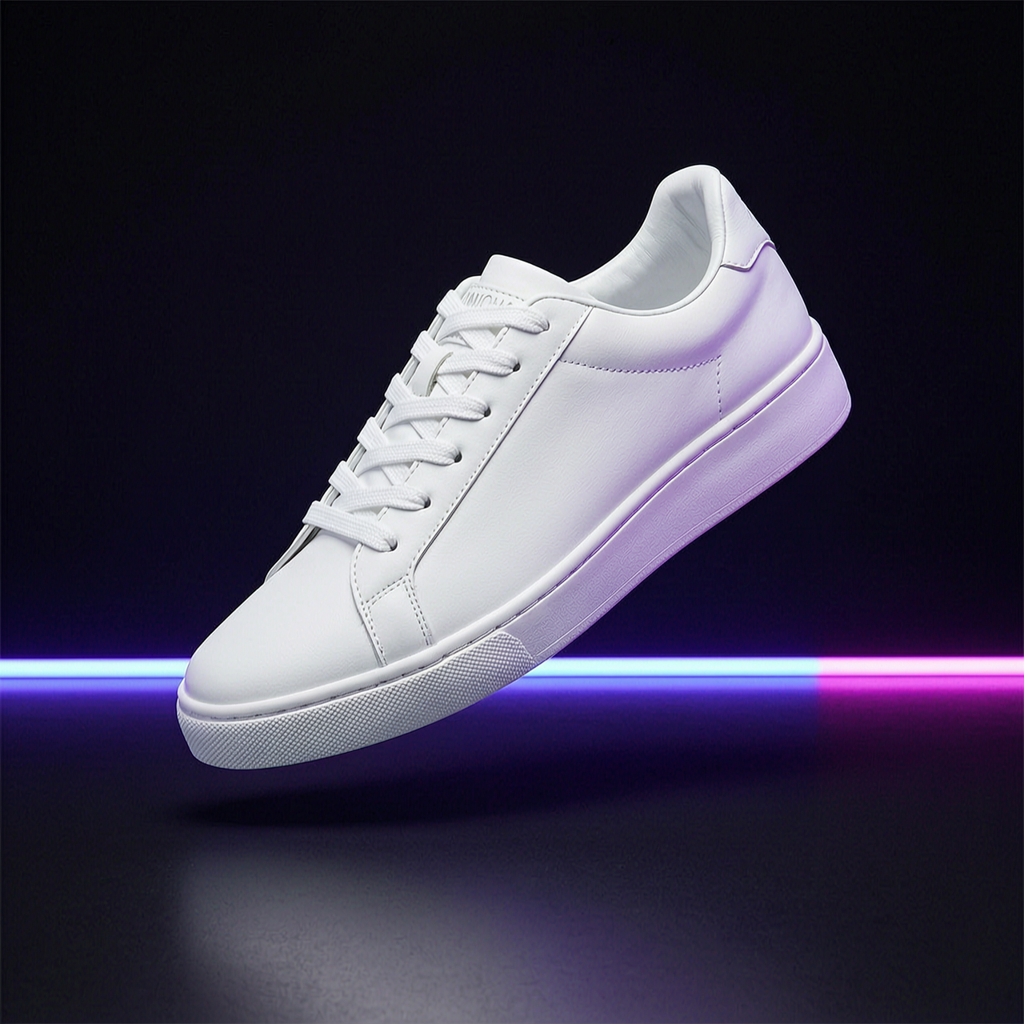
I tested two marketing scenarios: a sneaker product ad and a luxury watch editorial flat-lay. Both came back production-ready on the first pass. For the sneaker, I wanted the floating-object-on-dark-surface look that's become standard in footwear advertising. For the watch, I wanted the marble-surface-with-soft-shadows aesthetic you see in high-end magazine spreads. Here's what I used for the sneaker:
import requests

response = requests.post(
    "https://api.segmind.com/v1/wan2.7-image",
    headers={"x-api-key": "YOUR_API_KEY"},
    json={
        "messages": [
            {
                "role": "user",
                "content": [
                    {
                        "type": "text",
                        "text": "A sleek white sneaker floating on a neon-lit black surface, product photography, studio lighting, ultra high detail, clean background, commercial ad style"
                    }
                ]
            }
        ],
        "size": "2K",
        "watermark": False,
        "negative_prompt": "blurry, low quality, distorted, watermark, text, logo"
    }
)

image_url = response.json()["choices"][0]["message"]["content"][0]["image"]
print(image_url)
Sneaker Product Ad
Luxury Watch Editorial
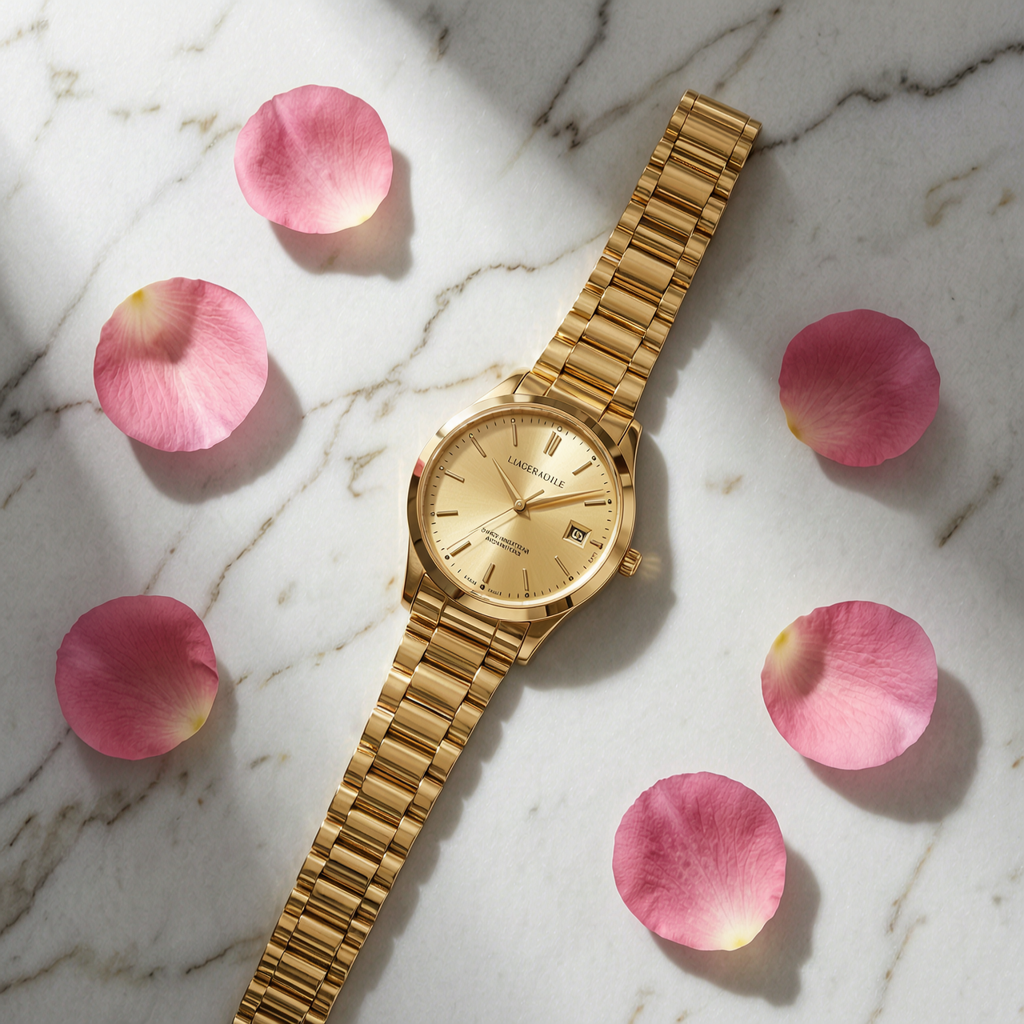
Both came back clean on the first try with no retries. For an agency producing 50+ ad variants per week, that reduction in iteration time is where the real value shows up. You're not paying for a shoot, not waiting on a photographer, and not spending an hour prompting. At $0.037 per generation, a 50-image batch costs $1.85. One shoot day costs more than that in coffee.
The negative_prompt parameter is worth using consistently for product work. I found it effectively suppresses watermarks, text overlays, and the slight distortion that can creep in on reflective surfaces. Keep it simple: "blurry, low quality, distorted, watermark, text, logo" covers most cases.
Use Case 2: Movie Making and Film Studios
The film and production space has been one of the strongest adopters of AI image generation tools over the past 18 months. Search data confirms it — "AI for film production" and "AI concept art" are among the top related queries for this space. The use cases are mostly pre-production: concept art, storyboards, environment reference, pre-visualization frames. For these applications, quality beats speed, and Wan 2.7's 2K output with strong compositional control is the right fit.
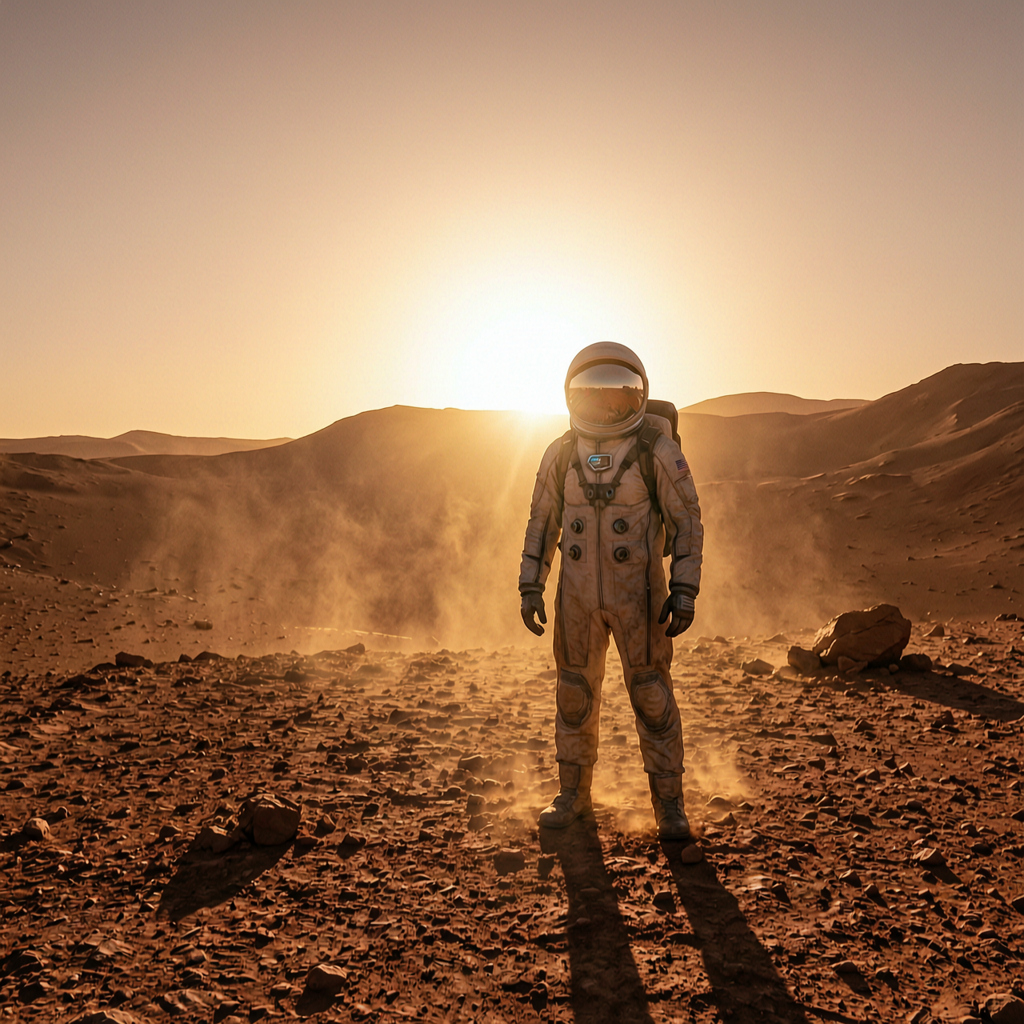
I ran two film scenarios. First, a sci-fi pre-vis frame: a lone astronaut on a dusty red planet with dramatic backlighting. The kind of shot that would go in a pitch deck or director's treatment to illustrate the visual language of a film before a single dollar of production budget is spent. Second, a fantasy environment: a castle at twilight with swirling fog and a magical sky — the type of concept art a visual effects team would produce for a studio presentation.
import requests

response = requests.post(
    "https://api.segmind.com/v1/wan2.7-image",
    headers={"x-api-key": "YOUR_API_KEY"},
    json={
        "messages": [
            {
                "role": "user",
                "content": [
                    {
                        "type": "text",
                        "text": "A majestic fantasy castle perched on a cliff at twilight, swirling fog below, magical purple sky, lightning in the distance, cinematic composition, hyper-detailed"
                    }
                ]
            }
        ],
        "size": "2K",
        "watermark": False,
        "negative_prompt": "cartoon, anime, blurry, low quality, watermark, modern buildings"
    }
)

image_url = response.json()["choices"][0]["message"]["content"][0]["image"]
Sci-Fi Pre-Vis Frame
Fantasy Environment Concept
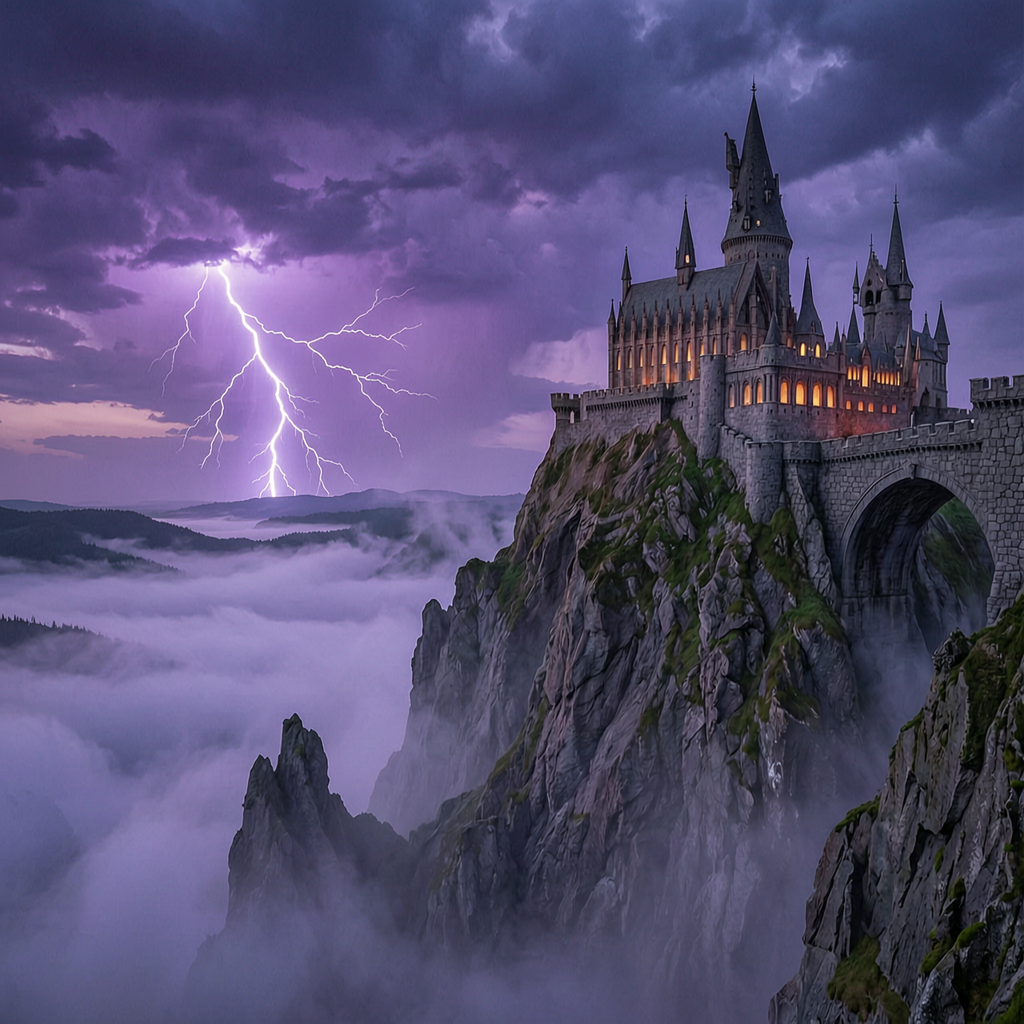
What surprised me was how well the lighting held up. Lighting is usually the first thing that breaks at the edges of complex scenes — wrong shadows, inconsistent light sources, flat renders where you expected volumetric depth. Wan 2.7's Flow Matching architecture seems to handle multi-source lighting better than diffusion-based alternatives. The astronaut backlit scene in particular had a quality I'd describe as "actually cinematic" rather than "AI-generated approximation of cinematic."
For studios, the workflow I'd recommend is using seed to lock in a compositional direction, then iterating on prompt details to explore variations. Once you have a frame you like, you can use the image editing capability to make targeted changes — swap the sky, adjust the color grade direction — without regenerating from scratch.
Use Case 3: Production Houses and MCNs
Content production houses and Multi-Channel Networks are the highest-volume users of visual AI tools. A single MCN managing 20+ YouTube channels might need 200+ thumbnails per week. At that scale, even small improvements in first-pass quality compound quickly into real time savings. Search data shows "AI image generator" and "text to image generator" are both top queries in this space, reflecting a base-level familiarity with the tools — these teams aren't new to AI image generation, they're looking for better options.
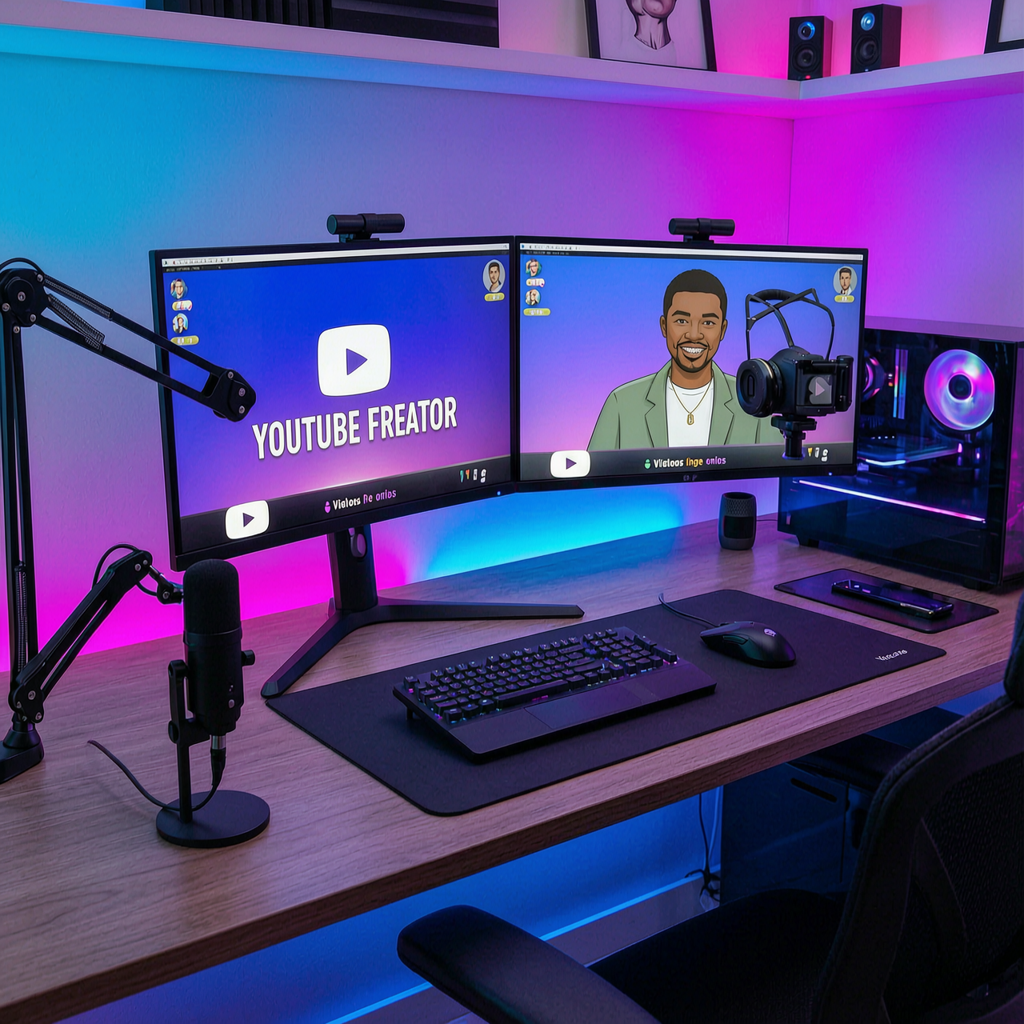
I tested two MCN scenarios: a creator desk setup (the standard tech-channel aesthetic) and a food photography shot for a recipe channel. Both are high-frequency content types where Wan 2.7 can genuinely replace a photo shoot or stock library purchase.
import requests

response = requests.post(
    "https://api.segmind.com/v1/wan2.7-image",
    headers={"x-api-key": "YOUR_API_KEY"},
    json={
        "messages": [
            {
                "role": "user",
                "content": [
                    {
                        "type": "text",
                        "text": "A dramatic overhead shot of a beautifully plated gourmet dish, dark moody restaurant lighting, steam rising, golden hour warmth, food photography for viral social media content"
                    }
                ]
            }
        ],
        "size": "2K",
        "watermark": False,
        "negative_prompt": "blurry, low quality, watermark, amateur, bright flat lighting"
    }
)

image_url = response.json()["choices"][0]["message"]["content"][0]["image"]
Creator Desk Setup
Food Content Thumbnail
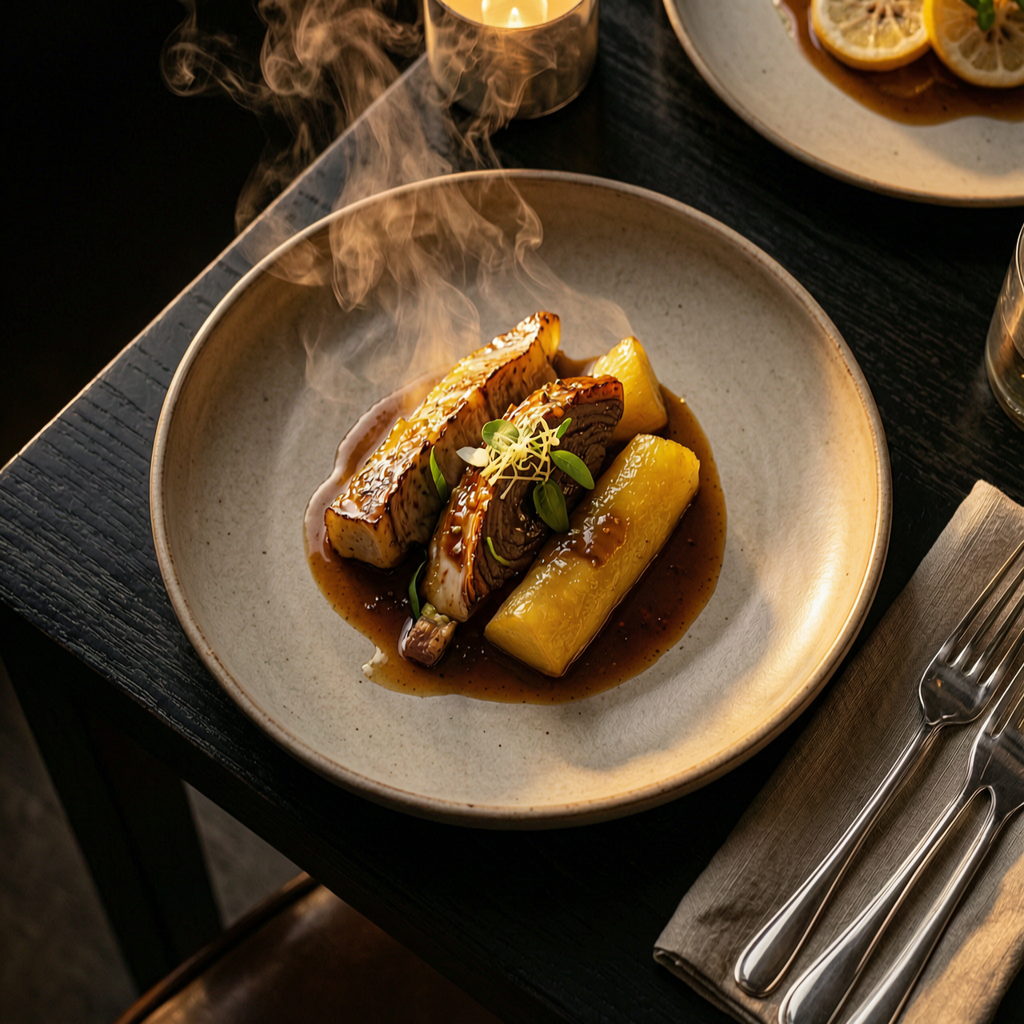
For an MCN producing 200 thumbnails a week, Wan 2.7 at $0.037/image means the whole weekly batch costs $7.40 in API credits. Replace that with even a modest stock library subscription and you're looking at $50-150/month for images that are less specific and more likely to show up on a competitor's channel. The ROI case writes itself. The bigger benefit is speed: a thumbnail that used to require a 30-minute stock search and Photoshop session can be a 5-second API call.
Developer Integration Guide
The full API call is straightforward. The one thing to know: Wan 2.7 returns a JSON response in chat-completion format (not raw binary), with each generated image as a URL inside the choices array. Extract it like this:
import requests

API_KEY = "YOUR_API_KEY"

def generate_image(prompt, size="2K", negative_prompt=None, seed=None):
    content = [{"type": "text", "text": prompt}]
    payload = {
        "messages": [{"role": "user", "content": content}],
        "size": size,
        "watermark": False
    }
    if negative_prompt:
        payload["negative_prompt"] = negative_prompt
    if seed is not None:
        payload["seed"] = seed

    resp = requests.post(
        "https://api.segmind.com/v1/wan2.7-image",
        headers={"x-api-key": API_KEY},
        json=payload,
        timeout=120
    )
    resp.raise_for_status()
    return resp.json()["choices"][0]["message"]["content"][0]["image"]

# Production-quality image
url = generate_image(
    prompt="A modern cafe interior, warm ambient light, wooden tables, photorealistic",
    size="2K",
    negative_prompt="blurry, low quality, distorted"
)
print(url)

# Fast draft for iteration
draft_url = generate_image(prompt="...", size="1K")
The three parameters worth understanding: size controls resolution ("1K" for iteration, "2K" for finals). seed locks the random state so the same prompt produces the same output — essential when you're iterating on a prompt and want to isolate what changed. negative_prompt suppresses unwanted elements; use it consistently for cleaner outputs. For batch processing, Wan 2.7 is synchronous per call — if you need high throughput, run parallel requests rather than sequential. Full docs at segmind.com/models/wan2.7-image.
Honest Assessment
What Wan 2.7 does very well: prompt adherence on complex, multi-element scenes is genuinely better than anything I've tested at this price point. The 2K output quality is consistent, the lighting handling is strong, and the image editing capability (supply a reference, describe the change) works reliably for targeted modifications. It's also the best model I've used for images that need to contain legible text.
Where it has room to improve: purely aesthetic, artistic-style generations — the impressionist, painterly, heavily stylized outputs that Midjourney produces by default — aren't Wan 2.7's strength. If your use case is "generate something beautiful and surprising," FLUX or Midjourney will give you more to work with. Wan 2.7's advantage is precision and reliability, not artistic improvisation. It's also worth noting the response format differs from most image generation APIs (JSON with URL rather than binary) — something to account for if you're integrating alongside other models.
Best fit: production workflows where prompt fidelity matters, multi-element scene descriptions, e-commerce and marketing asset generation, text-in-image use cases. Not the best fit: highly stylized artistic outputs, situations where "surprise me" is a valid prompt strategy.
FAQ
What is Wan 2.7 Image Generation used for?
Wan 2.7 is used for text-to-image generation, instruction-based image editing, and multilingual text rendering inside images. It's designed for production workflows where prompt fidelity and compositional precision matter: marketing visuals, e-commerce product images, concept art, storyboards, and thumbnail generation.
How do I use the Wan 2.7 Image Generation API?
Send a POST request to https://api.segmind.com/v1/wan2.7-image with your Segmind API key in the x-api-key header. The payload uses a messages array format: pass your prompt as a text content item in the user message. The response is JSON with image URLs in the choices array.
What is the best AI for image generation in 2026?
For prompt adherence, text rendering, and production-quality multi-element scenes, Wan 2.7 is one of the strongest options available via API in 2026. For purely artistic or heavily stylized outputs, Midjourney remains a strong choice. For fast, simple single-subject images, FLUX is competitive.
Is Wan 2.7 free to use?
Wan 2.7 is available on Segmind at $0.037 per generation. New Segmind accounts include free credits to try models before committing to paid usage.
How does Wan 2.7 compare to FLUX for marketing use cases?
Wan 2.7 outperforms FLUX on complex, multi-element marketing prompts where spatial accuracy and detail matter — things like product flat-lays with specific lighting setups or multi-object compositions. FLUX has an edge on speed for simple single-subject prompts.
Can Wan 2.7 be used for YouTube thumbnail generation?
Yes. Wan 2.7 produces 2K-resolution images suitable for YouTube thumbnails, handles the vivid colors and dramatic compositions that work well for thumbnails, and at $0.037 per image it's cost-effective even at high volumes. I tested it for both tech-channel desk setups and food photography thumbnails with strong results.
Conclusion
Wan 2.7 is a genuinely strong addition to any AI image generation workflow that prioritizes reliability and production quality over artistic surprise. The three use cases I found most compelling: marketing agencies generating product and editorial assets at scale, film studios building concept art and pre-vis frames without a dedicated illustrator, and MCNs producing thumbnail batches that would otherwise require multiple stock searches and editing sessions. All three come back looking like intentional production work rather than AI output that needs post-processing.
Try Wan 2.7 on Segmind at segmind.com/models/wan2.7-image. Available via API with no setup required.